Nhanganyaya
Ndatenda nekutengaasing the Singsation Karaoke Machine. This portable speaker system is designed to provide dynamic sound and an engaging karaoke experience with its built-in light show, Bluetooth connectivity, and multiple audio input options. This manual will guide you through the setup, operation, and maintenance of your device to ensure optimal performance and enjoyment.
Safety Information
Ndapota verengai mirairo yese yekuchengetedza musati mashandisa mudziyo uyu. Chengetai bhuku iri kuti muzoshandisa mune ramangwana.
- Usaise mudziyo wacho pamvura kana hunyoro kudzivirira moto kana kuvhundutswa nemagetsi.
- Do not block any ventilation openings. Ensure proper airflow around the unit.
- Shandisa zvakanamirwa chete/zvishandiso zvinotsanangurwa nemugadziri.
- Bvisa iyo unit panguva yemadutu emheni kana kana isina kushandiswa kwenguva refu.
- Usaedza kugadzirisa mudziyo wega. Tumira mabasa ese ekugadzirisa kune vashandi vane hunyanzvi.
- Chengeta mudziyo uyu kure nezvinhu zvinopisa zvakaita sema radiator, ma heat registers, mastove, kana zvimwe zvinhu zvinopisa.
Package Zviri mukati
Carefully unpack your Singsation Karaoke Machine and ensure all items are present:
- Singsation Karaoke Speaker
- Wired Maikorofoni
- Remote Control
- USB Kuchaja Cable
- Kutakura Tambo

Image: Included accessories: wired microphone, remote control, and USB charging cable.
Product Overview
The Singsation Karaoke Machine features an intuitive control panel and various ports for versatile use.

Mufananidzo: Mberi view of the Singsation Karaoke Machine.
Control Panel Features:
- Akatungamirira Ratidza: Inoratidza nzira iripo, nhamba yenziyo, kana frequency yeFM.
- Maikorofoni Kudzora Vhoriyamu: Adjusts the microphone input level.
- Echo Control: Adds an echo effect to the microphone sound.
- Master Vhoriyamu Kudzora: Adjusts the overall sound output.
- Bhatani reModhi: Switches between Bluetooth, AUX, USB, Micro SD, and FM Radio modes.
- Bhatani reTamba/Kumbomira: Kudzora midhiya kutamba.
- Mabhatani Anotevera/Anotevera: Navigates through tracks or FM stations.
- USB Port: For playing music from USB drives.
- TF Kadhi Slot (Micro SD): For playing music from Micro SD cards.
- AUX Input: Kubatanidza zvishandiso zvekunze zveaudio uchishandisa waya ye3.5mm.
- Maikorofoni Inopinza: Yekubatanidza maikorofoni ine waya.
- Simba Chinja: Inoshandura iyo unit ON / OFF.

Image: The built-in handle allows for easy portability.
Gadzirira
Kuchaja iyo Unit:
Before first use, fully charge the karaoke machine. Connect the provided USB charging cable to the unit's charging port and the other end to a USB power adapter (not included) or a computer USB port. The charging indicator light will show the charging status.

Image: The unit provides up to 4 hours of playtime on a single charge.
Kubatidza/Kudzima:
Locate the Power switch on the unit and slide it to the 'ON' position to power on the device. Slide it to 'OFF' to power off.
Kubatanidza Maikorofoni:
Insert the plug of the wired microphone into the Microphone Input jack on the control panel.
Operating Instruction
Bluetooth Pairing:
- Turn on the Singsation Karaoke Machine. It will automatically enter Bluetooth pairing mode, indicated by a flashing Bluetooth icon on the LED display.
- Bvumira Bluetooth pafoni yako, tablet, kana chimwe chinhu chinoshandisa Bluetooth.
- Tsvaga "Singsation" or the specific model name (e.g., "SPKA24") in your device's Bluetooth list.
- Select the device to pair. Once connected, the Bluetooth icon on the display will stop flashing.
- You can now stream audio wirelessly from your device to the karaoke machine.
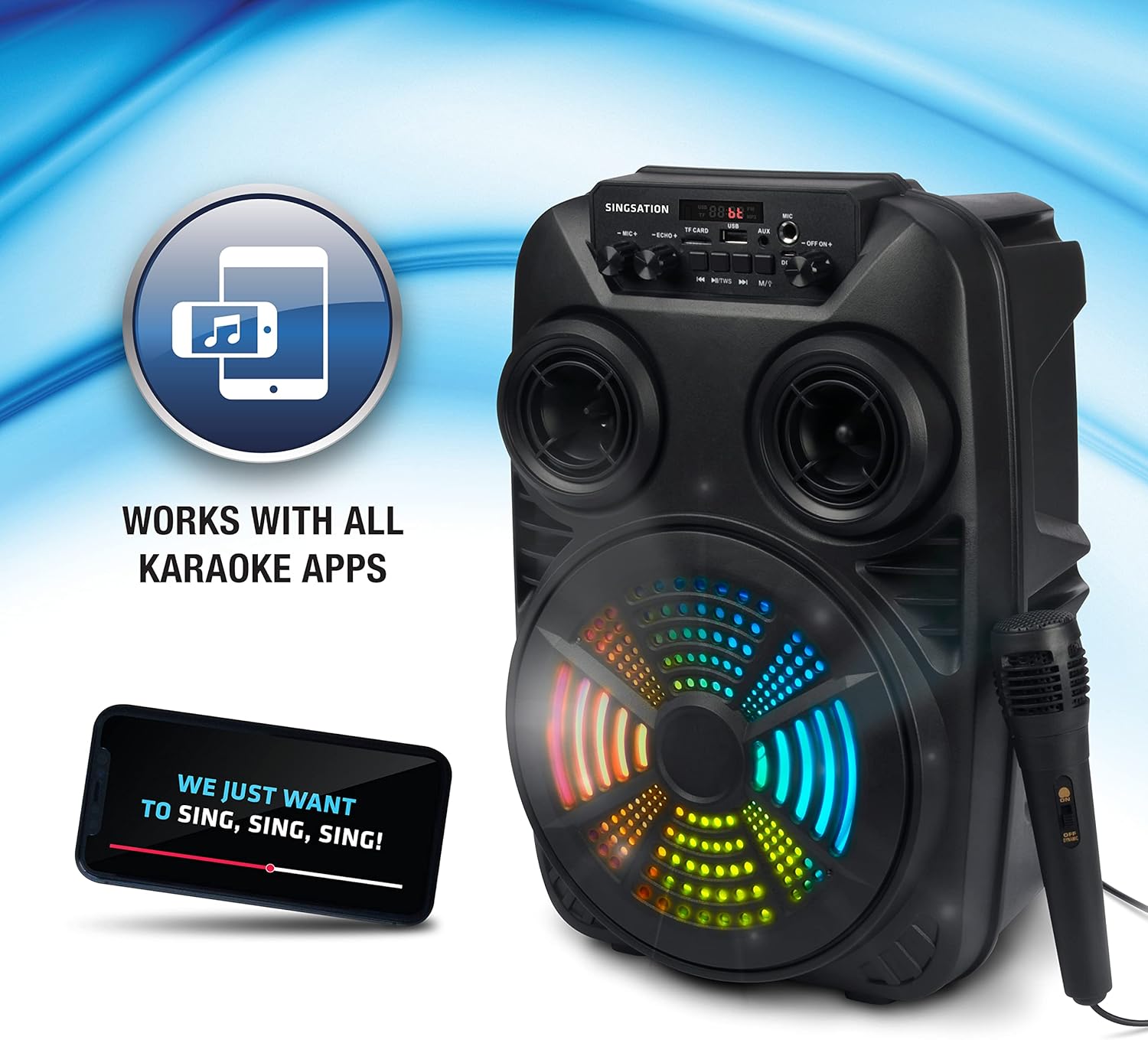
Image: The Singsation Karaoke Machine works seamlessly with all karaoke applications.
Using Other Audio Inputs (AUX, USB, Micro SD, FM Radio):
Press the 'Mode' button repeatedly to cycle through the available input modes: Bluetooth, AUX, USB, Micro SD, and FM Radio.
- AUX Maitiro: Connect an external audio device (e.g., MP3 player, computer) to the AUX input using a 3.5mm audio cable.
- USB/Micro SD Modhi: Insert a USB drive or Micro SD card (TF card) containing MP3 audio files into the respective port/slot. The unit will automatically begin playing music.
- FM Radio Maitiro: In FM mode, press the Play/Pause button to auto-scan and save available radio stations. Use the Previous/Next Track buttons to navigate between saved stations.

Image: Multiple connectivity options for enjoying your music.
Kushandisa Maikorofoni:
Once the microphone is connected, adjust the 'MIC VOL' knob to control the microphone's volume. Use the 'ECHO' knob to add an echo effect for a more professional vocal sound.
Light Show Features:
The Singsation Karaoke Machine features multi-color LED lights that synchronize with the music, creating a dynamic light show. These lights automatically activate when the unit is powered on.

Image: Features include vibrant color-changing lights and an adjustable echo effect.
Remote Control Mabasa:
The included remote control allows you to manage playback, volume, and other settings from a distance.
- Bhatani reSimba: Inoshandura iyo unit on / off.
- Bhatani reModhi: Inotenderera kuburikidza nenzira dzekupinda.
- Vhoriyamu +/-: Inogadzirisa inzwi guru.
- EQ Bhatani: Inotenderera kuburikidza nema equalizer presets.
- Play/Pause, Previous/Next: Kudzora midhiya kutamba.
- Mabhatani eNhamba: For direct track selection in USB/Micro SD mode or FM station selection.
Bass Boost:
The unit is designed with an 8-inch dynamic driver and a rear heavy bass guide tube to deliver impressive bass tones and strong stereo sound. No specific button for bass boost, it's an inherent feature of the speaker design.

Image: Enjoy singing along with your favorite tunes.
Maintenance
- Kuchenesa: Shandisa jira rakapfava, rakaoma kuchenesa kunze kwechikwata. Usashandise abrasive cleaners kana solvents.
- Kuchengeta: Kana isiri kushandiswa, chengetedza iyo unit munzvimbo inotonhorera, yakaoma kure nechiedza chezuva uye tembiricha yakanyanyisa.
- Battery Care: To prolong battery life, avoid fully discharging the battery frequently. Charge the unit regularly, even if not in use for extended periods.
Kugadzirisa matambudziko
If you encounter issues with your Singsation Karaoke Machine, refer to the table below for common problems and solutions.
| Dambudziko | Zvinogona Kukonzera | Solution |
|---|---|---|
| Hapana simba | Battery is depleted; Power switch is OFF. | Charge the unit; Ensure the power switch is in the 'ON' position. |
| Hapana ruzha | Volume is too low; Incorrect input mode selected; Device not paired (Bluetooth). | Increase master volume; Press 'Mode' button to select correct input; Re-pair Bluetooth device. |
| Maikorofoni haisi kushanda | Microphone not properly connected; Microphone volume too low. | Ensure microphone is fully plugged into the input jack; Increase 'MIC VOL' knob. |
| Kubatana kweBluetooth hakuna kugadzikana | Device is too far from the unit; Interference from other devices. | Move the Bluetooth device closer to the karaoke machine; Turn off other Bluetooth devices nearby. |
| Charging port feels loose/damaged | Physical damage to the port. | Handle charging cable with care. If damaged, contact customer support for repair options. |
Zvinotsanangurwa
| Feature | Detail |
|---|---|
| Model Number | SPKA24 |
| Mutauri Mukuru | 8-inch Dynamic Driver |
| Kubatana | Bluetooth 5.0, AUX, USB, Micro SD, FM Radio |
| Simba Source | Rechargeable Battery |
| Nguva yekutamba | Kusvika kumaawa mashanu (pamutengo mumwe chete) |
| Dimensions (approx.) | 16.6 x 10.2 x 8.1 inches |
| Huremu (approx.) | 4.14 makirogiramu |
| Inosanganisirwa Zvikamu | Karaoke Machine, Microphone, Remote Control, USB Charging Cable, Carrying Strap |
Warranty uye Support
Singsation products are manufactured with high-quality standards. For warranty information, technical support, or service inquiries, please refer to the warranty card included with your product or visit the official Singsation website. Chengeta risiti rako rekutenga seumboo hwekutenga.


