1. Nhanganyaya
This manual provides comprehensive instructions for the proper use, setup, and maintenance of your boAt Immortal IM 300 Over-Ear Wired Gaming Headphones. Please read this manual thoroughly before using the product to ensure optimal performance and longevity.

Image 1.1: The boAt Immortal IM 300 Over-Ear Wired Gaming Headphones, showcasing dhizaini yayo uye mwenje weRGB.
2. Package Zviri mukati
Iva nechokwadi chekuti zvinhu zvese zvakanyorwa pazasi zviripo mupakeji yechigadzirwa chako:
- boAt Immortal IM-300 Gaming Headphones
- Type-C kune Type-A Cable
- Type-C kune Type-C Cable
- Mushandisi Chinyorwa (gwaro iri)
- Warranty Card
3. Chigadzirwa Pamusoroview
The boAt Immortal IM 300 headphones are designed for an immersive audio experience, featuring advanced drivers, dual microphone options, and customizable settings.
3.1. Key Features
- 50mm Vatyairi: Engineered for a powerful and immersive auditory experience.
- Dual EQ Modes: Switch between 3D Spatial Sound for gaming and boAt Signature Sound for music and movies.
- RGB maLED: Integrated RGB lighting for visual customization.
- Maikorofoni maviri: Includes a detachable boom mic for clear communication and a passive mic for general use.
- Customization: Audio and mic driver settings can be adjusted via boAt Plugin Labz software.
- Yakagadzikana Dhizaini: Lightweight, over-ear design with soft earmuffs for extended wear.
- Wired Connectivity: USB Type-C connection for reliable audio transmission.
- Multi-Platform Kuenderana: Designed for use with PCs, laptops, smartphones, and gaming consoles.

Mufananidzo 3.1: Yakaputika view illustrating the 50mm audio drivers within the headphone earcups.
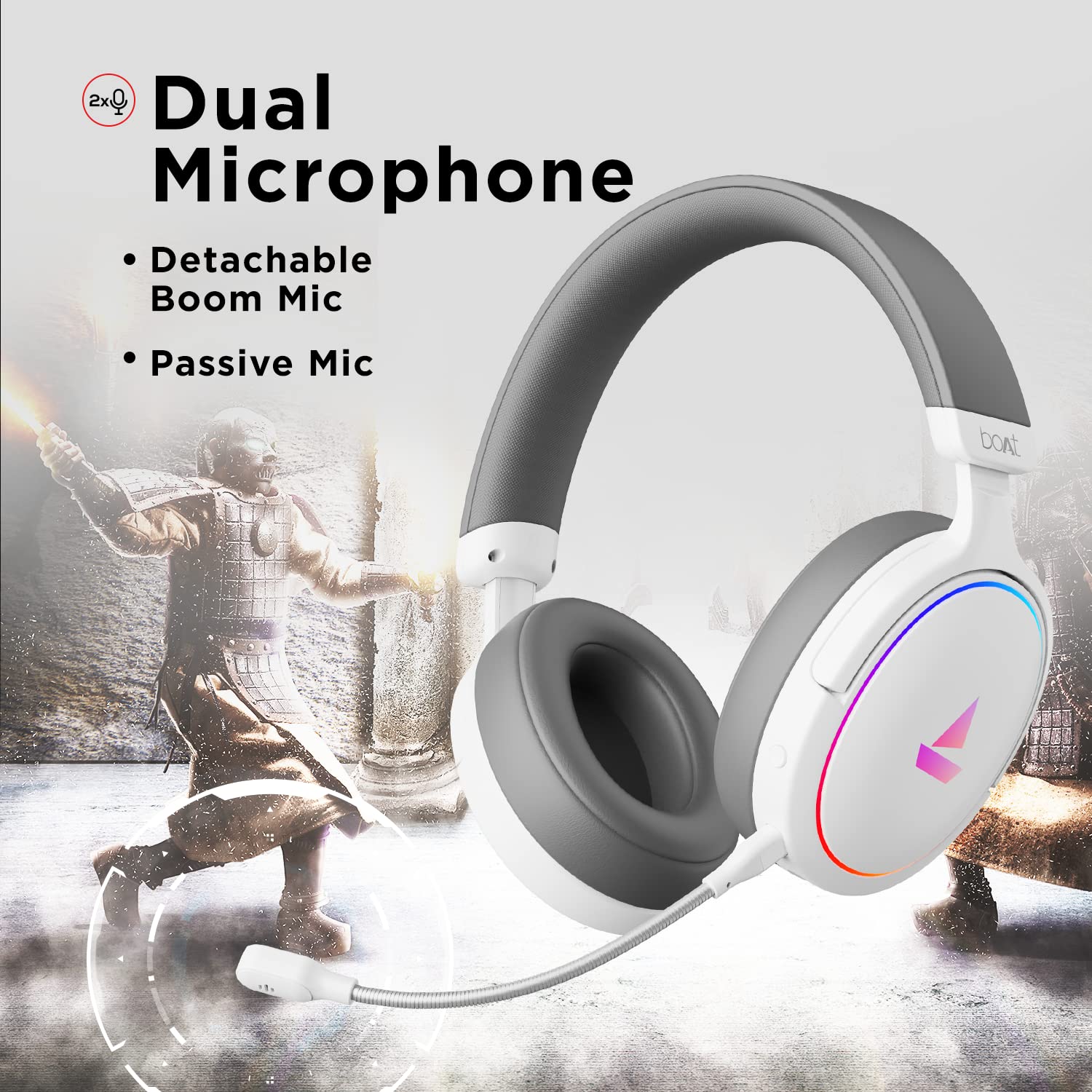
Image 3.2: The headphones featuring the detachable boom microphone, highlighting the dual microphone system.
4. Setup
4.1. Kubatanidza kuChidimbu Chako
The Immortal IM 300 headphones connect via USB. Use the appropriate cable for your device:
- YePC/Laptop: Use the provided Type-C to Type-A cable. Connect the Type-C end to the headphone and the Type-A end to an available USB port on your computer.
- For Smartphones/Other Type-C Devices: Use the provided Type-C to Type-C cable. Connect one end to the headphone and the other to your device's Type-C port.
Once connected, your device should automatically detect the headphones. You may need to select the "Immortal IM-300" as the audio output and input device in your system's sound settings.
4.2. Attaching the Boom Microphone
The boom microphone is detachable. To attach it, align the microphone's connector with the port on the left earcup and gently push until it clicks into place. Ensure it is securely connected for optimal voice pickup.
To detach, gently pull the microphone straight out from the port.
5. Operating Instructions
5.1. Audio Modes (Dual EQ)
The headphones feature two distinct audio equalization (EQ) modes:
- 3D Spatial Sound Mode: Optimized for gaming, providing enhanced directional audio cues.
- Music Mode (boAt Signature Sound): Balanced audio profile suitable for listening to music and watching movies.
Refer to the inline remote control or the boAt Plugin Labz software for instructions on switching between these modes.

Image 5.1: Illustration of the Dual EQ Modes, highlighting the 3D Spatial Audio and Music Mode functionalities.
5.2. RGB LED Control
The headphones are equipped with RGB LEDs. These lights can be customized or turned off. Specific controls for RGB lighting are typically located on the inline remote or accessible through the boAt Plugin Labz software.

Image 5.2: The headphones showcasing their RGB lighting, indicating customization options via boAt Plugin Labz.
5.3. Maikorofoni Kushandiswa
The Immortal IM 300 offers two microphone options:
- Maikorofoni yeBoom: For clear and focused voice communication, especially during gaming. Ensure it is positioned correctly near your mouth.
- Passive Microphone: An integrated microphone for casual use when the boom mic is detached.
Use the inline remote to mute/unmute the microphone as needed.
6. Customization via boAt Plugin Labz
For advanced audio and microphone settings, download and install the boAt Plugin Labz software. This application allows you to fine-tune your listening experience and microphone performance.
Please visit the official boAt website for download instructions and compatibility information for the Plugin Labz software.
7. Kuchengeta
7.1. Kuchenesa
- Pukuta mahedhifoni nemucheka wakapfava, wakaoma.
- Usashandise makemikari ane hasha, kuchenesa zvinonyungudutsa, kana mishonga yakasimba.
- Keep the earcups clean to prevent debris buildup.
7.2. Kuchengeta
- Chengetedza mahedhifoni munzvimbo inotonhorera, yakaoma kure nechiedza chezuva uye tembiricha yakanyanyisa.
- Dzivisa kuisa zvinhu zvinorema pamahedhifoni.
- When not in use, consider storing them in a protective case to prevent damage.
8. Kugadzirisa matambudziko
| Dambudziko | Zvinogona Kukonzera | Solution |
|---|---|---|
| Hapana ruzha runobva kumahedhifoni. |
|
|
| Maikorofoni haisi kushanda. |
|
|
| RGB LEDs are not lighting up. |
|
|
9. Zvinotsanangurwa
| Feature | Detail |
|---|---|
| Model Name | Immortal IM-300 |
| Kubatana Technology | Wired (USB Type-C) |
| Audio Driver Size | 50mm |
| Earpiece Shape | Over-ear cups |
| Mafomati eMaikorofoni | Boom (detachable) & Passive |
| Noise Control | Passive Noise Cancellation |
| Frequency Range | 50-10KHz |
| Item Weight | 260 magiramu |
| Zviyero zveChigadzirwa (LxWxH) | 20 x 18 x 8 cm |
| Inowirirana Devices | Smartphones, Laptops, Desktops, Gaming Consoles |
| Material | Plastiki |
| Kudzora Nzira | Remote |

Mufananidzo 9.1: Pamusoroview of key features including multi-platform compatibility, lightweight construction, wired connection, and passive noise isolation.
10. Warranty uye Tsigiro
Your boAt Immortal IM 300 headphones come with a 1-makore waranti kubva pazuva rekutenga. Ndapota chengetai risiti yenyu yekutenga kuti muwane vimbiso yewaranti.
For technical support, warranty claims, or further assistance, please contact boAt customer service through their official webwebhusaiti kana ruzivo rwekuonana rwuri pakadhi rako rewarandi.
Kuti uwane rumwe ruzivo, shanya mukuru boAt Store.


