1. Chigadzirwa Pamusoroview
The Berilona Kids Smart Watch is designed to provide entertainment and educational features for children aged 4-12. It includes a variety of functions such as games, a camera, video and music playback, a pedometer, alarm clock, flashlight, and parental control options. This manual provides detailed instructions for setting up, operating, and maintaining your new smartwatch.
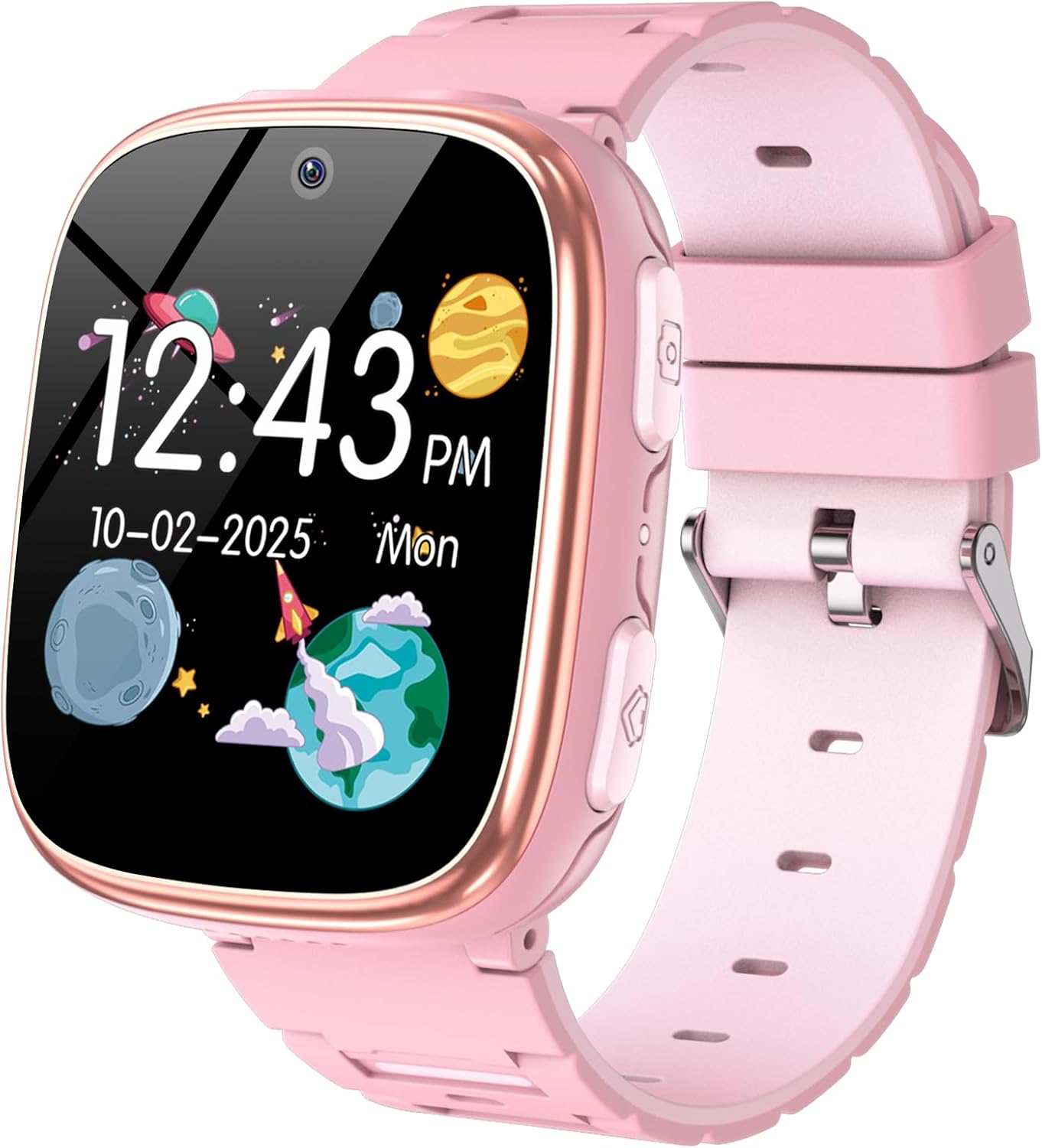
2. Chii Chinosanganisirwa
- Vana Smart Watch
- Kushandisa Manual
- Chaja Cable
3. Setup Guide
3.1 Kutanga Kuchaja
Before first use, fully charge the smartwatch. Connect the provided charging cable to the watch's USB charging port (refer to Figure 2 for port location) and plug the other end into a compatible USB power adapter (not included). A full charge typically takes 2-3 hours.
3.2 Simba On/Kudzima
To power on the watch, press and hold the Home Button (refer to Figure 2) for a few seconds until the screen lights up. To power off, press and hold the Home Button again until the power-off option appears on the screen, then confirm.
3.3 Basic Navigation
The smartwatch features a smooth touchscreen for navigation. Swipe left or right to browse through different applications and features. Tap on an icon to open an application. Use the Home Button to return to the main clock interface.

4. Operating Instructions
The Berilona Kids Smart Watch comes packed with various features to engage and educate children. Below are instructions for key functionalities:
4.1 Time Display & Customization
The main screen displays the time and date. Swipe across the clock face to change between various analog and digital watch faces. This allows for personalization and fun.


4.2 Camera & Video
Capture photos and record videos directly from the watch. Tap the 'Camera' icon to open the camera interface. Press the Camera Button (refer to Figure 2) or tap the screen to take a photo or start/stop video recording. Photos and videos are saved to the watch's internal memory.
4.3 Mitambo
The watch comes pre-loaded with 15 puzzle games for entertainment. Access them via the 'Games' icon. Parental control settings can be used to limit game time.
4.4 Mumhanzi Player
Rodha odhiyo yeMP3 files onto the watch's memory via the charging cable. Access and play music through the 'Music' or 'Player' application. The watch has a volume control feature.
4.5 Pedometer
The built-in pedometer tracks your child's steps throughout the day, encouraging physical activity. View step count via the 'Pedometer' application.
4.6 Tochi
Activate the flashlight feature from the main menu for convenient illumination in dark environments. Remember to keep the light away from eyes.
4.7 Time Teacher & Sound Teacher
These innovative features help children learn about time and sounds in an interactive way.
4.8 Audiobook
Enjoy 8 interesting audiobook stories directly on the watch, providing an engaging listening experience.
4.9 Habit Tracking
This feature helps cultivate good habits and time management concepts by allowing you to set reminders for daily routines like breakfast, homework, and bedtime.

4.10 Kudzora Kwevabereki
Access parental control settings to manage watch usage and set time limits for games, ensuring a balanced experience for your child.

5. Zvinotsanangurwa
| Feature | Detail |
|---|---|
| Product Dimensions | 5 x 1.57 x 0.39 inches |
| Item Weight | 2.12 ounces (60 magiramu) |
| Item Model Number | X38 |
| Mabhatiri | 1 Lithium Polymer bhatiri inodiwa |
| Yakamira Sikirini Ratidza Size | 1.54 inches |
| Memory Storage Capacity | 8000 MB |
| Operating System | Don't Need (Standalone) |
| Special Features | Camera, Games, Music, Flashlight, Alarm Clock, Video, Pedometer, Calendaring, Parental Control Function, Audiobook, Time Teacher, Sound Teacher, Habit Tracking, Camera Sticker |
| Battery Capacity | 670 mamiriyoniamp Maawa |
| Kubatana Technology | USB |
| Wireless Kutaurirana Standard | 900 MHz Radio Frequency |
| Battery Cell Kuumbwa | Lithium Polymer |
| GPS | Hapana GPS |
| Shape | Square |
6. Kuchengeta
To ensure the longevity and optimal performance of your Berilona Kids Smart Watch, follow these maintenance guidelines:
- Kuchenesa: Wipe the watch screen and band with a soft, dry cloth. For stubborn dirt, slightly dampen jira nemvura. Dzivisa makemikari ane hasha kana abrasive zvinhu.
- Kuchaja: Always use the provided charging cable. Do not overcharge the battery; disconnect once fully charged.
- Kuramba Mvura: The watch is designed for everyday use but is not fully waterproof. Avoid submerging it in water or exposing it to heavy rain.
- Kuchengeta: Chengeta wachi yacho munzvimbo inotonhorera, yakaoma kure nezuva rakananga uye tembiricha dzakanyanya kana isingashandiswi kwenguva yakareba.
7. Kugadzirisa matambudziko
If you encounter any issues with your smartwatch, please refer to the following common solutions:
- Watch not kubatidza: Iva nechokwadi chekuti wachi yacho yachajwa zvizere. Ibatanidze pachaja womirira kwemaminitsi mashoma usati waedza kuibatidza zvakare.
- Sikirini haina kupindura: Try restarting the watch by holding down the Home Button until it powers off, then power it back on.
- Features not working: Check if the watch has sufficient battery. Some features may require adequate charge. If the issue persists, try a factory reset (refer to Settings menu, if available).
- Matambudziko eruzha: Check the volume settings in the 'Settings' menu. Ensure the volume is not muted or set too low.
8. Warranty uye Tsigiro
Berilona products are manufactured with high-quality standards. For warranty information or technical support, please refer to the contact details provided on the product packaging or visit the official Berilona website. Chengeta risiti yako yekutenga yezvichemo zvewaranti.


