1. Nhanganyaya
Thank you for choosing the JTEMAN Portable Phone Stand with Bluetooth Speaker. This versatile device combines a stable phone stand with a high-quality Bluetooth speaker, offering convenience for media consumption, video calls, and audio playback. This manual will guide you through the setup, operation, and maintenance of your new device.

Figure 1: JTEMAN Portable Phone Stand with Bluetooth Speaker (White)
2. Package Zviri mukati
Ndokumbira utarise bhokisi rezvinhu zvinotevera:
- Foni Stand neBluetooth Mutauri
- User manual
- USB-A to Type-C charger cable (1)
3. Chigadzirwa Pamusoroview
The JTEMAN L9 is designed for multi-functional use, serving as both a phone stand and a Bluetooth speaker. It features an adjustable and foldable design for portability and optimal viewing angles.
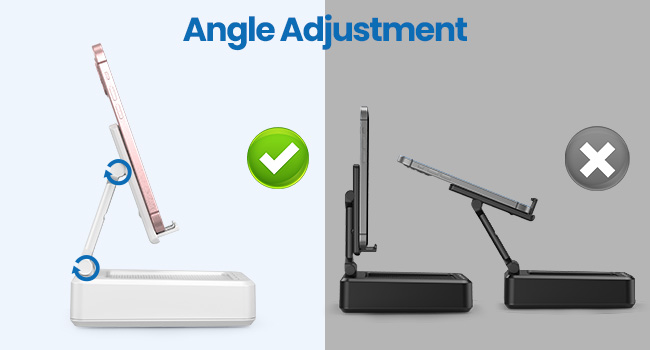
Figure 2: Product Dimensions and Controls
Zvinokosha:
- 2-in-1 Mashandiro: Combines a phone stand with a Bluetooth speaker.
- Wide Compatibility: Supports most 4-13 inch smartphones, tablets, and e-readers with Bluetooth.
- Adjustable & Foldable: Multiple viewing angles and a compact, portable design.
- Stable & Anti-slip: Features anti-slip silicone pads for device protection and stability.
- Yakavakirwa-mukati Maikorofoni: Enables clear hands-free calls.

Figure 3: Integrated Features
4. Setup
4.1 Kuchaja Chishandiso
- Connect the provided USB-A to Type-C charging cable to the charging port on the side of the JTEMAN L9.
- Batanidza rimwe divi retambo kune adapta yemagetsi yeUSB inoenderana nayo (haisipo).
- The charging indicator light will show red during charging and turn green when fully charged. A full charge takes approximately 4 hours.
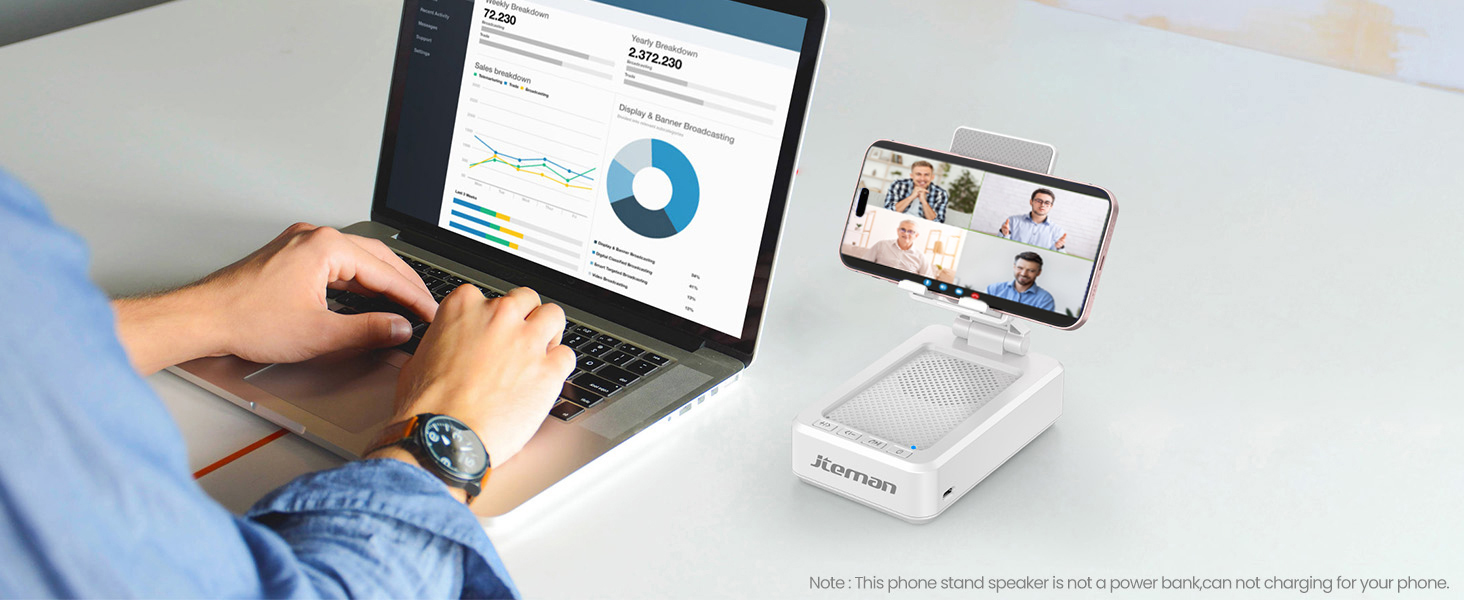
Figure 4: Charging the JTEMAN L9
4.2 Bluetooth Pairing
- Press and hold the power button on the JTEMAN L9 until you hear an audible prompt indicating it's powered on and in Bluetooth pairing mode. The Bluetooth indicator light will flash.
- On your smartphone, tablet, or e-reader, go to the Bluetooth settings.
- Tsvaga available devices and select "JTEMAN L9" from the list.
- Once connected, you will hear a confirmation tone, and the Bluetooth indicator light will remain solid.
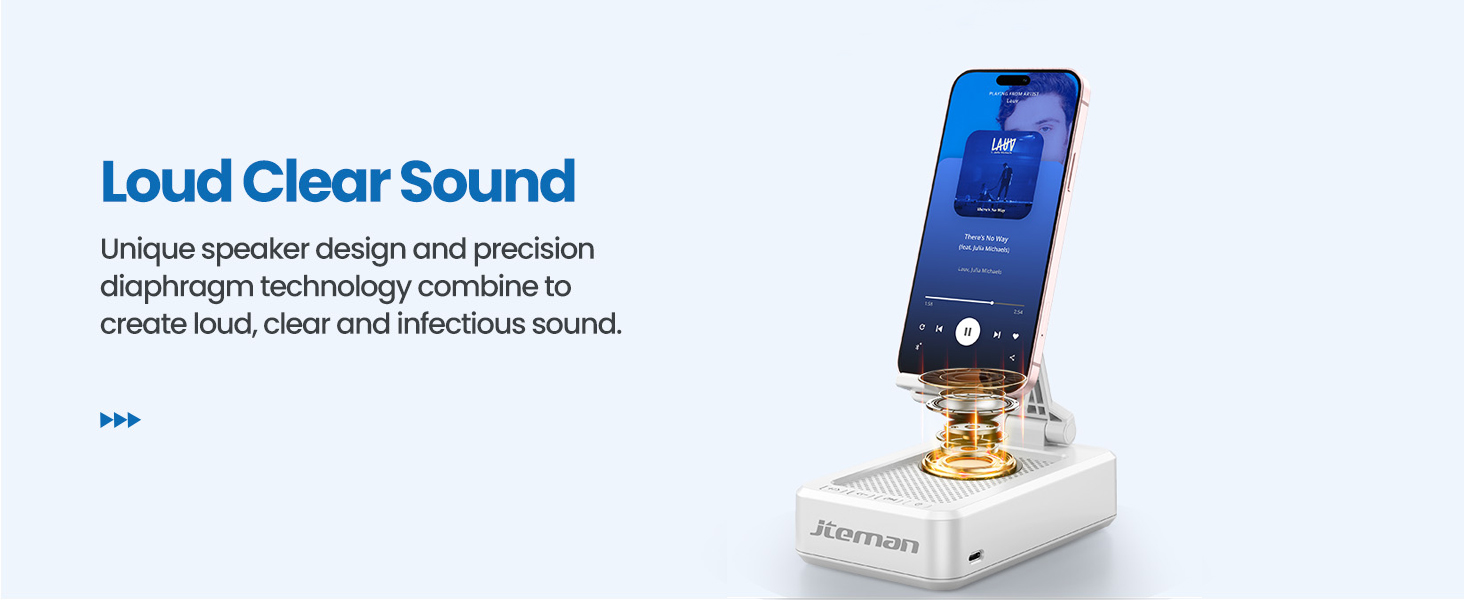
Figure 5: Easy Bluetooth Connection
5. Operating Instructions
5.1 Using as a Phone/Tablet Stand
- Gently pull up the phone holder arm from its folded position.
- Adjust the angle of the holder to your preferred viewing position. The stand is designed to be stable at various angles.
- Place your smartphone, tablet, or e-reader onto the holder. The anti-slip silicone pads will secure your device.
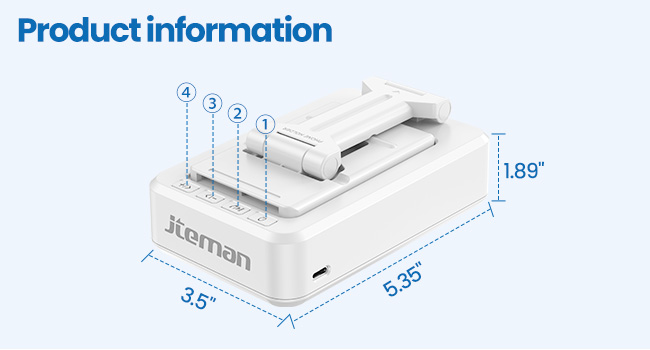
Figure 6: Angle Adjustment for Optimal Viewing
5.2 Using the Bluetooth Speaker
Once paired with your device, audio will automatically play through the JTEMAN L9 speaker.
- Tamba/Kumbomira: Press the Play/Pause button on the speaker to control media playback.
- Kudzora inzwi: Use the volume buttons (+/-) on the speaker to adjust the audio level.
- Tevera Navigation: Use the skip buttons (<< / >>) to go to the previous or next track.
- Kufona Kwemaoko The built-in microphone allows for clear hands-free communication. Press the phone icon button to answer or end calls.

Figure 7: Loud and Clear Sound Output
5.3 Kutakurwa
When not in use, the phone holder arm can be folded down, making the device compact and easy to carry in a bag.

Figure 8: Foldable and Portable Design
5.4 Official Product Mavhidhiyo
Video 1: Demonstrates the sound quality and instant pairing of the JTEMAN L9.
Video 2: Showcases the power and versatility of the JTEMAN L9 speaker and stand.
Video 3: Highlights the compact design, clear sound, and anti-slip base of the JTEMAN L9.
6. Kuchengeta
- Chengetedza chigadziro chakachena nekuchipukuta nemucheka wakapfava, wakaoma.
- Rega kuisa mudziyo kune tembiricha yakanyanyisa, hunyoro, kana zuva rakananga.
- Usashandise abrasive cleaners kana solvents.
7. Kugadzirisa matambudziko
| Dambudziko | Zvinogona Kukonzera | Solution |
|---|---|---|
| Mudziyo haubatike | Bhatiri rakaderera | Chaja mudziyo uchishandisa yakapihwa USB-C tambo. |
| Haikwanise kubatanidza kuburikidza neBluetooth | Bluetooth not enabled on source device; device too far; already paired to another device | Ensure Bluetooth is on and within range (approx. 10m). Disconnect from other devices. |
| Hapana ruzha kana yakaderera vhoriyamu | Volume too low on speaker or source device; not properly connected | Increase volume on both devices. Re-pair Bluetooth connection. |
| Audio skipping/interruption | Kupindira; mudziyo wakanyanya kure; bhatiri shoma | Move closer to the source device. Ensure no obstructions. Charge the device. |
8. Zvinotsanangurwa
| Feature | Detail |
|---|---|
| Product Dimensions | 5.35 x 3.5 x 1.89 inches |
| Item Weight | 11.5 ounces |
| Item Model Number | L9 |
| Brand | JTEMAN |
| Color | Chena |
| Fomu Factor | Foni Stand with Speaker |
| Inowirirana Devices | Mobile phone, Tablet |
| Inoenderana Phone Models | iPhone, Samsung, iPad mini, Samsung Tab, Google Nexus, Kindle |
| Battery Capacity | 1800mAh (approx. 8-10 hours play time at medium volume) |
9. Warranty uye Tsigiro
JTEMAN products are manufactured with high-quality standards. For any issues or support needs, please refer to the contact information provided with your purchase or visit the official JTEMAN website. Chengetedza humbowo hwako hwekutenga kune warranty claim.


