1. Yakakosha Mirayiridzo Yekuchengetedza
Please read and save these safety instructions before using your WELOV H300 Cool Mist Humidifier. Failure to follow these instructions may result in electric shock, fire, or serious injury.
- Always place the humidifier on a firm, flat, waterproof surface at least 12 inches (30 cm) away from walls and appliances.
- Do not place the humidifier on carpet, near heat sources, or in direct sunlight.
- Ensure the power cord is not pinched or placed under heavy objects. Do not use with a damaged cord or plug.
- Bvisa humidifier usati waizadza, kuichenesa, kana kuifambisa.
- Usanyudza chigadziko chepasi mumvura kana zvimwe zvinwiwa.
- Keep out of reach of children and pets. This appliance is not intended for use by persons with reduced physical, sensory, or mental capabilities unless supervised.
- Use only clean, cool tap water or distilled water. Do not add essential oils directly into the water tank as this may damage the unit.
- Do not block the mist outlet or air vents.
- If the humidifier emits an unusual smell or sound, discontinue use immediately and unplug it.
2. Chigadzirwa Pamusoroview
The WELOV H300 is a cool mist ultrasonic humidifier designed to add moisture to the air, helping to alleviate symptoms caused by dry air. It features a large water tank, quiet operation, and multiple functions for user convenience.

Image: The WELOV H300 humidifier operating in a bedroom, demonstrating its compact design and mist output.
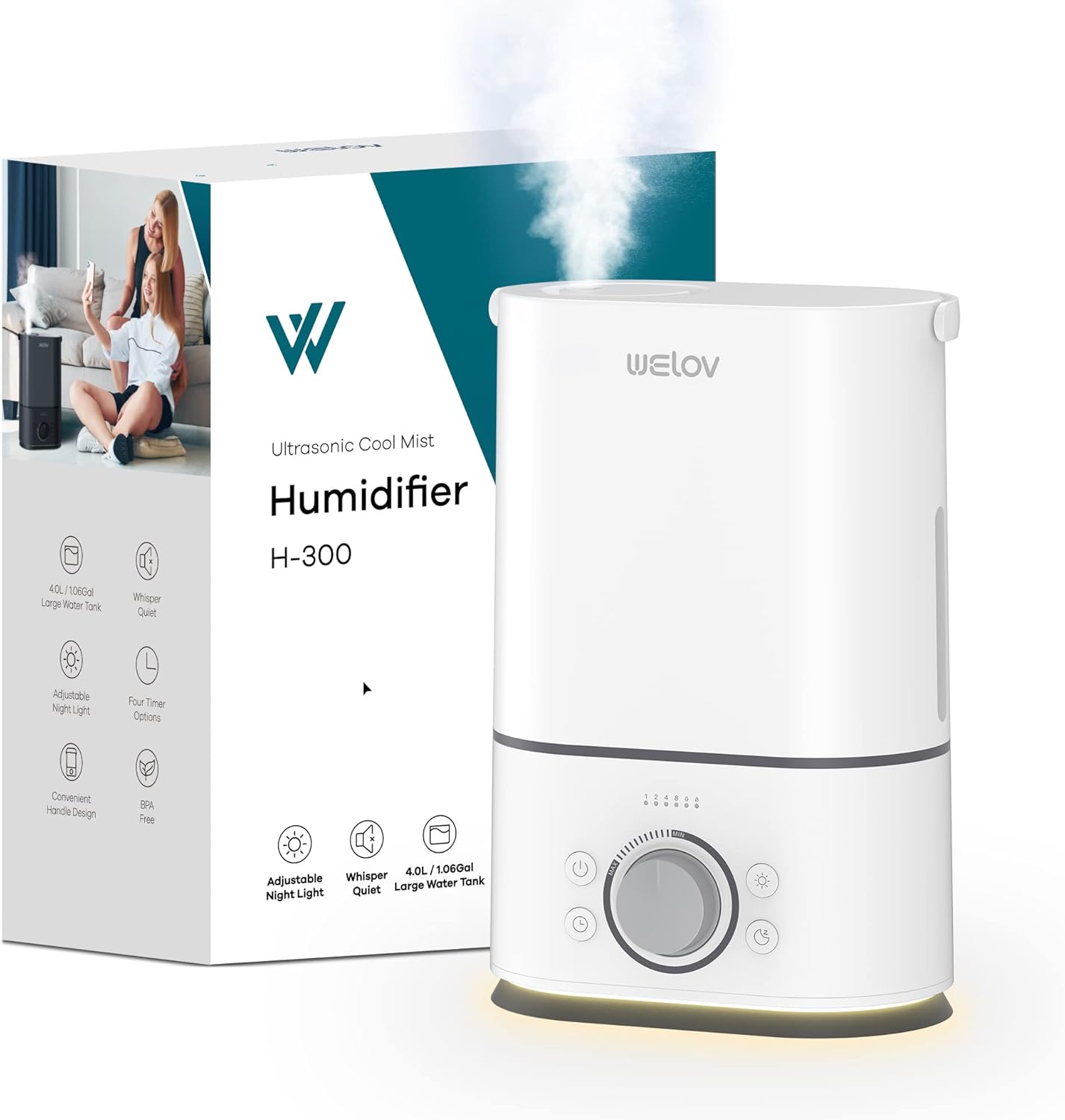
Image: The WELOV H300 humidifier shown alongside its retail packaging, highlighting its design and key features.
3. Zvigadzirwa zveChigadzirwa
Familiarize yourself with the parts of your WELOV H300 humidifier:
- Tangi Yemvura: Holds up to 4 liters (1.06 gallons) of water. Features a portable handle for easy carrying.
- Base Unit: Contains the ultrasonic atomizer, fan, and control panel.
- Mhuno yeMhute: 360° rotatable for directing mist.
- Chengetedza Knob: Adjusts mist output level.
- Bhatani reSimba: Inoshandura iyo unit on / off.
- Bhatani reTimer: Inoisa nguva yekushanda.
- Night Light Bhatani: Activates/deactivates the night light.
- Visible Water Level Window: Allows monitoring of water level.
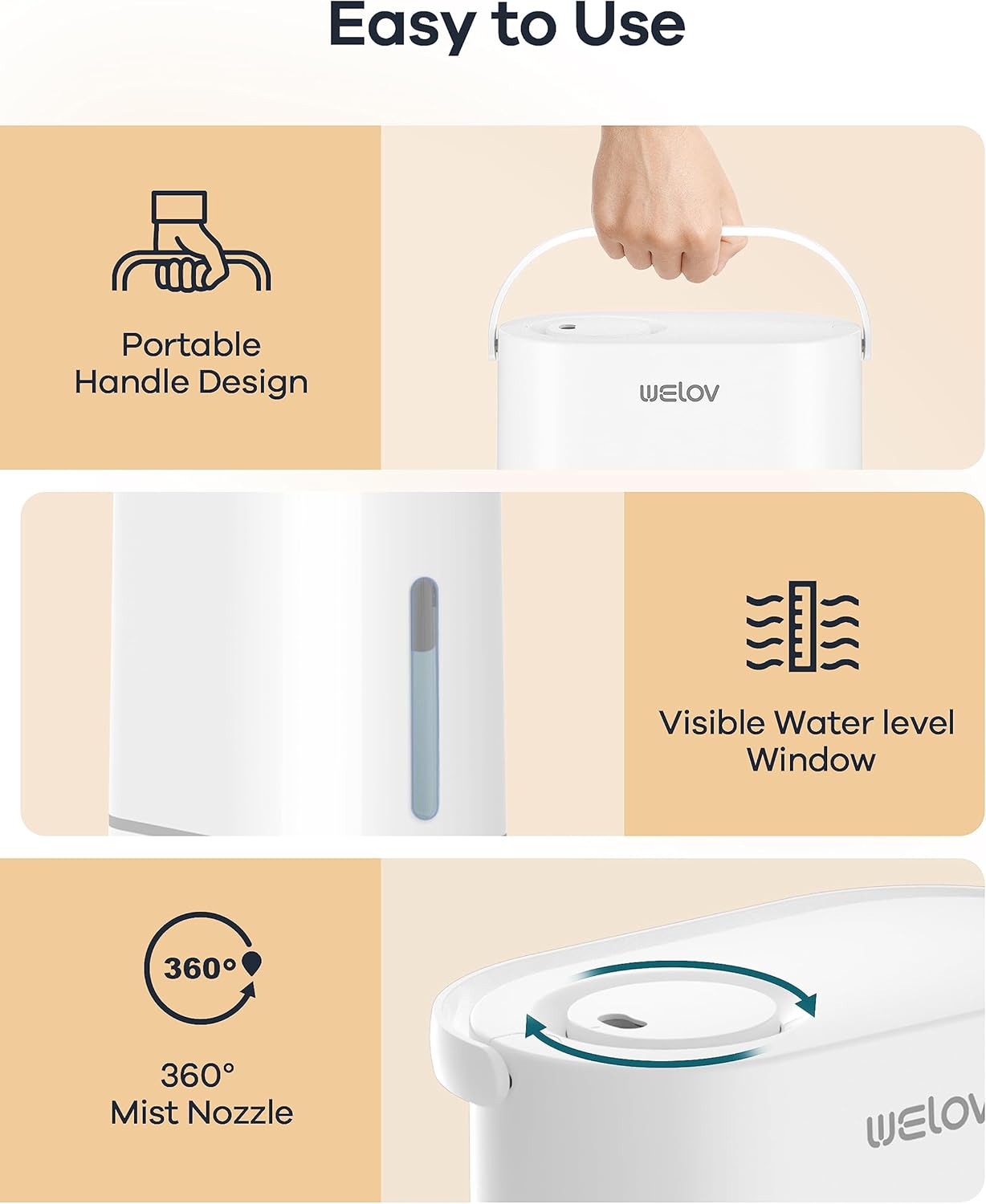
Image: Key features of the WELOV H300 humidifier, including its portable handle, visible water level window, and 360° mist nozzle.
4. Setup and Filling
Follow these steps for initial setup and refilling:
- Bvisa zvinhu: Bvisa zvese zvinhu zvekurongedza woisa humidifier panzvimbo yakati sandara, yakagadzikana.
- Bvisa Tangi reMvura: Gently lift the water tank from the base unit using the portable handle.
- Zadza Tangi Yemvura: Invert the water tank and unscrew the tank cap. Fill the tank with clean, cool tap water or distilled water. Distilled water is recommended to minimize mineral buildup. Do not fill past the MAX line.
- Chivharo Chakachengeteka: Vhara chivharo chetangi zvakasimba.
- Isa Tangi Pachigadziko: Isa tangi remvura rakazadzwa zvakanaka panzvimbo yekutanga, uchiita shuwa kuti ragara zvakanaka.
- Batanidza Simba: Batanidza tambo yemagetsi mudura remagetsi.

Image: The large capacity water tank of the WELOV H300 humidifier, illustrating its ability to provide mist for up to 50 hours.
5. Kushanda
Operating your WELOV H300 humidifier is straightforward:
- Batidza/Kudzima: Press the Power button (⑂) to turn the humidifier on or off. The indicator light will illuminate when on.
- Gadzirisa Mist Level: Rotate the control knob clockwise to increase mist output and counter-clockwise to decrease it.
- Night Chiedza Basa: Press the Night Light button (☼) to turn the gentle warm night light on or off.
- Timer Zvirongwa: Press the Timer button (⏱) repeatedly to set the operating time to 1, 2, 4, or 8 hours. The humidifier will automatically shut off after the selected time.
- Nzira yekurara: To activate sleep mode, press and hold the Night Light button (☼) for 3 seconds. In sleep mode, all indicator lights will turn off, and the humidifier will operate at a low mist level for quiet operation. Press any button to exit sleep mode.
- Kudzima Otomatiki: The humidifier will automatically shut off when the water level is low or the water tank is removed from the base. This safety feature prevents damage to the unit.

Image: The WELOV H300 humidifier operating quietly near a sleeping baby, demonstrating its ultra-quiet function and adjustable night light.
6. Kuchengetedza uye Kuchenesa
Kuchenesa nguva dzose kwakakosha kuti zvinhu zvishande zvakanaka uye zvive zvakachena. Gara uchibvisa humidifier usati wachenesa.
Kuchenesa Tangi Yemvura:
- Clean the water tank once every 2 to 3 weeks.
- Unplug the humidifier and empty any remaining water from the tank.
- Clean the inside of the tank with mild dish soap and warm water. Rinse thoroughly to remove all soap residue.
Base Unit Cleaning:
- Clean the base unit once a week.
- Unplug the unit and carefully tilt the humidifier to the left to empty any water out of the side.
- Use mild dish soap and warm water to clean the base. Be careful not to get water into the atomizer, floater, fan exhaust, or motor.
- A cotton swab or damp washcloth is recommended for cleaning hard-to-reach areas.
- For mineral buildup, use a descaling solution (e.g., white vinegar) diluted with water. Let it soak for 15-20 minutes, then gently scrub and rinse.
Ensure all parts are completely dry before reassembling and storing the humidifier.
7. Kugadzirisa matambudziko
Kana ukasangana nematambudziko ne humidifier yako, tarisa matambudziko akajairika nemhinduro dzinotevera:
| Dambudziko | Zvinogona Kukonzera | Solution |
|---|---|---|
| Hapana mhute kana mhute yakaderera | Low water level; Unit not plugged in; Mineral buildup on atomizer; Mist nozzle blocked. | Refill water tank; Ensure power is connected; Clean atomizer with a brush or descaling solution; Check for obstructions in the mist nozzle. |
| Unusual hwema | Stagnant water; Dirty water tank or base. | Empty and clean the water tank and base thoroughly. Use fresh water daily. |
| Kubuda kwemvura | Water tank cap not tightened; Water tank not seated correctly; Unit placed on an uneven surface. | Ensure tank cap is securely tightened; Re-seat the water tank properly; Place the humidifier on a flat, stable surface. |
| Unit haisi kubatidzwa | No power; Water tank empty or removed. | Check power connection; Ensure water tank is filled and correctly placed on the base. |
8. Zvinotsanangurwa
Detailed specifications for the WELOV H300 Cool Mist Humidifier:
- Model Number: WE33001-W-STD-US
- Kugona 4 Marita (1.06 marita)
- Zviyero zvechigadzirwa: 26D x 16.5W x 24H Masendimita (10.2D x 6.5W x 9.4H inches)
- Chinhu Weight: 1.85 kg (4.08 lbs)
- Material: Plastiki
- Noise Level: 22 Decibels (Quiet Sleep Mode)
- Runtime: Up to 50 hours (at lowest mist setting)
- Mist Output: Up to 300ml/h
- Nzvimbo yekuvhara: 20-40 square meters (215-430 sq ft)
- Special Features: Auto Shut-Off, Night Light, Portable Handle, Timer (1h/2h/4h/8h), 360° Rotating Nozzle

Mufananidzo: Wemadhayamita view of the WELOV H300 humidifier, showing its height, width, and depth measurements.
9. Warranty uye Customer Support
For warranty information or if you experience any issues not covered in this manual, please contact WELOV customer support. Refer to your purchase documentation for specific warranty terms and contact details.
You can typically find support contact information on the WELOV official websaiti kana kuburikidza nemutengesi kwawakatenga chigadzirwa.


