1. Nhanganyaya
Thank you for choosing the Reflex Active PRO TWS In-Ear Headphones. These true wireless stereo earbuds are designed to provide a superior audio experience with advanced features like Active Noise Cancellation (ANC) and Transparency Mode. Enjoy crystal-clear sound, comfortable fit, and seamless connectivity for music, calls, and more.
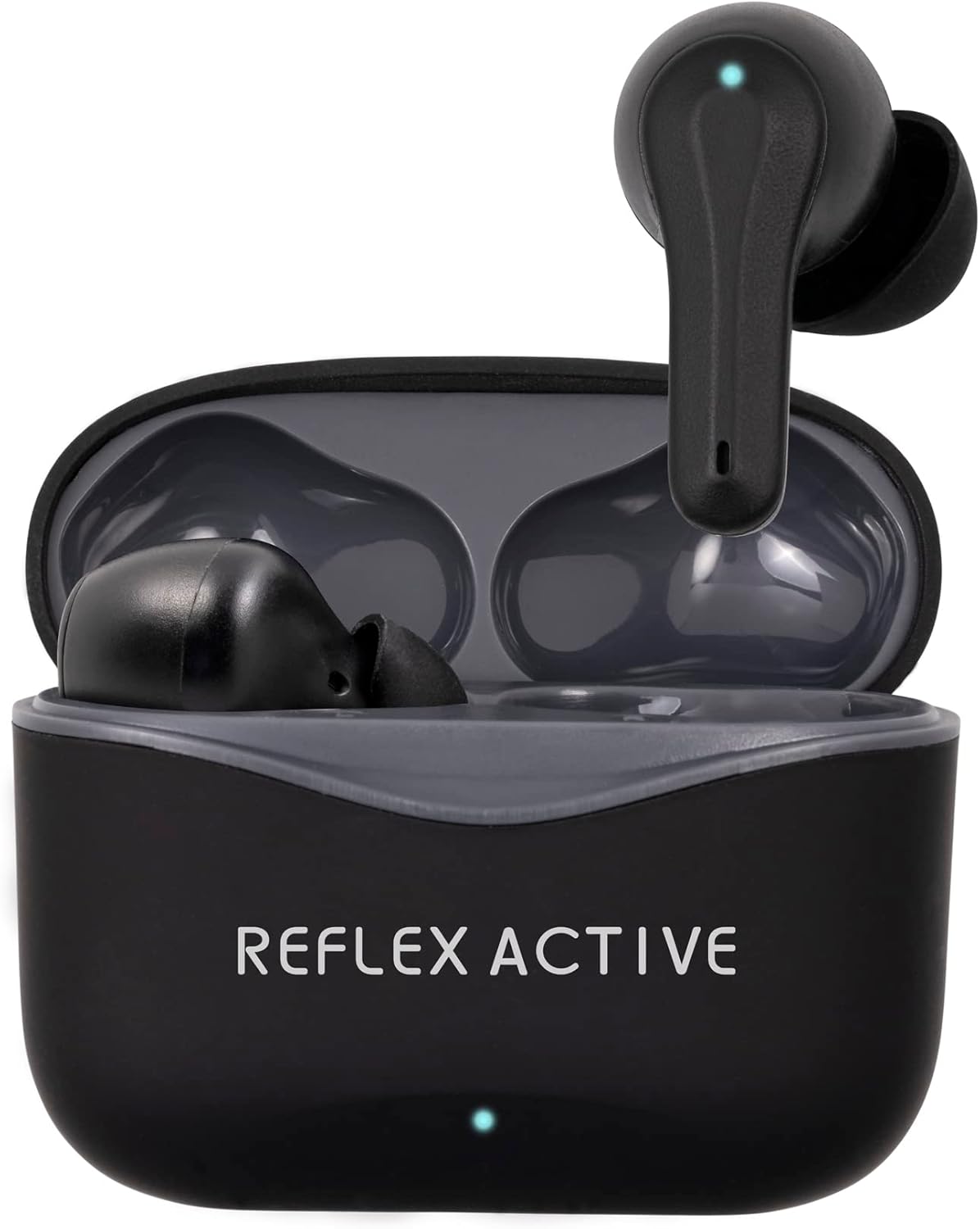
Image: The Reflex Active PRO TWS In-Ear Headphones, black, resting inside their open charging case. A small LED indicator is visible on the front of the case.
2. Safety Information
Please read this manual carefully before using the product to ensure safe and proper operation. Keep this manual for future reference.
- Kudzivirira Kunzwa: Dzivisa kuteerera nepamusoro-soro mazinga kwenguva yakareba kudzivirira kukuvara kwekunzwa.
- Driving Safety: Do not use the earbuds while driving or cycling, or in any situation where your inability to hear ambient sounds could pose a danger to yourself or others.
- Kuramba Mvura: The earbuds are water-resistant, but not waterproof. Do not submerge them in water. Avoid exposure to excessive moisture.
- Kuchaja: Use only the provided charging cable and a certified power adapter. Do not attempt to disassemble or modify the product.
- Vana: Chengetedza pasingasvikirwi nevana. Zvikamu zvidiki zvinogona kuunza njodzi yekudzipwa.
- Tembiricha: Do not expose the product to extreme temperatures (hot or cold) or direct sunlight.
3. Package Zviri mukati
Ita shuwa kuti zvinhu zvese zviripo mupakeji yako:
- Reflex Active PRO TWS In-Ear Headphones (Left and Right earbuds)
- Kuchaja Case
- USB Kuchaja Cable
- Ear Tips (3 sizes: Small, Medium, Large)
- User Manual
4. Chigadzirwa Pamusoroview
Familiarize yourself with the components of your Reflex Active PRO TWS In-Ear Headphones.

Mufananidzo: Pedyo-up view of the left and right Reflex Active PRO TWS earbuds, showing their ergonomic design and the small LED indicator on each.
Zvimiro zveEarbud:
- Bata Kudzora Nzvimbo: Yekutamba, kufona manejimendi, uye modhi switching.
- Chiratidzo che LED: Inoratidza mamiriro ekuwiriranisa, huwandu hwebhatiri, uye mamiriro ekuchaja.
- Maikorofoni: Kune mafoni uye mubatsiri wezwi.
- Zano renzeve: Replaceable silicone tips for comfortable fit and sound isolation.
Charge Case Features:
- Chiteshi chekuchaja (USB-C): Zvekuchaja nyaya.
- Case LED Indicator: Shows case battery level and charging status.
- Earbud Charging Slots: Inobata uye inochaja mahedhifoni zvakachengeteka.

Image: A graphic displaying key features of the earbuds, including True Wireless Stereo, Voice Control, Active Noise Cancelling, Touch Control, Audio Safe Mode, Wireless Connection, Studio Sound, and 250 Hours Standby.
5. Setup
5.1 Kuchaja maEarbuds uye Case
Usati washandisa kekutanga, chaja zvese zviri munzeve nebhokisi rekuchaja.
- Chaira Mhosva: Connect the USB-C charging cable to the charging port on the case and the other end to a USB power source (e.g., wall adapter, computer USB port). The case LED indicator will show charging progress. A full charge takes approximately 2 hours for the base charge.
- Chaja maEarbuds: Place the earbuds into their respective slots in the charging case. Ensure they are correctly seated. The earbud LEDs will indicate charging. A full charge for the earbuds takes approximately 1 hour.
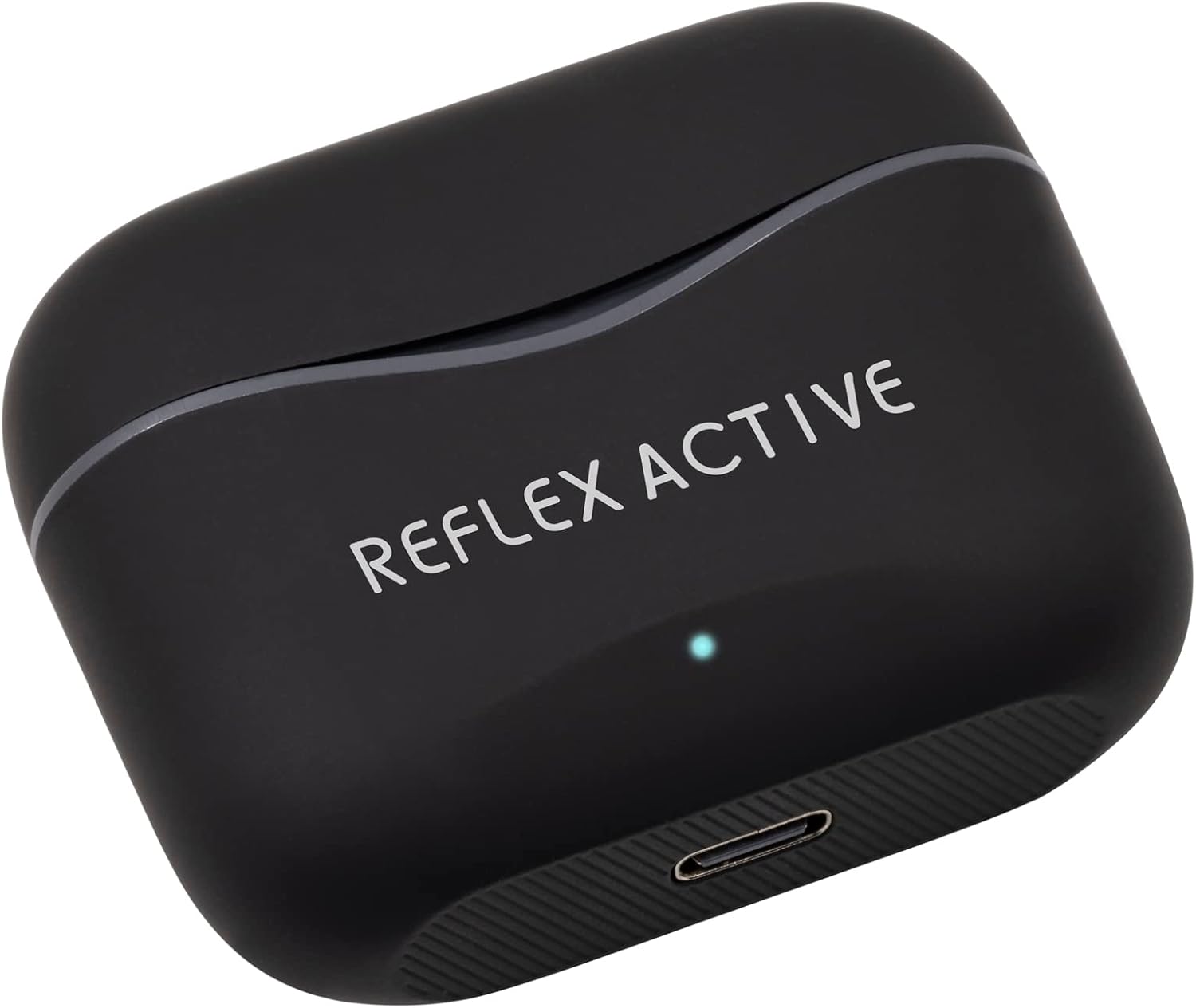
Image: The black Reflex Active PRO TWS charging case, showing the USB-C charging port at the bottom and the brand logo on the lid.
The earbuds provide approximately 5.5 hours of playtime on a single charge, with an additional 22 hours of combined playback time using the fully charged case.
5.2 Kubatanidza nemudziyo wako (Bluetooth)
Maearbuds anozopinda otomatiki pairing modhi kana aburitswa kunze kwekesi yekuchaja.
- Vhura Bluetooth: Turn on Bluetooth on your smartphone, tablet, or other compatible device.
- Bvisa Mahedhifoni: Vhura bhokisi rekuchaja wobvisa maearbud ese ari maviri. Anobatidza otomatiki uye anoedza kubatana.
- Sarudza Mudziyo: On your device's Bluetooth settings, look for "Reflex Active PRO TWS" in the list of available devices and select it to connect.
- Simbiso Once successfully paired, you will hear an audible confirmation from the earbuds, and the earbud LEDs will stop flashing.
If pairing fails, place the earbuds back into the case, close the lid, and repeat the steps. The wireless range is 15-20 meters.
6. Operating Instructions
6.1 Kudzora Kubata Kwepakutanga
The earbuds feature intuitive touch controls on their outer surface.
| Chiito | Left Earbud | Right Earbud |
|---|---|---|
| Tamba/Misa | Single tap | Single tap |
| Next Track | Top kaviri | Top kaviri |
| Previous Track | Katatu pombi | Katatu pombi |
| Volume Up | N/A | Kudzvanya kwenguva refu |
| Volume Down | Kudzvanya kwenguva refu | N/A |
| Pindura/Pedzisa Kufona | Single tap | Single tap |
| Ramba Kufona | Kudzvanya kwenguva refu | Kudzvanya kwenguva refu |
6.2 Active Noise Cancellation (ANC) uye Transparency Mode
The Reflex Active PRO TWS earbuds feature both Active Noise Cancellation and Transparency Mode to adapt to your environment.
- Kuchinja Mamodhi: To cycle between ANC On, Transparency Mode, and ANC Off, perform a specific touch gesture (e.g., press and hold the touch area for 2 seconds on either earbud, or as specified in the quick start guide).
- Active Noise Cancellation (ANC): Inoderedza ruzha rwemhepo, rwakanakira kufamba kana nzvimbo dzine ruzha.
- Transparency Mode: Inokubvumira kunzwa zvakakupoteredza zvakajeka pasina kubvisa maearbud, inobatsira pakukurukurirana kana kuziva nezvemotokari dziri kufamba.

Image: A person sitting on a train, appearing relaxed with their eyes closed, demonstrating the use of Active Noise Cancellation to block out ambient sounds.
6.3 Kudzora Izwi
Activate your device's voice assistant (Siri, Google Assistant, etc.) directly from your earbuds.
- Activation: Typically, a specific touch gesture (e.g., a long press or triple tap on a specific earbud) will activate the voice assistant. Refer to the quick start guide for the exact gesture.
- Mirairo: Once activated, speak your command clearly into the earbud's microphone.
7. Kuchengeta
Kutarisirwa kwakakodzera kuchawedzera hupenyu hwema earbuds ako.
- Kuchenesa: Use a soft, dry, lint-free cloth to clean the earbuds and charging case. Do not use abrasive cleaners or solvents. For ear tips, remove them and clean with mild soap and water, then dry thoroughly before reattaching.
- Kuchengeta: When not in use, always store the earbuds in their charging case to protect them and keep them charged. Store in a cool, dry place.
- Dzivisa Zvakanyanya Mamiriro ezvinhu: Do not expose the earbuds or case to extreme temperatures, humidity, or dust.
8. Kugadzirisa matambudziko
If you encounter any issues, try the following solutions:
| Dambudziko | Solution |
|---|---|
| Maearbuds asingabatanidzwe nemudziyo | Ensure Bluetooth is enabled on your device. Place earbuds back in case, close lid, then remove to re-enter pairing mode. Forget "Reflex Active PRO TWS" from your device's Bluetooth list and try pairing again. |
| Imwe chete earbud inoshanda | Ensure both earbuds are charged. Place both earbuds back in the case, close the lid, wait a few seconds, then remove them. They should automatically connect to each other. |
| Hapana ruzha kana yakaderera vhoriyamu | Check volume levels on both your device and the earbuds. Ensure earbuds are properly seated in your ears. Try cleaning the ear tips and speaker mesh. |
| Kuchaja kesi kwete kubhadharisa | Check the USB-C cable and power adapter. Ensure the cable is securely connected to both the case and the power source. Try a different cable or power source. |
| ANC/Transparency mode not working | Ensure earbuds are properly seated in your ears for optimal seal. Cycle through the modes using the touch controls. |
9. Zvinotsanangurwa
| Feature | Detail |
|---|---|
| Model Number | REF-200PRO-BK |
| Bluetooth Version | 5.2 |
| Wireless Range | 15-20 mamita |
| Earbud Playtime | Kusvikira kumaawa makumi maviri nemashanu |
| Yese Yekutamba (nekesi) | Kusvikira kumaawa makumi maviri nemashanu |
| Earbud Charge Time | Approx. 1 awa |
| Nguva Yekubhadharisa Kesi | Approx. 2 maawa |
| Noise Cancellation | Active Noise Cancellation (ANC) |
| Transparency Mode | Ehe |
| Control Type | Kubata Kudzora, Kudzora Izwi |
| Material | Rubber/silicone (and possibly plastic/soft-touch for case) |
| Kurema | 19 magiramu |
| Mvura Resistance Level | Kudzivirira mvura |
| Kuumbwa kwebhatiri | Lithium |
| Inosanganisirwa Zvikamu | Earbuds, Charging Case |
10. Warranty uye Tsigiro
For warranty information and customer support, please refer to the warranty card included in your product packaging or visit the official Reflex Active website. Chengetedza humbowo hwako hwekutenga kune chero vimbiso yewaranti.
Mugadziri: Peers Hardy
Nyika Yekwakabva: China


