Nhanganyaya
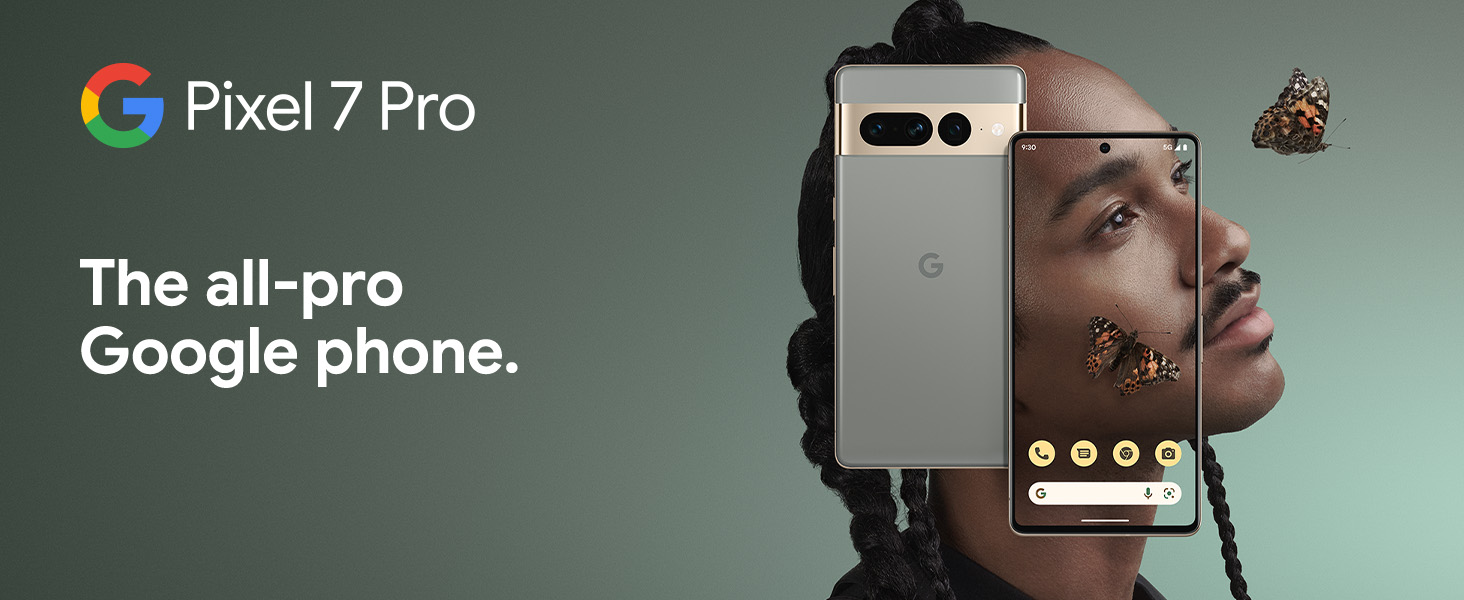
The Google Pixel 7 Pro is a powerful 5G Android smartphone designed for an exceptional user experience. Powered by the Google Tensor G2, it offers fast and secure performance, an immersive display, and extended battery life. This manual provides essential information for setting up, operating, maintaining, and troubleshooting your device.
Chii chiri muBhokisi
Upon unboxing your Google Pixel 7 Pro, you should find the following items:
- Cell Phone (Google Pixel 7 Pro)
- USB Cable (yekuchaja uye kuendesa data)
- SIM Tray Ejector (for accessing the SIM card slot)
- Quick Switch Adapter (for easy data transfer from your old phone)
- Quick Start Guide (a brief setup guide)

Gadzirira
Follow these steps to set up your new Google Pixel 7 Pro:
- Isa SIM Card: Use the provided SIM tray ejector tool to open the SIM card slot on the side of the phone. Insert your nano-SIM card into the tray and reinsert it into the phone.
- Power On: Dzvanya wobata bhatani rekudzima magetsi riri padivi pemudziyo kusvika logo yeGoogle yaonekwa.
- Kutanga Setup: Follow the on-screen prompts to select your language, connect to Wi-Fi, and sign in with your Google account.
- Kuendesa Data: If you are transferring data from an old device, use the Quick Switch Adapter and follow the instructions. Note that some third-party apps and data may not transfer automatically. For more information, visit g.co/pixel/copydatahelp.
- Kufambiswa Kweminwe: Set up the on-screen fingerprint sensor for secure and convenient unlocking.

Kushandisa mudziyo wako
Key Features
- Google Tensor G2 Processor: Experience fast and efficient performance with improved AI capabilities for smarter features.
- 5G Kubatana: Enjoy high-speed internet access on major carrier networks (requires a 5G data plan, sold separately).
- Adaptive Battery: Designed to last over 24 hours with typical usage, extending up to 72 hours with Extreme Battery Saver mode.
- Smooth 120Hz Display: The 6.7-inch display intelligently adjusts its refresh rate for smooth scrolling and responsive interactions.
- Titan M2 Security Chip: Multiple layers of hardware security protect your personal information and data.
- Google Assistant and Find My Device: Utilize hands-free voice commands and easily locate your device if lost.
- Durable and Water Resistant Design: Built to withstand daily use, with an IP68 rating for dust and water resistance.
Camera Features
The Pixel 7 Pro features an advanced triple camera system, enabling you to capture stunning photos and videos in various conditions:
- 50MP Main Sensor: For high-resolution, detailed images.
- 12MP Ultrawide Lens: Capture broader scenes with a wider field of view.
- 48MP Telephoto Lens: Offers 4x optical zoom for clear, detailed shots from a distance.
Advanced features include Macro Focus for extreme close-ups, Cinematic Blur for professional-looking videos, and improved low-light photography.

Mvura neDust Resistance (IP68)
Your Pixel 7 Pro is designed to be water and dust resistant, with an IP68 rating under IEC standard 60529. This means it can withstand submersion in up to 1.5 meters of fresh water for up to 30 minutes. While durable, water and dust resistance are not permanent conditions and may diminish over time with normal wear and tear. Avoid intentional submersion or exposure to harsh chemicals.

Maintenance
To ensure the longevity and optimal performance of your Google Pixel 7 Pro, follow these maintenance guidelines:
- Kuchenesa: Shandisa jira rakapfava, risina ruvara kuti uchenese skrini nemuviri wefoni. Kana paine tsvina yakaomeswa, bvisa tsvina zvishoma.ampen the cloth with water. Avoid abrasive materials or harsh cleaning agents.
- Dziviriro: Consider using a protective case and screen protector to guard against scratches and accidental drops.
- Tembiricha: Avoid exposing your phone to extreme temperatures (very hot or very cold) as this can affect battery life and internal components.
- Kuchaja: Use only Google-approved chargers and cables to prevent damage to the battery and charging port.
- Zvigadziriso zveSoftware: Keep your device's software updated to the latest version to benefit from security patches, bug fixes, and new features.
Kugadzirisa matambudziko
If you encounter issues with your Pixel 7 Pro, try the following common troubleshooting steps:
- Tangazve Chishandiso: A simple restart can often resolve minor software glitches. Press and hold the power button, then tap "Restart."
- Tarisa kune Zvidzoreso: Ensure your Android operating system is up to date. Go to Settings > System > System update.
- Bvisa App Cache: If a specific app is causing issues, try clearing its cache. Go to Settings > Apps > See all apps, select the app, then Storage & cache > Clear cache.
- Safe Mode: Booting into Safe Mode can help identify if a third-party app is causing problems. Press and hold the power button, then touch and hold "Power off." Tap "OK" when prompted to restart in Safe Mode.
- Kudzosera zvazvanga zviri kubva kufakitori: As a last resort, you can perform a factory reset. Yambiro: Izvi zvichadzima data rese pafoni yako. Chengetedza data yakakosha usati waenderera. Enda kuSettings> System> Reset options> Bvisa data rese (factory reset).
- Bata Rutsigiro: If the issue persists, contact Google Support for further assistance.
Zvinotsanangurwa
Detailed technical specifications for the Google Pixel 7 Pro (Obsidian, 256GB model):
| Feature | Tsanangudzo |
|---|---|
| Product Dimensions | 6.42 x 3.02 x 0.34 inches |
| Item Weight | 7.4 ounces |
| ASIN | B0BCQVFQHD |
| Item Model Number | GE2AE |
| Mabhatiri | 1 Lithium Ion mabhatiri anodiwa. (inosanganisirwa) |
| Operating System | Android 13.0 |
| RAM | 12 GB |
| Memory Storage Capacity | 256 GB |
| Wireless Communication Technologies | Bluetooth |
| Connectivity Technologies | Bluetooth, NFC, Wi-Fi |
| GPS | Chokwadi |
| Human Interface Input | Touchscreen |
| Scanner Resolution | 2560 x 1440 |
| Zvimwe Zvimiro zveKamera | Mberi, Kumashure |
| Sravana Sameeralu Serial 4th Audio Jack | Hapana headphone jack |
| Fomu Factor | Bar |
| Color | Obsidian |
| Battery Power Rating | 4926 mAh |
| Nguva Yekutaura Parunhare | 24 Maawa |
| Mugadziri | |
| Zuva Rokutanga Kuwanikwa | Gumiguru 6, 2022 |
| Yakamira Sikirini Ratidza Size | 6.7 inches |
| CPU Speed | 2.85 GHz |
| Refresh Rate | 120 Hz |
| Model Name | Pixel 7 Pro |
| Wireless Carrier | Yakavhurirwa Vese Vanotakura |
Warranty uye Support
Your Google Pixel 7 Pro comes with a 1-Yegore Mugadziri Warranty, providing comprehensive coverage for peace of mind.
For additional support, frequently asked questions, or to contact customer service, please visit the official Google Support website or the Google Store: