1. Nhanganyaya
Thank you for choosing the YENKEE YMS 3030BK RGB Gaming Mouse Ultra Light Shotgun. This manual provides detailed instructions for setting up, operating, and maintaining your new gaming mouse. Please read this manual carefully before use to ensure optimal performance and longevity of your device.
The YENKEE YMS 3030BK RGB Gaming Mouse features an ergonomic design for comfortable use. Its unique ultra-light perforated construction promotes airflow, helping to keep your palm cool during extended use. Equipped with an accurate IC 6651 sensor, it offers precise tracking with a resolution of up to 6400 DPI, and includes customizable RGB backlighting.
2. Package Zviri mukati
Ndokumbira utarise pasuru yezvinhu zvinotevera:
- 1 x YENKEE YMS 3030BK RGB Gaming Mouse Ultra Light Shotgun
- Mushandisi Chinyorwa (gwaro iri)
3. Chigadzirwa Pamusoroview
3.1 Mamiriro Akakosha
- Unique ultra-light perforated construction for improved airflow
- Ergonomic design for comfortable grip and to prevent palm sweat
- Customizable RGB backlight
- Accurate IC 6651 sensor with up to 6400 DPI resolution
- Wired USB connectivity
3.2 Zvikamu zveMbeva
The YMS 3030BK mouse typically includes the following components:
- Bhatani reKuruboshwe
- Right Click Bhatani
- Bhuruu reKusvuura / Bhatani reKudzvanya Pakati
- DPI Adjustment Button (usually located behind the scroll wheel)
- Forward/Backward Side Buttons (typically on the left side)
- Optical Sensor (on the underside)
- USB Cable
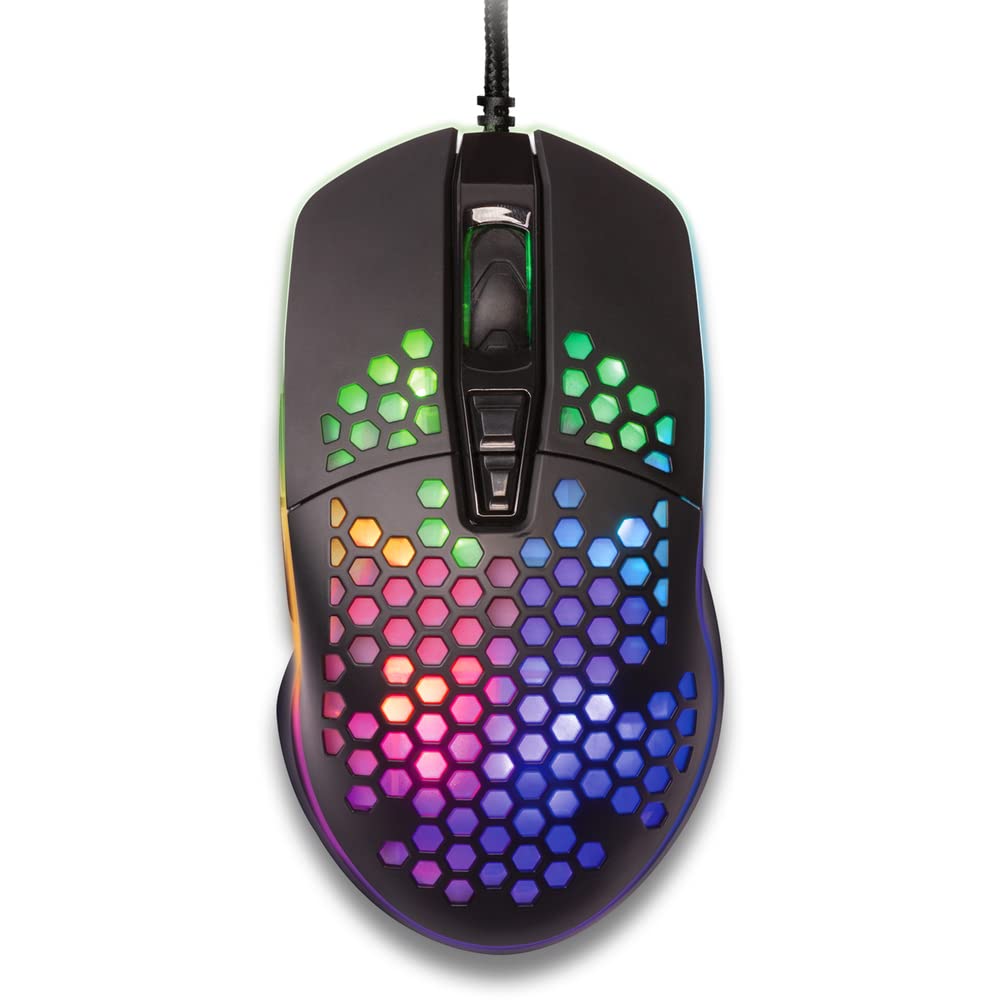
Mufananidzo 1: Pamusoro-pasi view of the YENKEE YMS 3030BK RGB Gaming Mouse, highlighting its ultra-light perforated design and ergonomic contours.
4. Setup
Follow these steps to set up your YENKEE YMS 3030BK gaming mouse:
- Batanidza Mouse: Batanidza USB yekubatanidza mbeva mune inowanikwa USB port pakombuta yako.
- Kuiswa kwemutyairi: Your operating system (Windows 7, 8, Vista, XP) should automatically detect and install the necessary drivers. No additional software installation is typically required for basic functionality.
- Optional Software: For advanced customization of RGB lighting and button assignments, please visit the official YENKEE website to check for any dedicated software for the YMS 3030BK model.
5. Operating Instructions
5.1 Basic Operation
- Kuruboshwe: Chiito chikuru, sarudzo.
- Right Click: Menyu yezviri mukati, chiito chechipiri.
- Mupumburu Wheel: Scroll up/down, middle click for specific functions (e.g., opening links in new tabs).
- Side Buttons: Default functions are typically 'Forward' and 'Backward' in web browsers kana file explorers. These can often be customized via software.
5.2 DPI Kugadziriswa
The YMS 3030BK mouse features an IC 6651 sensor with a maximum resolution of 6400 DPI. You can adjust the DPI (Dots Per Inch) sensitivity on-the-fly using the dedicated DPI button, usually located behind the scroll wheel. Pressing this button will cycle through preset DPI levels, indicated by changes in the mouse's RGB lighting color or pattern. Refer to the optional software for precise DPI level configuration and customization.
5.3 Kugadzirisa Mwenje weRGB
The RGB backlight of your mouse can be customized to match your preferences. While some mice offer onboard controls for basic lighting effects, full customization of colors, patterns, and brightness is typically achieved through the dedicated YENKEE software (if available). Please download and install the software from the official YENKEE website for advanced lighting options.
6. Kuchengeta
To ensure the longevity and optimal performance of your gaming mouse, follow these maintenance guidelines:
- Kuchenesa: Use a soft, dry cloth to wipe the surface of the mouse. For perforated areas, a soft brush or compressed air can help remove dust. Avoid using harsh chemicals or abrasive materials.
- Sensor Kuchenesa: Occasionally clean the optical sensor on the underside of the mouse with a cotton swab lightly dampened with isopropyl alcohol. Ensure it is completely dry before use.
- Cable Care: Dzivisa kubhenda kwakapinza kana kudhonza zvakanyanya pa USB tambo kudzivirira kukuvara.
- Kuchengeta: Chengeta mbeva munzvimbo yakachena, yakaoma kana isiri kushandiswa.
7. Kugadzirisa matambudziko
If you encounter issues with your YENKEE YMS 3030BK mouse, refer to the table below for common problems and solutions:
| Dambudziko | Zvinogona Kukonzera | Solution |
|---|---|---|
| Mbeva isingadaire | Yakasununguka USB yekubatanidza, yakanganisa USB port, mutyairi nyaya. | Ensure USB cable is securely plugged in. Try a different USB port. Restart your computer. Check Device Manager for driver status. |
| Mufambiro wecursor unorasika kana kusvetuka | Sensor yemaziso yakasviba, nzvimbo isina kukodzera yepedhi yembeva. | Clean the optical sensor. Use a clean, uniform mouse pad. |
| Kugadziriswa kweDPI hakusi kushanda | Kusawirirana kwesoftware, kusashanda zvakanaka kwemabhatani. | Ensure no conflicting software is running. If using custom software, check its settings. |
| Mwenje weRGB haushande kana kuti haubatike | Software issue, power issue. | Check the YENKEE software settings. Unplug and replug the mouse. Restart your computer. |
8. Zvinotsanangurwa
| Feature | Detail |
|---|---|
| Brand | YENKEE |
| Model Number | YMS 3030BK |
| Kubatana Technology | USB (Corded Magetsi) |
| Movement Detection Technology | Optical (IC 6651 Sensor) |
| Max DPI | 6400 DPI |
| Special Features | Ergonomic Design, Lightweight, Perforated Construction, RGB Backlight |
| Color | Nhema |
| Item Weight | 4.2 ounces (inenge 119 gramu) |
| Zviyero zveChigadzirwa (LxWxH) | 5.43 x 2.44 x 9.06 inches (approx. 13.8 x 6.2 x 23 cm) |
| Hardware Platform | Mutambo |
| Operating System Kuenderana | Windows 7, Windows 8, Windows Vista, Windows XP |
9. Warranty uye Tsigiro
Ruzivo rwewaranti: For detailed warranty terms and conditions, please refer to the warranty card included with your product or visit the official YENKEE website. Warranty periods may vary by region and retailer.
Tsigiro yeVatengi: If you require technical assistance or have questions regarding your YENKEE YMS 3030BK gaming mouse, please contact your retailer or visit the support section of the official YENKEE websaiti yeruzivo rwekusangana uye FAQs.


