1. Nhanganyaya
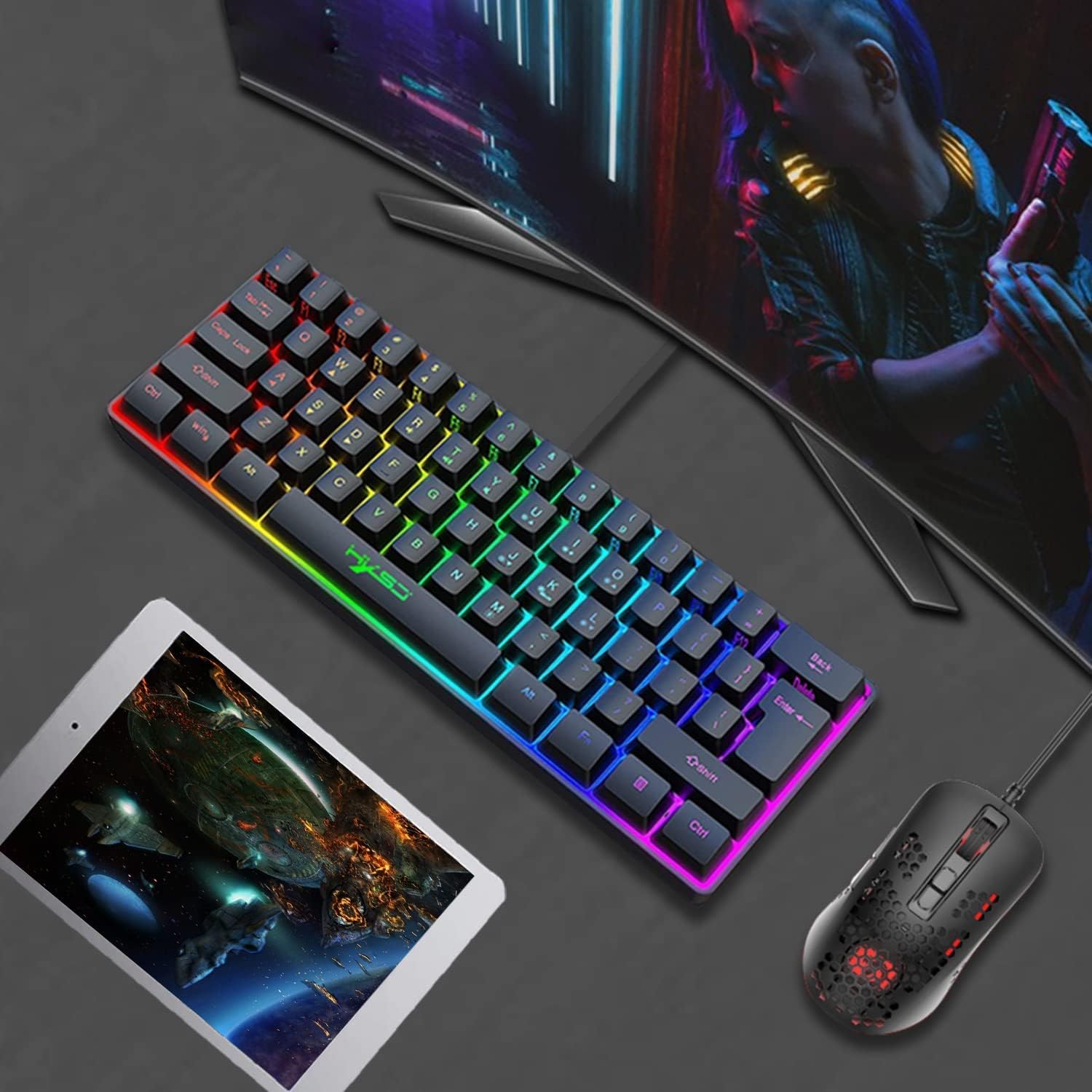
Thank you for choosing the HXSJ V700 Wired Gaming Keyboard. This compact 61-key keyboard is designed for both gaming and office use, featuring vibrant RGB backlighting and a comfortable, mechanical-like feel. This manual provides detailed instructions on setting up, operating, and maintaining your keyboard to ensure optimal performance.

2. Setup
The HXSJ V700 keyboard is designed for simple plug-and-play operation, requiring no complex driver installations.
2.1 Kubatanidza Kiyibhodhi
- Tsvaga inowanikwa USB port pakombuta yako.
- Insert the USB connector of the HXSJ V700 keyboard firmly into the USB port.
- The system will automatically detect the keyboard and install the necessary drivers. This process may take a few moments.
- Once the installation is complete, the keyboard will be ready for use.
2.2 Sistimu Kuenderana
The HXSJ V700 keyboard is compatible with the following operating systems:
- IBM PC
- Win98SE/Me/2000/XP
- MISTAWIN 7
- WIN10
3. Operating Instructions
The HXSJ V700 keyboard offers various functions accessible through key combinations.
3.1 Backlight Kugadziriswa
The keyboard features dynamic RGB backlighting with multiple effects and color options.
- Kuchinja Mwenje Modes: Press FN + K to cycle through 6 different backlight effects, including cool horse racing lighting.
- Changing Backlight Colors: The keyboard supports 8 backlight color switching options.
- Kugadzirisa Kupenya: Press FN + O kuwedzera kupenya uye FN + L to decrease brightness (5 brightness levels).
- Kugadzirisa Kumhanya Press FN + U to increase the speed of dynamic lighting effects and FN + J to decrease speed (5 adjustable speeds).


3.2 Multimedia and Function Keys
Access multimedia controls and standard function keys using the FN key.
- Kudzora inzwi:
- Volume Reduction: Press FN + R
- Volume Increase: Press FN + T
- Mute: Press FN + Y
- Compound Function Key Switch: Press FN + the keys on the first row of the keyboard to access F1-F12 function keys, as well as ESC and Delete.

4. Kuchengeta
Proper maintenance will extend the lifespan of your HXSJ V700 keyboard.
- Kuchenesa: Regularly clean the keyboard with a soft, dry cloth. For deeper cleaning, you may use a slightly damp cloth with a mild cleaning solution, ensuring no liquid enters the keyboard.
- Keycaps: The keycaps are made of ABS two-color injection, which provides durability. Avoid using harsh chemicals that could damage the keycap material or legends.
- Kuchengeta: When not in use, store the keyboard in a clean, dry environment away from direct sunlight and extreme temperatures.

5. Kugadzirisa matambudziko
If you encounter issues with your HXSJ V700 keyboard, please refer to the following common solutions:
- Kiyibhodhi Haisi Kupindura:
- Iva nechokwadi chekuti tambo yeUSB yakabatana zvakanaka mukhibhodi nepachiteshi cheUSB chekombuta.
- Edza kubatanidza kiyibhodhi mune imwe USB port iri pakombuta yako.
- Tangazve komputa yako.
- Backlight Not Working or Incorrect:
- Check if the backlight is turned off or set to the lowest brightness level using FN + O/L.
- Tembedza mafambiro emwenje uchishandisa nzira dzemwenje FN + K to see if the issue resolves.
- Makiyi asiri Kunyoresa:
- Iva nechokwadi chekuti kiyibhodhi yakachena uye haina tsvina inogona kuvharira makiyi ekudzvanya.
- If specific keys are not working, try gently pressing them multiple times.
- System Does Not Recognize Keyboard:
- Verify that your operating system is compatible with the keyboard (refer to Section 2.2).
- Try connecting the keyboard to another computer to determine if the issue is with the keyboard or the original computer.
6. Zvinotsanangurwa
Detailed technical specifications for the HXSJ V700 Wired Gaming Keyboard:
| Feature | Tsanangudzo |
|---|---|
| Brand | HXSJ |
| Model | V700 |
| Interface Type | USB |
| Product Solution | SK9708 |
| Product Type | Kiibhodhi imwe-kiyi |
| Number of Keys | 61-kiyi |
| Multimedia | Ne multimedia (laser carving) |
| Bhatani Hupenyu | 10 miriyoni nguva kana kupfuura |
| Kushanda Voltage | 5.0V+5% DC |
| Kushanda Current | 150mA (MAX) |
| Keycap Chinyorwa | ABS maviri-mavara jekiseni |
| Product Line Length | 1.7M |
| Saizi yechinhu (L*W*H) | 29.2 x 10.2 x 4 cm / 11.5 x 4.02 x 1.57 mukati |
| Item Weight | Approx. 400g / 14.11oz |
| Kugarisana Kwehurongwa | IBM PC Win98SE/Me/2000/XPMISTAWIN 7/WIN10 |

7. Warranty uye Tsigiro
HXSJ is committed to providing high-quality products. For any warranty claims, technical support, or inquiries regarding your HXSJ V700 keyboard, please refer to the contact information provided with your purchase or visit the official HXSJ webnzvimbo yekubatsira.


