1. Nhanganyaya
Thank you for choosing the Soundcore by Anker Space Q45 Adaptive Active Noise Cancelling Headphones. These headphones are designed to provide an immersive audio experience with advanced noise cancellation, high-resolution sound, and extended battery life. This manual will guide you through the setup, operation, and maintenance of your new headphones.
2. Chii chiri muBhokisi
- Soundcore Space Q45 Noise Cancelling Headphones
- USB-C Cable
- 3.5mm AUX Cable
- Travel Case

3. Chigadzirwa Pamusoroview
The Soundcore Space Q45 headphones feature a foldable design for portability and intuitive controls for ease of use. Key components include:
- Bhatani reSimba: Located on the right earcup, used for turning the headphones on/off.
- NC Bhatani: Located on the left earcup, cycles through Noise Cancellation, Normal, and Transparency modes.
- Vhoriyamu Kumusoro / Pasi Mabhatani: Inogadzirisa vhoriyamu yekuteerera.
- Bhatani reTamba/Kumbomira: Controls media playback and call management.
- USB-C yekuchaja Port: Zvekuchaja mahedhifoni.
- Chiteshi cheAUX che3.5mm: Kune wired audio connection.

Video demonstrating the operation and functions of the Soundcore Space Q45 headphones, including button usage and features.
4. Setup
4.1. Powering On / Off
- Kubatidza: Dzvanya wobata bhatani rePower kwemasekondi maviri. Chiratidzo che LED chichabatidza.
- Kudzima: Dzvanya wobata bhatani rePower kwemasekondi matatu. Chiratidzo che LED chinodzima.
4.2. Bluetooth Kubatanidza
- With the headphones powered off, press and hold the Power button for 5 seconds until the LED indicator flashes blue. This indicates pairing mode.
- On your device (smartphone, tablet, laptop), enable Bluetooth and search for "Soundcore Space Q45".
- Select the headphones from the list to connect. Once connected, the LED indicator will turn solid blue.
- The headphones support multipoint connection, allowing simultaneous connection to two devices. To connect a second device, repeat the pairing process.

4.3. Kuisa Soundcore App
Download the Soundcore app from your device's app store to unlock full features, customize settings, and update firmware.
- Tsvaga "Soundcore" muApp Store (iOS) kana Google Play Store (Android).
- Install the app and follow the on-screen instructions to connect your Space Q45 headphones.
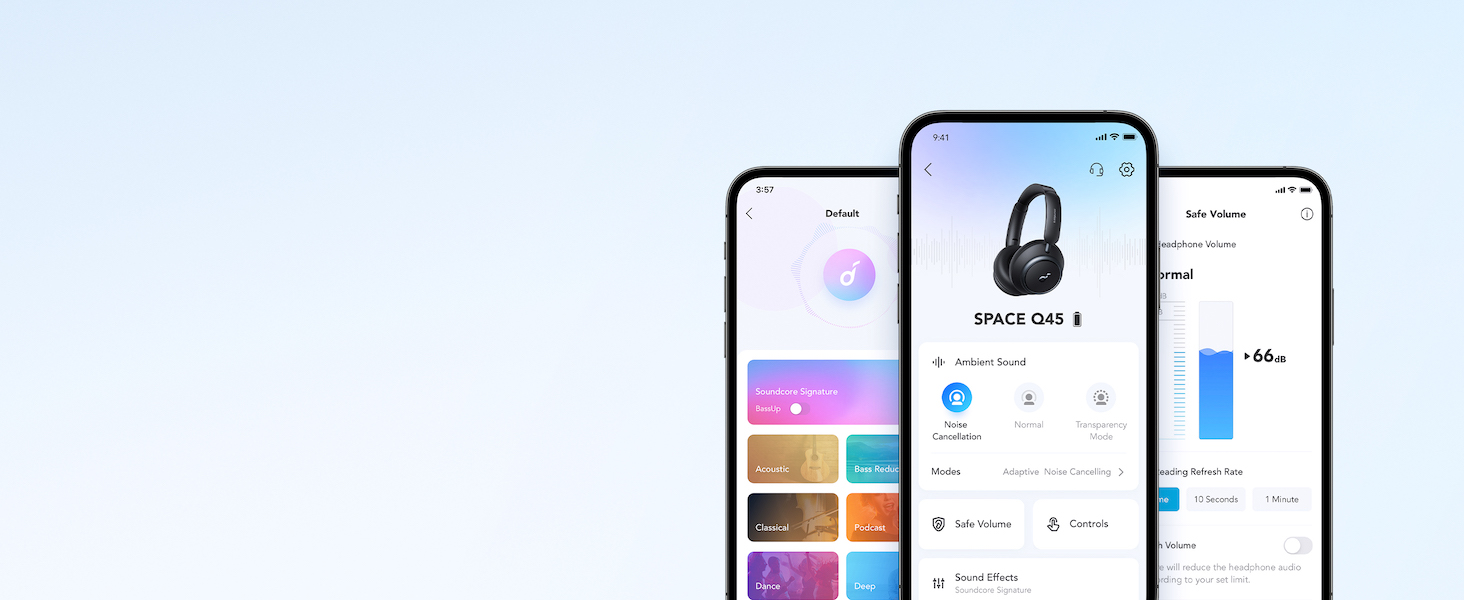
Vhidhiyo inoratidzaasing the features and listening controls available through the Soundcore app for the Space Q45 headphones.
5. Operating Instructions
5.1. Basic Controls
- Vhoriyamu kumusoro/Kudzika: Dzvanya mabhatani e'+' kana '-'.
- Tamba/Kumbomira: Dzvanya bhatani rePlay/Pause kamwe chete.
- Next Track: Dzvanya wobata bhatani rekuti '+' kwemasekonzi maviri.
- Previous Track: Dzvanya wobata bhatani rekuti '-' kwemasekonzi maviri.
5.2. Call Management
- Pindura/Pedzisa Kufona: Dzvanya bhatani rePlay/Pause kamwe chete.
- Ramba Kufona: Dzvanya uye bata bhatani rePlay/Pause kwemasekonzi maviri.
5.3. Switching Noise Cancellation Modes
Press the NC button on the left earcup to cycle through the following modes:
- Kuchenesa Ruzha: Blocks out ambient noise.
- Zvakajairwa Kutamba odhiyo kwakajairwa pasina kudzima ruzha kana kujeka.
- Kujeka: Inokutendera kuti unzwe zvakakukomberedza uchiteerera odhiyo.
6. Adaptive Noise Cancellation
The Space Q45 headphones feature an advanced noise-cancelling system that reduces up to 98% of ambient noise. The adaptive noise cancellation automatically selects a suitable level based on your environment, whether you are indoors, outdoors, commuting, or on a flight. You can also manually select from 5 noise-cancelling levels via the Soundcore app.


7. Audio Quality
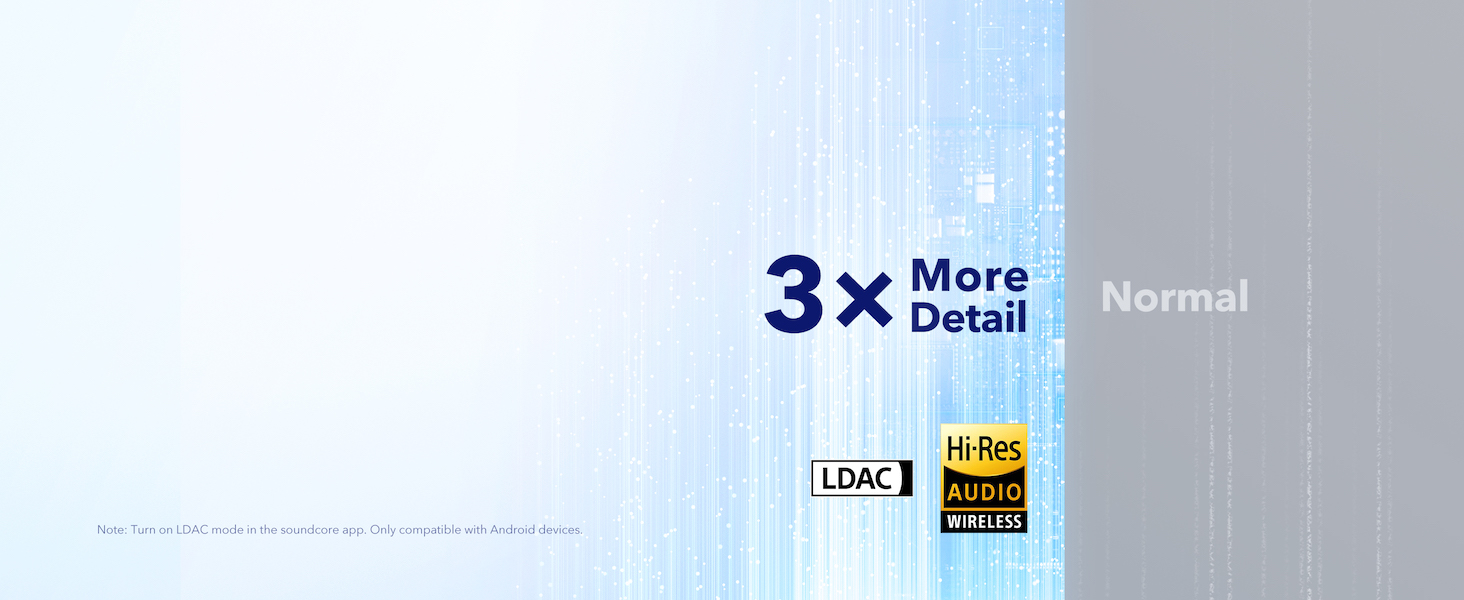
The Space Q45 headphones are equipped with 40mm double-layer diaphragm drivers, crafted from silk and ceramic materials. This innovative design produces sound with intense bass and crisp treble, ensuring every detail of your audio is heard. The headphones also support LDAC for Hi-Res Audio Wireless sound, delivering 3 times more detail than standard Bluetooth codecs.

8. Bhatiri Hupenyu uye Kuchaja
The Space Q45 headphones offer impressive battery performance:
- Up to 50 hours of playtime with Noise Cancellation mode activated.
- Up to 65 hours of playtime in Normal mode.
- Kuchaja nekukurumidza: Kuchaja kwemaminitsi mashanu kunopa maawa maviri ekutamba.
- Full Charge Time: Anenge maawa 2.

9. Kuchengeta
9.1. Kuchenesa
- Use a soft, dry cloth to clean the earcups and headband.
- Dzivisa kushandisa makemikari ane hasha kana abrasive zvinhu.
- Usanyudze mahedhifoni mumvura.
9.2. Kuchengeta
- When not in use, store the headphones in their protective travel case to prevent damage.
- Dzivisa kuchengeta mu tembiricha yakanyanyisa kana mwando wepamusoro.
10. Kugadzirisa matambudziko
If you encounter any issues with your Soundcore Space Q45 headphones, please refer to the following common solutions:
- Hapana Simba: Ensure the headphones are fully charged. Connect them to a power source using the USB-C cable.
- Hapana Inzwi: Check the volume levels on both the headphones and your connected device. Ensure the headphones are properly paired via Bluetooth or the 3.5mm AUX cable is securely connected.
- Kubatanidza Matambudziko: Turn off Bluetooth on all other devices, then try re-pairing the headphones with your desired device. If issues persist, reset the headphones (refer to the Soundcore app or online support for specific reset instructions).
- Kudzima Noise Hakusi Kushanda: Ensure the Noise Cancellation mode is activated. Adjust the noise cancellation levels via the Soundcore app.
For further assistance, consult the Soundcore app or visit the official Soundcore support website.
11. Zvinotsanangurwa
| Model Name | A3040 |
| Noise Control | Adaptive Active Noise Cancellation |
| Kubatana Technology | Wireless (Bluetooth 5.3) |
| Bluetooth Range | 10 Mamita |
| Audio Driver Size | 40 mamirimita |
| Hupenyu hwebhatiri (ANC Yakabatidzwa) | 50 Maawa |
| Hupenyu hweBhatiri (Nzira Yakajairika) | 65 Maawa |
| Kuchaja Nguva | 2 Maawa |
| Item Weight | 295 magiramu (10.4 ounces) |
| Product Dimensions | 6.34 x 3.46 x 7.44 inches |
| Maheadphone Jack | 3.5 mm Jack |
| Kudzora Nzira | App, Media Control Buttons |
12. Warranty uye Tsigiro
Soundcore products are backed by a limited warranty. For detailed warranty information, frequently asked questions, and customer support, please visit the official Soundcore website or contact their customer service team. You can also find support resources within the Soundcore app.
Websaiti: www.namambe.com
Email: service@soundcore.com


