1. Nhanganyaya
Thank you for choosing the Nexxt Indoor Smart Camera. This manual provides essential information for the safe and efficient use of your new device. Please read it thoroughly before installation and operation, and retain it for future reference.
This 1080p HD fixed room camera is designed to provide reliable indoor surveillance with features such as night vision, two-way audio communication, motion detection, and seamless integration with smart home ecosystems like Amazon Alexa and Google Assistant.
2. Safety Information
- Ensure the camera is powered by the provided power adapter. Using unauthorized adapters may damage the device and void the warranty.
- Do not expose the camera to water, moisture, or extreme temperatures. It is designed for indoor use only.
- Dzivisa kuisa kamera muzuva rakananga kana pedyo nekupisa.
- Usaedze kupatsanura kana kugadzirisa kamera wega. Tumira mabasa ese ekugadzirisa kune vashandi vane hunyanzvi.
- Keep the camera and its accessories out of reach of children and pets.
- Ensure stable Wi-Fi connectivity for optimal performance.
3. Package Zviri mukati
Tarisa uone kuti zvinhu zvese zviripo mupakeji:
- NEXXT Indoor Smart Camera (NHC-I710)
- Power Adapter
- Mira
- Mushandisi Chinyorwa (gwaro iri)

Image: The retail packaging of the NEXXT Indoor Smart Camera, showing the camera and key features.
4. Chigadzirwa Pamusoroview
The Nexxt Indoor Smart Camera offers a range of features for comprehensive home monitoring:
- Yakazara HD 1080p Resolution: Inopa yakajeka uye yakadzama vhidhiyo footage.
- Kuona Kwehusiku Otomatiki: Integrated infrared LEDs enable clear monitoring in low-light conditions up to 30 feet.
- Kukurukurirana kweNzira mbiri: Built-in microphone and speaker allow for real-time audio interaction.
- Kuonekwa Kwekufamba: Inokuzivisa nezvekufamba kwawaona mukati mechikamu chekamera che view.
- Nzvimbo uye Cloud Storage: Supports microSD cards (sold separately) and Microsoft Azure cloud storage (subscription sold separately) for recording.
- Smart Home Kubatanidzwa: Compatible with Amazon Alexa and Google Assistant for voice control and integration into smart routines.
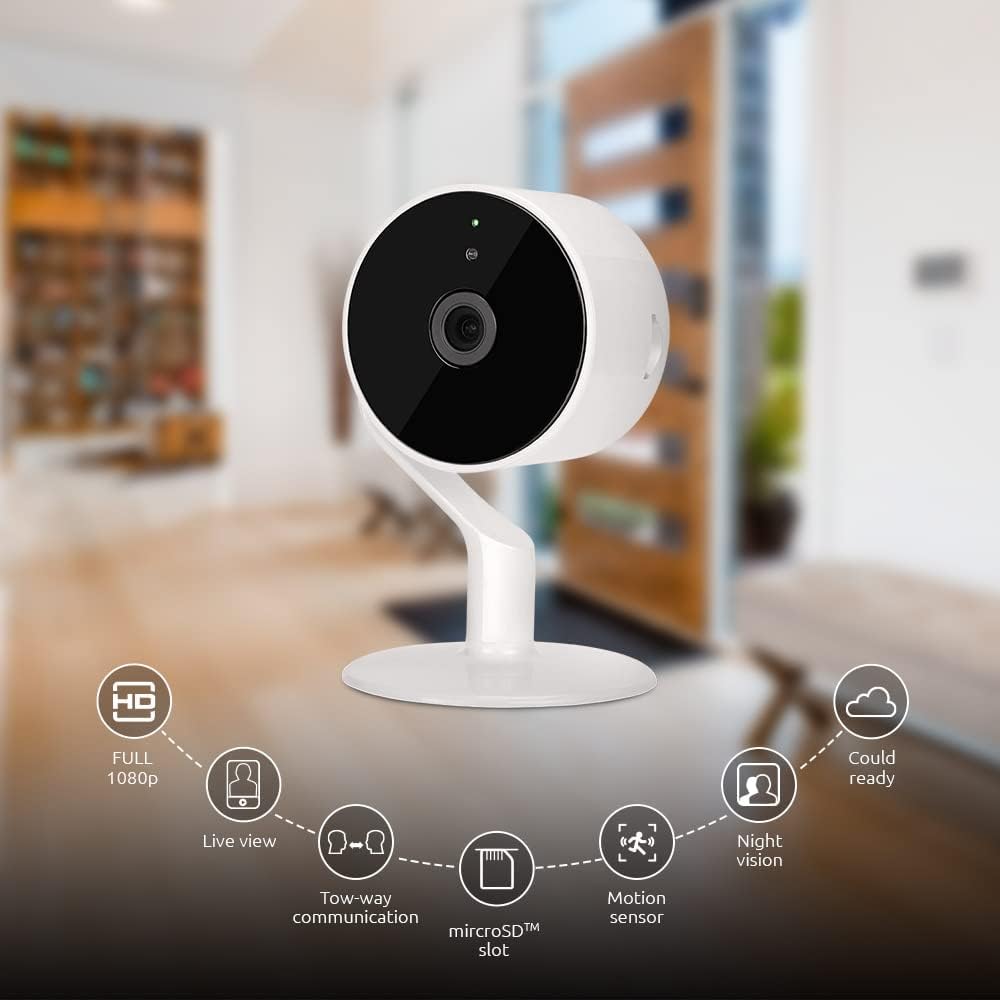
Image: The NEXXT Indoor Smart Camera highlighting its key features: Full HD 1080p, Live View, Two-way communication, microSD slot, Motion sensor, Night vision, and Cloud ready.
5. Setup
5.1 Kubatidza
- Place the camera on a stable, flat surface or mount it using appropriate hardware (not included).
- Batanidza adapta yemagetsi kune pombi yekuisa simba yekamera.
- Plug the power adapter into a standard electrical outlet. The camera will power on and its indicator light will begin to flash, indicating it's ready for pairing.
5.2 Kuiswa kweApp uye Pairing
To control and monitor your camera, you need to download the Nexxt Home App:
- Download the Next Home App kubva ku Google Play Store (for Android devices) or the Apple App Store (for iOS devices).
- Open the Nexxt Home App and create a new account or log in if you already have one.
- Tap the "+" icon or "Add Device" to begin the pairing process.
- Select "Camera" or the specific camera model from the list of devices.
- Follow the on-screen instructions in the app to connect the camera to your home Wi-Fi network. This typically involves scanning a QR code displayed on your phone with the camera.
- Once connected, the camera's indicator light will turn solid, and you will see the camera added to your app.

Image: Illustration showing the NEXXT Indoor Smart Camera being set up to function as a webcam, connecting to a laptop.
6. Operating Instructions
6.1 Rarama View
From the Nexxt Home App, tap on your camera's name to access the live video feed. You can view real-time footage of your monitored area.

Image: The NEXXT Indoor Smart Camera on a desk, with text indicating "Full HD resolution" and its ability to provide 1080p high-quality video day or night.
6.2 Kutaura Kwevanhu Vaviri
Ndichiri kurarama view, tap the microphone icon in the app to enable two-way audio. You can speak through your phone, and your voice will be projected through the camera's speaker. Tap the icon again to end communication.

Image: An illustration depicting communication between a person using a phone and another person near the camera, symbolizing the two-way talk feature.
6.3 Chiratidzo chehusiku
The camera automatically switches to night vision mode in low-light conditions. You can also manually toggle night vision on/off within the app settings for the camera.

Image: A split image showing a room in daylight on one side and the same room in night vision on the other, demonstrating the camera's night vision capability.

Image: A smartphone screen displaying the Nexxt Home app interface with a night vision toggle switch, overlaid on a room scene, indicating active night vision monitoring.
6.4 Kuona Kufamba & Zviziviso
Configure motion detection sensitivity and alert preferences in the app. When motion is detected, you will receive notifications on your smartphone.

Image: A person sleeping in bed with a motion detection icon overlaid, indicating advanced motion detection with an effective range of up to 30 feet.

Image: A woman holding a smartphone displaying the Nexxt Home app, with text indicating that advanced human identification technology helps reduce false alarms and unwanted notifications.
6.5 Kurekodha & Kuchengeta
The camera supports local storage via a microSD card (up to 128GB, not included) and cloud storage via Microsoft Azure (subscription required, sold separately). Insert the microSD card into the designated slot on the camera. Manage recording settings and view yakanyorwa footage through the Nexxt Home App.
6.6 Sharing Access
You can securely share your camera's security feed with multiple approved devices, allowing family members or trusted individuals to also monitor your home.

Image: Two smartphones displaying the Nexxt Home app, with text stating "Everyone Can Keep Watch" and explaining that the security feed can be securely shared with multiple approved devices.
6.7 Smart Home Kubatanidzwa
The Nexxt Indoor Smart Camera is compatible with Amazon Alexa and Google Assistant. Follow the instructions in your Alexa or Google Home app to link your Nexxt Home account and enable voice commands for your camera.
7. Kuchengeta
- Kuchenesa: Shandisa jira rakapfava, rakaoma kuchenesa lenzi yekamera nemuviri. Usashandise mishonga yekuchenesa yemvura kana maaerosols.
- Kuchengeta: Kana ukachengeta kamera kwenguva yakareba, ibvise pamagetsi woichengeta munzvimbo inotonhorera, yakaoma.
- Firmware Dzokorora: Regularly check the Nexxt Home App for available firmware updates to ensure optimal performance and security.
8. Kugadzirisa matambudziko
- Kamera isiri kubatana neWi-Fi:
- Iva nechokwadi chekuti network yako yeWi-Fi iri 2.4GHz. Kamera haitsigire Wi-Fi ye5GHz.
- Tarisa password yako yeWi-Fi kuti ichokwadi.
- Fambisa kamera pedyo neWi-Fi router yako.
- Tangazve router yako nekamera.
- Kwete live view or choppy video:
- Tarisa kumhanya kweinternet yako.
- Ensure the camera has a strong Wi-Fi signal.
- Close and reopen the Nexxt Home App.
- Motion alerts not received:
- Iva nechokwadi chekuti kuona mafambiro kwave kushanda mumasetingi eapp.
- Check your phone's notification settings for the Nexxt Home App.
- Gadzirisa kunzwisiswa kwekufamba.
- Odhiyo yemativi maviri haisi kushanda:
- Ensure your phone's microphone is enabled for the Nexxt Home App.
- Check the volume settings on your phone and within the app.
9. Zvinotsanangurwa
| Feature | Tsanangudzo |
|---|---|
| Model Name | NHC-I710 |
| Vhidhiyo Capture Resolution | 1080p HD |
| Indoor / Outdoor Kushandiswa | Indoor |
| Kubatana Technology | Wireless (Wi-Fi) |
| Kubatana Protocol | Wi-Fi (2.4GHz) |
| Simba Source | Corded Electric |
| Night Vision Range | 30 Tsoka |
| Controller Type | Amazon Alexa, Google Mubatsiri |
| Mounting Type | Tabletop Mount |
| Zviyero (L x W x H) | 3 x 7 x 3 inches |
| Item Weight | 6.7 ounces (0.19 Makirogiramu) |
| UPC | 798302056152 |
| International Protection Rating | IP65 |
10. Warranty uye Tsigiro
The Nexxt Indoor Smart Camera comes with a 2-makore waranti kubva pazuva rekutenga. Ndapota chengetedza humbowo hwako hwekutenga kwezvichemo zvewaranti.
For technical support, troubleshooting assistance, or warranty inquiries, please visit the official Nexxt Solutions website or contact their customer support through the Nexxt Home App.
Next Solutions Websaiti: www.nexxtsolutions.com


