1. Chigadzirwa Pamusoroview
The BISOFICE 3-IN-1 Mini Projector is a versatile and portable device designed for various entertainment and presentation needs. Featuring Android TV 9.0, WiFi, and Bluetooth connectivity, it delivers 1080P HD projection with 150 ANSI lumens and automatic vertical keystone correction.
Zvinokosha:
- Upgraded Performance & 1080P HD Projection: Android 9.0 system for smooth operation, 400:1 contrast ratio, 35,000-hour LED bulb lifetime, 100 ANSI lumens for clear images, and advanced color restoration technology.
- Low Noise 3-Side Stereo Speakers: Advanced noise reduction (max 28BD fan noise) and unique 3-sided speakers for clear, three-dimensional audio. Supports external speakers.
- Multiple Interfaces: Equipped with HDMI, VGA, AV, and USB ports for connecting smartphones, laptops, tablets, USB drives, and TV boxes.
- Travel Portable: Compact and lightweight design, 7000 mAh battery for 1-2 movies, supports Type-C mobile power supply or car charger (5V/2.5A required).
- Enhanced Resolution: Natural resolution increased to 800*480 for improved brightness and color saturation.
Package Zviri mukati:
- BISOFICE 3-IN-1 Mini Projector
- Remote Control
- Type C Cable
- USB Flash dhisiki
- 1.2m Power Cord
- 1m HDMI Cable
- Tripod

Image: All items included in the BISOFICE Mini Projector package, including the projector, remote, cables, and tripod.
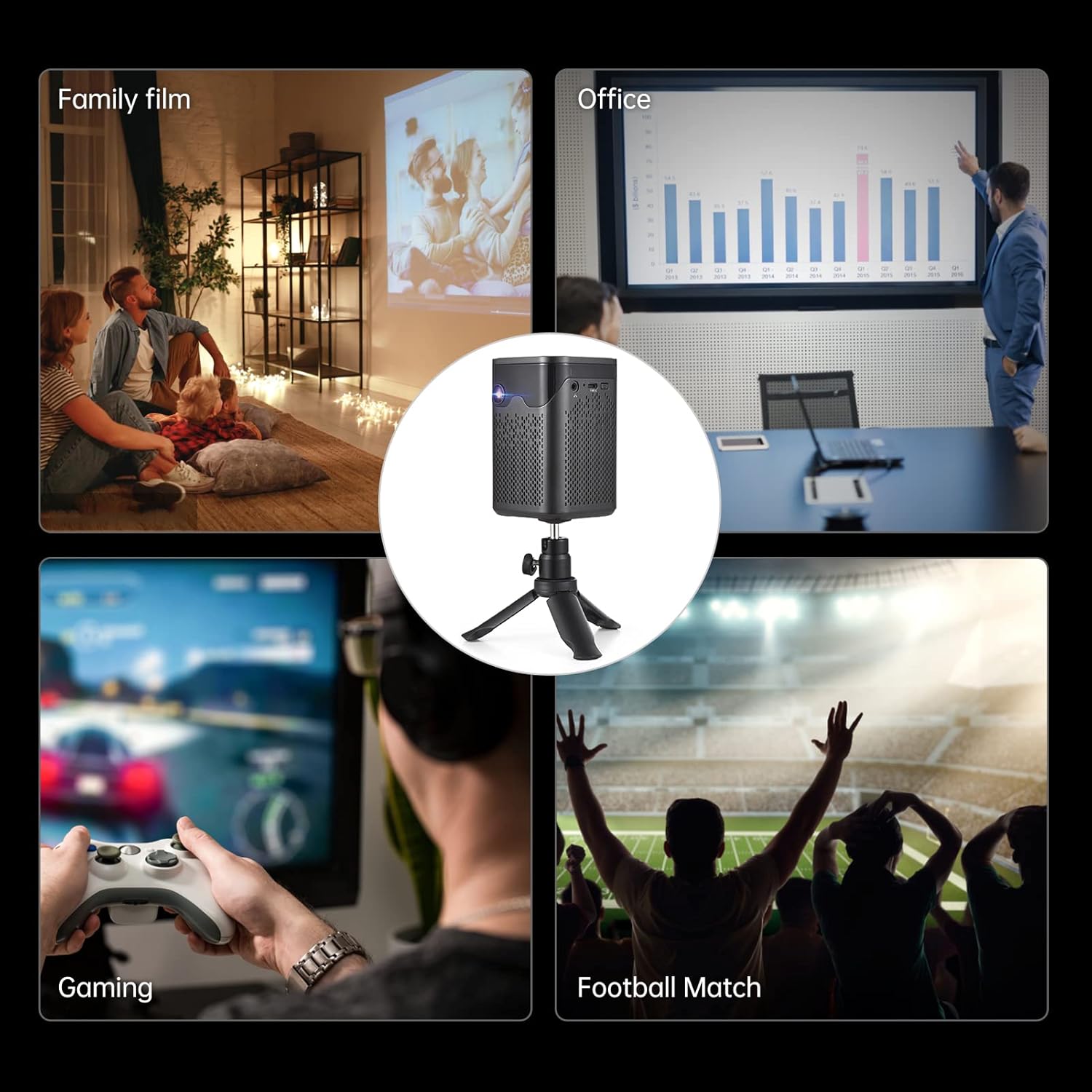
Image: A collage showing various usage scenarios for the projector, including family movie night, office presentations, gaming, and watching sports.
2. Setup Guide
2.1 Kutanga Setup
- Power On: Connect the projector to a power source using the provided power cord or use the built-in 7000 mAh battery. Press the power button on the projector or remote control to turn it on.
- Kuiswa: Isa purojekita panzvimbo yakagadzikana, yakati sandara. For optimal viewing, position it perpendicular to the projection surface. The included tripod can be used for flexible placement.
- Focus Adjustment: Use the focus wheel on the side of the projector to achieve a clear image.
- Keystone Kugadziriswa: The projector features auto-vertical keystone correction. If the image appears trapezoidal, the projector will automatically adjust it. Manual adjustment options may also be available in the settings.

Image: The BISOFICE Mini Projector shown with its remote control and a smartphone, highlighting its compact size and connectivity options.
2.2 Kubatanidza Zvishandiso
The projector offers multiple ways to connect your devices:
- HDMI: Connect laptops, gaming consoles, or TV boxes using an HDMI cable.
- USB: Plug in USB drives for direct media playback.
- YE: Connect older devices using an AV cable.
- Type-C: Use the Type-C port for power input or connecting compatible devices.
- WiFi: Batanidza kune network yako yekumba kuti utepfenyure zviri mukati uye zviri paindaneti.
- Bluetooth: Pair with external Bluetooth speakers, headphones, or input devices like a mouse or keyboard.

Image: A hand holding the compact BISOFICE Mini Projector, illustrating its portable design and small dimensions (74x74x110mm, 410g).
3. Operating Instructions
3.1 Navigating the Android TV 9.0 Interface
The projector runs on Android TV 9.0, providing access to various applications and settings. Use the remote control to navigate the interface.
- Sikirini Yemba: Access pre-installed apps like Netflix, YouTube, and Google Play.
- Settings: Adjust network, Bluetooth, language, date/time, and projection settings.
- Bata Screen Operation: The top panel of the projector features touch controls for basic navigation and volume adjustment.

Image: The projector operating in Bluetooth Speaker Mode, connected to a smartphone playing music, demonstrating its audio capabilities.
3.2 Projection Settings
Access the "Projection Setting" menu to fine-tune your viewchiitiko:
- Projection Mode: Adjust for front, rear, ceiling front, or ceiling rear projection.
- Keystone Kugadziriswa: Manual adjustment for image shape if needed.
- Kugadzirisa Kupenya: Control the image brightness.
- Zoom Mode: Adjust the screen size without moving the projector.

Image: The projector displaying the Android 9 Smart OS interface, showing various applications like Netflix, YouTube, and Google Play.
3.3 Video Playback and Connectivity
Enjoy movies, videos, and games by connecting your devices or streaming directly:
Video: A demonstration of the BISOFICE Mini Projector's interface, settings, and projection capabilities, including network and language settings, and media playback.
Vhidhiyo: Nguva pfupi yapfuuraview of the Mini Projector with WiFi and Bluetooth, showcasing its compact design, touch screen operation, headphone jack, battery life, keystone correction, and various usage scenarios.
4. Kuchengeta
4.1 Kuchenesa
- Lenzi: Pukuta lenzi yepurojekita zvinyoro nyoro nejira rakapfava, risina jira. Dzivisa zvinhu zvinokwesha kana makemikari akaomarara.
- Kunze: Clean the exterior of the projector with a dry or slightly damp soft cloth. Do not use liquid cleaners directly on the device.
- Kufefetedza Ita shuwa kuti mavhuriro ekufemesa haana guruva nemarara kudzivirira kupisa.
4.2 Lamp Hupenyu hwose
The projector uses an LED light source with an estimated lifetime of 35,000 hours, providing long-term use without frequent lamp kutsiva.

Image: Graphic illustrating the projector's LED lamp lifetime of 30,000 hours and 100 ANSI lumens brightness.
5. Kugadzirisa matambudziko
- Hapana Mufananidzo:
- Ensure the projector is powered on and connected correctly.
- Tarisa sarudzo yesosi yekuisa.
- Verify the projection surface is clear.
- Mufananidzo Wakasviba:
- Adjust the focus wheel until the image is sharp.
- Ensure the projector is within the recommended projection distance (0.5m-3m for 10-100 inches).
- Tarisa marongero ekugadzirisa keystone.
- Hapana Inzwi:
- Wedzera vhoriyamu papurojekita nemudziyo wakabatana.
- Check audio output settings on the connected device.
- Ensure Bluetooth speakers are properly paired if used.
- Matambudziko Ekubatana (WiFi/Bluetooth):
- Ensure WiFi/Bluetooth is enabled on both the projector and the device.
- Tangazve purojekita nemudziyo wakabatana.
- Check network settings and password for WiFi.
6. Zvinotsanangurwa
| Feature | Detail |
|---|---|
| Brand | Bisofice |
| Model Number | 3-IN-1 Mini Projector |
| Operating System | Android 9.0 |
| Display Technology | DLP |
| Display Resolution | 3840 x 2160 (4K supported) |
| Kupenya | 150 ANSI MaLumens |
| Kusiyanisa Ratio | 400:1 |
| Kubatana | WiFi, Bluetooth, HDMI, VGA, AV, USB, Type-C |
| Mutauri Rudzi | Built-In 3W Stereo Speakers |
| Bhatiri | 7000 mAh (up to 1-2 movies playback) |
| Dimensions | 2.91 x 2.91 x 4.33 inches |
| Item Weight | 2.2 makirogiramu |
| Special Features | HDMI Connectivity, Portable, USB Connectivity, Auto-Vertical Keystone |
7. Warranty uye Tsigiro
This BISOFICE product comes with a standard manufacturer's warranty. Please refer to the warranty card included in your package for specific terms and conditions. For technical support, troubleshooting assistance, or warranty claims, please contact BISOFICE customer service through their official webnzvimbo kana mutengesi uko chigadzirwa chakatengwa.
Chengeta risiti yako yekutenga nenhamba yeserial yechigadzirwa zviri pedyo kana uchibata rutsigiro.