Nhanganyaya
This manual provides essential instructions for the safe and efficient operation of your Herneum FC Portable CD Player Boombox. Please read this manual thoroughly before using the device and retain it for future reference.
Product Features
- Portable CD Player: Top-loading CD player with play/pause, skip, and repeat functions.
- FM Radio: Built-in FM radio with telescopic antenna for enhanced reception.
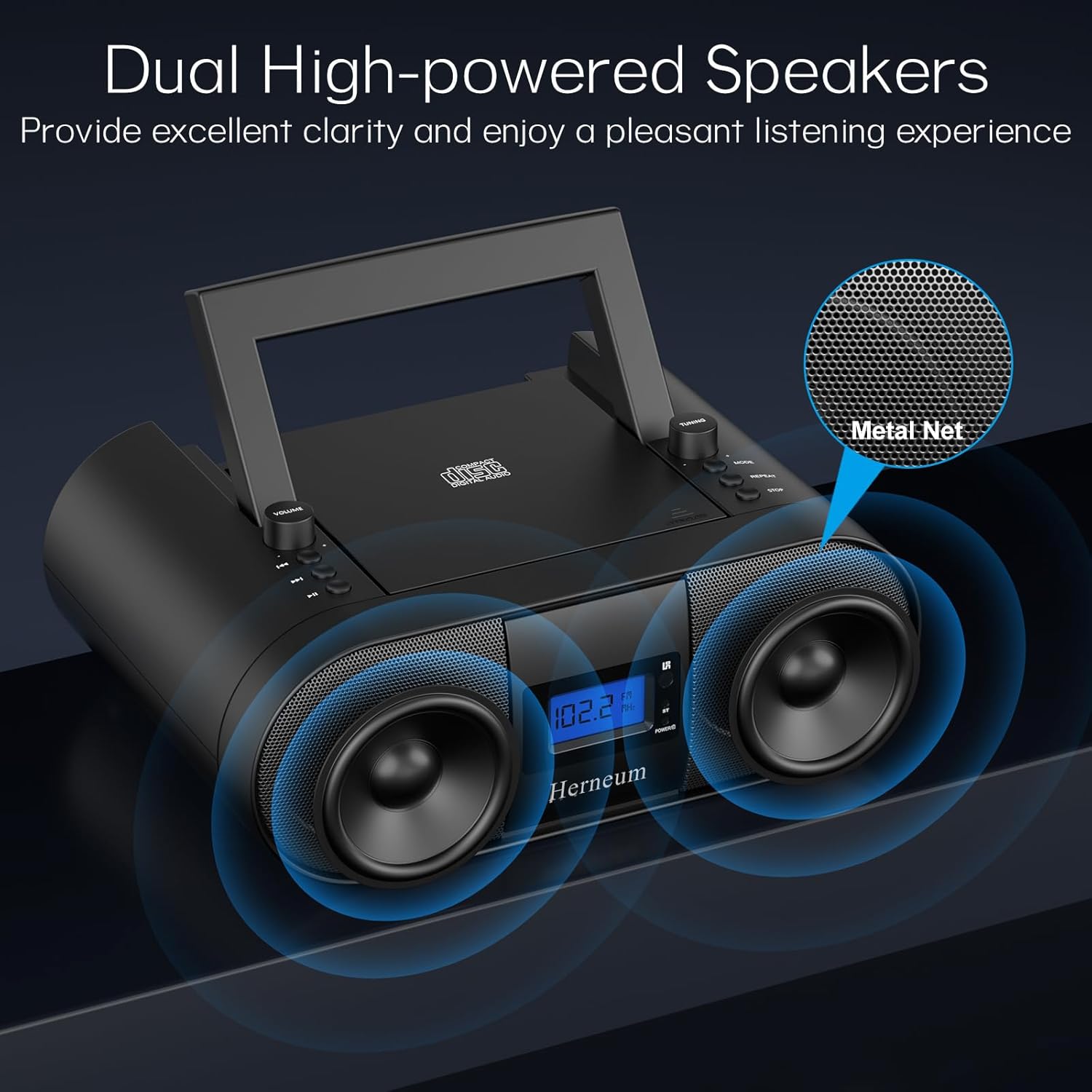
- Dual Stereo Sound System: High-performance speakers for clear audio.
- Rechargeable Battery: Integrated 2000mAh battery providing 4-5 hours of playback.
- Kubatana kweBluetooth: Kuteerera odhiyo pasina waya kubva kumidziyo inoenderana nayo.
- Zvakawanda Zvinopinza: Supports USB and AUX-in for versatile audio sources.
- Musoro Wekubuda: Zvekuterera wega.
- Remote Control: Convenient operation from a distance, including sleep timer function.
Package Zviri mukati
Ita shuwa kuti zvinhu zvese zviripo pane unboxing:
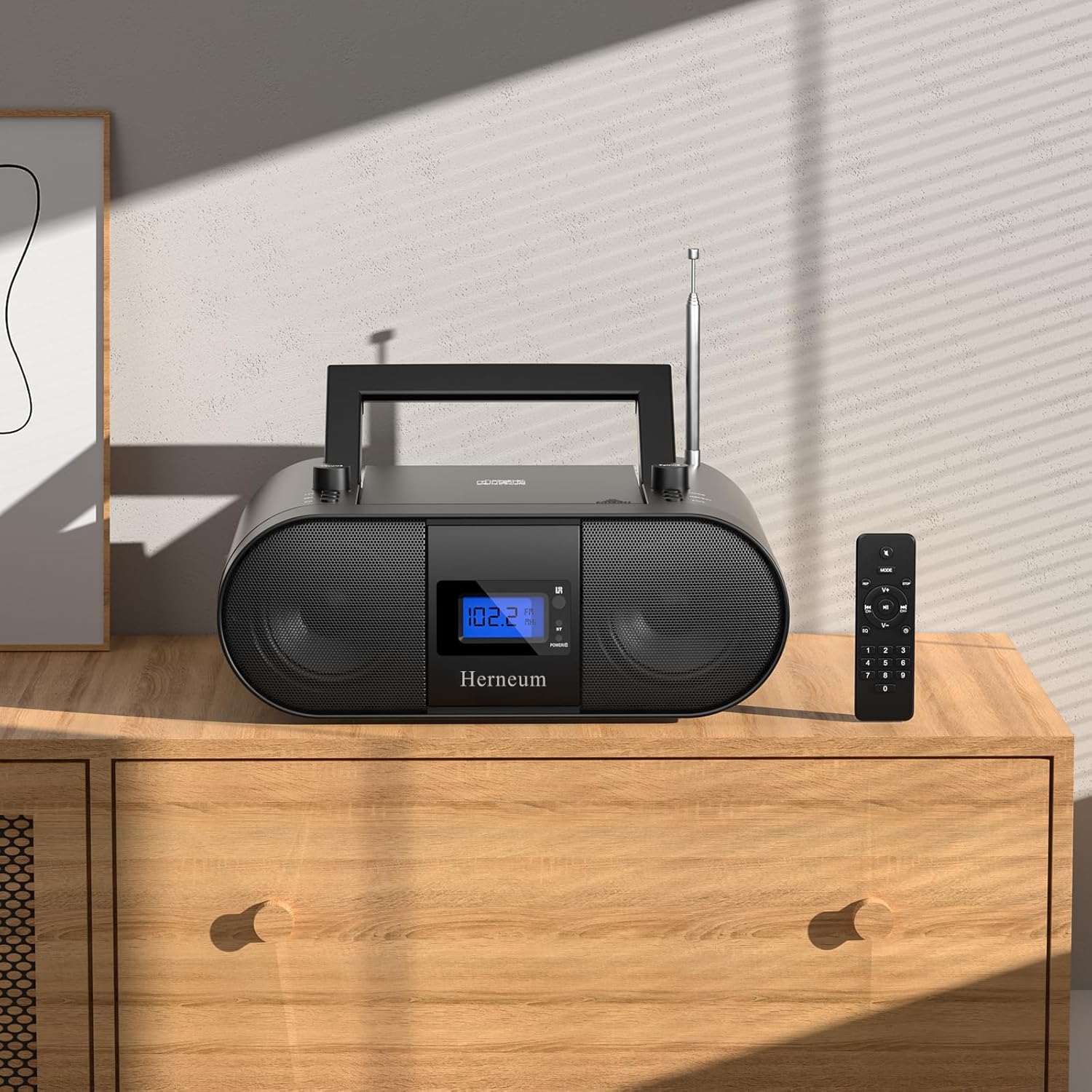
- Herneum FC Portable CD Player Boombox
- Remote Control
- User Manual
- Power Cable
Safety Information
- Usaisa mudziyo kunaya kana hunyoro.
- Rega kuisa mudziyo pedyo nekupisa kana muzuva rakananga.
- Usavhura mudziyo casing; tumira basa rekubatsira vashandi vane hunyanzvi.
- Chengetedza pasingasvikirwi nevana.
- Shandisa chete adapta yemagetsi yakapihwa.
Gadzirira
1. Kusimbisa Chishandiso
The Herneum FC can be powered by its internal rechargeable battery or by connecting it to an AC power outlet.
- AC Simba: Connect the provided power cable to the "Power socket" (19) on the back of the unit and then to a wall outlet.
- Rechargeable Battery: The unit has a built-in 2000mAh rechargeable battery. It charges automatically when connected to AC power. A full charge provides approximately 4-5 hours of playback.
2. Kugadziriswa kweAntena
For optimal FM radio reception, extend the telescopic antenna fully and adjust its position.

Operating Instruction
1. General Controls
The device features various controls on its top panel and a remote control for convenient operation.

- Kuchinja Kwemagetsi (18): Iri kuseri kweyuniti.
- Volume +/- (1): Inogadzirisa mwero wekubuda kweodhiyo.
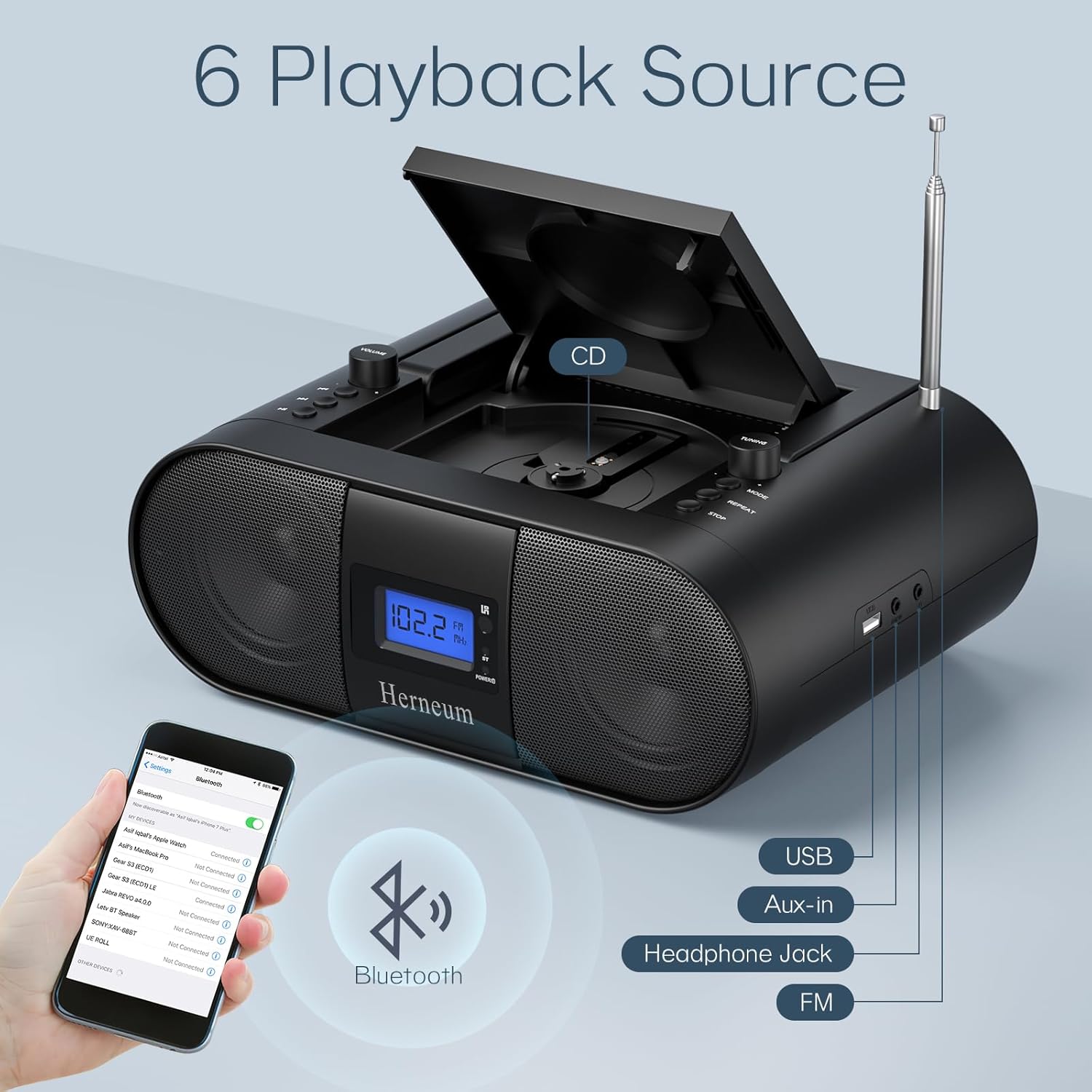
- Modhi (7): Inochinja pakati peCD, FM, Bluetooth, USB, uye AUX modes.
- Ratidza (14): Shows current mode, track number, and FM frequency.
2. CD Playback
- Open the CD compartment (10) by gently lifting the lid.
- Isa CD nedivi rechinyorwa rakatarisa mudenga.
- Vhara iyo CD compartment.
- Press the Mode button (7) to select CD mode.
- Press Tamba/Misa (4) kutanga kutamba.
- Shandisa Previous Track (2) uye Next Track (3) to navigate tracks.
- Press Dzokorora (8) for single track or all track repeat.
- Press Mira (9) kumisa kutamba.
3. FM Radio Kushanda
- Wedzera iyo telescopic antenna.
- Press the Mode button (7) to select FM radio mode.
- Shandisa Tuning +/- (6) to manually tune to a station.
- For automatic scanning, press and hold Tuning +/- (6).
4. Kubatana kweBluetooth
- Press the Mode button (7) to select Bluetooth mode. The display will show "BT" and flash, indicating it's ready for pairing.
- On your mobile device, enable Bluetooth and search for "Herneum FC" (or similar device name).
- Select the device to pair. Once connected, the "BT" indicator will stop flashing.
- Iye zvino wava kukwanisa kutumira odhiyo kubva pamudziyo wako kuenda ku boombox.
5. USB Playback
- Insert a USB drive containing MP3/WMA files into the USB PORT (11).
- Press the Mode button (7) to select USB mode.
- Playback will start automatically. Use track navigation buttons to select songs.
6. Kubatanidza AUX-in
- Connect an external audio device (e.g., smartphone, MP3 player) to the AUX-in jack (12) using a 3.5mm audio cable.
- Press the Mode button (7) to select AUX mode.
- Dzora kutamba uye vhoriyamu kubva pamudziyo wako wekunze.
7. Kushandisa Headphone
Plug headphones into the Headphone jack (13) for private listening. The speakers will automatically mute.
8. Remote Control
The included remote control allows for convenient operation of all functions from a distance. Insert 2 x AAA batteries (not included) into the remote.
- Nyarara/Dzora Temporarily silences or restores audio.
- Darika Track: Navigates to the next or previous track.
- Change Radio: Adjusts FM frequency.
- Kudzora Vhoriyamu: Inowedzera kana kuderedza inzwi.
- Stop Playing: Halts current playback.
- EQ Maitiro: Adjusts sound equalization settings.
- Kurara Nguva: Set preferred running time (15, 30, 45, 60, or 90 minutes).

Maintenance
- Kuchenesa: Shandisa jira rakapfava, rakaoma kuchenesa kunze kwechikwata. Usashandise abrasive cleaners kana solvents.
- CD Care: Bata maCD ari pamucheto wawo. Chenesa maCD akasviba nejira rakapfava, risina jira, uchipukuta kubva pakati nekunze.
- Kuchengeta: When not in use for extended periods, store the boombox in a cool, dry place.
Kugadzirisa matambudziko
| Dambudziko | Zvinogona Kukonzera | Solution |
|---|---|---|
| Hapana simba | Power cable not connected; battery drained; power switch off. | Check power cable connection; charge battery; ensure power switch (18) is ON. |
| CD not playing/skipping | CD dirty or scratched; CD inserted incorrectly; CD compartment not closed. | Clean or replace CD; ensure CD is label-side up; close compartment firmly. |
| Kugamuchira FM kwakashata | Antenna not extended/adjusted; weak signal. | Extend and adjust antenna; try moving the unit to a different location. |
| Bluetooth haina kubatanidza | Device not in pairing mode; Bluetooth disabled on external device. | Ensure boombox is in Bluetooth mode; enable Bluetooth on your device and search again. |
| Remote control haisi kushanda | Batteries drained or inserted incorrectly; obstruction between remote and unit. | Replace remote batteries; ensure correct polarity; remove obstructions. |
Zvinotsanangurwa
- Muenzaniso: FC
- Brand: Herneum
- Zviyero zvechigadzirwa: 12.6 x 8.66 x 5.9 inches
- Chinhu Weight: 4.36 makirogiramu
- Kubatana Technology: Bluetooth, CD, USB, AUX-in, FM Radio
- Ruvara: Nhema
- Rudzi rweMutauriri: Dual speaker
- Bhatiri: Yakavakwa-mukati 2000mAh rechargeable bhatiri
- Playback Time (Battery): 4-5 maawa
Warranty uye Support
The Herneum FC Portable CD Player Boombox comes with an 18-month warranty. For warranty claims, technical support, or any inquiries, please contact Herneum customer service.
Visit the official Herneum store for more information: Herneum Store


