
1. Nhanganyaya
Thank you for choosing the AcclaFit Smart Watch P5. This device is designed to enhance your daily life with its comprehensive features, including Bluetooth calling, advanced health monitoring, and a wide array of sport modes. This manual provides essential information for setting up, operating, and maintaining your new smartwatch.
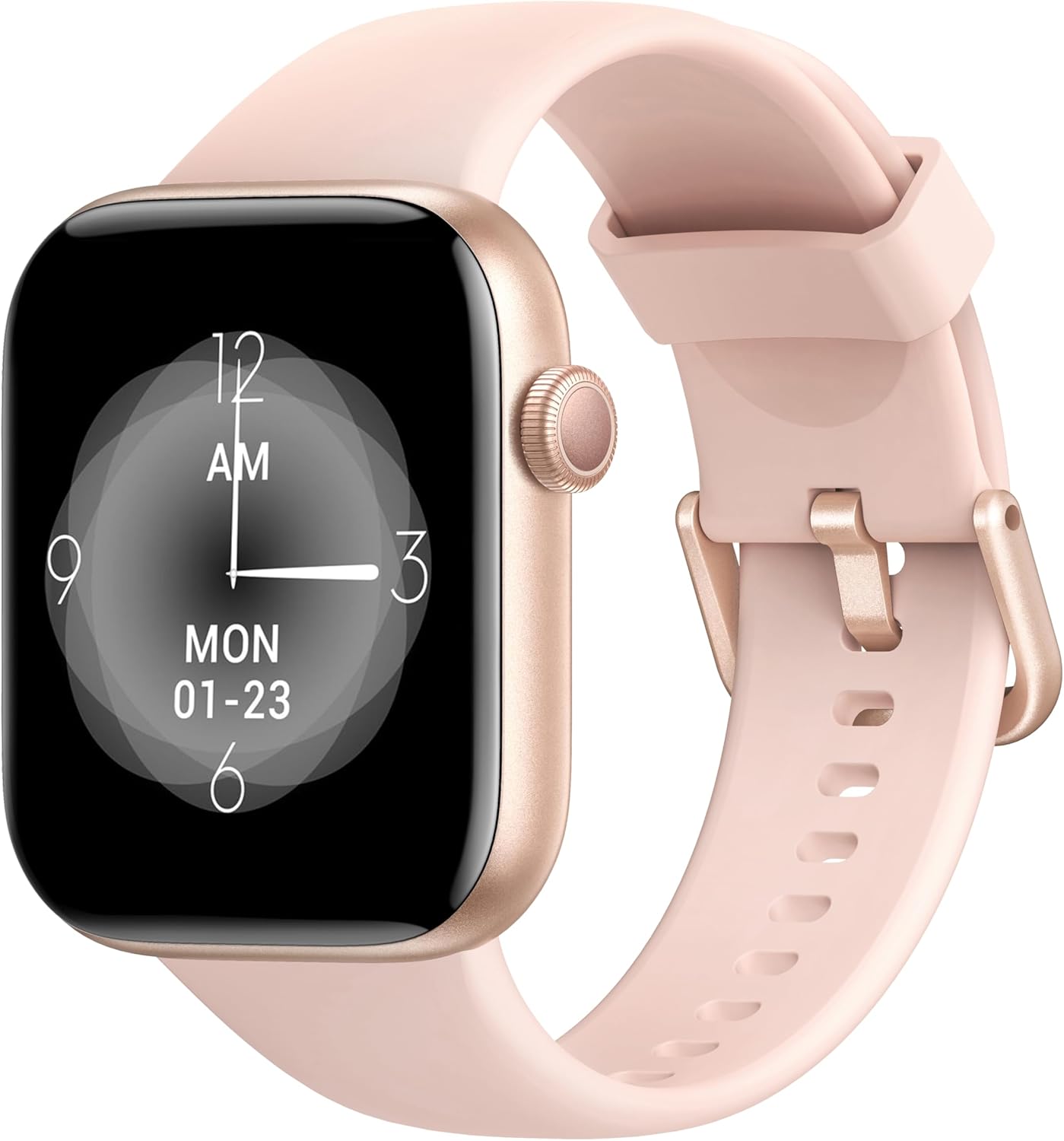
Image: The AcclaFit Smart Watch P5, featuring a rose gold casing and a light pink silicone strap, displaying a digital clock face.
Chii chiri muBhokisi
- AcclaFit Smart Watch P5
- Chaja Cable
- Mushandisi Chinyorwa (gwaro iri)
2. Safety Information
- Do not expose the watch to extreme temperatures (hot or cold) or direct sunlight for prolonged periods.
- Dzivisa kukanganiswa kwakasimba kana kudonhedza mudziyo.
- The watch is IP68 waterproof, suitable for washing hands, showering, swimming, and diving. Do not wear it in hot water, including hot showers or saunas, as steam can damage the seals.
- Keep the charging contacts clean and dry to prevent corrosion.
- Bvunza chiremba usati watanga chero chirongwa chitsva chekurovedza muviri, kunyanya kana uine hutano hwagara huripo.
- This device is not a medical device and should not be used for medical diagnosis or treatment.
3. Setup Guide
3.1 Kuchaja iyo Smart Watch
Before first use, fully charge your AcclaFit Smart Watch P5. Connect the magnetic charging cable to the charging contacts on the back of the watch and plug the USB end into a standard USB power adapter (5V/1A recommended) or a computer USB port. A full charge takes approximately 2 hours.
The watch display will show the charging progress. Ensure the charging contacts are clean and dry before connecting the cable.
3.2 Downloading the 'H Band' App
The AcclaFit Smart Watch P5 requires the 'H Band' application for full functionality and data synchronization. You can download the app from:
- Apple App Store for iOS devices (iOS 10.0 or above)
- Google Play Store for Android devices (Android 5.0 or above)
Tsvaga "H Band" and install the application on your smartphone.
3.3 Kubatanidza neSmartphone Yako
- Ita shuwa kuti Bluetooth ye smartphone yako yakagoneswa.
- Open the 'H Band' app on your smartphone.
- Tevedza mirairo iri pa-screen kugadzira account kana kupinda.
- Enda kuchikamu che "Mudziyo" kana kuti "Mudziyo Wangu" mukati meapp.
- Dzvanya "Wedzera Chishandiso" kana "Tsvaga Device". The app will scan for available smartwatches.
- Select "P5" or the device name that appears in the search results.
- Confirm the pairing request on both your watch and smartphone if prompted.
- Once successfully paired, the watch's time will synchronize with your phone, and you will see a connected status in the app.
For optimal performance, ensure the 'H Band' app is running in the background and has necessary permissions enabled (e.g., location, notifications).
4. Kushandisa Wachi Yako Yakangwara
4.1 Basic Navigation
- Bata Sikirini: Svetera kuruboshwe/kurudyi, kumusoro/pasi kuti ufambe mumamenyu uye maficha. Dzvanya kuti usarudze.
- Side Button: Press to wake the screen, return to the home screen, or access the main menu (functionality may vary based on context).
4.2 Bluetooth Calling & Notifications
The AcclaFit Smart Watch P5 allows you to make and answer calls directly from your wrist, thanks to its built-in microphone and Hi-Fi speaker. Ensure your watch is connected to your phone via Bluetooth.
- Kupindura Nhare: When a call comes in, the watch will vibrate and display the caller ID. Tap the green phone icon to answer.
- Kufona: Enda padial pad kana pane runyorwa rwevanhu vanokubata vari pawachi kuti utange kufona.
- Zviziviso: Receive SMS text messages and SNS notifications (Facebook, Twitter, WhatsApp, LinkedIn, Messenger, etc.) directly on your watch. Enable app notifications in the 'H Band' app settings.
4.3 Health Tracking
The watch continuously monitors various health metrics. All data is synchronized with the 'H Band' app for detailed analysis and historical tracking.
- YeMoyo Rate Kuongorora: Built-in high-precision PPG sensor tracks your heart rate 24/7. View real-time data on the watch and detailed graphs in the app.
- Ropa Oxygen (SpO2) Monitoring: Measures blood oxygen levels using a reflective-light based sensor.
- Kuongorora Kuwedzerwa Kweropa: Measures blood pressure using a reflective-light based sensor.
- Kuongorora Kurara: Tracks sleep quality through Awake, Light sleep, and Deep sleep stages. Provides insights into sleep duration and patterns.

Image: A close-up of the smartwatch screen showing various health metrics like heart rate and activity data.
4.4 Fitness Modes
The AcclaFit Smart Watch P5 supports over 140 professional and extended workout modes. These modes help track your activity data scientifically.
- Nzira dzekupinda: Navigate to the 'Sport' or 'Workout' menu on your watch.
- Kutsvaga: Select your desired activity (e.g., running, cycling, yoga, swimming) to start tracking steps, active minutes, distance, and calorie consumption.
- Kubatanidza Data: All workout data is synced to the 'H Band' app for detailed review and progress tracking.
4.5 Customization & Other Features
- Tsika Dials: Choose from over 100 dial styles via the 'H Band' app or use your own photos as watch faces.
- Screen Kupenya: Adjust the screen brightness directly on the watch for optimal visibility in various lighting conditions.
- Mumhanzi Control music playback on your phone or play music directly through the watch's built-in speaker.
- Practical Gadgets: Access features like Voice Assistant, torch, calculator, alarm, stopwatch, sedentary reminder, weather display, and remote camera control.
- Female Cycle Tracking: Monitor and track female physiological cycles through the app.
5. Kuchengeta
- Kuchenesa: Pukuta wachi uye tambo nguva nenguva nekanyoro, damp jira. Kana wakasviba zvakanyanya, shandisa sipo isina kusimba wogeza zvakanaka. Iva nechokwadi chekuti wachi yacho yakaoma zvachose usati wachaja.
- Kuchaja: Always use the provided charging cable. Avoid using damaged cables or chargers. Do not charge the watch in wet conditions.
- Kuratidzwa kwemvura: While IP68 waterproof, avoid prolonged submersion in saltwater or chemical liquids. Rinse with fresh water after swimming in chlorinated pools. Do not expose to hot water or steam.
- Zvigadziriso zveSoftware: Regularly check the 'H Band' app for firmware updates to ensure optimal performance and access to new features.
- Kuchengeta: When not in use for extended periods, store the watch in a cool, dry place. Charge it periodically to maintain battery health.
6. Kugadzirisa matambudziko
| Dambudziko | Possible Solution |
|---|---|
| Watch not turning on/charging. |
|
| Unable to pair with smartphone. |
|
| Zviziviso hazvina kugamuchirwa. |
|
| Inaccurate health data readings. |
|
7. Zvinotsanangurwa
| Feature | Detail |
|---|---|
| Model Name | P5 |
| Display | 1.85 Inches Full Touch LCD Screen |
| Battery Capacity | 400 mamiriyoniamp Maawa (mAh) |
| Hupenyu hwebhatiri | Up to 7 days (normal usage), 30 days (standby) |
| Kuchaja Nguva | Approx. 2 maawa |
| Kuramba Mvura | IP68 |
| Kubatana | Bluetooth 5.3 |
| Kugarisana | iOS 10.0+ / Android 5.0+ |
| Zita reApp | H Bhendi |
| Product Dimensions | 10.24 x 1.77 x 0.39 inches |
| Item Weight | 3.84 ounces |
| Special Features | Bluetooth Calling, Heart Rate, SpO2, Sleep Monitor, 140+ Sport Modes, Notifications, Music Player, Voice Assistant, Custom Dials, IP68 Waterproof |
8. Warranty uye Tsigiro
AcclaFit products are manufactured to the highest quality standards. For information regarding warranty coverage and terms, please refer to the warranty card included with your product or visit the official AcclaFit website.
If you encounter any issues or have questions about your AcclaFit Smart Watch P5, please contact our customer support team. Details for contacting support can typically be found on the AcclaFit website or through the 'H Band' app's help section.
Please have your product model (P5) and purchase information ready when contacting support.


