1. Ruzivo Rwakakosha Chekuchengetedza
Please read all safety instructions carefully before using the BYINTEK P70 Smart WiFi Projector. Keep this manual for future reference.
- Kunobva Simba: Shandisa adapta yemagetsi yakapihwa chete. Iva nechokwadi chekuti volttage inoenderana nezvinodiwa neprojekita.
- Kuchengetedzwa kweBhatiri: The projector contains a built-in lithium-ion battery. Do not expose to extreme temperatures, puncture, or disassemble.
- Kufefetedza Iva nechokwadi chekufefetedza kwakaringana kwakatenderedza purojekita kudzivirira kupisa. Usavhare kuvhurika kwemhepo.
- Kupisa: The projector may become warm during operation. This is normal. Avoid touching the lens or vents immediately after use.
- Light Exposure: Usatarise zvakananga muprojekita lens kana iyo lamp is on, as the bright light can cause eye strain or damage.
- Mvura uye Unyoro: Chengeta purojekita kure nemvura, mvura, uye hunyoro hwakawandisa. Usashandise nemaoko akanyorova.
- Kuchenesa: Bvisa magetsi usati wageza. Shandisa jira rakapfava, rakaoma. Usashandise zvinochenesa mvura kana zveaerosol.
- Vana: Chengetedza purojekita nezvishandiso zvayo kunze kwekusvikirwa nevana.
2. Chigadzirwa Pamusoroview
The BYINTEK P70 is a portable smart DLP projector designed for versatile entertainment and presentation needs. It features an 8000mAh built-in battery, Android 9.0 operating system, auto-focus, and 3D support.
2.1 Package Zviri mukati
- BYINTEK P70 Projector x 1
- Remote Kudzora x 1
- Power Adapter x 1
- Mini Tripod x 1
- Yekuchengetedza Bhegi x 1
- User Manual x 1
2.2 Mamiriro Akakosha
- Portable Design: Compact uye lightweight kuitira nyore kutakura.
- Bhatiri Rakavakwa-mukati: 8000mAh battery provides 1.5 to 3 hours of playback.
- Smart Android OS: Android 9.0 for app downloads, online streaming, and gaming.
- Auto Focus: Automatic focus adjustment for clear images.
- Kugadziriswa kweMatombo eKiyi ye6D: Advanced keystone correction for flexible placement.
- 3D Tsigiro: Nakidzwa nezvinhu zve3D zvinoyevedza.
- Wireless Kubatana: Supports wireless screen mirroring from Android, iOS, and PC devices.
- Wired Connectivity: USB data cable sync for iOS and select Android devices.
- Kukura Kwekufungidzira Kukura: Up to 200 inches.
- 4K Playback: Supports up to 4K video input.
- Long LED Lamp Hupenyu: 30,000 maawa.
- MaSpika maviri eStereo: Integrated 2x5W speakers for clear audio.

Image: Infographic detailing the BYINTEK P70's features including 4K support, DLP display, 6D keystone, 8000mAh battery, 3D, Type-C charge, 2G+32G memory, Android OS, and stereo speakers.
3. Setup
3.1 Charging the Projector
Before first use, fully charge the projector. Connect the provided power adapter to the projector's Type-C port and plug it into a power outlet. The charging indicator will show the charging status.

Image: The BYINTEK P70 projector connected to a power bank via a Type-C cable, illustrating its portable charging capability.
3.2 Kutanga Kuiswa
Isa purojekita panzvimbo yakagadzikana, yakati sandara. For optimal viewing, position it directly in front of your projection screen or wall. The included mini tripod can be used for angle adjustments.
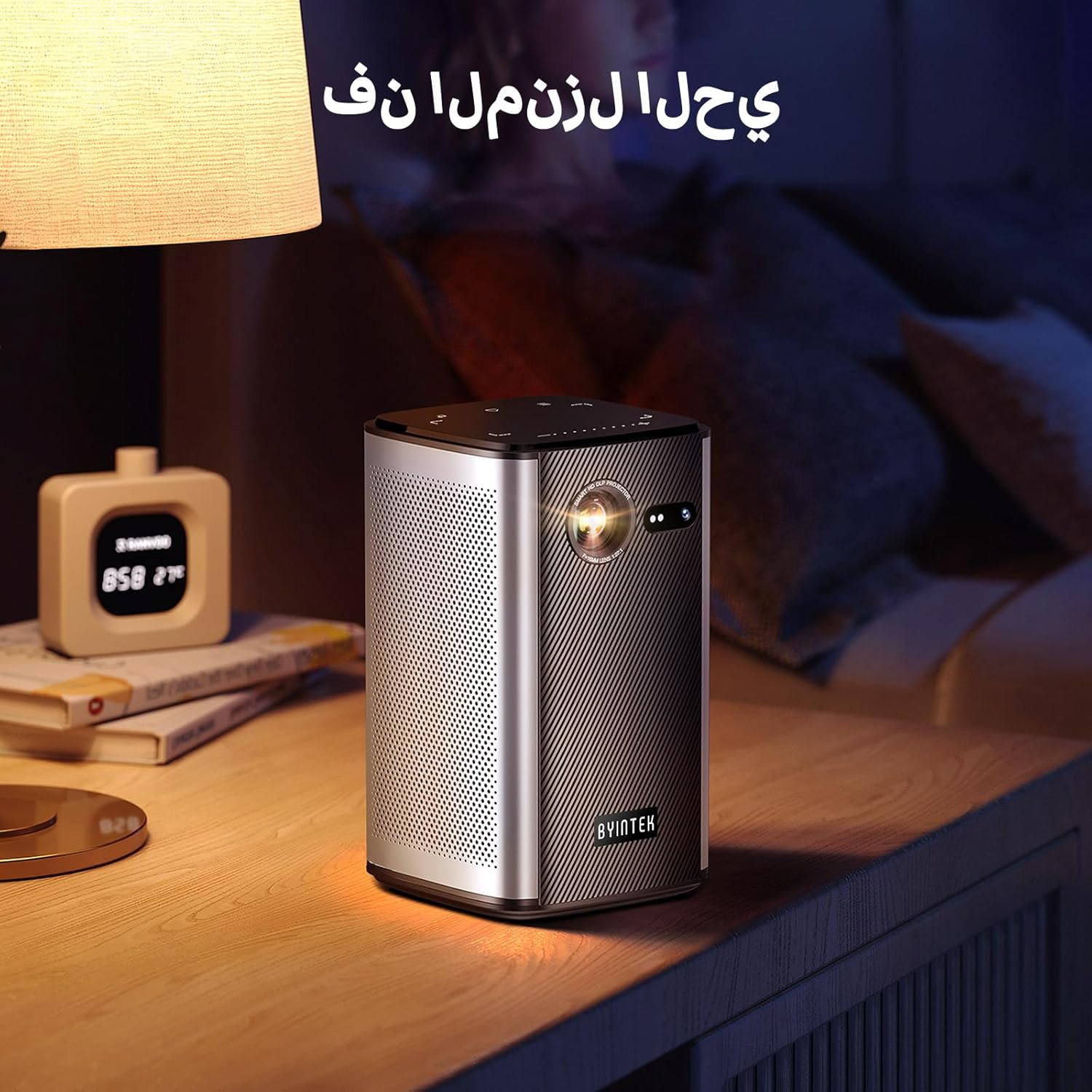
Image: The BYINTEK P70 projector placed on a bedside table, ready for indoor use.
3.3 Kubatidza/Kudzima
Press and hold the power button on the projector or remote control to turn the device on or off.
3.4 Kutarisa uye Kugadziriswa kwedombo guru
The BYINTEK P70 features automatic focus. For keystone correction, navigate to the settings menu using the remote control. The 6D keystone correction allows for precise image adjustment, even with side projection.

Image: A visual representation of the projector's auto-focus feature, showing a clear image projected onto a wall.
4. Operating Instructions
4.1 Kufamba uchishandisa Android OS
Use the remote control to navigate the Android 9.0 interface. The home screen provides access to pre-installed apps and settings. You can download additional applications from the app store.

Image: The projector displaying its Android operating system interface with various application icons like Miracast, Settings, AirPlay, Market, File Explorer, YouTube, and Netflix.
4.2 Wireless Screen Mirroring
The projector supports wireless screen mirroring for Android, iOS, and PC devices. Access the 'Miracast' or 'AirPlay' app on the projector's home screen and follow the on-screen instructions to connect your device.
4.3 Wired Screen Mirroring
For iOS devices and some Android devices, you can use a USB data cable for wired screen synchronization. Connect your device to the projector's USB port using its original data cable.
4.4 3D Playback
The BYINTEK P70 supports 3D content. To enjoy 3D movies, ensure your media file is in a compatible 3D format (e.g., Blu-ray 3D, SBS, TNB) and use active shutter 3D glasses (sold separately).

Image: A family wearing 3D glasses, enjoying a 3D movie projected by the BYINTEK P70, showcasing its 3D capability.
4.5 Digital Zoom
Adjust the image size from 50% to 100% using the digital zoom function on the remote control. This allows you to fit the image perfectly to your screen without moving the projector.
5. Kuchengeta
5.1 Kuchenesa Lenzi
Shandisa jira rakapfava, risina lint rakagadzirirwa chaizvo malenzi ekuona kupukuta zvinyoro nyoro lenzi yeprojekita. Dzivisa kushandisa abrasive zvinhu kana makemikari ane hasha.
5.2 Kuchenesa Kunze
Pukuta kunze kwepurojekita nejira rakapfava, rakaoma. Usashandise mishonga yekuchenesa kana maspray zvakananga pamudziyo.
5.3 Kuchengeta
When not in use, store the projector in a cool, dry place, away from direct sunlight and extreme temperatures. Use the provided storage bag to protect it from dust and scratches.
5.4 Kuchengeta Battery
Kuti bhatiri rirambe richirarama kwenguva refu, dzivisa kuburitsa bhatiri rakazara nguva nenguva. Kana richichengetwa kwenguva yakareba, bhadharisa bhatiri kusvika pa50% wozochajazve mwedzi mishoma yega yega.
6. Kugadzirisa matambudziko
| Dambudziko | Zvinogona Kukonzera | Solution |
|---|---|---|
| Hapana mufananidzo wakaratidzwa | Projector not powered on; input source not selected; cable not connected. | Ensure projector is on. Select correct input source (HDMI, USB, Wireless). Check cable connections. |
| Mufananidzo hauna kujeka | Out of focus; projector too close/far from screen; lens dirty. | Allow auto-focus to adjust. Adjust projector distance. Clean the lens. |
| Remote control haisi kushanda | Batteries low/dead; remote not paired; obstruction. | Replace remote batteries. Ensure line of sight to projector's IR receiver. Re-pair remote if necessary (refer to specific pairing instructions in the full manual). |
| Hapana ruzha | Volume too low; external audio device connected; audio format not supported. | Increase projector volume. Disconnect external audio devices. Check audio format compatibility. |
| Wireless mirroring issues | Poor Wi-Fi signal; device compatibility; firewall settings. | Ensure strong Wi-Fi signal. Check device compatibility with Miracast/AirPlay. Disable firewalls temporarily for testing. |
| Projector inopisa | Blocked ventilation; prolonged use in hot environment. | Ensure vents are clear. Operate in a well-ventilated area. Allow projector to cool down. |
7. Zvinotsanangurwa
| Feature | Tsanangudzo |
|---|---|
| Brand | BYINTEK |
| Model Number | P70 |
| Product Dimensions | 8.2 x 8.2 x 14.2 cm |
| Item Weight | 1.58 makirogiramu |
| Bhatiri | 1 Lithium Ion battery (included), 8000mAh, 29.6 Wh |
| Operating System | Android |
| Display Resolution | 960 x 540 |
| Max Display Resolution | 4K Ultra HD Megapixel |
| Kubatana Technology | Wi-Fi |
| Special Features | Auto-focus, 3D Ready, Built-in Wi-Fi Receiver |
| Inokurudzirwa Zvishandiso | Home Cinema |
| Display Type | DLP |
| Fomu Factor | Portable |
| Mounting Type | Tripod Mount |
| USB 3.0 Ports | 1 |
| HDMI Ports | 1 |
| Voltage | 12 Volts |
| Wattage | 25 Watts |
| Simba Source | AC & Bhatiri |
8. Warranty uye Tsigiro
The BYINTEK P70 Smart WiFi Projector comes with a standard manufacturer's warranty. For specific warranty details, please refer to the warranty card included in your product packaging or contact BYINTEK customer support.
If you encounter any issues or have questions regarding your projector, please contact BYINTEK customer support through their official website or the contact information provided in your product documentation. Please have your model number (P70) and purchase details ready when contacting support.


