1. Chigadzirwa Pamusoroview
The ENEGON 26800 mAh USB-C PD 85W Portable Power Bank is a high-capacity external battery designed to provide fast and efficient charging for a wide range of devices, including laptops, smartphones, and tablets. It features multiple output ports, including USB-C PD, USB-A, and a DC output with various adapters, ensuring broad compatibility.

Mufananidzo: Mberi uye kumashure view of the ENEGON Portable Power Bank, showcasing its sleek design and the included DC converters and cables.
Package Zviri mukati:
- 1 x ENEGON PD 85W Power Bank
- 1 x USB-C to USB-C E-Cable
- 1 x DC Cable
- 10 x DC Converters
- 1 x Pouch Yekufamba
- 1 x Welcome Guide (User Manual)

Image: Visual representation of the power bank's dimensions and all items included in the package, such as cables and DC converters.
Product Ports and Display:
- USB-A Kubuda: Standard USB port for charging various devices.
- USB-C2 Kubuda: USB-C port with 20W maximum output.
- USB-C1 Input/Output: USB-C port for both charging the power bank and outputting up to 60W.
- Kubuditsa DC: Dedicated DC port for laptop charging with included converters, up to 65W.
- Chiratidziro cheLCD: Inoratidza huwandu hwebhatiritage and current voltage zvirongwa.
- Bhatani reSimba: Activates the display and controls voltage kugadzirisa.

Mufananidzo: Pedyo-up view of the power bank's top edge, highlighting the USB-A, USB-C, and DC ports, along with the LCD display and power button.
2. Setup uye Kutanga Kushandisa
Kuchaja iyo Power Bank:
Before first use, fully charge the power bank. It can be fully recharged in approximately 2.5 hours using a 60W PD charger (not included). Connect a USB-C charger to the USB-C1 (Input/Output) port. The LCD display will show the charging progress.

Image: Diagram illustrating the fast charging capability of the power bank, showing it can be fully recharged in 2.5 hours with a 60W PD charger.
3. Operating Instructions
Kuchaja Midziyo:
The power bank offers 3-in-1 fast charging with a total output of 85W, allowing you to charge multiple devices simultaneously.
- USB-C1: Max 60W output.
- USB-C2: Max 20W output.
- Kubuditsa DC: Max 65W output.
- USB-A: Max 18W output.
For optimal charging, use the appropriate cable for your device and connect it to the corresponding port on the power bank. The power bank automatically detects and delivers the optimal charging current for most devices.

Image: Diagram illustrating the simultaneous charging of a laptop, smartphone, and another device using the USB-C1, USB-C2, and DC ports, highlighting their respective maximum power outputs.
Adjusting DC Output Voltage:
The DC output port supports multiple voltage settings (5V, 9V, 12V, 15V, 20V) to accommodate various laptops and devices. Follow these steps to adjust the voltage:
- Tarisa Power Level: Short press the power button to display the current power level.
- Enter Voltage Adjustment Mode: Long press the power button for 3-5 seconds. The display will light up and show the current voltage (semuenzaniso, DC 9V).
- Gadzirisa Voltage: While the indicator is blinking, short press the power button once (1-2 seconds) to cycle through the available voltages (9V, 12V, 15V, 20V).
- Confirm Voltage: Stop pressing the button when the desired voltage is displayed. The setting will be confirmed automatically after a few seconds of inactivity.
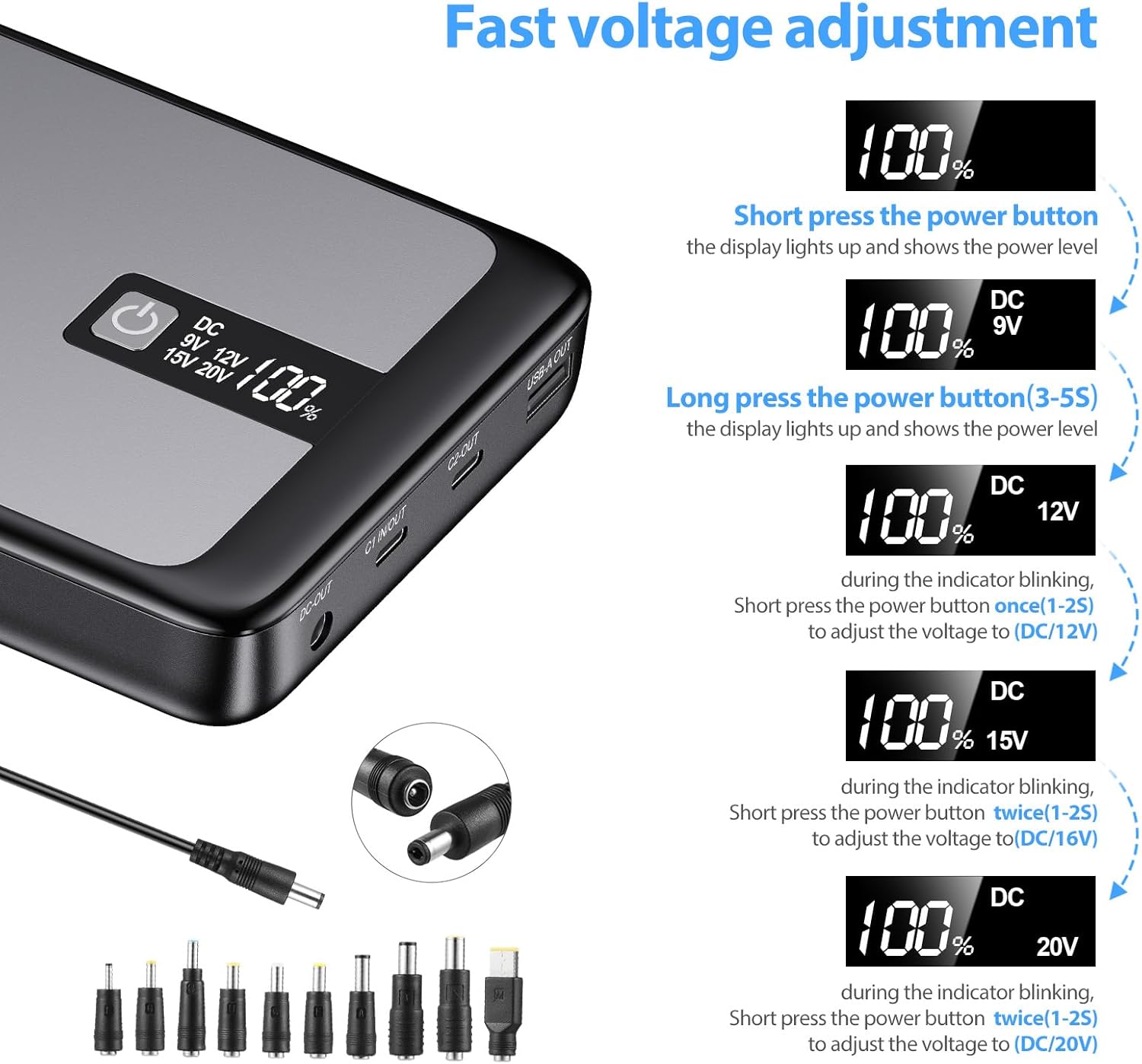
Image: Step-by-step visual guide on how to adjust the DC output voltage using the power button and LCD display, showing the different voltage options.
Using DC Converters:
The power bank comes with 10 different DC converters to ensure compatibility with various laptop models. Select the appropriate converter for your laptop's DC input port and connect it to the DC cable, then plug into the power bank's DC output.
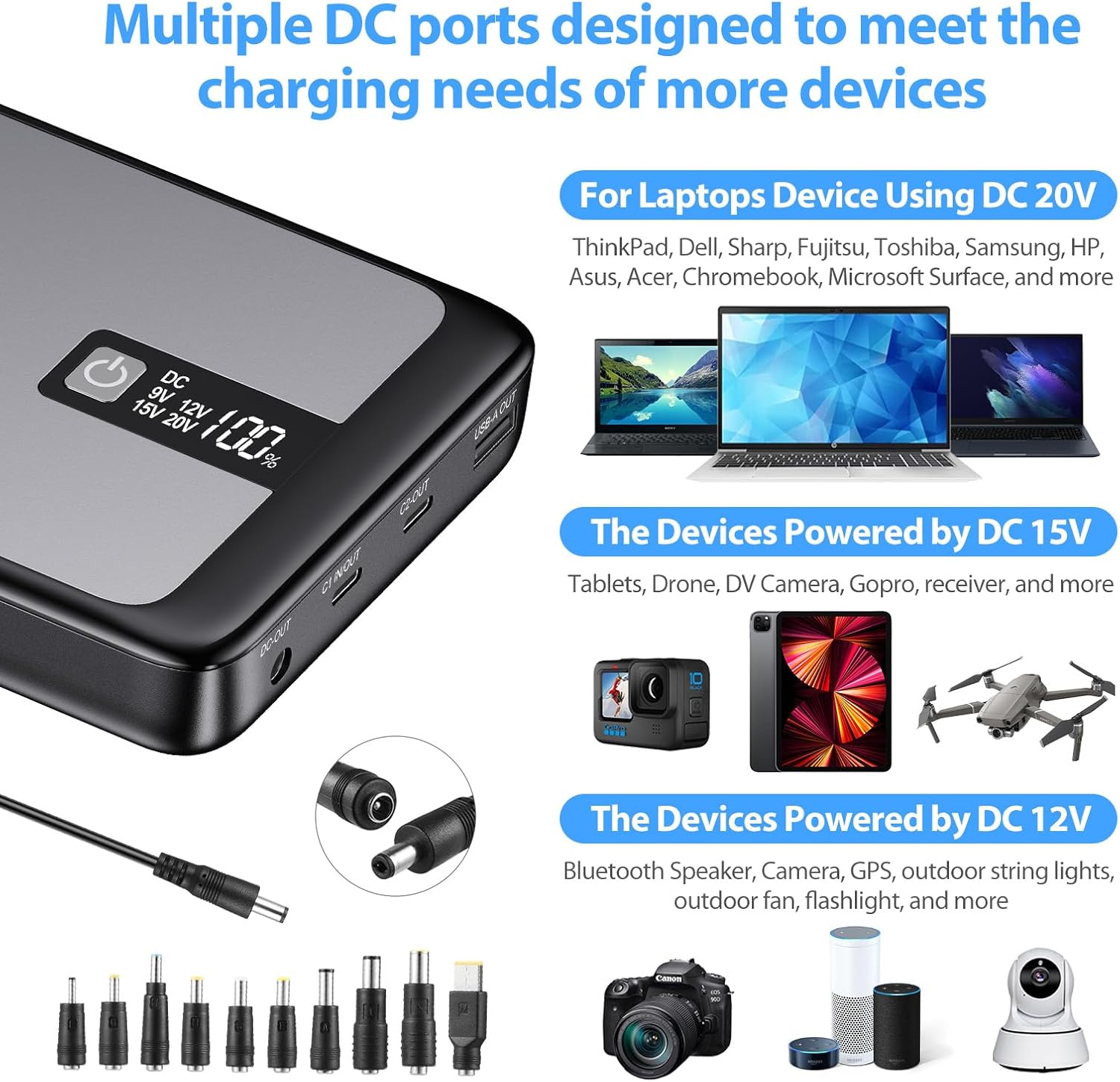
Image: Illustration of the various DC converters and examples of devices they can power, categorized by voltage (20V for laptops, 15V for tablets/drones, 12V for speakers/cameras).

Image: A circular diagram showing various laptop brands (Asus, Acer, HP, Samsung, Toshiba, Sony) and the corresponding DC converters, indicating broad compatibility.
4. Universal Compatibility
The ENEGON Power Bank is designed for wide compatibility with a variety of electronic devices:
- Laptops: MacBook Pro/Air 13"/15"/16", Dell XPS, ThinkPad, Surface Book 2, Lenovo YOGA, Google Pixel Acer Series, HP Series, Samsung Series, Toshiba Series, iPad Pro.
- Mafoni: iPhone 13 series, 12 series, 11 Pro/Pro Max/XS/XS Max/XR/X, 8 Plus/8, 7/7 Plus, SE2, Samsung Galaxy S22/S21 Ultra/S21/S20/S10/S9/S8 series, Note 20/10/9/8/7, OnePlus 6T/7T/8T/7 Pro, Nord N100.
- Tablets & Other Devices: iPad Pro 10.5/12.9, iPad Air 3/10.5, iPad Mini 5/7.9, AirPods, Nintendo Switch, Bluetooth speakers, digital cameras, and more.
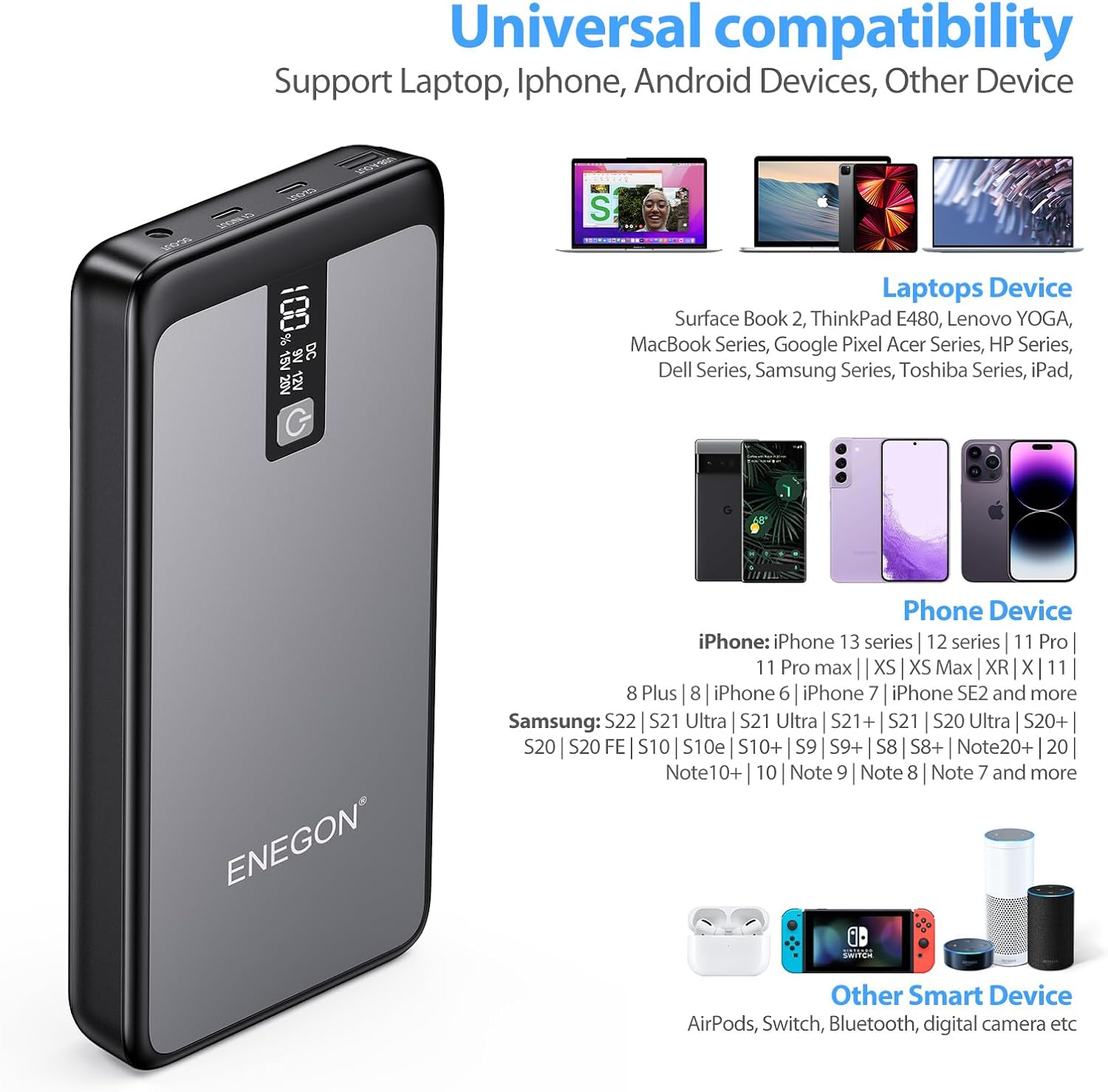
Image: Visual representation of the power bank's universal compatibility, showing it can charge various laptops, iPhones, Android phones, and other smart devices like AirPods and Nintendo Switch.
5. Kuchengeta uye Kuchengeta
- Chengetedza bhangi remagetsi munzvimbo inotonhorera, yakaoma kure nechiedza chezuva uye tembiricha yakanyanyisa.
- Dzivisa kudonhedza kana kuisa bhangi remagetsi kune simba rinokanganisa.
- Usafumure bhangi remagetsi kumvura kana zvimwe zvinwiwa.
- Geza pasi nejira rakapfava, rakaoma. Usashandise makemikari ane hasha kana abrasive zvinhu.
- For long-term storage, charge the power bank to about 50-70% every 3 months to maintain battery health.
6. Kugadzirisa matambudziko
Matambudziko Anowanikwa uye Mhinduro:
- Power bank isiri kubhadharisa:
- Ita shuwa kuti tambo yekuchaja uye adapta zviri kushanda nemazvo.
- Check if the USB-C1 port is used for input.
- Try a different charging cable or adapter.
- Mudziyo usingachaji kubva kubhangi remagetsi:
- Ita shuwa kuti bhangi remagetsi rine mari yakakwana.
- Tarisa kana tambo yekuchaja yakabatana zvakanaka nebhengi remagetsi nemudziyo.
- Verify that the correct DC voltage is selected for laptops.
- Try a different port on the power bank or a different charging cable.
- LCD kuratidza haisi kushanda:
- Dzvanya bhatani remagetsi kuti uvhure chiratidziro.
- Kana nyaya ikaramba iripo, bata rutsigiro rwevatengi.
7. Zvinotsanangurwa
| Feature | Detail |
|---|---|
| Model | PD 85W Power Bank |
| Battery Capacity | 26800 mAh |
| USB-C1 Kubuda | Hurefu 60W |
| USB-C2 Kubuda | Hurefu 20W |
| Kubuda kweDC | Max 65W (Adjustable: 5V, 9V, 12V, 15V, 20V) |
| USB-A Kubuda | Hurefu 18W |
| Total Output | 85W (DC+USB-C2) |
| Recharge Time (60W PD) | Approx. 2.5 maawa |
| Product Dimensions | 23.2 x 12.9 x 5 cm |
| Kurema | 880 magiramu |
| Bhatiri Type | Lithium-Polymer |
8. Warranty uye Tsigiro
ENEGON provides an 18-month worry-free warranty for this product. If you have any questions or require assistance, please do not hesitate to contact our friendly customer service team. We are committed to ensuring your satisfaction.
For support, please refer to the contact information provided in your Welcome Guide or visit the official ENEGON website.


