Nhanganyaya
Thank you for choosing the ZEBRONICS Zeb-Rainbow 400 Multimedia Speaker. This manual provides essential information for the proper setup, operation, and maintenance of your speaker system. Please read it carefully before use and retain it for future reference.
Mirayiridzo Yekuchengetedza
- Usaise mudziyo wacho pamvura kana hunyoro kudzivirira moto kana kuvhundutswa nemagetsi.
- Do not open the speaker cabinet. Refer all servicing to qualified personnel.
- Iva nechokwadi chekuti mhepo inofema zvakanaka yakatenderedza mudziyo. Usavhare chero nzvimbo dzinofema.
- Chengetedza tambo yemagetsi kubva pakufamba kana kudzvanywa.
- Bvisa iyo unit panguva yemadutu emheni kana kana isina kushandiswa kwenguva refu.
- Keep the product away from direct sunlight, heat sources, and strong magnetic fields.
Package Zviri mukati
Ndokumbira utarise bhokisi rezvinhu zvinotevera:
- Chikamu cheSubwoofer
- Satellite Speakers (4 units)
- Remote Control
- Audio Input Cable (3.5mm to RCA)
- User Manual
Product Overview
The ZEBRONICS Zeb-Rainbow 400 is a 4.1 channel multimedia speaker system designed for versatile audio playback. It features multiple connectivity options including Bluetooth, AUX, USB, and FM radio. The system includes a powerful subwoofer and four satellite speakers for an immersive audio experience, complemented by integrated RGB lighting.
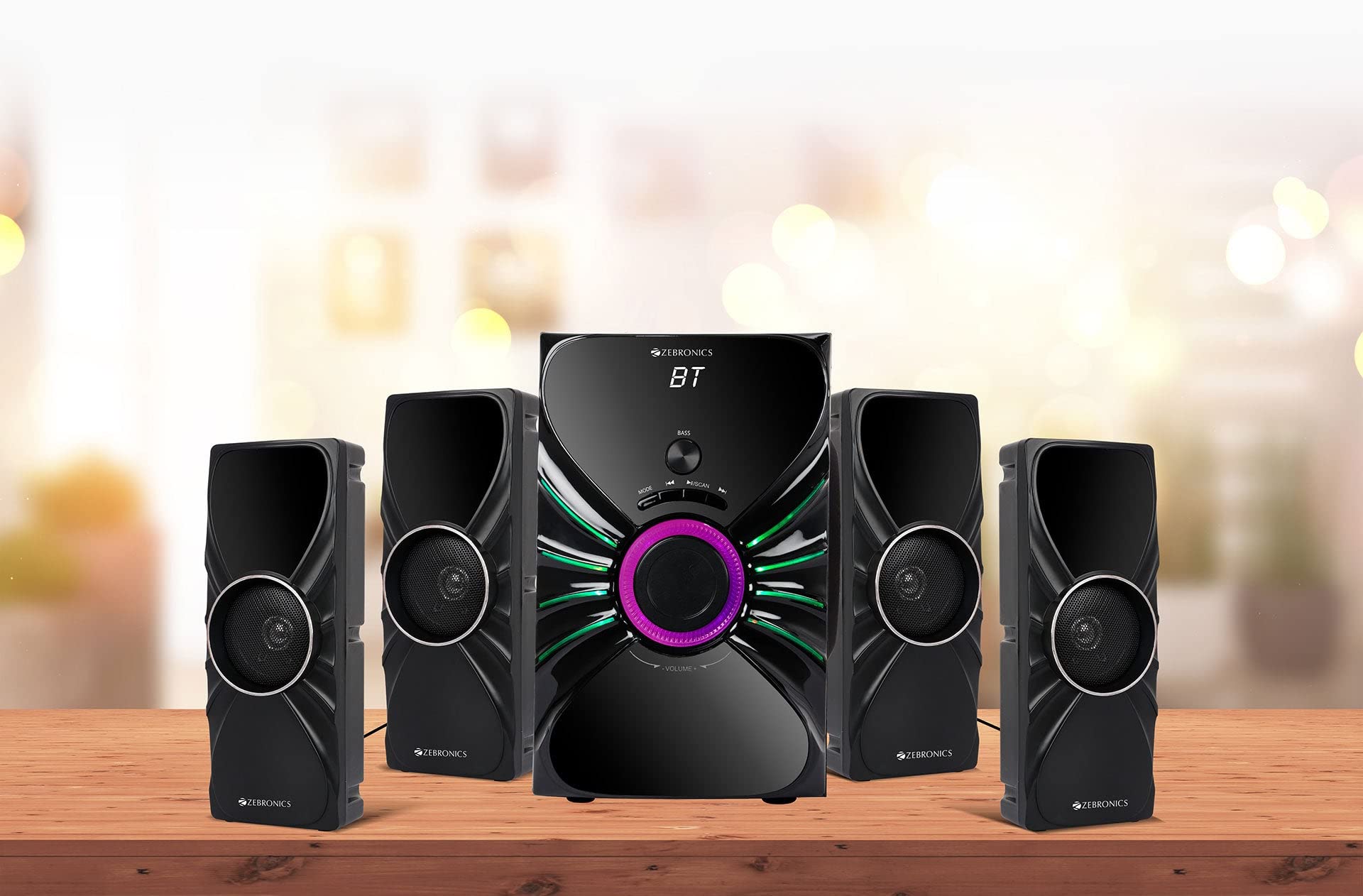
Image: The complete ZEBRONICS Zeb-Rainbow 400 multimedia speaker system, showing the subwoofer, four satellite speakers, and remote control.
Gadzirira
1. Kusunungura
Carefully remove all components from the packaging. Retain the packaging materials for future transport or storage.
2. Kuiswa kweMutauriri
Place the subwoofer on a stable, flat surface, preferably on the floor for optimal bass response. Position the four satellite speakers around your listening area for a balanced sound field. Ensure adequate space for ventilation.

Image: A visual representation of the 4.1 speaker setup, illustrating the subwoofer and four satellite speakers.
3. Connecting Satellite Speakers
Connect each of the four satellite speakers to the corresponding output ports on the rear panel of the subwoofer unit. Ensure the connections are secure.
4. Kubatanidza Audio Sources
- AUX Input: Use the provided 3.5mm to RCA cable to connect your audio device (e.g., smartphone, tablet, PC) to the AUX input ports on the subwoofer.
- USB Inzwa Zvinotaurwa: Isa USB flash drive ine MP3 audio files into the USB port on the subwoofer.
5. Simba Connection
Connect the power cable to the subwoofer unit and then plug it into a standard AC power outlet.
Operating Instruction
1. Simba On / Off
Press the Power button on the front panel of the subwoofer or on the remote control to turn the speaker system on or off.
2. Mode Selection
Press the 'MODE' button on the front panel or remote control to cycle through the available input modes: Bluetooth (BT), AUX, USB, and FM Radio.

Image: Close-up of the subwoofer's front panel, showing the control buttons (Mode, Play/Pause, Next/Previous, Bass, Volume) and the integrated RGB lighting.
3. Volume Control
Rotate the 'VOLUME' knob on the front panel of the subwoofer or use the Volume Up/Down buttons on the remote control to adjust the overall sound level. The 'BASS' knob can be used to adjust the bass intensity.
4. Makaralı Mode
- Switch the speaker to Bluetooth mode using the 'MODE' button. The display will show 'BT'.
- Bvumira Bluetooth pafoni yako kana pakombuta.
- Tsvaga available devices and select "Zeb-Rainbow 400" to pair.
- Once paired, you can play audio from your device through the speakers.
5. MUFANANIDZO
Connect your audio source using the 3.5mm to RCA cable. Switch the speaker to AUX mode. Audio from your connected device will play automatically.
6. USB Mode
Insert a USB flash drive into the USB port. The speaker will automatically switch to USB mode and begin playing MP3 files from the drive. Use the Play/Pause, Next, and Previous buttons to control playback.
7. FM Radio Mode
- Chinja mutauri kune FM modhi.
- Press and hold the 'SCAN' button (often combined with Play/Pause) to automatically scan and save available FM stations.
- Use the Next/Previous buttons to navigate through the saved stations.
8. Remote Control
The included remote control provides full functionality for power, mode selection, volume, track control, and FM station tuning. Ensure the remote has working batteries and is pointed towards the subwoofer's sensor.

Image: The ZEBRONICS Zeb-Rainbow 400 subwoofer unit shown with its remote control, highlighting the main controls.
9. RGB Mwenje
The subwoofer features integrated RGB lights. These lights typically cycle through various colors and patterns automatically. Refer to the remote control for any specific buttons to change light modes, if available.
Maintenance
1. Kuchenesa
Wipe the speaker surfaces with a soft, dry cloth. Do not use abrasive cleaners, waxes, or solvents as they may damage the finish. Avoid spraying liquids directly onto the speakers.
2. Kuchengeta
If storing the speakers for an extended period, unplug them from the power outlet and store them in a cool, dry place, away from direct sunlight and extreme temperatures.
Kugadzirisa matambudziko
| Dambudziko | Zvinogona Kukonzera | Solution |
|---|---|---|
| Hapana simba | Power cable not connected; Power outlet faulty; Unit switched off | Ensure power cable is securely connected. Check power outlet with another device. Press the Power button. |
| Hapana ruzha | Volume too low; Incorrect input mode; Audio cable loose/faulty; Device volume low | Increase volume. Select correct input mode. Check audio cable connections. Increase volume on connected device. |
| Bluetooth haina kubatana | Speaker not in BT mode; Device not in pairing mode; Interference | Switch speaker to BT mode. Ensure device Bluetooth is on and searching. Move devices closer. Restart both devices. |
| Remote control haisi kushanda | Batteries depleted; Obstruction; Remote not pointed at sensor | Replace batteries. Remove any obstructions. Point remote directly at the subwoofer's IR sensor. |
| Kugamuchira FM kwakashata | Weak signal; Antenna position | Adjust the position of the FM antenna. Rescan for stations. |
Zvinotsanangurwa
| Feature | Tsanangudzo |
|---|---|
| Brand | ZEBRONIKE |
| Model Number | Zeb Rainbow 400 |
| Zviyero zveChigadzirwa (LxWxH) | 21 x 39 x 32 Masendimita |
| Item Weight | 9 kg 350g |
| Kubatana Technology | Auxiliary, Bluetooth, USB, Wireless |
| Simba Source | AC |
| Inowirirana Devices | Smartphone, Tablet |
| Subwoofer Drive Size | 16.51 cm |

Image: A visual highlighting the 16.51 cm subwoofer drive of the ZEBRONICS Zeb-Rainbow 400.
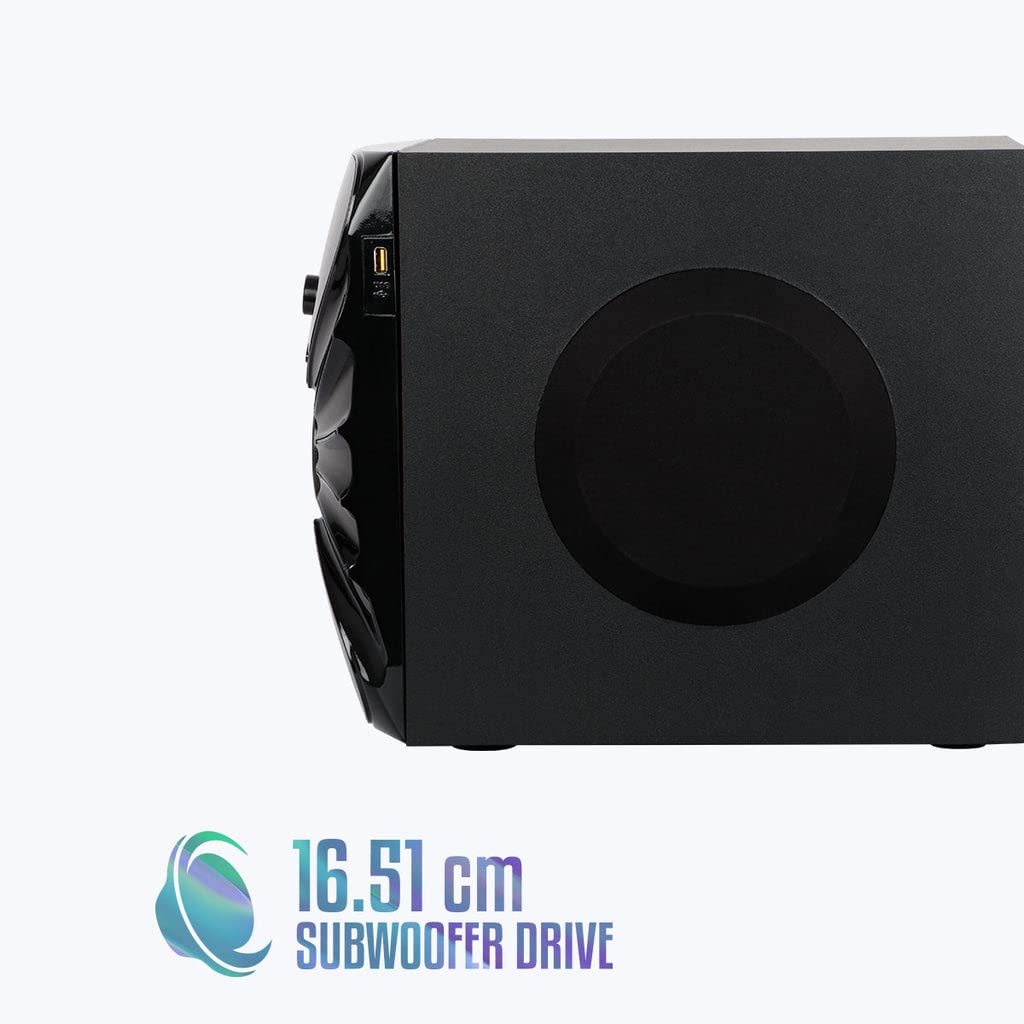
Mufananidzo: Side view of the ZEBRONICS Zeb-Rainbow 400 subwoofer, showing the USB port and overall dimensions.
Warranty uye Support
This product comes with a minimum six-month seller warranty. For any issues or support, please contact your seller or refer to the official ZEBRONICS support channels. Keep your purchase receipt for warranty claims.


