Nhanganyaya
This manual provides instructions for the Srhythm NiceComfort 95 Hybrid Noise Cancelling Headphones. These wireless Bluetooth headphones feature advanced hybrid active noise cancellation, transparency mode, and high-definition sound for an immersive audio experience. Please read this manual thoroughly before using your headphones to ensure proper operation and care.
Chii chiri muBhokisi
Ona kuti zvinhu zvese zviripo mupasuru yako:
- Srhythm NC95 Headphone
- Protective Case
- Type-C Yekuchaja Cable
- 3.5mm Audio Cable
- Aircraft Adapter & 3.5mm to 6.35mm Adapter

An image displaying all included accessories: the NC95 headphones, a gift box, a travel case, a 1m Type-C charging cable, a 1.2m 3.5mm audio cable, a quick start guide, and a two-pin airplane adapter.
Product Overview
The Srhythm NiceComfort 95 headphones are designed for comfort and superior audio performance.
Key Features
- Hybrid Active Noise Cancelling: Blocks up to 95% of ambient noise in traffic, offices, and schools. Activate by pressing the button for 1.5 seconds.
- Transparency Mode: Stay aware of your surroundings by amplifying environmental sounds for safer walks, quick conversations, or hearing important announcements without removing your headphones.
- Sleek Metal Build & Intuitive Control: Features a multi-function knob for effortless control, polished metal finish, exquisite cutting metal glows, and a shaped headband for a refined exterior.
- Dual Connectivity Options: Seamlessly connect via Bluetooth 6.0 for wireless freedom, or use the included 3.5mm audio cable for a zero-latency wired connection.
- Premium Auditory Experience: More efficient new Bluetooth 6.0 version. Ultra-inert cotton, skin-feeling replaceable ear-pads provide pressureless crystal clear sound.
- Hupenyu Hurefu hweBhatiri & Kuchaja Nekukurumidza: Up to 65 hours of playtime on a single full charge. A quick 10-minute charge provides up to 3 hours of power.
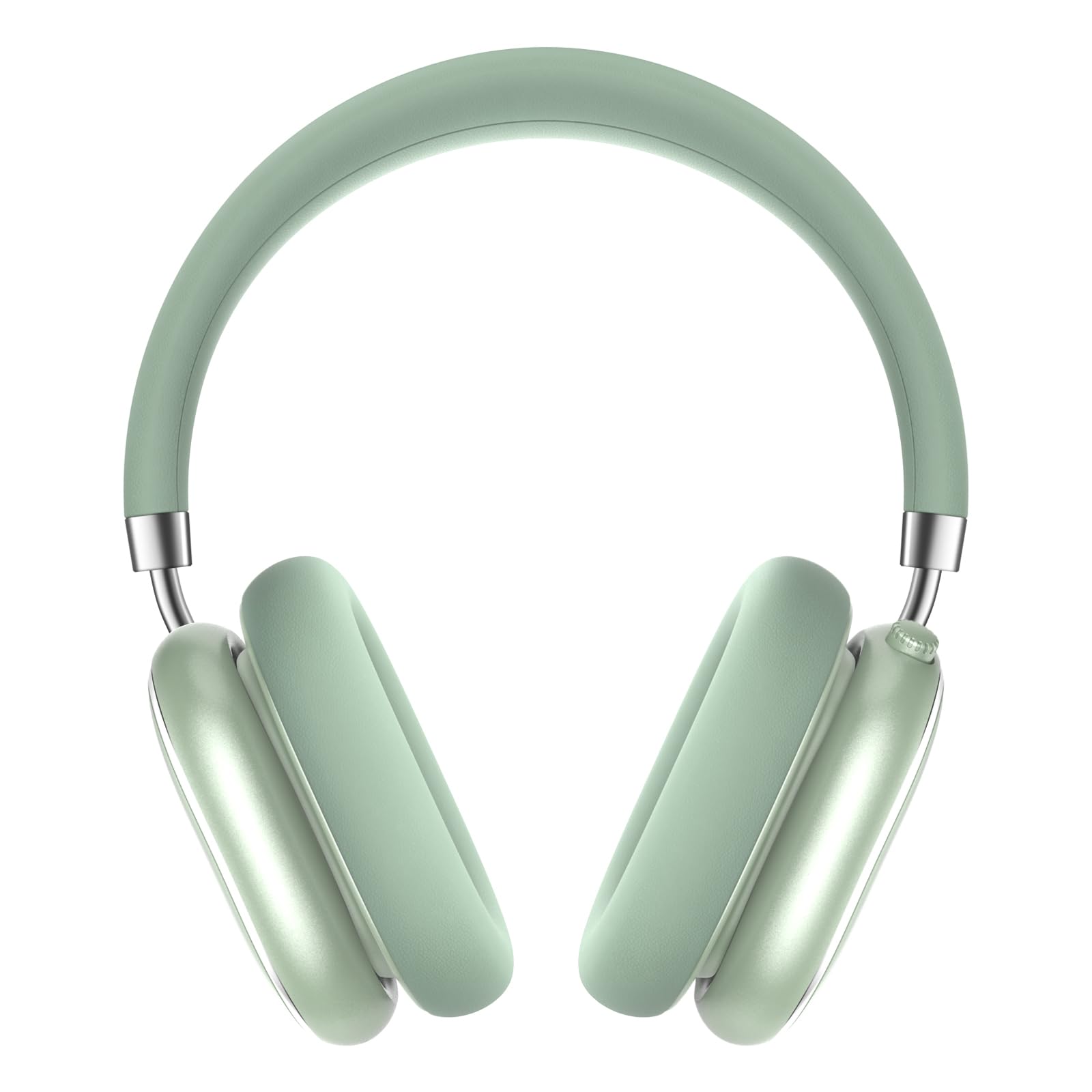
A pair of Srhythm NiceComfort 95 headphones, showcasing their sleek design and mint green color.

A man wearing the headphones, illustrating the hybrid active noise cancelling feature that blocks 95% of external noise.

A woman wearing the headphones in a public setting, demonstrating the transparency mode which amplifies ambient sounds.

A akadzama view of the headphone's intuitive controls, including the multi-function knob for volume and playback, and buttons for ANC/Bluetooth.

A man using the headphones while relaxing, highlighting the 100-hour ultra-long battery life and quick charge feature.

An internal diagram illustrating the more efficient new Bluetooth 6.0 version technology integrated into the headphones.
Gadzirira
Kuchaja mahedhifoni
Usati watanga kushandisa, chaja zvizere mahedhifoni ako.
- Connect the Type-C charging cable to the charging port on the headphone.
- Batanidza imwe mugumo wetambo kune USB magetsi sosi (semuenzaniso, komputa, madziro adapta).
- The LED indicator will show charging status. A full charge provides up to 65 hours of playtime. A 10-minute quick charge offers 3 hours of use.
Simba On/Kudzima
Kuti ubatidze, dzvanya uye bata bhatani remagetsi kwemasekonzi matatu. Kuti udzime, baya uye bata bhatani remagetsi kwemasekonzi mana.
Bluetooth Kubatanidza
- Ita shuwa kuti mahedhifoni akadzimwa.
- Dzvanya uye ubate bhatani remagetsi kusvika chiratidzo che LED chapenya, chichiratidza pairing mode.
- On your device (smartphone, tablet, laptop), enable Bluetooth and search for "Srhythm NC95".
- Select "Srhythm NC95" to connect. The LED indicator will show a solid light once connected.
Wiring Yakabatana
For a wired connection, plug the 3.5mm audio cable into the headphone's audio jack and the other end into your audio device. This provides a zero-latency connection.
Operating Instruction
Controls
The headphones feature a multi-function knob and a dedicated button for various controls:
- Multi-function Knob:
- Twist up: Increase volume.
- Twist down: Decrease volume.
- Dzvanya kamwe chete: Ridza/Misa mimhanzi, Pindura/Gumisa kufona.
- Dzvanya kaviri: Nziyo inotevera.
- Dzvanya katatu: Nziyo yapfuura.
- Bhatani reANC/Transparency Mode:
- Press for 1.5 seconds: Toggle between Hybrid Active Noise Cancelling, Transparency Mode, and Normal Mode.
Modes
- Kudzima Ruzha Runoshanda RweHybrid (ANC): Inoderedza kusvika ku95% yeruzha rwe ambient, yakanakira nharaunda dzine ruzha.
- Transparency Mode: Allows you to hear your surroundings while listening to audio, enhancing safety and convenience.
- Normal Mode: Kutamba kweaudio kwakajairika pasina kudzima ruzha kana kujekesa.
Using the Aircraft Adapter
For in-flight entertainment, use the included aircraft adapter by plugging the 3.5mm audio cable into the adapter, then into the aircraft's audio port.

The Srhythm NiceComfort 95 headphones neatly packed in their protective travel case, alongside charging cables and adapters, ready for travel.
Maintenance
To ensure the longevity and optimal performance of your Srhythm NiceComfort 95 headphones, follow these maintenance guidelines:
- Kuchenesa: Do not use corrosive cleaners or oils. Wipe the headphones with a soft, dry cloth.
- Kuchengeta: Store the headphones in the provided protective case when not in use to prevent damage.
- Tembiricha: Avoid charging or operating in extreme temperatures (outside 0°C to 45°C / 32°F to 113°F).
- Kuratidzwa kwemvura: Do not submerge the headphones in water. They are water-resistant, not waterproof.
- Tambo: Use original or certified cables for charging and wired connections.
Kugadzirisa matambudziko
Kana ukasangana nematambudziko nemahedhifoni ako, edza matanho anotevera:
- Hapana Simba: Ita shuwa kuti mahedhifoni akachajwa zvizere.
- Hapana Inzwi: Check volume levels on both the headphones and your connected device. Ensure the audio cable is securely connected if using wired mode.
- Bluetooth Connection Matambudziko: Ensure Bluetooth is enabled on your device and the headphones are in pairing mode. Try unpairing and re-pairing the device.
- Kudzima Noise Hakusi Kushanda: Verify that ANC mode is activated.
- Inzwi Rakakanganiswa: Check for interference from other devices or try moving closer to your audio source.
Zvinotsanangurwa
| Feature | Tsanangudzo |
|---|---|
| Model Name | NiceComfort 95 |
| Noise Control | Hybrid Noise Cancellation, Transparency Mode |
| Kubatana Technology | Wired, Wireless (Bluetooth 6.0) |
| Bluetooth Range | 10 Mamita |
| Hupenyu hwebhatiri | 65 Maawa |
| Kuchaja Nguva | 10 minutes for 3 hours use |
| Audio Driver Size | 40 mamirimita |
| Item Weight | 264 magiramu (9.3 ounces) |
| Maheadphone Jack | 3.5 mm Jack |
| Mvura Resistance Level | Mvura Inodzivirira |
| Material | Acrylonitrile Butadiene Styrene (ABS), Leather, Metal, Polycarbonate (PC), Stainless Steel |
Official Product Videos
Vhidhiyo iyi inopa mhinduroview of the Srhythm NiceComfort 95 Noise Cancelling Headphones, demonstrating their features and design.
Safety Information
Adhere to the following safety guidelines for proper use and to prevent damage:
- Do not charge or operate headphones in extreme temperatures: 0°C (32°F) - 45°C (113°F).
- Use only original or certified cables to charge.
- Usashandise over-voltage charger.
- Gara kure nevana kudzivirira njodzi kubva pakushandisa zvisina kunaka.
- Usanyura mumvura.
- Usashandise chero kuchenesa kwakachena / mafuta kuchenesa mahedhifoni.
Warranty uye Support
Each Srhythm product comes with an 18-month after-sales service and 7*24-hour online support. For detailed warranty information or to contact customer service, please refer to the official Srhythm websaiti kana ruzivo rwekusangana rwunopihwa mune yako chigadzirwa kurongedza.