1. Nhanganyaya
This manual provides essential information for the proper installation, operation, and maintenance of your LC-Power FHD 32 inch 165Hz Curved Gaming Monitor (Model: LC-M32-FHD-165-C-A). Please read this manual thoroughly before using the product to ensure optimal performance and safety.

Mufananidzo 1.1: Mberi view of the LC-Power 32-inch curved gaming monitor.
2. Safety Information
Tevedzera matanho ekuchengetedza anotevera kudzivirira kukuvara kwechidzitiro uye kuve nechokwadi chekuchengetedzwa kwemushandisi:
- Usafumure chevha kune mvura, unyoro, kana tembiricha yakanyanyisa.
- Iva nechokwadi chekufefetera kwakaringana kwakatenderedza monitor. Usavhare kuvhurika kwemhepo.
- Shandisa chete adapta yemagetsi inopihwa nemonitor.
- Dzivisa kuisa zvinhu zvinorema patambo yemagetsi.
- Disconnect the power cable from the outlet during lightning storms or when unused for extended periods.
- Usaedze kugadzirisa monitor iwe pachako. Tumira masevhisi ese kuvashandi vanokwanisa.
3. Package Zviri mukati
Tarisa uone kuti zvinhu zvese zviripo mupakeji:
- LC-Power 32 inch Curved Gaming Monitor
- Monitor Stand (Base and Neck)
- Adapta yeMagetsi neWaya yeMagetsi
- HDMI Cable
- User Manual
- Zvikirini zveStand Assembly
4. Setup
4.1 Kuunganidza Chigadziko
- Bvisa monitor nokungwarira kubva mupakeji yayo, uchiichengetedza panzvimbo yakapfava.
- Attach the stand neck to the monitor panel using the provided screws.
- Connect the stand base to the stand neck and secure it with the remaining screws.
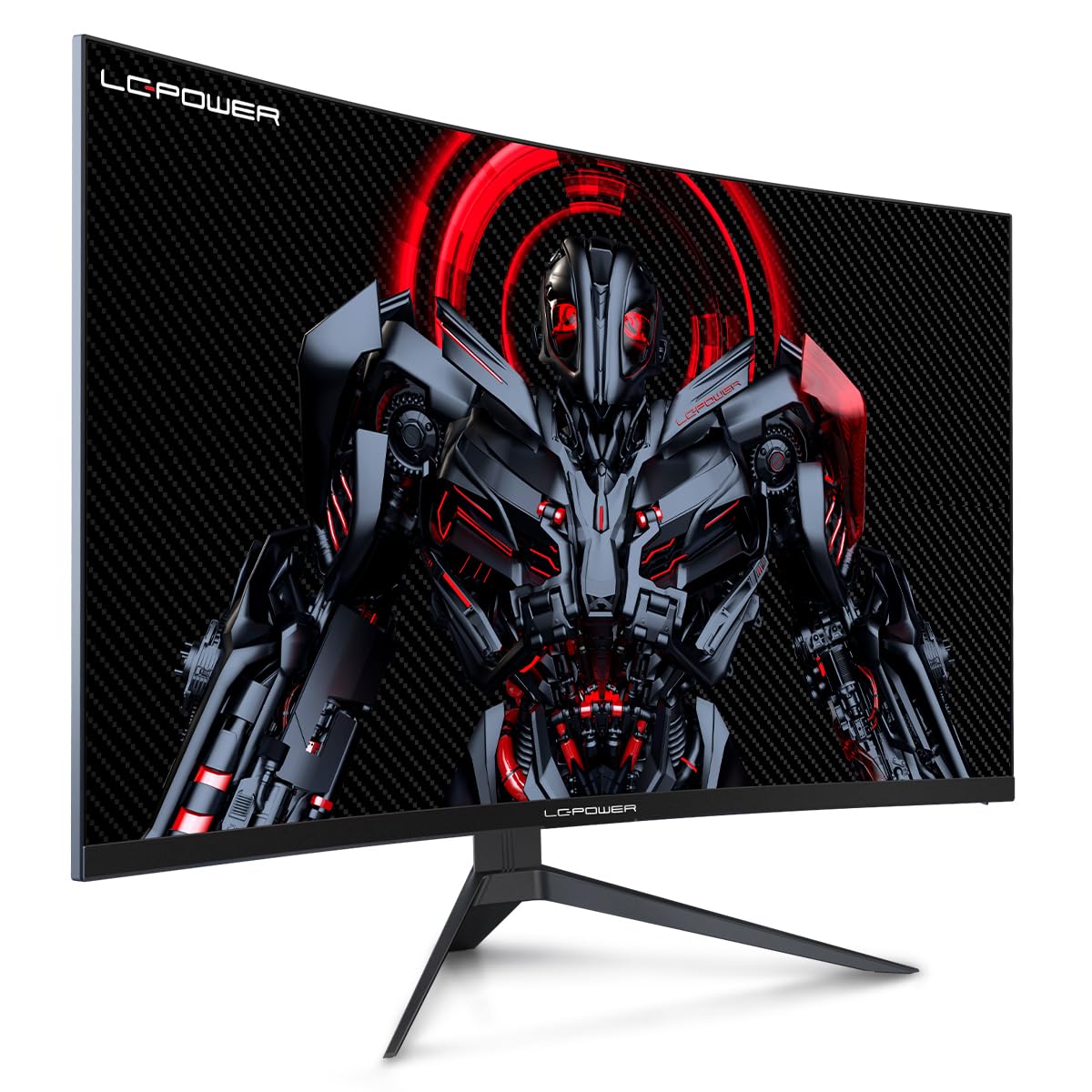
Figure 4.1: LC-Power monitor with stand assembled.
4.2 Kubatanidza Cables
Connect the necessary cables to the monitor's rear ports:
- Simba: Connect the power adapter to the monitor's DC input and then to a power outlet.
- Video Input: Connect an HDMI or DisplayPort cable from your computer's graphics card to the corresponding port on the monitor.

Mufananidzo 4.2: Kumashure view yemonitor ine ma input ports.
4.3 VESA Kukwira (Inosarudzika)
The monitor supports VESA 100x100mm mounting. To use a VESA mount, remove the stand and attach the monitor to a compatible VESA bracket using appropriate screws (not included).
5. Operating Instructions
5.1 Simba On/Kudzima
Press the power button, typically located on the back or bottom of the monitor, to turn the monitor on or off. The power indicator light will illuminate when the monitor is on.
5.2 Pa-Screen Display (OSD) Menyu
The OSD menu allows you to adjust various monitor settings. Use the control buttons (joystick or individual buttons) on the monitor to navigate the menu.
Common OSD Settings:
- Mifananidzo Settings: Gadzirisa kupenya, kusiyana, kupinza, uye tembiricha yemavara.
- Sarudzo yekupinda: Manually switch between HDMI and DisplayPort inputs.
- Audio: Adjust volume if external speakers are connected via the monitor's audio output.
- Game Settings: Access features like Overdrive, GamePlus (crosshair overlays), FPS/RTS modes, and Adaptive Sync.
- Display Settings: Adjust aspect ratio, resolution, and refresh rate. Ensure your graphics card is configured to output 1920x1080 resolution at 165Hz for optimal performance.
- Low Blue Light & Flicker-Free: These features are designed to reduce eye strain during prolonged use. They can be enabled or disabled in the OSD menu.
6. Kuchengeta
6.1 Kuchenesa Monitor
- Gara uchisunungura cheki usati wachenesa.
- Shandisa jira rakapfava, risina lint zvishoma dampyakaturikwa nemvura kana chinyoro, chisiri chekuchenesa skrini.
- Usapfapfaidza chekuchenesa zvakananga pachiratidziri.
- Avoid using benzene, thinner, or ammonia-based cleaners.
6.2 Kuchengeta
If storing the monitor for an extended period, disconnect all cables, pack it in its original packaging, and store it in a cool, dry place away from direct sunlight.
7. Kugadzirisa matambudziko
Tarisa kune tafura inotevera kune zvakajairika nyaya uye mhinduro dzadzo:
| Dambudziko | Zvinogona Kukonzera | Solution |
|---|---|---|
| Hapana mufananidzo pachiratidziri | Power cable disconnected; Video cable disconnected; Incorrect input selected | Check power and video cable connections; Select correct input via OSD menu |
| Mufananidzo unofamba | Faulty video cable; Graphics card driver issue; Refresh rate mismatch | Replace video cable; Update graphics drivers; Set refresh rate to 165Hz in OS display settings |
| Mavara anoita seasina kururama | Color settings in OSD; Graphics card settings | Adjust color settings in OSD; Calibrate colors via graphics card control panel |
| Monitor does not turn on | Power cable not connected; Power adapter faulty | Ensure power cable is securely connected; Test power outlet; Contact support if adapter is suspected faulty |
8. Zvinotsanangurwa
Detailed technical specifications for the LC-Power LC-M32-FHD-165-C-A monitor:
| Feature | Tsanangudzo |
|---|---|
| Brand | LC-Simba |
| Model | LC-M32-FHD-165-CA |
| Screen Size | 32 inches |
| Screen Resolution | 1920 x 1080 (FHD 1080p) |
| Refresh Rate | 165 Hz |
| Nguva Yekupindura | 1 Millisecond |
| Curvature | 1500R |
| Aspect ratio | 16:9 |
| Display Technology | LCD |
| Viewing Angle | 178 madhigirii |
| Hardware inowanikwa | HDMI, RatidzaPort |
| Special Features | Curved, Flicker-Free, Low Blue Light, GamePlus, Overdrive, FPS/RTS |
| VESA kuenderana | 100x100mm |
| Product Dimensions | 14.3 x 53.8 x 40.6 cm (L x W x H) |
| Item Weight | 8.24 kg |
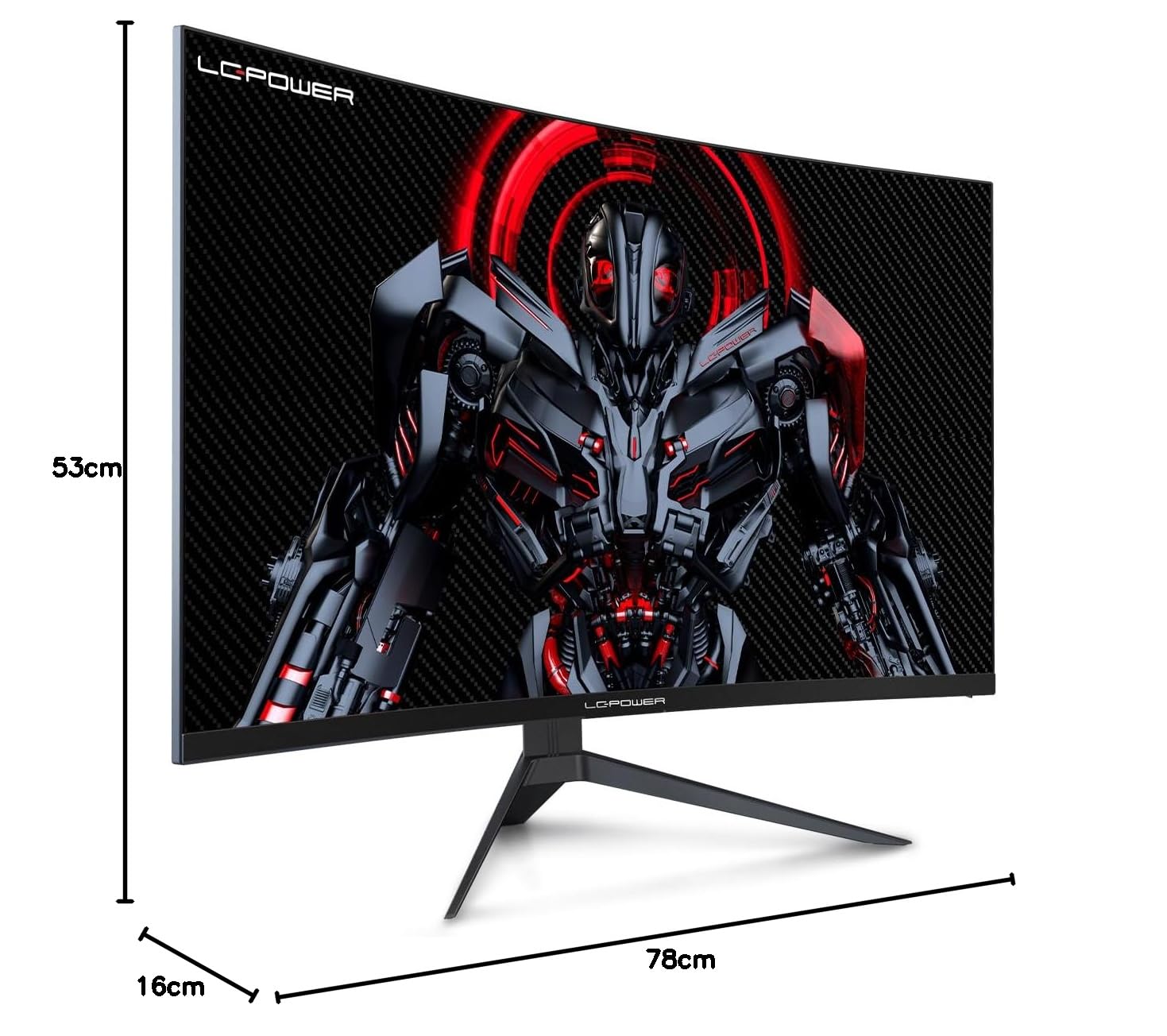
Figure 8.1: Monitor dimensions for planning installation space.
9. Warranty uye Tsigiro
LC-Power provides a three-year warranty for this product. Additionally, a twelve-month replacement service is available. For technical assistance or inquiries regarding damage, defects, or missing parts, please contact LC-Power customer support. Telephone technical support is also available.


