Nhanganyaya
This manual provides essential instructions for the proper use, setup, and maintenance of your HOCO X89 Type-C to Lightning Charging Data Cable. Please read this manual thoroughly before using the product to ensure optimal performance and safety.
Product Overview
The HOCO X89 is a high-quality Type-C to Lightning cable designed for efficient charging and data transfer between compatible devices. It features a durable braided wire exterior and aluminum alloy joints for enhanced longevity.
Zvinokosha:
- Urefu: 1 mita (3.2 tsoka)
- Kurema 26 magiramu
- Outer Material: Braided wire for durability and tangle resistance.
- Joint Material: Aluminum alloy for robust connections.
- Kuchaja Rutsigiro: Supports Power Delivery (PD) 20W fast charging for compatible Apple devices.
- Kubatana: Type-C to Lightning connectors.
Chii chiri muBhokisi:
- 1 x HOCO X89 Type-C to Lightning Charging Data Cable
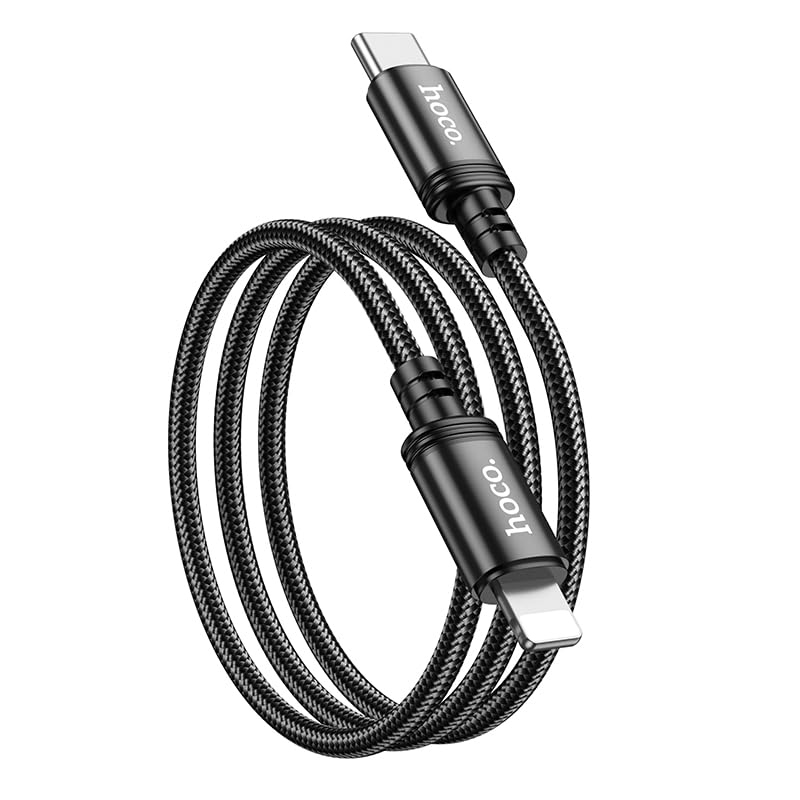
Image: The HOCO X89 cable, coiled, displaying both the Type-C connector and the Lightning connector.
Gadzirira
The HOCO X89 cable is designed for plug-and-play functionality. No software installation is required.
- Ziva Vanobatanidza: The cable has two distinct ends: a USB Type-C connector and a Lightning connector.
- Connect to Power Source/Data Port: Insert the USB Type-C end of the cable into a compatible power adapter (e.g., a PD-enabled wall charger) or a device with a Type-C port (e.g., a laptop, power bank).
- Batanidza kuChishandiso: Insert the Lightning end of the cable into the charging/data port of your compatible Apple device (e.g., iPhone, iPad).
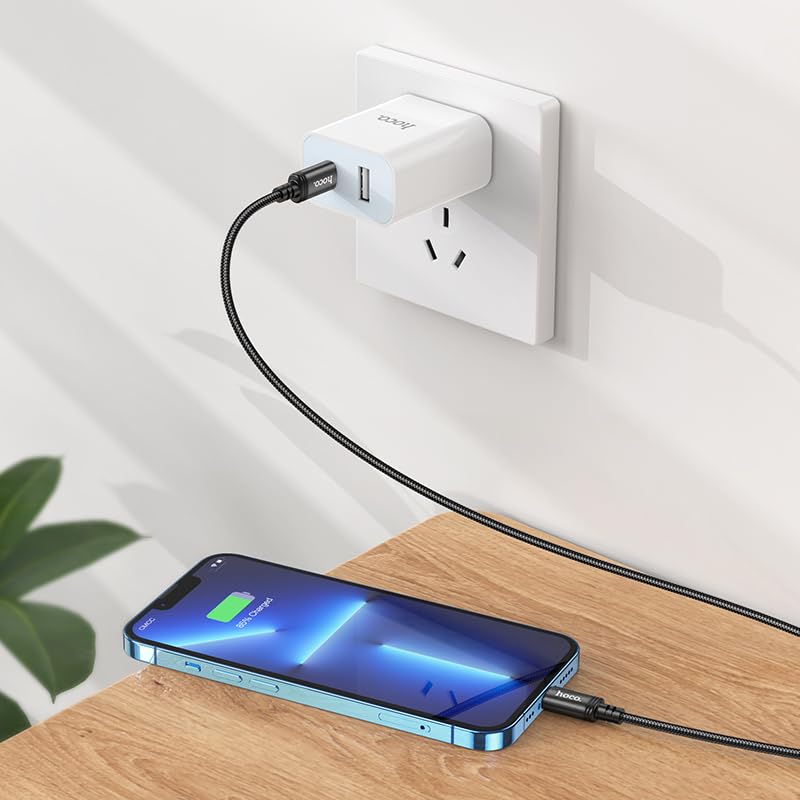
Image: The HOCO X89 cable in use, connecting an iPhone to a wall charger for charging.
Operating Instruction
Kuchaja mudziyo wako:
- Ensure the Type-C end is connected to a power source (wall adapter, power bank, computer). For fast charging, use a Power Delivery (PD) compatible adapter.
- Connect the Lightning end to your Apple device.
- The device should indicate that it is charging. The HOCO X89 supports up to 20W PD charging, allowing for faster charging times on compatible devices.
Kuendesa Data:
- Connect the Type-C end to a computer or laptop.
- Connect the Lightning end to your Apple device.
- Your computer should recognize the connected device, allowing you to transfer files, sync data, or perform backups. Follow your device's operating system instructions for data management.
Maintenance and Care
- Kuchenesa: Use a soft, dry cloth to wipe the cable and connectors. Avoid using liquids or abrasive cleaners.
- Kuchengeta: Chengetedza tambo munzvimbo inotonhorera, yakaoma kure nechiedza chezuva uye tembiricha yakanyanyisa. Dzivisa kusungirira zvakasimba kana kukotama tambo pamakona akapinza kudzivirira kukanganisa mukati.
- Kubata: Gara uchibata musoro wekubatanidza paunenge uchidhonza kana kuburitsa tambo, pane kudhonza tambo pachayo.
- Dzivisa Kukuvara: Do not expose the cable to water, excessive force, or sharp objects.
Kugadzirisa matambudziko
- Mudziyo Hauchaji:
- Ita shuwa kuti magumo ese etambo akabatana zvakachengeteka.
- Iva nechokwadi chekuti adapta yemagetsi iri kushanda nemazvo uye yakabatanidzwa mu live outlet.
- Edza imwe adapta yemagetsi yakasiyana kana USB port.
- Tarisa kana chiteshi chekuchaja chemudziyo wako chakachena uye chisina tsvina.
- Slow Charging:
- Ensure you are using a Power Delivery (PD) compatible wall adapter for fast charging.
- Vhara mapurogiramu asina basa pamudziyo wako.
- Avoid using your device heavily while charging.
- Nyaya Yekufambiswa Kwedata:
- Ensure the Type-C end is connected to a data-enabled USB port on your computer.
- Restart both your computer and your Apple device.
- Check your device's settings for data transfer permissions.
- Edza imwe USB port pane komputa yako.
Zvinotsanangurwa
| Model Name | X89_C To I |
| Brand | HOCO |
| Connector Type | USB Type-C to Lightning |
| Cable Type | Kubhadharisa uye Dhata Cable |
| Urefu | 1 mita (3.2 tsoka) |
| Kurema | 26g |
| Outer Material | Yakarukwa Waya |
| Joint Material | Aluminium Alloy |
| Kuchaja Protocol | Supports Power Delivery (PD) 20W |
| Inowirirana Devices | iPhones (6/6S/7/7+/8/8+/10/11/12/13), iPads, and other Apple devices with Lightning port; Laptops and power adapters with Type-C port. |
| Color | Nhema |
Safety Information
- Usaedze kupatsanura kana kugadzirisa waya.
- Chengetedza pasingasvikirwi nevana.
- Avoid extreme temperatures, humidity, and corrosive environments.
- If the cable appears damaged, discontinue use immediately.
- Use only with compatible and certified power adapters.
Warranty uye Support
For warranty information and customer support, please refer to the product packaging or contact your retailer. HOCO products are designed for reliability and performance.


