1. Nhanganyaya
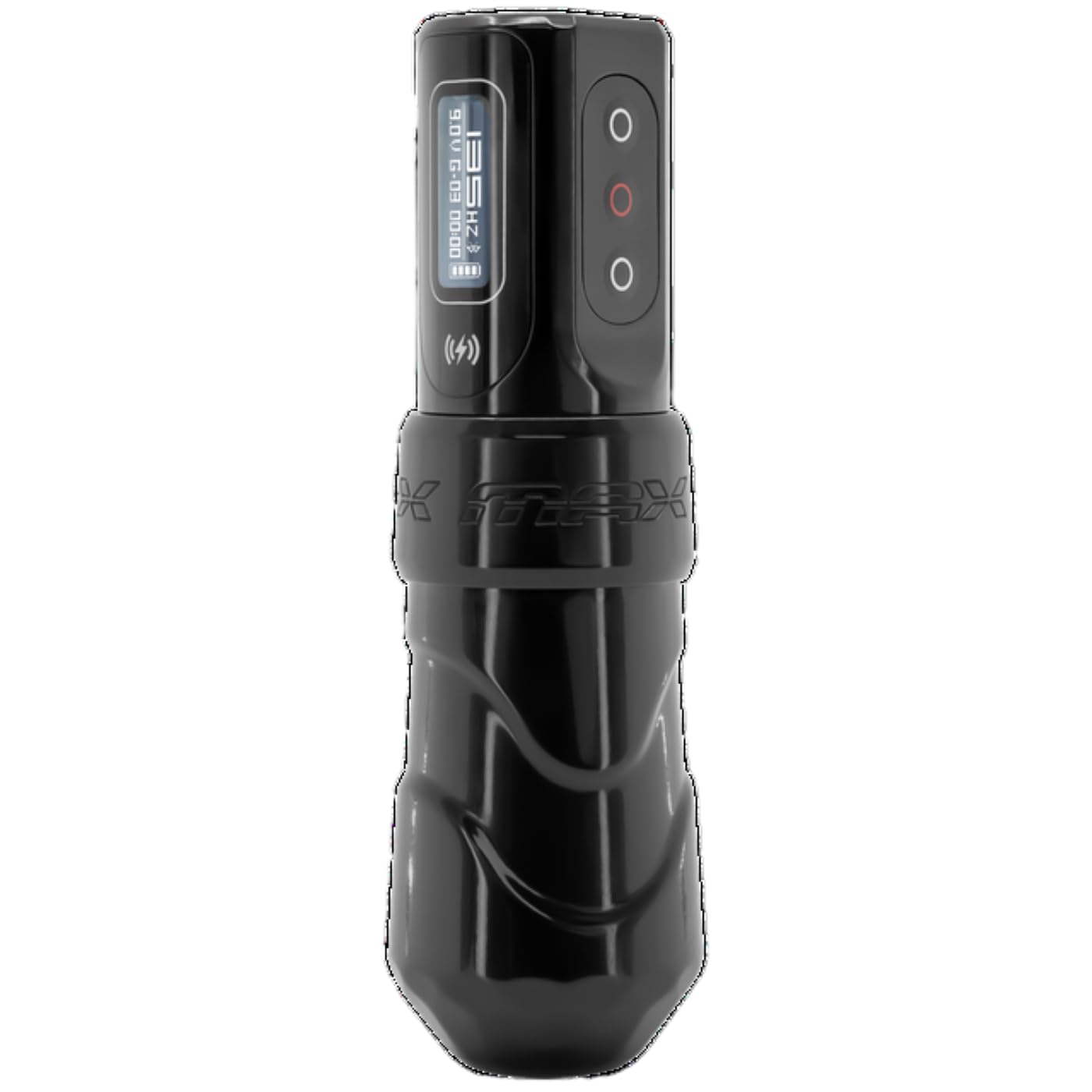
This manual provides comprehensive instructions for the FK Irons Flux Max Wireless Pen Tattoo Machine. It covers essential information regarding setup, operation, maintenance, and troubleshooting to ensure optimal performance and longevity of your device. The Flux Max is designed for professional tattoo artists, offering advanced features and ergonomic design for precision and comfort.
The FK Irons Flux Max wireless tattoo machine pen offers extended stroke length options, including 3.2mm, 4.0mm, and 4.5mm. It features the PowerBolt II battery pack with an OLED digital display, Bluetooth connectivity, and over 10 hours of tattooing power. The PowerBolt II allows for adjustable give directly on the device, eliminating the need for a mobile app connection. Constructed from 6061 T6 aluminum, the machine incorporates a redesigned ergonomic grip for enhanced control and comfort, with voltage adjustments available in 0.1 increment steps.
2. Key Features
- Extended Stroke Length Options: Available in 3.2mm, 4.0mm, and 4.5mm for versatile tattooing applications.
- PowerBolt II Battery Pack: Provides over 10 hours of battery life with an OLED digital display.
- Kubatana kweBluetooth: Enables advanced features and connectivity.
- Adjustable Give: Control needle give directly from the PowerBolt II without requiring a mobile application.
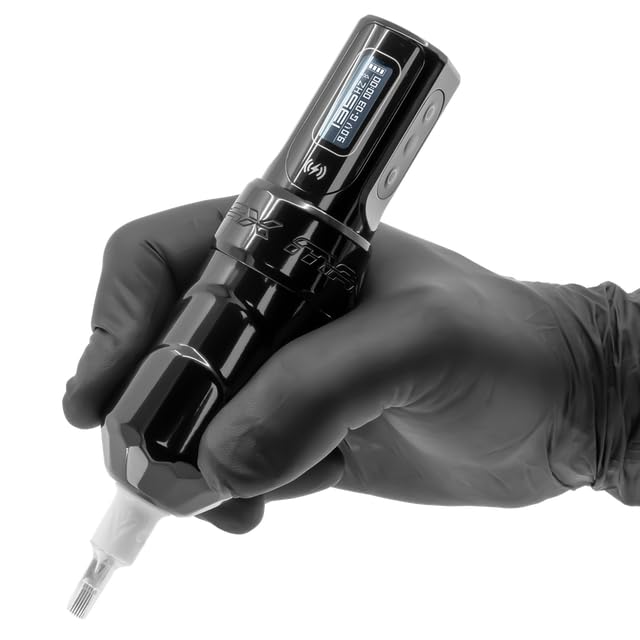
- Ergonomic Dhizaini: Features a redesigned grip and forward-weighted balance for maximum control and comfort during extended use.
- Precision Voltage Kugadzirisa: Allows for fine-tuning of voltage mu 0.1V kuwedzera.
- Durable Construction: Made from high-quality 6061 T6 aluminum.
3. Safety Information
This device is intended for professional use only by trained and certified tattoo artists. Adherence to local health and safety regulations is mandatory.
- Kushandiswa Kwekunze Chete: The tattoo machine is for external application of tattoo ink to the skin.
- Sterilization: Ensure all components that come into contact with the skin or ink are thoroughly sterilized before each use. Use appropriate sterilization methods as per industry standards.
- Kushandiswa Kwehunyanzvi: This equipment is designed for experienced or professional tattoo artists only.
- Kunobva Simba: Use only the provided PowerBolt II battery pack or compatible FK Irons power sources.
- Dzivisa Unyoro: Keep the device dry. Do not immerse in liquids.
- Kurasa: Dispose of needles and other consumables according to biohazard waste regulations.
4. Setup
4.1 Kuburitsa uye Kuongorora
Carefully unpack all components. Inspect the machine and PowerBolt II for any signs of damage. If any damage is observed, do not use the device and contact your supplier immediately.
4.2 Charging the PowerBolt II
- Connect the provided USB-C charging cable to the PowerBolt II charging port.
- Batanidza rimwe divi retambo kune adapta yemagetsi yeUSB inoenderana nayo (haisipo).
- The OLED display on the PowerBolt II will indicate charging status. A full charge typically takes approximately 1.5 hours.
- Ensure the PowerBolt II is fully charged before initial use for optimal battery performance.

4.3 Attaching the PowerBolt II to the Machine
- Align the PowerBolt II with the machine body, ensuring the connection points are clean and free of debris.
- Gently push and twist the PowerBolt II onto the machine body until it is securely seated. Do not force the connection.

4.4 Needle Cartridge Installation
- Ita shuwa kuti muchina wakadzimwa.
- Select a sterile, compatible needle cartridge.
- Insert the needle cartridge into the machine's cartridge receiver, twisting gently until it locks into place.
- Adjust the needle depth by rotating the grip of the machine.
5. Kushanda
5.1 Kubatidza/Kudzima
- To power on, press and hold the power button on the PowerBolt II until the OLED display illuminates.
- Kuti udzime, baya uye ubate bhatani remagetsi kusvika chiratidziro chadzima.
5.2 Kugadzirisa Voliyumutage
- Once powered on, the OLED display will show the current voltage.
- Shandisa kumusoro (+uye pasi (-) buttons on the PowerBolt II to adjust the voltage mu 0.1V kuwedzera.
- The yakakurudzirwa kushanda voltage range is typically between 5V and 12V, but may vary based on needle configuration and artist preference.
5.3 Adjusting Give
The PowerBolt II allows for direct adjustment of needle give. Refer to the PowerBolt II specific instructions for detailed steps on accessing and modifying give settings via the OLED display menu.
5.4 Kubatana kweBluetooth
The Flux Max features Bluetooth connectivity for advanced control and firmware updates via the Darklab app. Consult the Darklab app documentation for pairing instructions and available features.
5.5 Using the Killswitch (Optional)
The FK Irons Killswitch (sold separately) can be paired with the Flux Max for wireless foot pedal control. Follow the Killswitch's pairing instructions to connect it to your machine.

5.6 Chigadzirwa Vhidhiyo
Vhidhiyo 1: Chigadzirwa chepamutemo chaperaview of the FK Irons Flux Max, demonstrating its features and design.
6. Kuchengeta
6.1 Kuchenesa
- After each use, wipe down the exterior of the machine and PowerBolt II with a sterile wipe or a cloth dampyakashongedzwa nemushonga wekuuraya utachiona unobvumirwa.
- Do not spray cleaning solutions directly into the machine or PowerBolt II.
- Ensure no liquids enter the internal components or charging port.
6.2 Kuchengeta
- Store the machine in a clean, dry environment, away from direct sunlight and extreme temperatures.
- When storing for extended periods, ensure the PowerBolt II is partially charged (around 50%) to preserve battery health.
6.3 Kuchengeta Battery
- Dzivisa kuburitsa bhatiri zvakazara nguva zhinji.
- Usafumure bhatiri kune tembiricha yakakwira.
- Kana bhatiri richiratidza zviratidzo zvekukuvadzwa kana kuzvimba, rega kushandisa nekukasika uye rirasire nemazvo.
7. Kugadzirisa matambudziko
| Dambudziko | Zvinogona Kukonzera | Solution |
|---|---|---|
| Muchina haubatike. | Battery discharged. PowerBolt II not securely attached. | Charge the PowerBolt II. Reattach the PowerBolt II firmly to the machine body. |
| Inconsistent needle movement. | Loose needle cartridge. Incorrect voltage kumisikidza. | Ensure needle cartridge is securely locked. Adjust voltage to recommended range. |
| PowerBolt II not charging. | Faulty cable or adapter. Charging port obstructed. | Try a different USB-C cable and power adapter. Inspect charging port for debris. |
| Bluetooth nyaya dzekubatanidza. | Out of range. App not updated. | Ensure machine is within range of the connected device. Update Darklab app to the latest version. |
If troubleshooting steps do not resolve the issue, please contact FK Irons customer support.
8. Zvinotsanangurwa
| Feature | Detail |
|---|---|
| Model | Flux Max |
| Brand | FK Simbi |
| Kureba kweStroke | 3.2mm, 4.0mm, 4.5mm (this model is 4.0mm) |
| Bhatiri Type | Lithium Ion (1 inosanganisirwa) |
| Hupenyu hwebhatiri | Kusvikira ku10+ maawa |
| Kubatana | Bluetooth |
| Voltage Kugadzirisa | 0.1V increments |
| Material | 6061 T6 Aluminium |
| Product Dimensions | 4.87 x 1.26 x 6 inches |
| Kurema | 6.4 ounces |
| UPC | 810034257093 |
| Mugadziri | FK Simbi |

9. Warranty uye Tsigiro
For warranty information, please refer to the official FK Irons website or contact their customer service directly. Warranty terms and conditions may vary by region and product.
For technical support, troubleshooting assistance beyond this manual, or inquiries regarding parts and service, please contact FK Irons customer support through their official channels:
- Websaiti: www.fkirons.com
- Contact Information: Tarisa kune "Bata Nesu" chikamu pane mukuru websaiti yenhamba dzefoni kana email rutsigiro.


