1. Nhanganyaya
Thank you for choosing the HOCO EW50 Bluetooth 5.3 TWS Earbuds. These earbuds are designed to provide a high-quality audio experience with features such as Active Noise Cancellation, deep bass, and touch controls. This manual will guide you through the setup, operation, and maintenance of your new earbuds.
2. Safety Information
- Usabvisa kana kushandura chigadzirwa.
- Keep the earbuds and charging case away from extreme temperatures, humidity, and liquids.
- Dzivisa kuteerera kwenguva refu nepamusoro-soro kudzivirira kukuvara kwekunzwa.
- Geza maearbuds nebhokisi rekuchaja nejira rakapfava, rakaoma. Usashandise makemikari ane simba.
- Rasa chigadzirwa zvine hungwaru maererano nemitemo yenzvimbo.
3. Chigadzirwa Pamusoroview
The HOCO EW50 earbuds consist of two wireless earbuds and a portable charging case. The case not only protects the earbuds but also recharges them on the go.
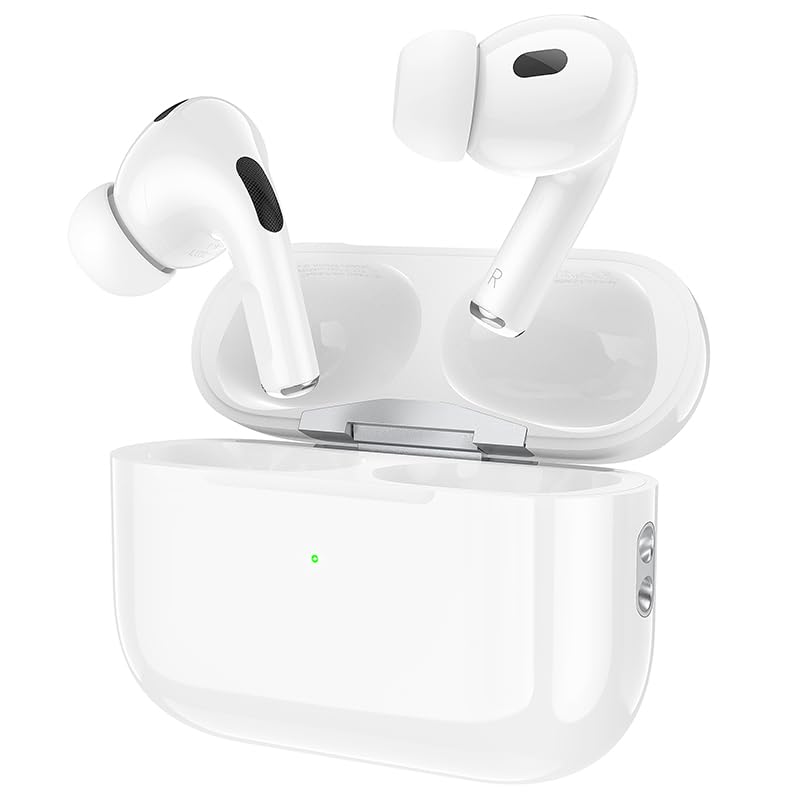
Image: HOCO EW50 Earbuds shown inside their open charging case.
Chii chiri muBhokisi:
- HOCO EW50 Earbuds (Left and Right)
- Wireless Charging Case
- USB Kuchaja Cable
- Ear Cushions (hukuru hwakasiyana)
- Protective Case
- User Manual
4. Setup
4.1 Kuchaja maEarbuds uye Case
Before first use, fully charge the earbuds and the charging case. Place the earbuds into the charging case. Connect the charging case to a USB power source using the provided USB cable. The indicator light on the case will show the charging status.
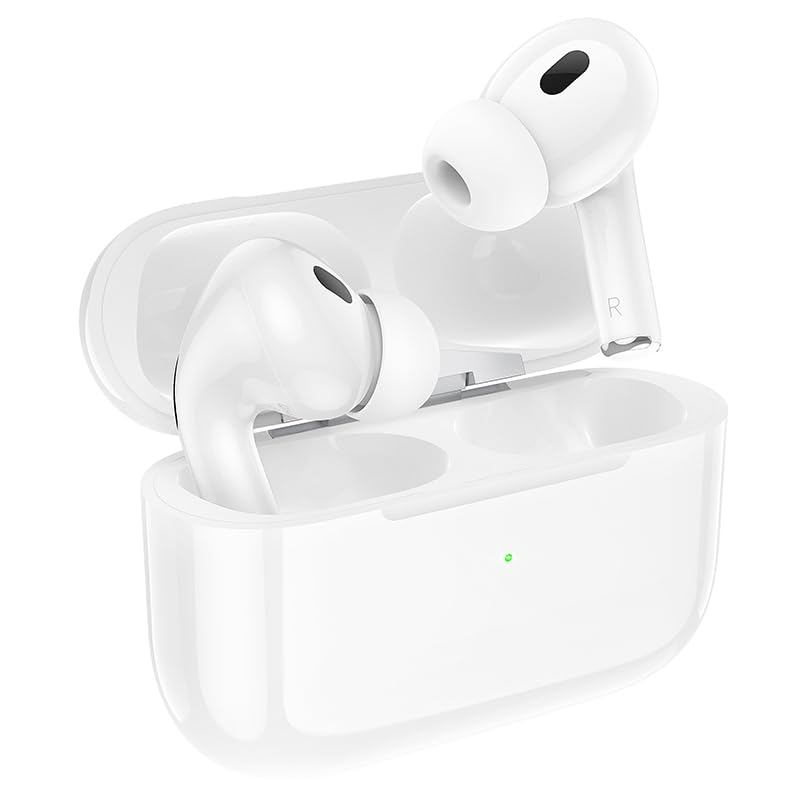
Image: HOCO EW50 Earbuds resting in their charging case, with a visible charging indicator light.
- Kuchaja Case Battery: 300mAh
- Nguva Yekutamba Earbuds: Kusvikira maawa makumi maviri (ine kuchaja kesi)
- Nguva yekuchaja: Approximately 1 hour for full charge.
4.2 Kubatanidza neChishandiso
- Ita shuwa kuti maearbuds akachajwa uye aiswa muchesi yekuchaja.
- Open the charging case lid. The earbuds will automatically enter pairing mode, and an indicator light will flash.
- Pamudziyo wako (smartphone, piritsi, laptop), shandisa Bluetooth.
- Tsvaga available Bluetooth devices and select "HOCO EW50" from the list.
- Kana yangobatanidzwa, izwi rekuchimbidza rinosimbisa kubatanidza kwakabudirira.
- Maearbud anozobatana otomatiki kune mudziyo wekupedzisira wakabatana kana abviswa mubhokisi.
5. Operating Instructions
5.1 Simba On/Kudzima
- Power On: Vhura kesi yekuchaja, uye maearbuds anozobatidza otomatiki.
- Power Off: Isa maearbuds kumashure muchesi yekuchaja wovhara chivharo. Vanodzima votanga kuchaja.
5.2 Kubata Kudzora
The HOCO EW50 earbuds feature pressure-sensitive touch controls on each earbud for easy management of music and calls.
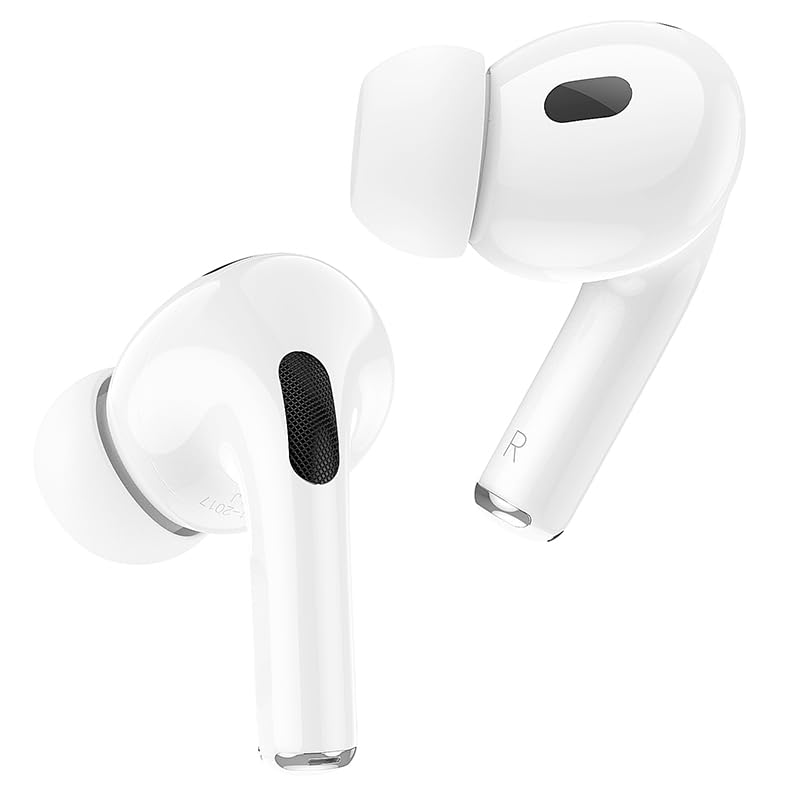
Image: Individual HOCO EW50 Earbuds displayed outside their charging case, highlighting their design.
| Chiito | Function |
|---|---|
| Single Tap (Kuruboshwe/Kurudyi) | Tamba/Misa Mimhanzi, Pindura/ Pedzisa Kufona |
| Tap kaviri (kurudyi) | Next Track |
| Tokonya kaviri (Kuruboshwe) | Previous Track |
| Tap katatu (Kuruboshwe/Kurudyi) | Activate Voice Assistant (Siri, Google Assistant) |
| Kudzvanya kwenguva refu (Kuruboshwe/Kurudyi) | Toggle Active Noise Cancellation (ANC) / Transparency Mode |
| Kudzvanya Nguva Refu (Kufona Kunouya) | Ramba Kufona |
5.3 Active Noise Cancellation (ANC) / Transparency Mode
The HOCO EW50 features Active Noise Cancellation to reduce ambient noise and Transparency Mode to allow you to hear your surroundings. Long press either earbud to cycle through ANC On, Transparency Mode, and ANC Off.
5.4 Gaming Mode
For an enhanced gaming experience with reduced audio latency, activate Gaming Mode. Refer to the specific instructions for activating Gaming Mode, usually a specific touch gesture or setting within a companion app if available.
5.5 Kufona/Kutambira mafoni
- Pindura Call: Top kamwe chete kana earbud.
- Pedzisa Kufona: Tokonya kamwe chete kana earbud panguva yekufona.
- Ramba Kufona: Long press either earbud during an incoming call.
- Maikorofoni yakavakirwa mukati inoita kuti pave nekutaurirana kwakajeka panguva yekufona.
6. Kuchengeta
6.1 Kuchenesa
- Regularly clean the earbuds and charging case to maintain optimal performance.
- Use a soft, dry, lint-free cloth to wipe the surfaces.
- Bvisa zvinyoro nyoro chero wakisi kana marara kubva pamesh ye earbud uye sanganisa zvinonamira pakuchaja uchishandisa swab yedonje yakachena, yakaoma kana bhurashi diki, rakapfava.
- Do not use liquids, sprays, or chemical cleaners.
6.2 Kuchengeta
- Kana isiri kushandiswa, chengeta maearbuds mukesi yavo yekuchaja kuti uzvidzivirire uye ugare wakachajwa.
- Chengetedza chigadzirwa munzvimbo inotonhorera, yakaoma, kure nechiedza chezuva uye kupisa kwakanyanya.
6.3 Kuramba Mvura
The HOCO EW50 earbuds are sweatproof and water-resistant, making them suitable for workouts and outdoor activities. However, they are not waterproof and should not be submerged in water. Avoid exposure to heavy rain or showering with the earbuds.
7. Kugadzirisa matambudziko
If you encounter any issues with your HOCO EW50 earbuds, please refer to the following common solutions:
| Dambudziko | Solution |
|---|---|
| Maearbuds haasi kubatanidza | Ensure earbuds are charged. Place them in the case, close, then open the lid to re-enter pairing mode. Turn off and on Bluetooth on your device. Forget "HOCO EW50" from your device's Bluetooth list and try pairing again. |
| Hapana ruzha kubva kune imwe earbud | Check battery level of both earbuds. Place both earbuds back in the case, close the lid, then take them out again. Re-pair with your device. |
| Maearbuds haasi kuchaja | Ensure the charging cable is securely connected to both the case and the power source. Check if the charging contacts on the earbuds and in the case are clean and free of debris. Try a different charging cable or power adapter. |
| Kudzikira vhoriyamu kana kutadza kunaka kweruzha | Adjust volume on both your device and the earbuds. Ensure earbud tips are clean and properly seated in your ears for a good seal. Try different sized ear cushions. |
| Zvibatiso zvekubata hazvisi kudaira | Ita shuwa kuti minwe yako yakachena uye yakaoma. Edza kutangisa maearbuds nekuaisa mukesi uye woabudisa zvakare. |
8. Zvinotsanangurwa
| Feature | Detail |
|---|---|
| Model Name | EW50 |
| Kubatana Technology | Wireless (Bluetooth 5.3) |
| Noise Control | Active Noise Cancellation |
| Kudzora Nzira | Bata |
| Playback Time | Kusvikira kumaawa makumi mana nemasere (ine kesi yekuchaja) |
| Kuchaja Case Battery | 300mAh |
| Mvura Resistance Level | Inodzivirira Mvura (Inodzivirira Dikita) |
| Inosanganisirwa Zvikamu | Cable, Ear Cushions, Protective Case, Wireless Charging Case |
| Item Weight | 57 magiramu |
| Product Dimensions | 4.5 x 6 x 2 cm |
| Material | Plastiki |
| Kuiswa Nzeve | Munzeve |
9. Warranty uye Tsigiro
The HOCO EW50 Earbuds come with a 1-Yegore Warranty kubva pazuva rawakatenga. Waranti iyi inovhara zvikanganiso zvekugadzira uye inoita kuti chigadzirwa chako chive chisina zvikanganiso zvechigadzirwa kana chikashandiswa zvakajairika.
For warranty claims, technical support, or any inquiries, please contact your retailer or the HOCO customer service department. Please retain your proof of purchase for warranty validation.


