Nhanganyaya
Thank you for choosing the HOCO W40 Bluetooth Headphones. These wireless headphones are designed to provide a high-quality audio experience with deep bass, clear calls, and comfortable wear. This manual will guide you through the setup, operation, and maintenance of your new headphones.
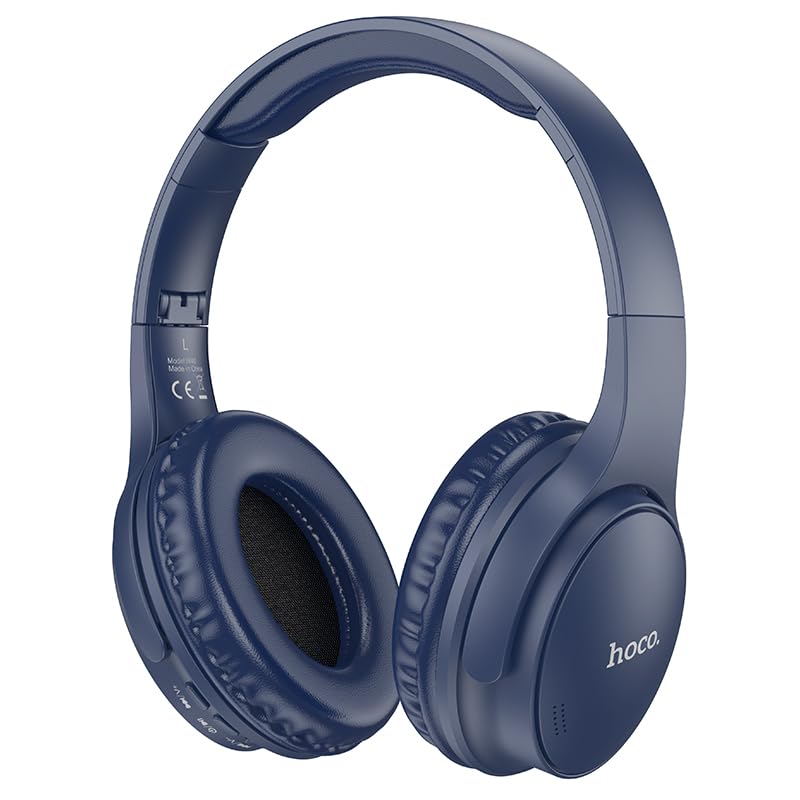
Image: HOCO W40 Bluetooth Headphones in a folded position, showcasing the earcups and headband. The headphones are blue.
Chii chiri muBhokisi
Ndapota tarisa zviri mupakeji yako kuti uve nechokwadi chekuti zvinhu zvese zviripo:
- HOCO W40 Bluetooth Headphones
- Ear Cushions
- Headband (integrated with headphones)
The package includes the HOCO W40 Bluetooth Headphones, along with ear cushions and the integrated headband for comfortable use.
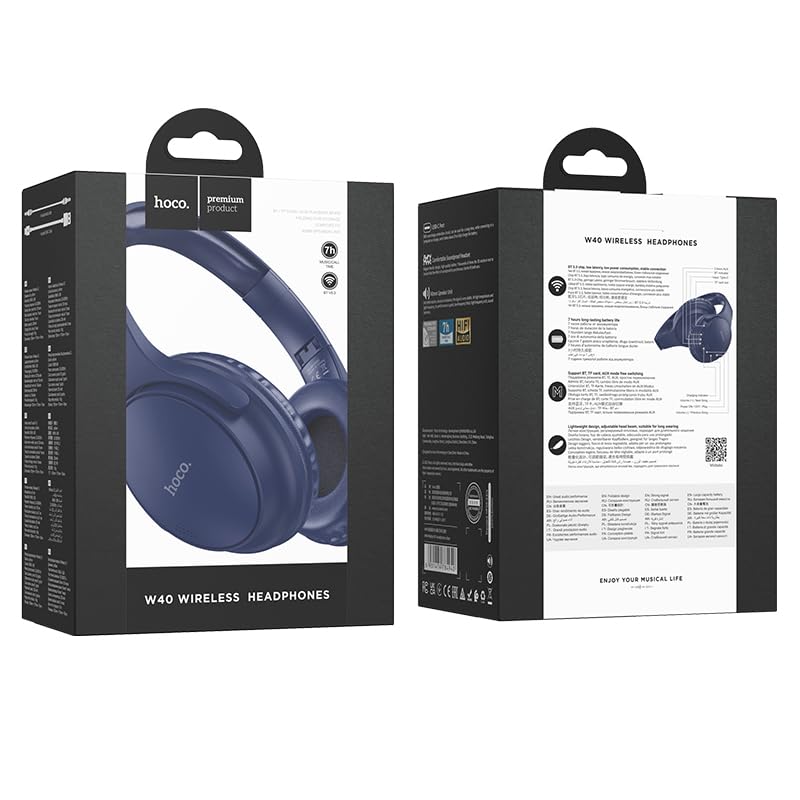
Image: Retail packaging for the HOCO W40 Wireless Headphones, showing the product image and some features on the box.
Product Overview
Familiarize yourself with the various parts and controls of your HOCO W40 headphones.
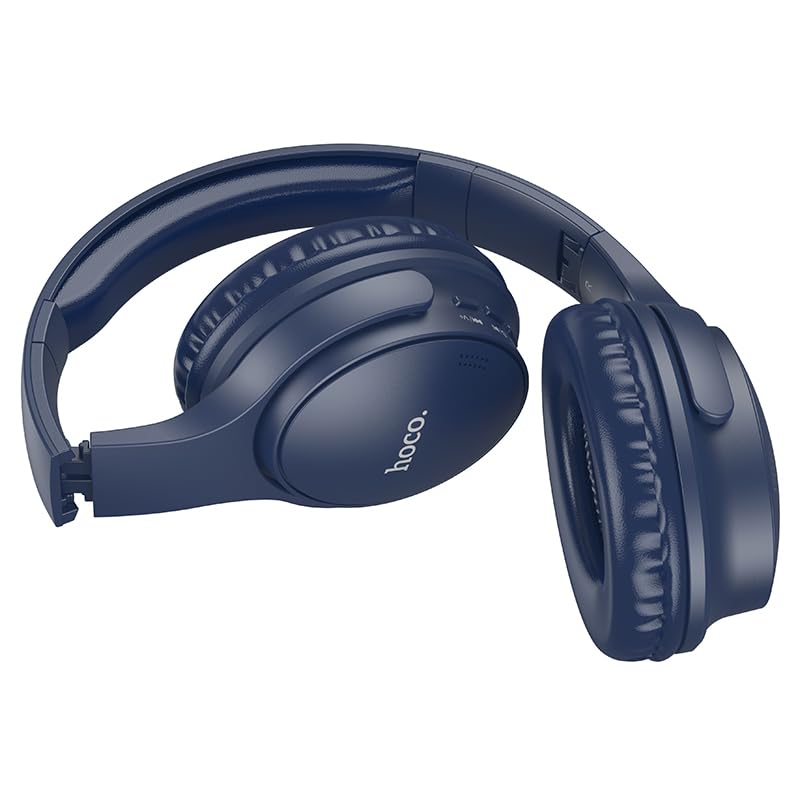
Mufananidzo: Side view of the HOCO W40 Bluetooth Headphones, highlighting the earcup and headband design. The controls are visible on the right earcup.
Zvidzore uye zviratidzo:
- Bhatani reSimba: Used to power the headphones on/off and initiate pairing.
- Kudzora inzwi: Adjusts the listening volume using touch controls.
- Multi-function Bhatani (MFB): Kutamba/kumbomira, kupindura/kugumisa mafoni.
- Maikorofoni: Built-in for hands-free calls.
- Kuchaja Port: Yekubatanidza tambo yekuchaja.
- Chiratidzo che LED: Inoratidza mamiriro emagetsi, maitiro ekuwiriranisa, uye mamiriro ekuchaja.
The headphones feature touch controls for volume adjustment and other functions, along with a built-in microphone for clear communication.
Gadzirira
1. Kuchaja mahedhifoni
Before first use, fully charge your headphones. A full charge takes approximately 1 awa.
- Connect the charging cable (not included in the JSON's 'whats_in_the_box' but typically provided) to the charging port on the headphones.
- Batanidza imwe mugumo wetambo kune USB magetsi sosi (semuenzaniso, komputa, madziro adapta).
- The LED indicator will show the charging status (e.g., red while charging, blue/off when fully charged).
Once fully charged, the headphones provide up to 12 maawa of continuous playtime.
2. Kubatanidza neBluetooth Device
The HOCO W40 headphones use Bluetooth 5.3 for stable and seamless connectivity. They are compatible with smartphones, tablets, laptops, and other Bluetooth-enabled devices (iOS, Android).
- Ita shuwa kuti mahedhifoni akadzimwa.
- Press and hold the Power Button until the LED indicator flashes rapidly (usually blue and red alternately), indicating pairing mode.
- Pamudziyo wako, shandisa Bluetooth uye tsvaga zvishandiso zviripo.
- Select "HOCO W40" from the list of found devices.
- Once paired, the LED indicator will stop flashing and may turn solid blue or off, depending on the model.
- The headphones have a wireless range of up to 10 mamita.
If pairing is unsuccessful, turn off both devices, wait a few seconds, and repeat the steps.
Operating Instruction
Simba On/Kudzima
- Power On: Dzvanya uye bata Bhatani reSimba kweanenge masekonzi matatu kusvika chiratidzo che LED chavheneka.
- Power Off: Dzvanya uye bata Bhatani reSimba kweanenge masekonzi matatu kusvika chiratidzo che LED chadzima.
Music Control
- Tamba/Kumbomira: Short press the Multi-function Button (MFB).
- Vhoriyamu Kumusoro: Tap the designated touch control area for volume up.
- Vhoriyamu Pasi: Tap the designated touch control area for volume down.
- Next Track: Double-tap the MFB or use the designated touch control.
- Previous Track: Triple-tap the MFB or use the designated touch control.
Note: Specific touch control gestures may vary slightly. Refer to the quick start guide included with your product for precise details.
Call Control
- Pindura/Pedzisa Kufona: Short press the Multi-function Button (MFB).
- Ramba Kufona: Dzvanya uye ubate iyo MFB kwemasekonzi mashanu.
- Dhonzazve Nhamba Yekupedzisira: Double-press the MFB when not on a call.
Maintenance
Proper care will extend the life of your HOCO W40 headphones.
- Kuchenesa: Shandisa jira rakapfava, rakaoma kuchenesa mahedhifoni. Usashandise abrasive cleaners kana solvents.
- Kuchengeta: Chengetedza mahedhifoni munzvimbo inotonhorera, yakaoma kure nechiedza chezuva uye tembiricha yakanyanyisa.
- Kuramba Mvura: The headphones are water resistant, making them suitable for workouts and outdoor activities. However, they are not designed for submersion in water. Avoid prolonged exposure to heavy rain or direct water jets.
- Battery Care: Kuti bhatiri rirambe richishanda, chaja mahedhifoni nguva dzose, kunyangwe usingaashandise nguva nenguva. Dzivisa kuburitsa bhatiri rakazara kwenguva yakareba.
Kugadzirisa matambudziko
| Dambudziko | Possible Solution |
|---|---|
| Mahedhifoni haabatike. | Ensure the headphones are charged. Connect them to a power source and try again after a few minutes. |
| Haikwanise kubatanidzwa nemudziyo. |
|
| Hapana ruzha kana vhoriyamu yakaderera. |
|
| Kufona kunaka kwakashata. |
|
Zvinotsanangurwa
| Model | W40 |
| Brand | HOCO |
| Kubatana Technology | Wireless (Bluetooth 5.3) |
| Bluetooth Range | 10 Mamita |
| Hupenyu hwebhatiri | Kusvikira kuMaawa mashanu |
| Kuchaja Nguva | Inenge 1 Awa |
| Audio Driver Type | Dynamic Driver |
| Noise Control | Kuzviparadzanisa nevamwe |
| Mvura Resistance Level | Mvura Inodzivirira |
| Control Type | Kudzora inzwi (Bata) |
| Yakavakwa-mukati Maikorofoni | Yes, for Hands-Free Calls |
| Inowirirana Devices | Smartphones, Tablets, Laptops (Universal Compatibility) |
| Material | Plastiki |
| Item Weight | 180 g |
Official Product Video
Tarisa vhidhiyo yechigadzirwa yepamutemo yekuona pamusoroview of the HOCO W40 Bluetooth Headphones and their key features.
Vhidhiyo: Chigadzirwa chepamutemo chaperaview of the HOCO W40 Bluetooth Headphones, demonstrating its features, battery life, design, and device compatibility.
Warranty uye Support
For warranty information and customer support, please refer to the documentation included with your purchase or visit the official HOCO website. Chengetedza humbowo hwako hwekutenga kune chero vimbiso yewaranti.
Kuti uwane rumwe rubatsiro, unogona zvakare kubata mutengesi kwakatengwa chigadzirwa.


