1. Chigadzirwa Pamusoroview
The TECLAST T40Air is a high-performance tablet designed for various tasks, from entertainment to productivity. It features a 10.4-inch display, 16GB RAM, 256GB ROM, and runs on Android 13, powered by an octa-core processor. Its lightweight design and robust battery ensure portability and extended usage.

Mufananidzo 1.1: Mberi uye kumashure view of the TECLAST T40Air Tablet, showcasing its sleek design and dual rear cameras.
Vhidhiyo 1.1: An official overview of the TECLAST T40Air Android Tablet, highlighting its key features and design.
2. Kutanga Setup
2.1 Unboxing and First Use
Carefully remove the tablet and all accessories from the packaging. Inspect the device for any physical damage. Before first use, it is recommended to fully charge the tablet.
2.2 Kuchaja Tablet
Connect the provided USB-C cable to the tablet's charging port and the other end to the 18W PD fast charging adapter. Plug the adapter into a power outlet. The battery indicator on the screen will show the charging status. A full charge typically takes approximately 2-3 hours.
2.3 Kubatidza/Kudzima
- Kubatidza: Press and hold the Power button located on the side of the tablet until the TECLAST logo appears on the screen.
- Kudzima: Dzvanya wobata bhatani rekuti Power kusvika menyu ye power yaonekwa. Sarudza 'Kudzima' wobva wasimbisa.
- Kuti utangezve: Kubva pane menyu yemagetsi, sarudza 'Tangazve'.
2.4 Magadzirirwo ekutanga
Pamusoro pekutanga simba-pa, piritsi racho rinokutungamira kuburikidza nekutanga kuseta maitiro:
- Sarudzo yeMutauro: Sarudza mutauro waunofarira.
- Kubatanidza Wi-Fi: Sarudza network yako yeWi-Fi woisa password kuti ubatanidze painternet.
- Akaundi yeGoogle Sign in with your Google account or create a new one. This is essential for downloading apps from the Google Play Store and syncing data.
- Zuva & Nguva: Seta zuva uye nguva chaiyo, kana bvumidza network kuti iite otomatiki.
- Chengetedzo: Set up a screen lock (PIN, pattern, password, or Face Unlock).
2.5 SIM Card Installation (Optional)
The T40Air supports 4G LTE connectivity. To install a SIM card:
- Tsvaga tireyi yeSIM card padivi petablet.
- Shandisa yakapihwa SIM ejector chishandiso kuvhura tireyi.
- Place the Nano-SIM card(s) into the designated slots, ensuring correct orientation.
- Sunda tray zvinyoro nyoro mutable kusvika yadzvanya panzvimbo.

Image 2.1: The TECLAST T40Air Tablet highlighting its 4G LTE support and SIM card tray location.
3. Operating Instructions
3.1 Kufamba ne Android 13
The TECLAST T40Air runs on Android 13, offering an intuitive user experience. Use touch gestures to navigate:
- Top: Sarudza chinhu.
- Rova zvakasimba: Dzvanya nemasikirini kana zvinyorwa.
- Pinch-to-zoom: Zoom mukati kana kunze pamifananidzo uye web mapeji.
- Kudzvanya kwenguva refu: Svika mamenu emamiriro ezvinhu kana kufambisa zvidhori.
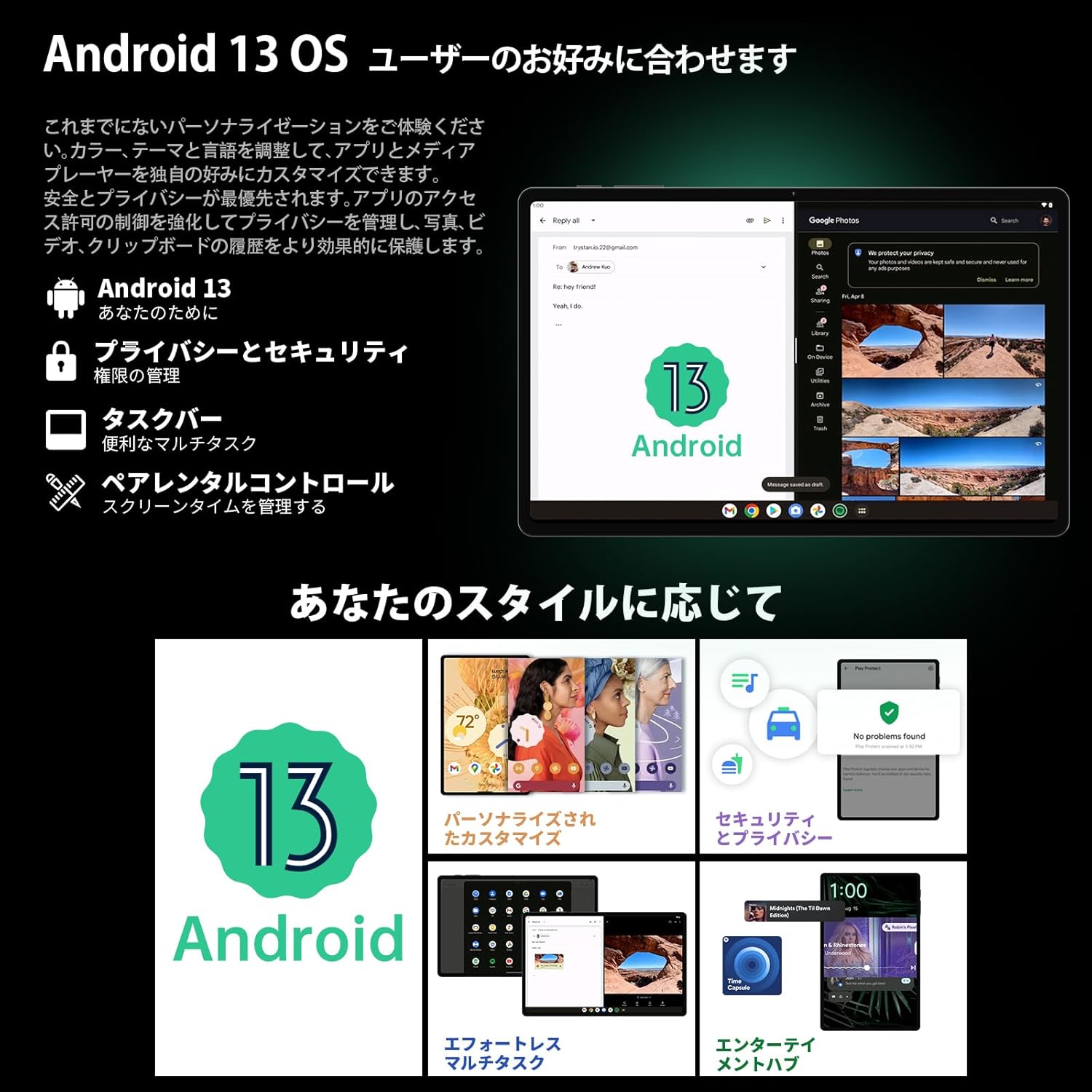
Image 3.1: The Android 13 interface on the TECLAST T40Air Tablet, showing personalization and security features.
3.2 Ratidza Zvimiro
The 10.4-inch 2K FHD IPS display provides vibrant colors and sharp details. It features:
- TDDI Fully Laminated: Enhances touch responsiveness and visual clarity.
- Eye Protection Mode: Reduces blue light to prevent eye strain.
- Mamiriro ekuverenga: Optimizes the screen for comfortable reading.
- Dark Mode & Dim Mode: Adjusts screen brightness and color for different lighting conditions.

Image 3.2: Visual representation of the TECLAST T40Air Tablet's display features, including eye protection and reading modes.
3.3 Kushandisa Kamera
The tablet is equipped with a 13MP rear dual camera and an 8MP front camera.
- Kutora Mifananidzo: Vhura app yeKamera, gadzira mufananidzo wako, wobva wadzvanya bhatani rekuvhara.
- Kurekodha Mavhidhiyo: Chinja kuenda kuvhidhiyo muCamera app wobva wadzvanya bhatani rekurekodha.
- Front Camera: Use for video calls and selfies.

Image 3.3: The TECLAST T40Air Tablet showcasing its camera capabilities and 3.5mm headphone jack.
3.4 Ruzha uye Kubatana
- SWEET 4 Speakers: Enjoy immersive audio with the tablet's quad-speaker system and Smart K Digital Amplifier.
- 3.5mm Headphone Jack: Connect your wired headphones for private listening.
- Wi-Fi: Supports 2.4GHz and 5GHz dual-band Wi-Fi (802.11ac) for stable and fast internet.
- Makaralı 5.0: Connect wireless accessories like headphones, keyboards, and mice.
- VoLTE: Enables high-quality voice calls over 4G LTE networks.
3.5 Face Kiinura
The tablet supports Face Unlock for convenient and secure access. Set it up in the Security settings. Ensure good lighting conditions for optimal performance.
4. Kuchengeta
4.1 Kuchenesa Tablet
Kuchenesa piritsi rako, shandisa jira rakapfava, risina lint. Pakuoma musoro, zvishoma dampen the cloth with water or a screen cleaner. Avoid using harsh chemicals, abrasive materials, or excessive moisture.
4.2 Kuchengeta Battery
- Dzivisa kufumura piritsi kune tembiricha yakanyanyisa.
- Usarega bhatiri richipera nguva zhinji.
- Use the original charger or a certified 18W PD charger for optimal charging.
4.3 Zvigadziriso zveSoftware
Gara uchitarisa uye kuisa zvigadziriso zvesoftware kuti uve nechokwadi chekuti piritsi rako rine zvichangobva kuitika, zvigamba zvekuchengetedza, uye kuvandudzwa kwemaitiro. Enda ku Settings> System> System update.
4.4 Kuchengeta Kuchengeta
The tablet comes with 256GB of internal storage, expandable via microSD card up to 1TB. Regularly manage your storage by:
- Kudzima zvisina basa files uye mapurogiramu.
- Kufamba kukuru files kune microSD kadhi.
- Utilizing cloud storage services.

Image 4.1: The TECLAST T40Air Tablet highlighting its 16GB RAM, 256GB ROM, and support for microSD card expansion.
5. Kugadzirisa matambudziko
This section addresses common issues you might encounter with your TECLAST T40Air Tablet.
5.1 Chishandiso Chisingabatike
- Ensure the battery is sufficiently charged. Connect the charger and wait a few minutes before attempting to power on.
- Dzvanya uye bata bhatani reSimba kweinenge 10-15 masekonzi kumanikidza kutangazve.
5.2 Matambudziko eWi-Fi
- Tarisa kana Wi-Fi yakagoneswa mukati Settings > Network & internet > Wi-Fi.
- Ita shuwa kuti waisa iyo chaiyo Wi-Fi password.
- Tangazve yako Wi-Fi router uye piritsi.
- Edza kubatanidza kune imwe network yeWi-Fi kuti uzive dambudziko racho.
5.3 Kunonoka Kuita
- Vhara mapurogiramu ekumashure asina kushandiswa.
- Clear cache data for apps that are running slowly (Zvirongwa> Zvishandiso> [Zita reApp]> Chengetedza & cache> Bvisa cache).
- Iva nechokwadi chekuti une nzvimbo yakakwana yekuchengetera zvinhu.
- Tangazve tablet.
5.4 Sikirini Isiri Kupindura
- Tangazve piritsi nekubata bhatani rePower.
- Ita shuwa kuti skrini yakachena uye haina unyoro kana marara.
5.5 Kugadziriswazve Kwefekitori (Nzvimbo Yekupedzisira Yekuzorora)
Kana matambudziko akaramba aripo, unogona kufunga nezvekugadzirisa zvakare chigadzirwa chako. Yambiro: Izvi zvichadzima data rese riri patablet yako. Chengetedza data yakakosha usati waenderera.
Enda ku Settings> System> Reset sarudzo> Bvisa data rese (factory reset) uye tevera mirairo yepa-screen.
6. Zvinotsanangurwa
Below are the technical specifications for the TECLAST T40Air Tablet:
| Feature | Tsanangudzo |
|---|---|
| Model Number | T40Air |
| Kukura Kwekuratidza | 10.4 inches |
| Screen Resolution | 1920 x 1080 pixels (2K FHD IPS) |
| RAM | 16 GB |
| Saizi yeFlash Memory (ROM) | 256 GB |
| processor Brand | Rockchip or Unisoc (Octa-core) |
| Operating System | Android 13 |
| Wireless Type | 5 GHz Radio Frequency, 802.11a/b/g/n/ac |
| Bluetooth | Bluetooth 5.0 |
| Avhareji Hupenyu hweBhatiri | Maawa gumi nemaviri (7200mAh) |
| Item Weight | 1.01 pounds (approx. 460g) |
| Product Dimensions | 9.6 x 6.1 x 0.3 inches |
| Special Feature | Lightweight |
7. Warranty uye Tsigiro
7.1 Chigadzirwa Chivimbiso
The TECLAST T40Air Tablet comes with a standard manufacturer's warranty. Please refer to the warranty card included in your product packaging for specific terms, conditions, and duration. Keep your proof of purchase for warranty claims.
7.2 Mutengi Tsigiro
If you encounter any issues not covered in this manual or require further assistance, please contact TECLAST customer support. You can typically find contact information on the official TECLAST websaiti kana kuburikidza nematanho erutsigiro emutengesi wako.
- Visit the official TECLAST websaiti ye FAQ uye zviwanikwa zvekutsigira.
- Contact the seller or retailer for product-specific support and return policies.


