1. Nhanganyaya
This user manual provides detailed instructions for the setup, operation, and maintenance of your FULLJA 10.1-Inch WiFi Digital Photo Frame. Please read this manual thoroughly before using the device to ensure proper functionality and to maximize your experience.
2. Package Zviri mukati
Tarisa uone kuti zvinhu zvese zviripo mupakeji:
- 1x FULLJA 10.1-Inch Digital Photo Frame
- 1x Chinyorwa cheMushandisi
- 1x Power Adapter
- 1x Frame Stand/Bracket
3. Chigadzirwa Pamusoroview
The FULLJA 10.1-Inch WiFi Digital Photo Frame is designed to display your cherished memories with ease. It features a high-resolution IPS touch screen and various smart functions.
Zvinokosha:
- 10.1-Inch IPS HD Touch Screen: For clear and vibrant photo display.
- WiFi Kubatana: For easy photo and video sharing via app or email.
- 32GB Internal Memory: Stores thousands of photos and videos.
- Motion Sensor: Automatically turns the frame on/off.
- Kutenderera otomatiki: Adjusts display orientation automatically.
- Mamwe Mabasa: Alarm clock, weather station, sleep mode.

Mufananidzo 1: Kupfuuraview of the digital photo frame's key features.
4. Setup
4.1 Kubatidza uye Kwekutanga Configuration
- Connect the power adapter to the frame and plug it into an electrical outlet. The frame will automatically power on.
- Follow the on-screen prompts to select your preferred language, time zone, and connect to your Wi-Fi network.
4.2 Kuiswa kweApp uye Pairing
To share photos and videos remotely, download the VPhoto app on your iOS or Android smartphone.
- Tsvaga "VPhoto" in the App Store (iOS) or Google Play Store (Android) and install the application.
- Open the VPhoto app and create an account or log in.
- On your digital photo frame, navigate to the settings and locate the "Add Friend" or "Connect App" option to generate a unique code.
- In the VPhoto app, select "Add Device" and enter the code displayed on your frame to pair your smartphone with the frame.

Figure 2: Steps to connect your frame using the VPhoto App.
5. Operating the Frame
5.1 Sharing Photos and Videos
You can share photos and videos to your frame using the VPhoto app, email, or external storage devices.
Via VPhoto App:
Once paired, select photos or videos from your smartphone's gallery within the VPhoto app and send them directly to your frame. You can also invite friends and family to share their photos to your frame.
Via Email:
The frame has a unique email address. Send photos and videos as attachments to this email address, and they will appear on your frame.
Via TF Card or USB Drive:
Isa kadhi reTF kana USB drive rine media yako files into the designated slot on the frame. The frame will detect the storage and allow you to import files.

Figure 3: Sharing photos and videos to the frame.
5.2 Slideshow Settings
Customize your photo display experience:
- Display Interval: Adjust how long each photo is displayed in the slideshow.
- Mhedzisiro yeKuchinja: Choose from various transition styles between photos.
- Ratidza Order: Set photos to display chronologically, randomly, or by date received.
- Zvinyorwa: Enable or disable captions for your photos.
5.3 Motion Sensor
The built-in motion sensor can automatically turn the frame on when motion is detected and off after a period of inactivity, saving energy.
- To enable/disable: Go to Settings > Display > Motion Sensor.
- Adjust sensitivity and inactivity time as needed.

Mufananidzo 4: Chimiro chekuona kufamba chiri kushanda.
5.4 Auto Rotate
The frame automatically detects its orientation (landscape or portrait) and adjusts the display accordingly. This allows for flexible placement.

Figure 5: Automatic rotation for landscape and portrait display.
5.5 Mamwe Mabasa
Explore other useful features in the settings menu:
- Alarm Clock: Seta maaramu ezviyeuchidzo.
- Weather Station: Display local weather information.
- Nzira yekurara: Schedule specific times for the frame to automatically turn off and on.
5.6 How to Send Photos and Videos (Video Guide)
Video 1: This official video demonstrates the process of sending photos and videos to your digital photo frame using the dedicated app. It covers selecting media, adding captions, choosing recipients, and adjusting video length for optimal display.
6. Kuchengeta
Your FULLJA Digital Photo Frame comes with 32GB of built-in memory, capable of storing thousands of high-resolution photos and videos.
- Kuchengetedzwa Kunogona Kuwedzerwa: If you require more space, you can easily expand the storage using TF cards or USB drives.
- Cloud Backup: Enjoy unlimited free cloud backup for all your precious moments, ensuring your memories are safe and accessible.
7. Mounting Options
The frame offers versatile placement options to suit your home or office decor.
- Using the Stand: Attach the included stand to the back of the frame to place it on any flat surface, such as a desk, shelf, or nightstand. The auto-rotate feature will adjust the display.
- Kuisa madziro: The frame is equipped with mounting holes on the back, allowing you to securely hang it on a wall. Ensure you use appropriate screws and wall anchors for your wall type.
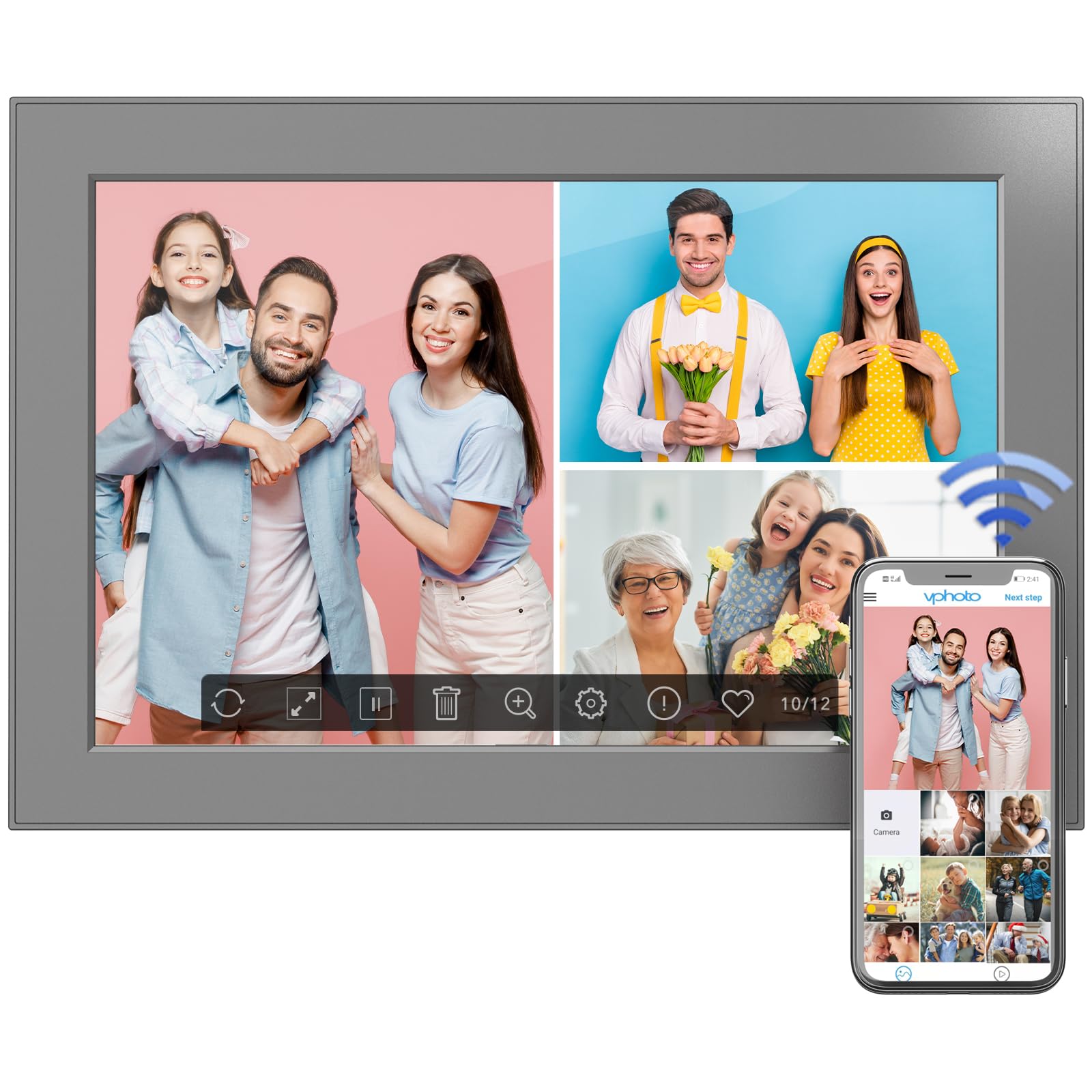
Figure 6: Digital photo frame displayed on a surface using its stand.
8. Kuchengeta
To ensure the longevity and optimal performance of your digital photo frame, follow these maintenance guidelines:
- Kuchenesa Screen: Shandisa jira rakapfava, risina ruvara kuti upukute sikirini zvinyoro nyoro. Kana paine tsvina yakaoma, pukuta zvishomaampsn jira nemvura kana mushonga wekuchenesa skrini. Dzivisa makemikari ane hasha.
- Kuchenesa Frame: Pukuta kunze kwefuremu nejira rakaoma, rakapfava.
- Zvigadziriso zveSoftware: Periodically check for software updates in the frame's settings menu to ensure you have the latest features and improvements.
- Power Off: If not in use for an extended period, power off the frame and unplug it from the power source.
9. Kugadzirisa matambudziko
If you encounter any issues with your FULLJA Digital Photo Frame, refer to the following common solutions:
- Frame Not Turning On:
- Iva nechokwadi chekuti adapta yemagetsi yakabatana zvakachengeteka pafuremu nepaburi remagetsi riri kushanda.
- Tarisa kana magetsi emagetsi ari kushanda nekuisa imwe mudziyo.
- Haikwanisi kubatana neWi-Fi:
- Iva nechokwadi chekuti network yako yeWi-Fi inoshanda uye iri pedyo.
- Tarisa kaviri password yeWi-Fi.
- Restart your Wi-Fi router and the digital photo frame.
- Photos/Videos Not Appearing:
- Ensure the frame is connected to Wi-Fi if sharing via app or email.
- Check your VPhoto app or email client for successful upload confirmation.
- If using a TF card/USB drive, ensure it is properly inserted and the files dziri mufomati inotsigirwa.
- Sikirini Isina Kupindura Kubatwa:
- Gently clean the screen to remove any dirt or debris.
- Tangazve furemu nekudzima plug uye kubatanidzazve adapta yemagetsi.
Kana nyaya ikaramba iripo, tapota taura nerutsigiro rwevatengi kuti uwane rumwe rubatsiro.
10. Zvinotsanangurwa
| Feature | Detail |
|---|---|
| Product Dimensions | 6.97 x 10.2 x 0.99 inches |
| Item Weight | 1.3 makirogiramu |
| Screen Size | 10.1 inches |
| Resolution | 1280x800 (WXGA) |
| Internal Memory | 32GB |
| Kubatana | WiFi |
| Color | Nhema |
| Model Number | 101-Z |
11. Warranty uye Tsigiro
This electronic photo frame comes with a one-year warranty from the date of purchase.
If you experience any issues or have questions regarding your FULLJA Digital Photo Frame, please contact our customer support team. We are committed to ensuring your satisfaction.
- Tsigiro yeVatengi: Refer to the contact information provided in your product packaging or on the official FULLJA website.