Nhanganyaya
This manual provides essential instructions for setting up, operating, and maintaining your KALOC Fitness Tracker. Please read this guide thoroughly to ensure proper use and to maximize the device's features.
Chii chiri muBhokisi
Pakuburitsa, ona kuti zvinhu zvese zviripo:
- KALOC Fitness Tracker (main unit)
- Vadivelu Comedy
- Chaja Cable
- User Manual
Gadzirira
1. Kuchaja Chishandiso
Before first use, fully charge your fitness tracker. Connect the charging cable to the charging port on the back of the device and to a USB power source. The screen will indicate charging status.

Image: The KALOC Fitness Tracker displaying a '100% Fully charged' message while connected to its charging cable.
2. Kuiswa kweApp uye Kubatanidza
To utilize all features and synchronize data, download the companion application to your smartphone. The app is compatible with Android 6.0 and iOS 12.0 or above, and requires Bluetooth 4.0.
- Scan the QR code in the quick guide or search for the app name (usually mentioned in the quick guide or packaging) in your phone's app store.
- Isa iyo application.
- Open the app and follow the on-screen instructions to create an account and pair your fitness tracker via Bluetooth. Ensure Bluetooth is enabled on your phone.
- Allow necessary permissions for the app to function correctly (e.g., location, notifications).
Operating Instruction
Display uye Navigation
The KALOC Fitness Tracker features a 1.58-inch AMOLED touch display. Navigate through menus and functions by swiping up, down, left, or right, and tapping to select options.

Image: The 1.58-inch AMOLED screen of the KALOC Fitness Tracker, highlighting its resolution and brightness capabilities.
Basic Mabasa
- Nguva uye Zuva: Automatically synchronizes with your paired smartphone.
- Zviso zvekutarisa: Customize your watch face through the companion app or directly on the device.

Mufananidzo: Eksamples of personalized watch faces available for the KALOC Fitness Tracker.
Health Tracking Features
The KALOC Fitness Tracker provides comprehensive health monitoring throughout the day.
- YeMoyo Rate Kuongorora: Inoramba ichitevera kurova kwemoyo wako. View ruzivo rwechinguvana pamudziyo kana mafambiro akadzama ari muapp.
- Kuyerwa kweOkisijeni yeRopa (SpO2): Inoyera mazinga ako ekuzara kweokisijeni muropa.
- Kuongorora Kurara: Inoongorora maitiro ako ekurara, kusanganisira kurara kwakadzama, kurara zvishoma, uye nguva yekumuka.
- Stress Level Tracking: Monitors your stress levels and provides insights into your mental well-being.
- Pedometer & Calorie Tracker: Records daily steps, distance covered, and estimated calories burned.

Image: The KALOC Fitness Tracker displaying 24-hour health tracking data, including heart rate, sleep, and stress.

Image: The KALOC Fitness Tracker tracking daily fitness data, including steps, distance, calories, and activity time.
Mitambo Modes
The fitness tracker supports over 100 sports modes to accurately track your workouts. Select the appropriate mode before starting an activity for precise data collection.
- Examples include outdoor walking, running, cycling, strength training, yoga, and various ball games.
- Access sports modes from the device menu and select your desired activity.
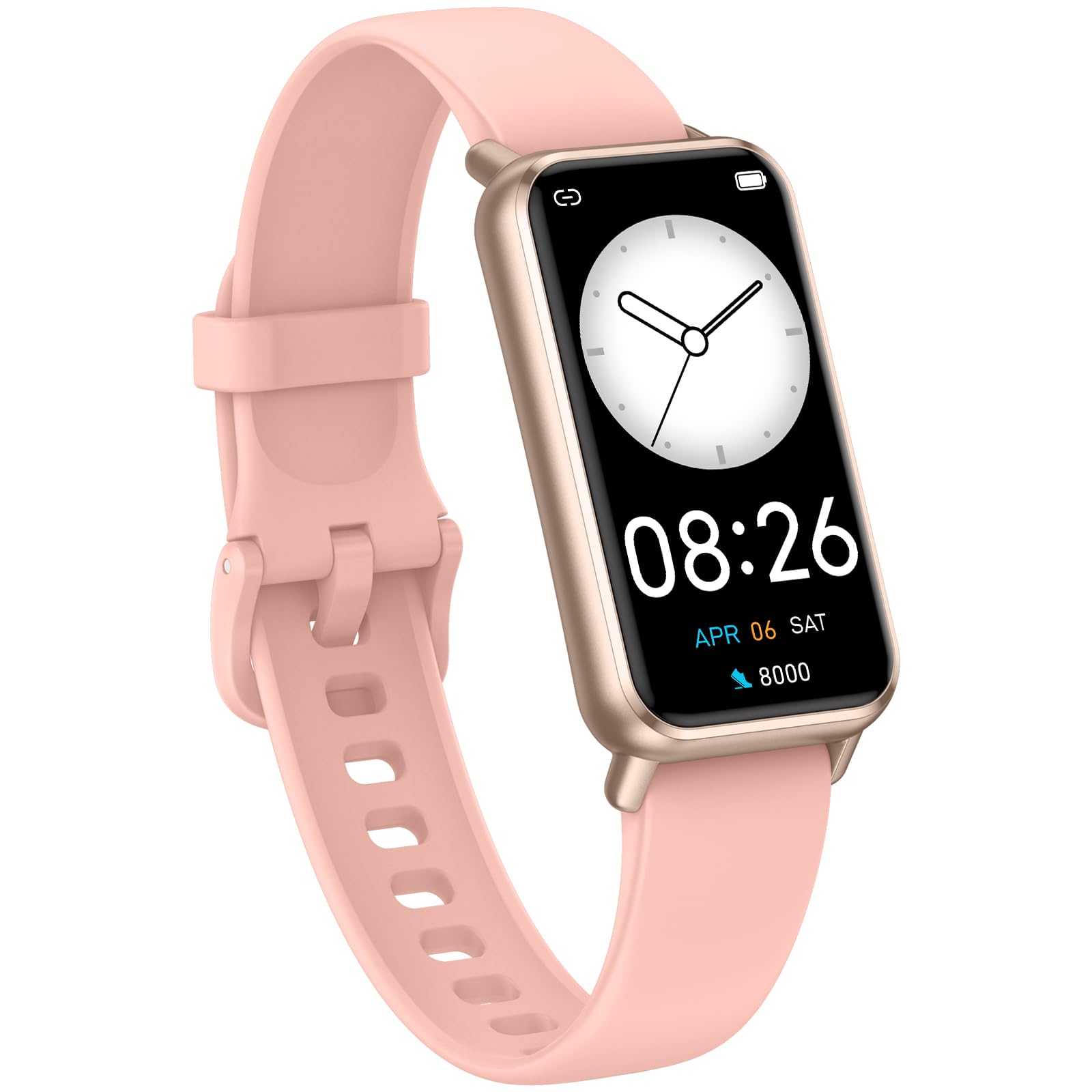
Image: The KALOC Fitness Tracker highlighting its support for over 100 sports modes.
Kuramba Mvura
The KALOC Fitness Tracker is 50-meter waterproof, making it suitable for various water activities.
- Suitable for washing hands, showering, swimming, and shallow water activities.
- Not recommended for diving, hot water activities, or high-pressure water exposure.

Image: The KALOC Fitness Tracker demonstrating its 50-meter waterproof feature during swimming.
Hupenyu hwebhatiri
The device offers an extended battery life, providing up to 14 days of typical use or 30 days of standby time on a single charge.

Image: The KALOC Fitness Tracker highlighting its 14-day battery life.
Smart Notifications
Receive notifications for calls, messages, and app alerts directly on your wrist when paired with your smartphone.

Image: The KALOC Fitness Tracker receiving smart notifications from various applications.
Mamwe Mabasa
The KALOC Fitness Tracker includes several additional useful features:
- Kudzora Kamera: Dzora kamera yefoni yako uri kure.
- Kudzora Mumhanzi: Manage music playback on your paired phone.
- Mamiriro ekunze: View mamiriro ekunze azvino uye kufanotaura.
- Chiyeuchidzo chekunwa: Isa zviyeuchidzo kuti ugare wakanyorova.
- Sedentary Chiyeuchidzo: Inokuzivisa iwe kuti ufambe mushure menguva yekusaita basa.
- Alarm Clock: Set alarms directly on your device.
- Kudzidzira Kufema: Inotungamirirwa kufema maekisesaizi kubatsira kubata kushushikana.

Image: The KALOC Fitness Tracker showcasing its multiple functions.
Maintenance
To ensure the longevity and optimal performance of your KALOC Fitness Tracker, follow these maintenance guidelines:
- Kuchenesa: Regularly clean the device and strap with a soft, damp jira. Dzivisa makemikari ane hasha kana abrasive zvinhu.
- Kuchaja: Use only the provided charging cable. Do not expose the charging contacts to water or corrosive liquids.
- Kuchengeta: Chengetedza mudziyo munzvimbo inotonhorera, yakaoma kana isiri kushandiswa. Dzivisa kupisa kwakanyanya.
- Kuratidzwa kwemvura: While waterproof, it is advisable to dry the device thoroughly after exposure to water to prevent skin irritation and ensure proper sensor function.
Kugadzirisa matambudziko
If you encounter issues with your KALOC Fitness Tracker, refer to the following common solutions:
- Mudziyo Haubatike: Iva nechokwadi chekuti mudziyo wacho wachajwa zvizere. Batanidza nechaja kwemaminitsi makumi matatu.
- Haikwanise Kubatanidza Nefoni:
- Ita shuwa kuti Bluetooth yakabatidzwa pafoni yako.
- Iva nechokwadi chekuti tracker iri pedyo neBluetooth kubva pafoni yako.
- Tangazve foni yako uye chinhu chinotevedzera kugwinya kwemuviri.
- Check if the app has the necessary permissions.
- Data Isiri Yakarurama:
- Ensure the tracker is worn snugly on your wrist, about one finger's width from your wrist bone.
- Chenesa masensa ari kumashure kwechishandiso.
- Update the device firmware via the app if available.
- Zviziviso Hazvina Kugamuchirwa:
- Verify that notifications are enabled in both the tracker's app and your phone's settings.
- Ensure the app is running in the background.
If problems persist, consult the support section of the companion app or contact customer support.
Zvinotsanangurwa
| Model Number | 529d841c-3537-4f97-bf0f-2a0c001c6b1e |
| Kukura Kwekuratidza | 1.58 Inches AMOLED |
| Kuramba Mvura | 50 Mamita |
| Hupenyu hwebhatiri | Kusvika mazuva gumi (kushandiswa kwakajairika) |
| Kubatana | Bluetooth 4.0 |
| Kugarisana | Android 6.0+ / iOS 12.0+ |
| Item Weight | 2.82 ounces |
| Product Dimensions | 6.4 x 3 x 0.7 inches |
Warranty uye Support
For warranty information and customer support, please refer to the documentation included with your purchase or visit the official KALOC website. Chengetedza risiti yako yekutenga sehumbowo hwekutenga kwezvichemo zvewaranti.


