Nhanganyaya
This manual provides comprehensive instructions for the setup, operation, and maintenance of your Surfans F22 Portable HiFi MP3 Player. Please read this manual thoroughly before using the device to ensure proper functionality and to maximize your listening experience.
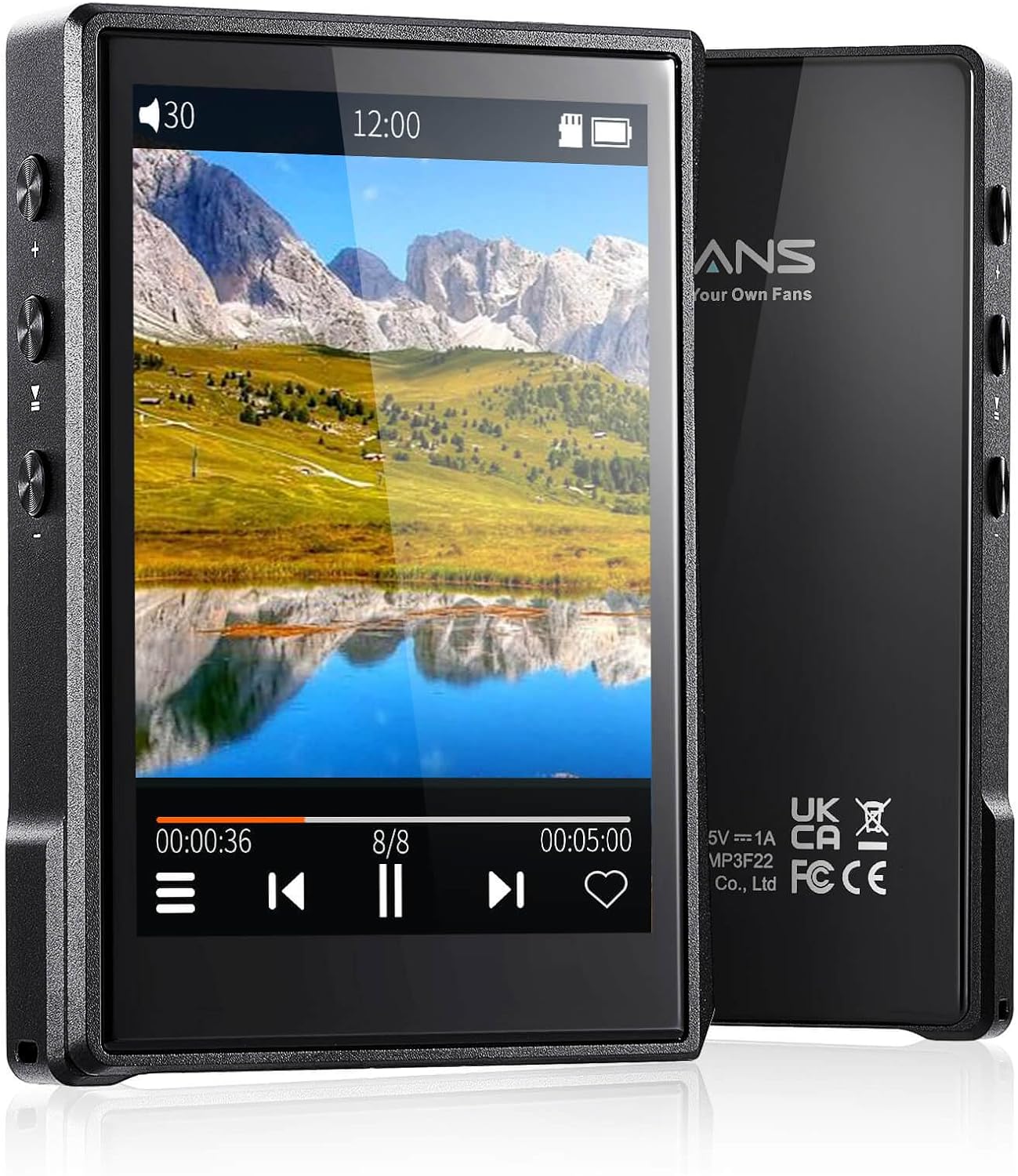
Mufananidzo: Mberi uye kumashure view of the Surfans F22 Portable HiFi MP3 Player, showcasing its 2.8-inch touchscreen and sleek design.
Package Zviri mukati
Tarisa uone kuti zvinhu zvese zviripo mupakeji:
- Surfans F22 HiFi Music Player
- Mushandisi Chinyorwa (gwaro iri)
- USB-C Cable
- 32GB Memory Card (pre-installed or included separately)
Mudziyo Pamusoroview
Familiarize yourself with the physical components of your F22 player.

Image: Diagram illustrating the various ports and buttons on the Surfans F22 MP3 Player, including the power button, volume controls, headphone jack, and USB-C port.
- 2.8-inch IPS TFT Full Touchscreen: Main interface for navigation and control.
- Bhatani reSimba: Inobatidza / kudzima chishandiso uye kukiya/kukiinura skrini.
- Mabhatani eVolume: Inogadzirisa nhanho yekubuda kweaudio.
- Headphone Jack (3.5mm): Batanidza mahedhifoni ane waya.
- USB-C Chiteshi: Yekuchaja uye kutumira data.
- Micro SD Kadhi Slot: Kuti uwedzere kuchengetedza kusvika ku1TB.
Gadzirira
1. Kuchaja Chishandiso
Before first use, fully charge the F22 player. Connect the provided USB-C cable to the device's USB-C port and the other end to a USB power adapter (not included) or a computer's USB port. The charging indicator will show progress. A full charge typically takes approximately 2 hours and provides up to 10 hours of playback.
2. Kuisa Micro SD Card
The F22 comes with a 32GB memory card. For additional storage, you can insert a Micro SD card (up to 1TB) into the designated slot. Ensure the card is inserted correctly until it clicks into place.

Image: A Surfans F22 MP3 Player shown with a Micro SD card being inserted into its slot, illustrating the expandable storage capability.
3. Transferring Music Files
Connect the F22 player to your computer using the USB-C cable. The device will appear as a removable storage drive. Drag and drop your music files (FLAC, WMA, WAV, DSF, DSD, MP3, etc.) into the appropriate folders on the player's internal storage or the Micro SD card.

Image: A Surfans F22 MP3 Player displaying music playback, with a person wearing headphones in the background, symbolizing the high-fidelity audio experience.
Operating Instruction
1. Batidza/dzima uye Kiya Chinovhara
- To power on, press and hold the Power button until the screen illuminates.
- To power off, press and hold the Power button, then select "Power Off" on the screen.
- To lock/unlock the screen, briefly press the Power button.
2. Kufamba neInterface
The F22 features a 2.8-inch touchscreen for navigation. Swipe left/right or up/down to browse menus and lists. Tap icons to select options or open applications.
3. Mumhanzi Playback
- From the main menu, select "Music" to access your library.
- Tsvaga neMuimbi, Album, Rwiyo, Rudzi, kana Forodha.
- Dzvanya rwiyo kuti utange kutamba.
- During playback, use the on-screen controls for play/pause, skip track, and volume adjustment. Physical volume buttons also control volume.

Image: The Surfans F22 MP3 Player screen showing options for music playback modes: List play, Single play, List loop, and Random, indicating flexible listening options.
4. Kubatana kweBluetooth
The F22 supports Bluetooth 4.2 for wireless audio output.
- Go to "Settings" and select "Bluetooth".
- Turn Bluetooth on. The player will scan for available devices.
- Sarudza mahedhifoni kana sipika yeBluetooth yaunoda kubva pane rondedzero kuti ubatanidze.
- Once paired, audio will stream wirelessly to the connected device.

Image: A visual representation of the Surfans F22 MP3 Player's Bluetooth 4.2 capabilities, showing connections to Bluetooth headphones, a Bluetooth speaker, and a car stereo system.
5. E-Book Functionality
The F22 also supports E-book reading.
- Transfer compatible E-book files kune mudziyo.
- From the main menu, select "E-book".
- Browse and select a book to open and read.
Maintenance
- Kuchenesa: Shandisa jira rakapfava, rakaoma kuchenesa mudziyo. Dzivisa mishonga yekuchenesa mvura kana zvinhu zvinokurisa.
- Kuchengeta: Chengetedza mutambi munzvimbo inotonhorera, yakaoma kure nechiedza chezuva uye tembiricha yakanyanyisa.
- Battery Care: Kurebesa bhatiri, dzivisa kuburitsa bhatiri zvakazara nguva zhinji. Chaja mudziyo nguva nenguva, kunyangwe usiri kushandiswa kwenguva yakareba.
- Zvigadziriso zveSoftware: Tarisa mugadziri wacho websaiti nguva nenguva kuti uwane zvigadziriso zvefirmware kuti uve nechokwadi chekuti zvinoshanda zvakanaka uye maficha matsva.
Kugadzirisa matambudziko
| Dambudziko | Zvinogona Kukonzera | Solution |
|---|---|---|
| Mudziyo haubatike. | Bhatiri rakaderera. | Chaja mudziyo kweinenge maminitsi makumi matatu. |
| Hapana ruzha. | Volume too low; headphones not connected properly; incorrect audio output. | Increase volume; ensure headphones are fully plugged in; check Bluetooth connection if using wireless. |
| Haikwanise kutamisa files. | USB cable issue; device not recognized by computer. | Try a different USB port or cable; ensure the device is in data transfer mode if prompted. |
| Kubatana kweBluetooth hakuna kugadzikana. | Interference; device too far from player. | Reduce distance between devices; avoid obstacles; try re-pairing. |
| Sikirini haipinduri. | Temporary software glitch. | Perform a soft reset by holding the Power button until the device restarts. |
Zvinotsanangurwa
| Feature | Detail |
|---|---|
| Model | Surfans F22 Hi Res Music Player |
| processor | RK3308G 64-bit Quad-core ARM Cortex-A35 |
| Display | 2.8-inch IPS TFT Full Touchscreen (240*320 resolution) |
| Mafomati eDhiyo Anotsigirwa | FLAC, WMA, WAV, DSF, DSD (Native DSD 128/256), PCM (up to 384kHz/32bit), DFF, DTS, APE, OGG, M4A, AIFF, AAC, MP3, Apple Lossless |
| Bluetooth | Shanduro 4.2 |
| Kuchengeta Kwemukati | 32GB (included) |
| Expandable Storage | Micro SD card up to 1TB |
| Bhatiri | 1500mAh Lithium Polymer |
| Hupenyu hwebhatiri | Kutamba kwemaawa gumi nemashanu |
| Kuchaja Nguva | Approximately 2 hours (fast charge) |
| Dimensions | 4.72 x 3.15 x 1.77 inches |
| Kurema | 7.4 ounces |
| Kubatana | USB-C |
| Special Features | Equalizer, Hi-Res Audio, E-book function |
Warranty uye Support
The Surfans F22 Portable HiFi MP3 Player comes with a one-year return and exchange guarantee from the date of purchase. This warranty covers manufacturing defects under normal use.
For technical support, warranty claims, or further assistance, please contact Surfans customer service through their official website or the retailer where the product was purchased. Please have your purchase receipt and product model number (F22) available when contacting support.
Mugadziri: Surfans
Websaiti: Surfans Official Store


