
Nhanganyaya
This manual provides comprehensive instructions for the operation and maintenance of your ATTOP X-PACK 18 Drone with Camera. Please read this manual thoroughly before operating the drone to ensure safe and optimal performance. The ATTOP X-PACK 18 is a foldable drone equipped with a 1080P 120° wide-angle FPV Wi-Fi camera, offering features like one-key take-off/landing, headless mode, 3-speed modes, 360° flip, emergency stop, one-key return, and various APP-controlled functions including gesture, voice, and gravity control, as well as flight path mode.

Image: ATTOP Drone with remote control, batteries, and carrying case.
Chii chiri muBhokisi
Tarisa kuti zvese zvirimo zviripo mupakeji:
- ATTOP X-PACK 18 Drone
- Remote Control
- 2 x 3.7V / 1100mAh Rechargeable Batteries
- Kutakura Nyaya
- Spare mashizha
- USB Kuchaja Cable
- Screwdriver
- Mubati Wefoni

Image: Visual representation of the drone, remote, batteries, and accessories included in the package.
Setup Guide
Kuvhura Drone
Carefully unfold the drone arms until they are fully extended. Ensure all arms click into place securely.

Image: Illustration of the drone's foldable design and dimensions.
Kuiswa kweBattery
Insert the fully charged battery into the designated compartment on the drone. Ensure it is securely latched.
Runhare Clamp Installation (for Remote Control)
Batanidza foni clamp to the remote control. Secure your smartphone into the clamp for FPV viewing and APP control.
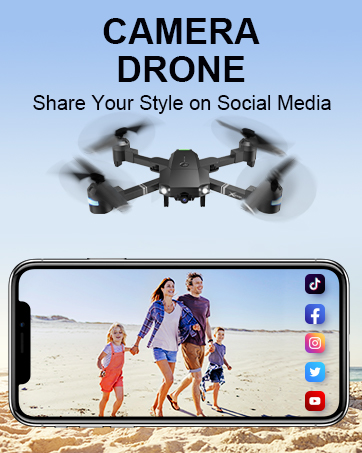
Image: Close-up of the remote control with a smartphone mounted in the clamp.
Power On
Press and hold the power button on the drone until the indicator lights illuminate. Power on the remote control.
Pairing
After powering on both the drone and remote, push the left control stick on the remote fully up and then fully down to pair the devices. The drone lights will stop flashing once paired.
Calibration
If playing for the first time, press the calibration button on the remote control. This ensures stable flight.
APP Dhawunirodha uye Kubatanidza
Download the "ATTOP CLUB" APP from your device's app store. Connect your phone to the drone's Wi-Fi network (e.g., "X-PACK 18-XXXXXX"). Open the APP and select "X-PACK 18" to connect and access advanced features and FPV view.
Video: Demonstrates the ATTOP CLUB APP download, Wi-Fi connection, and interface display for the X-PACK 18 drone.
Operating Instruction
Familiarize yourself with the drone's controls and features for an optimal flight experience.
Video: Comprehensive guide demonstrating drone setup, basic flight controls, and advanced features like 360° stunts and headless mode.
Basic Flight Controls:
- Imwe-Kiyi Kubvisa/Kudzika: Press the dedicated button on the remote or APP for automatic take-off or landing.
- Ascend & Descend: Use the left control stick to adjust the drone's altitude.
- Altitude Holding: The drone maintains a stable hover at a set altitude, ideal for capturing steady photos and videos.
- Kucheka: Adjust the drone's flight path to correct any drifting.
- Flying Forward/Backward: Use the right control stick to move the drone in the desired direction.
- Kutsaukira kuruboshwe/Kurudyi: Rotate the drone left or right using the left control stick.
- Left/Right Side Flight: Move the drone sideways using the right control stick.
Advanced Features:
- 360° Stunt (Flip): Execute impressive aerial flips with a single button press.
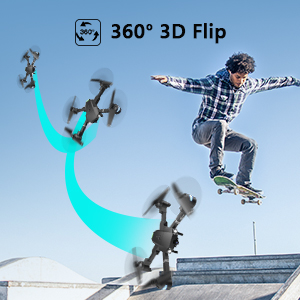
Image: Sequence showing the drone executing a 360-degree flip.
- Speed Modes: Switch between 3 different speeds (30%, 60%, 100%) to match your skill level and environment.
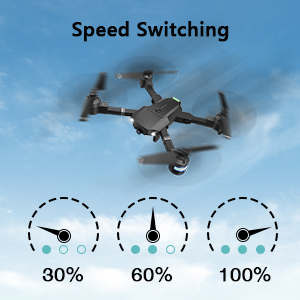
Image: Visual representation of the three-speed modes (30%, 60%, 100%).
- Headless Mode: Simplifies flight by orienting the drone relative to the pilot, regardless of the drone's actual front direction.
- Circle Fly: The drone can perform circular flight patterns.
- Taking Pictures & Videos: Use the dedicated buttons on the remote or APP to capture 1080P HD photos and videos.

Image: Close-up of the drone's 1080P HD camera.
- Emergency Stop: Instantly stop the drone in case of an emergency to prevent damage or injury.
- One-Kiyi Return: Drone inodzokera yoga panzvimbo yayo yekusimuka.
APP-Controlled Functions:
- Gesture Control: Ita ma gestures emaoko kuti utange kutora mufananidzo kana vhidhiyo.
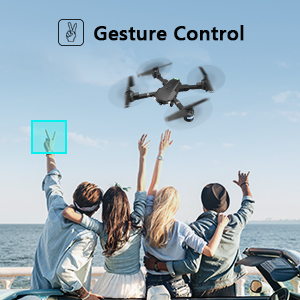
Image: People making a "V" gesture to activate the drone camera.
- Voice Control: Command the drone using voice commands for various flight actions (e.g., "Take off", "Landing", "Forward").

Mufananidzo: Eksamples of voice commands like "Take off" and "Right side" for drone control.
- Gravity Control: Control the drone's movement by tilting your smartphone, utilizing its built-in G-sensor.
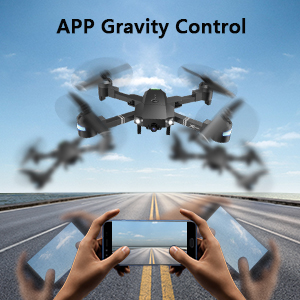
Image: Hands holding a smartphone, demonstrating how tilting controls the drone's direction.
- Flight Path Mode: Draw a desired flight path on your smartphone screen, and the drone will automatically follow it.
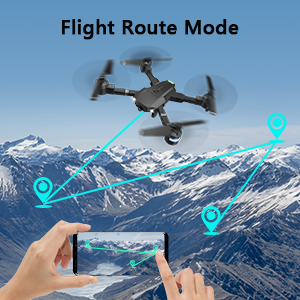
Image: A smartphone screen displaying a drawn flight path for the drone to follow.
- VR Modhi: Compatible with VR glasses for an immersive first-person view flight experience.
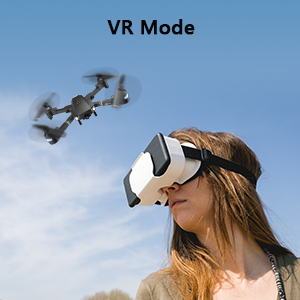
Image: A person wearing VR glasses, experiencing the drone's first-person view.
Maintenance
Kugadziriswa nguva dzose kunovimbisa kugara kwenguva refu uye kushanda zvakanaka kwedrone yako.
- Kuchenesa: Shandisa jira rakapfava, rakaoma kuchenesa drone muviri uye kamera lens. Dzivisa kushandisa makemikari ane hasha.
- Propeller Inspection: Nguva dzose tarisa propellers kune chero kukanganisa (kutsemuka, bend). Tsiva mapropeller akakuvadzwa nekukurumidza uchishandisa spare blades uye screwdriver.
- Battery Care: Chengetedza mabhatiri munzvimbo inotonhorera, yakaoma. Usabhadharise kana kuburitsa zvakanyanya. Kana uchichengeta kwenguva yakareba, uchajaidza kusvika pa50%.
- Motor Care: Keep motors free from dust and debris. Avoid operating in sandy or dusty environments.
- Kuchengeta: When not in use, fold the drone and store it in its carrying case to protect it from dust and physical damage.
Kugadzirisa matambudziko
| Dambudziko | Zvinogona Kukonzera | Solution |
|---|---|---|
| Drone haipindure kure. | Not paired, low battery, interference. | Ensure drone and remote are powered on and paired correctly. Recharge batteries. Move away from sources of interference. |
| Drone inodonha panguva yekubhururuka. | Not calibrated, uneven surface for take-off, wind. | Perform calibration on a flat surface. Use trimming functions to correct drift. Avoid flying in strong winds. |
| Camera not working or FPV feed is unstable. | Wi-Fi not connected, APP issue, low drone battery. | Ensure phone is connected to drone's Wi-Fi. Restart APP and drone. Charge drone battery. |
| Nguva pfupi yekubhururuka. | Bhatiri harina kuzara, bhatiri rekare. | Fully charge batteries before each flight. Consider replacing old batteries. |
| Drone inodonha nguva zhinji. | Lack of experience, environmental factors, damaged propellers. | Practice in open areas. Avoid obstacles. Check and replace damaged propellers. |
Zvinotsanangurwa
| Feature | Detail |
|---|---|
| Brand | ATTOP |
| Model Name | X-PACK 18 |
| Special Features | 360 Degree Flip, Speed Adjustment, Foldable, First Person View (FPV), Hupenyu Hurefu Hwebhatiri |
| Age Range (Tsanangudzo) | Mwedzi 96 zvichikwira |
| Color | Jet Black |
| Vhidhiyo Capture Resolution | 1080p |
| Kubatana Technology | Wi-Fi |
| Skill Level | Zvose |
| Battery Capacity | 1100 mAh (pabhatiri) |
| Nguva Yendege | Kusvikira kumaminitsi makumi matatu (nemabhatiri maviri)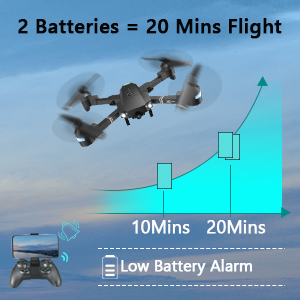 Image: Graph showing flight time with two batteries. |
| Vhidhiyo Capture Format | MP4 |
| Remote Control Technology | Wi-Fi |
| Control Type | Remote Control |
| Maximum Range | 80 Mamita |
| Material | Plastic or Reinforced Plastic |
| Product Dimensions | 13.8"L x 12.6"W x 2.76"H |
| Item Weight | 1.76 makirogiramu |
| Release Date | Mbudzi 12, 2023 |
Warranty uye Support
ATTOP provides customer support and assistance for your drone. For any questions or to inquire about extended warranty, please refer to the following:
- Email Support: support@attoptoys.com
- Rutsigiro rwepamhepo: Skena iyo QR kodhi pazasi kana shanya attop.afterservice.vip kune rubatsiro uye ruzivo rwewaranti.

Image: QR code for quick access to ATTOP customer service and extended warranty information.


