Product Overview
The Baseus 15W Wireless MagSafe Car Mount Charger provides a secure and efficient charging solution for compatible smartphones in your vehicle. Featuring a strong magnetic attraction and a flexible design, it offers versatile mounting options and fast wireless charging capabilities for a seamless in-car experience.
Package Zviri mukati
- Baseus 15W Wireless MagSafe Car Mount Charger
- 3M Tape with Hook-and-Loop Fastener (pre-attached to mount)
- Metal Ring Sticker (for non-MagSafe compatible phones)
- USB-C Kuchaja Cable
- Mushandisi Chinyorwa (gwaro iri)
Installation Guide
Kugadzirira Mounting Surface
Ensure the chosen dashboard or windshield surface is clean and dry. Use an alcohol wipe if necessary and allow it to dry completely before proceeding.
Kubatanidza Gomo
The mount features a non-marking 3M tape with a hook-and-loop fastener on its backing plate. Peel off the protective film from the adhesive.
Press the mount firmly onto the desired clean surface. Apply consistent pressure for at least 30 seconds to ensure strong adhesion. For optimal adhesion and stability, allow the adhesive to cure for 24-48 hours before attaching your phone or applying significant weight.
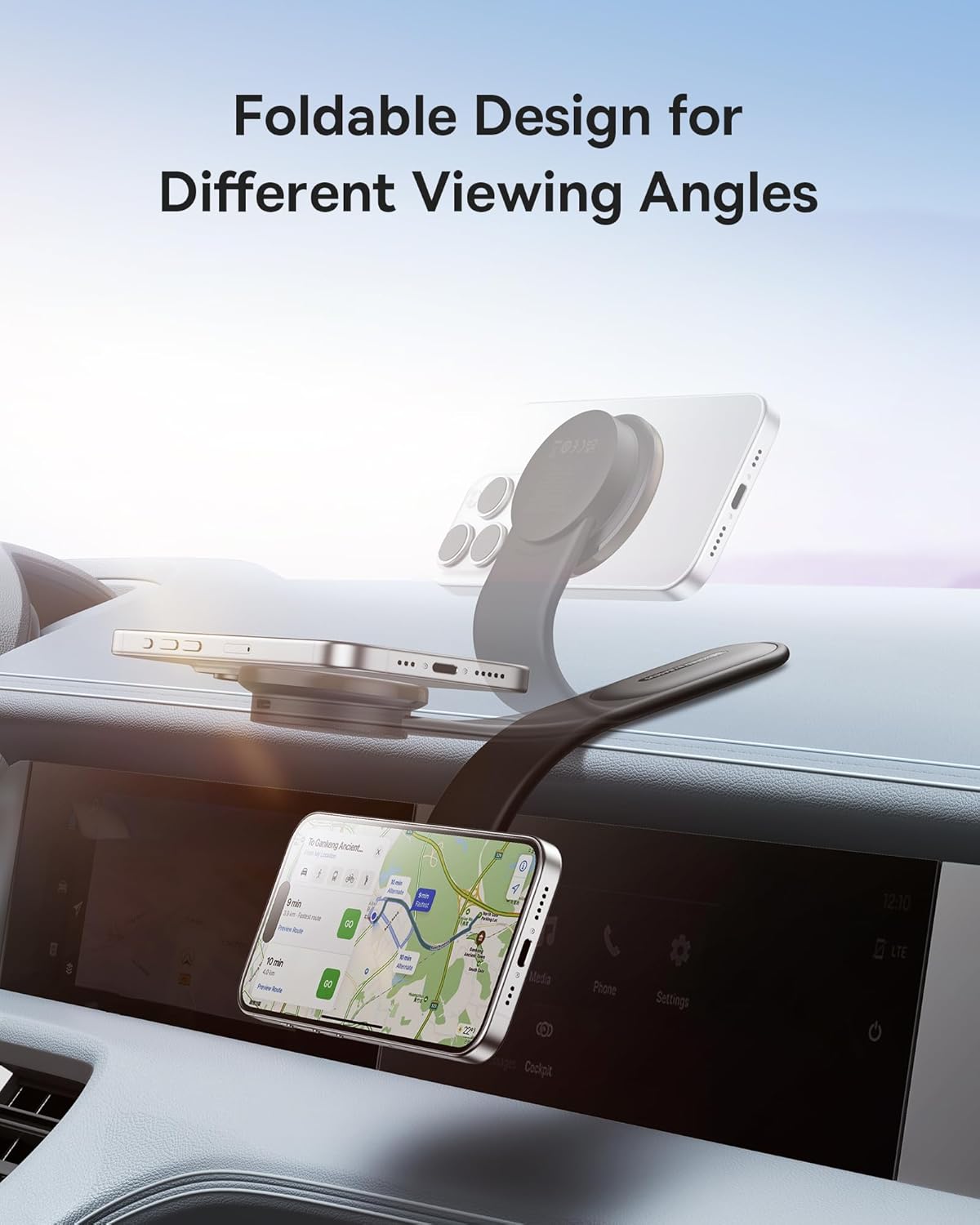
The bendable memory titanium alloy allows you to contour the mount to your dashboard's shape for a custom and secure fit.


For Non-MagSafe Compatible Phones
If your phone is not MagSafe compatible, use the provided metal ring sticker. Apply the sticker to the back of your phone or phone case, ensuring it is centered over the wireless charging coil. This will enable magnetic attachment to the car mount.
Operating Instruction
Attaching Your Phone
Simply place your MagSafe-compatible smartphone (or phone with the metal ring sticker) onto the magnetic charging pad of the mount. The strong magnets will securely hold your device.

Wireless Charging
Connect the USB-C charging cable to the car mount and plug the other end into a compatible car charger adapter (not included). The mount supports 15W wireless fast charging.
Charging time from 0% to 100% is approximately 3.5 hours, depending on the phone model and battery capacity.

Kugadzirisa Viewing Angle
The mount's flexible design allows for 360° adjustment. Rotate your phone to landscape or portrait mode with one hand for optimal viewing without distraction while driving.
Kuchengeta uye Kuchengeta
- Keep the magnetic charging surface clean and free from dust or debris to ensure efficient charging.
- Avoid exposing the mount to extreme temperatures or direct sunlight for prolonged periods.
- If the adhesive loses its stickiness, clean the surface and the adhesive pad with water and allow it to air dry. It is reusable after washing.
- Usaedze kudimbura kana kugadzirisa mudziyo wega. Bata rutsigiro rwevatengi kuti ubatsirwe.
Dambudziko rekugadzirisa
Foni Haichaji
- Ensure the USB-C cable is securely connected to both the mount and the car charger adapter.
- Verify that your car charger adapter is functioning correctly and provides sufficient power (at least 15W output recommended for fast charging).
- Check if your phone is properly aligned on the magnetic charging pad.
- If using a non-MagSafe phone, ensure the metal ring sticker is correctly placed and aligned.
- Bvisa chero makesi efoni makobvu anogona kukanganisa kuchaja isina waya.
Mount Not Sticking Securely
- Re-clean the mounting surface thoroughly and ensure it is completely dry before re-applying the adhesive.
- Apply firm pressure for an extended period (e.g., 30 seconds) during installation.
- Allow the adhesive to cure for the recommended 24-48 hours before placing the phone on the mount.
- Ensure the surface is flat and smooth for optimal adhesion.
Phone Stability Issues
- Ensure the mount is securely attached to the dashboard or windshield.
- Verify that the phone is correctly aligned and magnetically attached to the charging pad.
- The bendable arm should be adjusted to provide stable support for your phone's weight.
Zvigadzirwa Zvinotsanangurwa
| Feature | Detail |
|---|---|
| Brand | Baseus |
| Model Number | B0CHM2WTP7 |
| Wireless kuchaja Kubuda | 15W (Max) |
| Magnetic Attraction | Up to 25N |
| Mounting Type | Vehicle Mount (Adhesive) |
| Special Features | MagSafe Compatible, Bendable Memory Titanium Alloy, 360° Adjustable Design |
| Color | Gireyi |
| Item Weight | 11.3 ounces |
| Package Dimensions | 9.8 x 4.17 x 1.77 inches |
Warranty uye Customer Support
For warranty information or technical support, please refer to the official Baseus websaiti kana kubata mutengesi wako. Chengeta risiti yako yekutenga yezvichemo zvewaranti.