Nhanganyaya
This manual provides detailed instructions for the installation, setup, operation, and maintenance of your Alfred DB1S Bluetooth Smart Deadbolt Lock with Key. Please read this manual thoroughly before installation and use to ensure proper function and to prevent damage.
Safety Information
Tevedzera matanho ekuchengetedza anotevera kudzivirira kukuvara kana kukuvara kwechigadzirwa:
- Usaedze kupatsanura kana kugadzirisa kiyi. Izvi zvinogona kukonzera kukuvara uye garandi haishande.
- Use only the specified battery type (4 AA Alkaline batteries). Do not mix old and new batteries or different types of batteries.
- Keep the keypad clean and dry. Avoid using abrasive cleaners or solvents.
- Ensure the door frame and door are properly aligned and free of obstructions for smooth deadbolt operation.
- Protect your access codes. Do not share them with unauthorized individuals.
- In case of emergency, ensure you have access to the physical key.
Package Zviri mukati
Tarisa kuti zvese zvirimo zviripo usati watanga kuisa.
- Alfred DB1S Exterior Keypad Assembly
- Alfred DB1S Interior Thumbturn Assembly
- Deadbolt Latch
- Strike Plate
- Zvishandiso zvekuisa (zvikushi, mabhaudhi)
- Makiyi maviri epanyama
- 4 AA Alkaline Mabhatiri
- Gwaro reKuisa / Template

Image: Alfred DB1S exterior keypad assembly, showing the sleek black design with a numeric keypad and key cylinder.

Image: Alfred DB1S interior thumbturn assembly, showing the battery compartment and manual thumbturn.
Installation
The Alfred DB1S deadbolt is designed for straightforward installation on most standard doors. Ensure your door preparation meets the required specifications before proceeding.
- Gadzirira Musuo: If replacing an existing deadbolt, remove it. Use the provided template to mark and drill any necessary holes for new installations. Ensure the door bore hole and backset are compatible.
- Isa Deadbolt Latch: Insert the deadbolt latch into the edge of the door. Ensure the "UP" arrow on the latch is facing upwards. Secure with screws.
- Install the Exterior Keypad Assembly: Feed the cable from the exterior assembly through the door bore hole. Align the exterior assembly with the deadbolt latch and secure it to the door.
- Install the Interior Thumbturn Assembly: Connect the cable from the exterior assembly to the interior assembly. Align the interior assembly with the mounting plate and secure it with screws. Ensure the thumbturn operates smoothly.
- Isa Mabhatiri: Insert the 4 AA Alkaline batteries into the interior assembly's battery compartment.
- Test Operation: Manually operate the deadbolt using the thumbturn and the physical key to ensure smooth locking and unlocking.

Mufananidzo: Kunze view of the Alfred DB1S smart deadbolt installed on a white door, showcasindhizaini yayo yemazuva ano.

Mufananidzo: Mukati view of the Alfred DB1S smart deadbolt installed on a white door, showing the thumbturn and battery cover.
Setup uye Programming
The Alfred DB1S lock can be configured using the Alfred Home App via Bluetooth.
- Download the Alfred Home App: Download the Alfred Home App from the iOS App Store or Google Play Store.
- Batanidza Kiyi: Follow the in-app instructions to pair your DB1S lock via Bluetooth. Ensure your smartphone's Bluetooth is enabled and you are within range of the lock.
- Create User PIN Codes:
- You can program up to 20 unique PIN codes for different users.
- Codes can be set as permanent, single-use, or time-sensitive for temporary access.
- Manage Digital Bluetooth Keys: The app allows you to create and share unlimited digital Bluetooth keys with family or guests.
- Configure Auto-Relock: Enable and set the auto-relock timer to 30 seconds, 1 minute, 2 minutes, or 3 minutes via the app. This feature automatically locks the door after a set period.
- Enable One-Touch Geofence Unlocking: This feature allows you to unlock the door by simply touching the keypad when your phone is nearby and within a defined geofence (requires Alfred Home App).
- Visual PIN Protection: This feature adds random digits before and after your actual PIN code to prevent others from guessing your code by observing finger smudges.
- Optional Wi-Fi Connectivity (Alfred Connect V2): For remote control and integration with voice assistants like Hey Google and Alexa, purchase and install the Alfred Connect V2 Wi-Fi system (sold separately). Follow the instructions provided with the Alfred Connect V2 for setup.
Operating Instruction
Your Alfred DB1S lock offers multiple ways to lock and unlock your door.
Kukiinura Musuwo
- Using a PIN Code:
- Bata bhatani kuti urishandise.
- Enter your 4-10 digit PIN code.
- Press the # key. The deadbolt will retract.
- Using the Alfred Home App (Bluetooth):
- Open the Alfred Home App on your smartphone.
- Select your lock and tap the unlock icon.
- One-Touch Geofence Unlocking: If enabled, simply touch the keypad when your paired smartphone is within the geofence.
- Using the Physical Key: Insert the key into the key cylinder and turn to unlock.
- From Inside (Thumbturn): Rotate the thumbturn on the interior assembly to unlock the deadbolt.
Kukiya Musuwo
- Manual Locking (Keypad):
- Bata bhatani kuti urishandise.
- Dzvanya uye ubate iyo # key for 2 seconds. The deadbolt will extend.
- Auto-Relock: If enabled, the lock will automatically extend the deadbolt after the set time (30s, 1min, 2min, or 3min) once the door is closed.
- Using the Alfred Home App (Bluetooth):
- Open the Alfred Home App on your smartphone.
- Select your lock and tap the lock icon.
- From Inside (Thumbturn): Rotate the thumbturn on the interior assembly to lock the deadbolt.
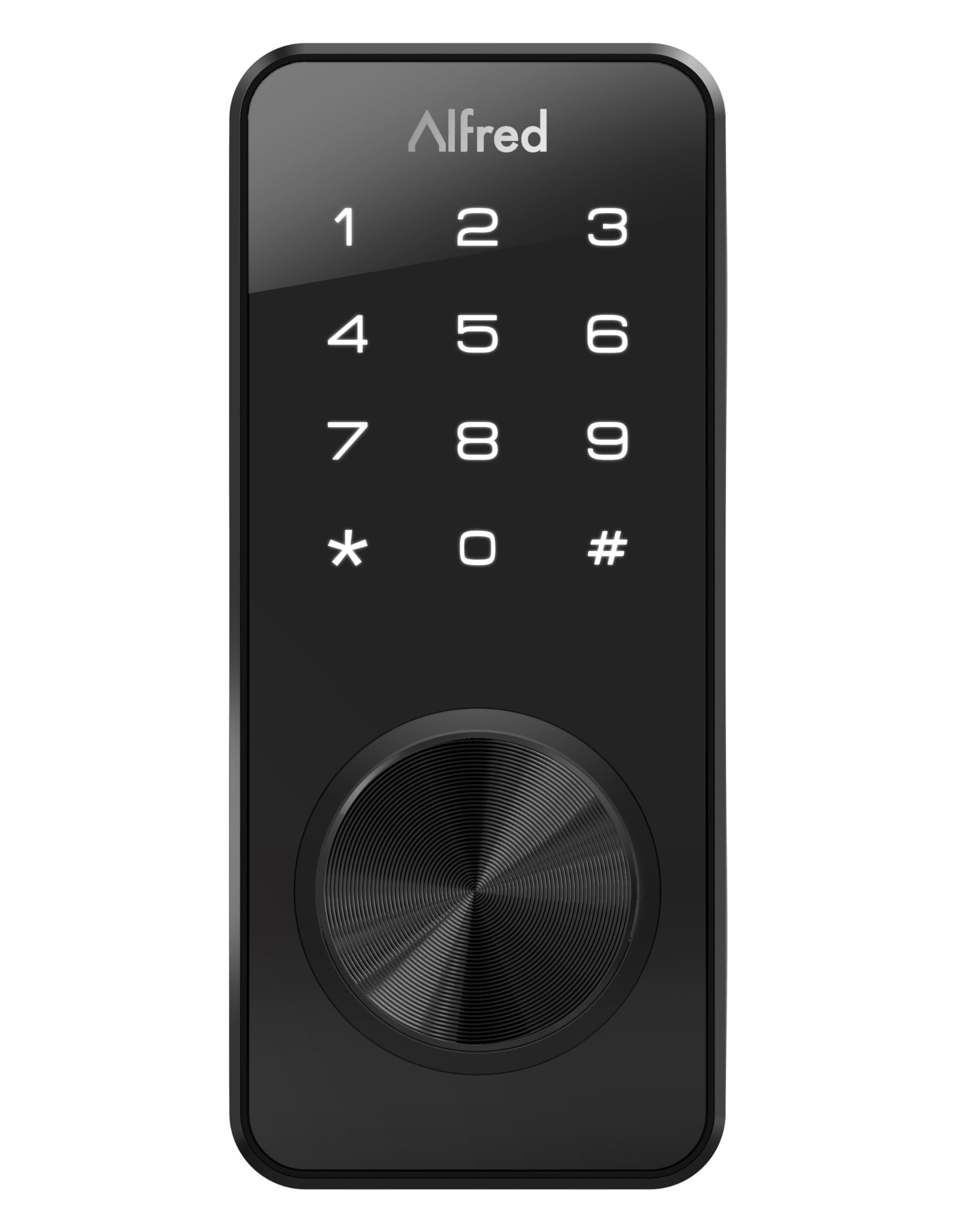
Image: Close-up of the Alfred DB1S exterior keypad, illustrating the numeric input and key cylinder for operation.
Maintenance
Kutsiviwa kwebhatiri
The Alfred DB1S lock requires 4 AA Alkaline batteries.
- Yambiro Yebhatiri Yakaderera: The lock will alert you when battery levels are low, typically through an indicator light or sound, and via the Alfred Home App.
- Maitiro ekutsiva:
- Bvisa chivharo chebhatiri kubva mukati megungano remukati.
- Bvisa mabhatiri ekare uye uirase zvakanaka.
- Insert 4 new AA Alkaline batteries, ensuring correct polarity.
- Tsiva chivharo chebhatiri.
- Emergency Simba: If batteries completely fail, the lock can be temporarily powered via a micro-USB port located on the bottom of the exterior keypad assembly. Connect a standard micro-USB power source (e.g., power bank) to provide temporary power for unlocking.
Kuchenesa
Chenesa kunze kwekiyi nejira rakapfava, damp cloth. Avoid using harsh chemicals, abrasive cleaners, or solvents, as these can damage the finish and electronic components.
Kugadzirisa matambudziko
| Dambudziko | Zvinogona Kukonzera | Solution |
|---|---|---|
| Kiyi haipindure pakupinda keypad. | Low or dead batteries. Incorrect PIN code entered. Keypad malfunction. | Replace batteries. Use the micro-USB port for emergency power. Re-enter PIN code carefully. If issue persists, contact support. |
| Bluetooth connection issues with Alfred Home App. | Bluetooth disabled on phone. Phone too far from lock. App not updated. | Ensure Bluetooth is enabled. Move closer to the lock. Update the Alfred Home App. Try re-pairing the lock. |
| Auto-relock feature not working. | Feature disabled in app. Incorrect timer setting. Door sensor issue. | Verify auto-relock is enabled and timer is set in the Alfred Home App. Ensure the door closes completely. |
| Physical key does not work smoothly. | Obstruction in keyway. Lock mechanism misalignment. | Check for debris in the keyway. Ensure the lock is installed correctly and the deadbolt operates freely. Do not force the key. |
| Lock makes unusual noises or feels stiff. | Mechanical issue. Misalignment. | Check for proper alignment of the deadbolt and strike plate. Ensure all screws are tightened. If noises persist, contact support. |
For further assistance, refer to the Alfred Home App's help section or visit the official Alfred support website.
Zvinotsanangurwa
| Brand | Alfred |
| Model Name | DB1S-KEY-BL |
| Kiya Type | Deadbolt, Kiyibhodhi |
| Special Feature | Touchscreen |
| Material | Simbi isina ngura |
| Color | Nhema |
| Zviyero (L x W x H) | 1.08 x 2.56 x 5.91 inches |
| Item Weight | 1.79 makirogiramu |
| Yakakurudzirwa Kushandisa | Kushandiswa kwekugara chete |
| Inosanganisirwa Zvikamu | 2 keys, 4 AA Alkaline batteries |
| Controller Type | Alfred Home App |
| Kudzora Nzira | Bata |
| Kubatana Protocol | Bluetooth |
| Mabhatiri Anodiwa | Hongu (4 AA Alkaline) |
| Smart Imba Kuenderana | Smart Home Compatible (with optional Alfred Connect V2 for Wi-Fi) |
| UPC | 628341330336 |
| GTIN | 00628341330336 |
Warranty uye Support
The Alfred DB1S Bluetooth Smart Deadbolt Lock with Key comes with a 1 Year Manufacturer Warranty.
For technical support, warranty claims, or additional information, please refer to the Alfred Home App or visit the official Alfred support website.


