1. Nhanganyaya
The Generac GB2000 Portable Power Station provides clean, emission-free power for various applications. This manual outlines the proper setup, operation, and maintenance procedures to ensure safe and efficient use of your device. Whether for home backup, camping, or outdoor activities, the GB2000 offers reliable energy.
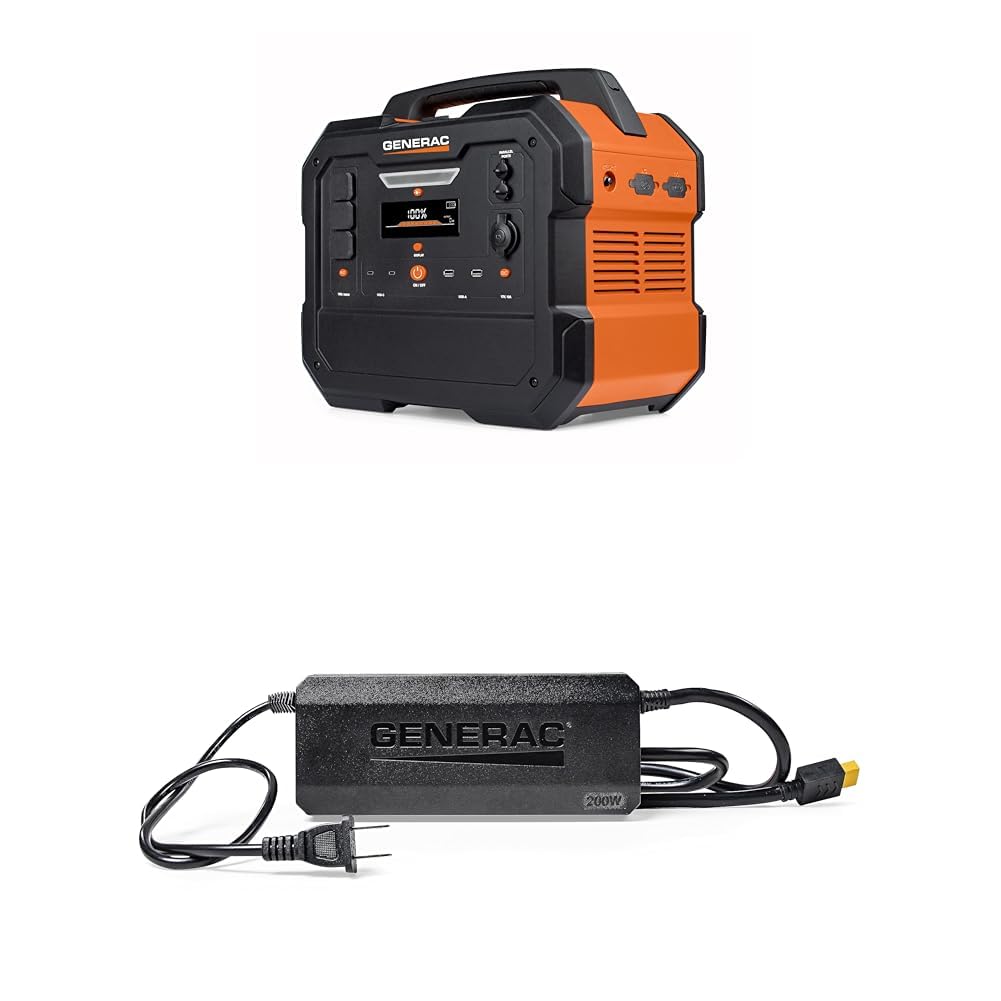
Image 1: Generac GB2000 Portable Power Station, a compact and durable unit with a handle for easy transport.
2. Safety Information
YAmbiro: Verenga yambiro dzese dzekuchengetedza nemirairo usati washandisa chigadzirwa ichi. Kutadza kutevedzera yambiro nemirairo kunogona kukonzera kuvhunduka kwemagetsi, moto, uye/kana kukuvara zvakanyanya.
- Indoor / Kunze Kushandisa: This power station is designed for both indoor and outdoor use. Ensure adequate ventilation when operating indoors.
- Dzivisa Unyoro: Do not expose the power station to rain or wet conditions.
- Kubatana Kwakakodzera: Ensure all connections are secure and correctly inserted to prevent electrical hazards.
- Overload Protection: Do not exceed the rated output of the power station. Overloading can cause damage to the unit and connected devices.
- Vana uye Zvipfuwo: Keep the power station out of reach of children and pets.
- Kuchengeta: Store the unit in a cool, dry place away from direct sunlight and flammable materials.
3. Package Zviri mukati
Tarisa kuti zvinhu zvese zvakaiswa mupasuru yako:
- Generac GB2000 Portable Power Station
- Generac 8031 Charge Enhancer 200W Charger
- Chaja Cable
- Mushandisi Chinyorwa (gwaro iri)
4. Zvigadzirwa zveChigadzirwa uye Zvikamu
The Generac GB2000 is equipped with a variety of ports and features for versatile power delivery:
- Multi-Color Display: Provides real-time information on battery status, input/output wattage, uye nguva yasara yekushandisa.
- AC Receptacles (NEMA 1-15R): Standard household outlets for powering various appliances.
- USB-C Output Receptacles: Zvekushandisa zveUSB-C zvinokwanisa kuchaja nekukurumidza.
- USB-A Output Receptacles: Standard USB ports for charging smaller electronic devices.
- 12V Car Port: For powering 12V DC devices or charging the power station from a vehicle.
- Parallel Ports: Allows connection of two GB2000 units for increased power output (Parallel Kit sold separately).
- Wireless Charging Pad: Built-in 15W wireless charging for compatible devices.
- LED ON/OFF Button & Diffused LED Light: Provides illumination for various situations.
- AC Output ON/OFF Button: Controls the AC power output.
- DC Output ON/OFF Bhatani: Controls the DC power output.
- Display On/Off Button: Inodzima skrini yekuratidzwa.
- Main ON/OFF Button: Powers the entire unit on or off.

Mufananidzo 2: Yakadzama view of the Generac GB2000 control panel, highlighting various input/output ports and control buttons.
5. Setup
- Bvisa zvinhu: Carefully remove the Generac GB2000 and all accessories from the packaging.
- Chekutanga Charge: Before first use, fully charge the power station using the provided charging cable and a standard wall outlet. The display will indicate charging progress.
- Zvijairire: Review the control panel and port locations as detailed in Section 4.
6. Operating Instructions
- Batidza/Kudzima: Dzvanya uye ubate iyo Main ON/OFF Button to power the unit on or off. The multi-color display will activate.
- Activate AC Output: Press the AC Output ON/OFF Bhatani to enable the AC receptacles. The indicator light will illuminate.
- Activate DC Output: Press the DC Output ON/OFF Bhatani to enable the DC ports (USB, 12V Car Port). The indicator light will illuminate.
- Batanidza Midziyo: Plug your devices into the appropriate AC or DC ports. Monitor the display for real-time output wattage.
- Kuchaja Wireless: Place your compatible device on the built-in 15W wireless charging pad located on top of the unit.
- Chiedza che LED: Press the LED ON/OFF Bhatani to activate the diffused LED light. Press again to cycle through brightness settings or activate SOS mode.
- Parallel Operation: For increased power, connect two Generac GB2000 units using a Parallel Kit (sold separately) via the Parallel Ports. Refer to the Parallel Kit manual for detailed instructions.
7. Recharging Options
The Generac GB2000 offers flexible recharging methods:
- Wall Outlet: Use the provided charging cable to connect to a standard AC wall outlet.
- Solar ukomba: Connect compatible solar panels (sold separately) to the designated input ports for eco-friendly recharging.
- Car Charger: Use a car charger (sold separately) to recharge the power station from your vehicle's 12V outlet.
- Charge Enhancer: Utilize the Generac 8031 Charge Enhancer 200W Charger to recharge your GB Power Station up to 25% faster.
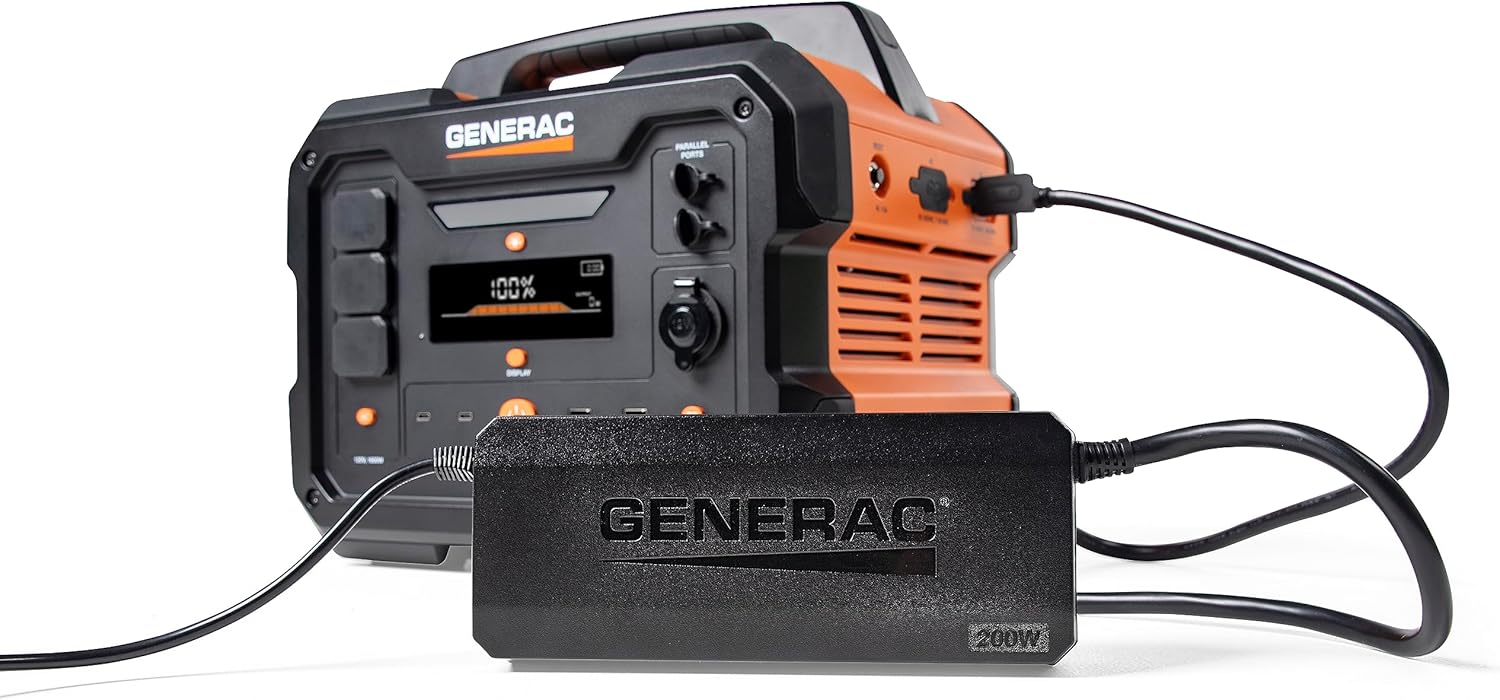
Image 3: Generac GB2000 connected to the Generac 8031 Charge Enhancer for optimized charging speed.

Image 4: Optional accessories for the Generac GB2000, including a Parallel Kit, Charge Enhancer, and Solar Panel.
8. Kuchengeta
- Kuchenesa: Wipe the exterior of the power station with a soft, dry cloth. Do not use abrasive cleaners or solvents.
- Kuchengeta: If storing for extended periods, ensure the battery is charged to at least 50% and recharge every 3-6 months to maintain battery health. Store in a cool, dry environment.
- Kuongorora: Periodically inspect the unit and cables for any signs of damage. Do not operate if damaged.
9. Kugadzirisa matambudziko
- Chikamu Haisi Kubatidzwa: Iva nechokwadi chekuti bhatiri rachajwa. Kana risina kuchajwa, batanidza kune simba remagetsi.
- Hapana Zvinobuda Kubva KumaPorts: Verify that the AC/DC output buttons are pressed and their indicator lights are on. Check device connections.
- Overload Chiratidzo: If the overload alarm activates, disconnect some devices to reduce the load. The unit may automatically reset or require a manual restart.
- Nyaya dzekuchaja: Ensure the charging cable is securely connected and the power source is active. Check the display for charging status.
10. Zvinotsanangurwa
| Feature | Tsanangudzo |
|---|---|
| Brand | Generac |
| Model Name | GB2000 |
| Wattage | 2106 watts (Starting), 2000 watts (Output) |
| Simba Source | Solar Powered (compatible) |
| Special Feature | Lightweight, Portable, Wireless Charging |
| Inosanganisirwa Zvikamu | Charging Cable, Generac 8031 Charge Enhancer 200W Charger |
| Total Power Outlets | 6 (AC, USB-A, USB-C, 12V DC) |

Image 5: Estimated runtimes for common devices with the Generac GB2000 Portable Power Station.
11. Warranty uye Tsigiro
For warranty information, technical support, or service inquiries, please refer to the warranty card included in your product packaging or visit the official Generac website. Chengeta risiti rako rekutenga seumboo hwekutenga.


