1. Nhanganyaya
This manual provides comprehensive instructions for the safe and efficient use of your new artfone C1+ 4G mobile phone. Please read this manual thoroughly before operating the device to ensure proper functionality and to familiarize yourself with all features. Keep this manual for future reference.

Image 1.1: The artfone C1+ 4G mobile phone with its dedicated charging dock.
2. Chigadzirwa Pamusoroview
2.1 Mamiriro Akakosha
- Dhizaini Yakanakira Mushandisi: Features a large 1.77-inch color display with clear menu icons and larger fonts for easy readability.
- Yakanatsiridzwa Audio: Amazingly high volume and clear speakers, ideal for individuals with hearing difficulties.
- Safety Features: Integrated SOS button for up to 5 emergency contacts and a conveniently located flashlight button.
- Hupenyu Hurefu Hwebhatiri: Equipped with a robust 1800mAh battery, offering 5-6 hours of continuous talk time and 240-300 hours (10-12 days) of standby time.
- Durable Construction: Non-slip back panel and sturdy PC materials provide protection against impacts and drops.
- Versatile Network Compatibility: Unlocked and compatible with major Canadian 4G networks, supporting 2G, 3G, and 4G bands for voice calls and text messaging.
- Akakosha Mabasa: Includes audio, video, Bluetooth, FM radio, calculator, alarm, and calendar.
2.2 Package Zviri mukati
Pakuvhura pasuru, ita shuwa kuti zvinhu zvese zviripo:
- artfone C1+ 4G Mobile Phone
- Rechargeable Battery
- USB-C Kuchaja Cable
- Wall Charger Adapter
- Kuchaja Dock
- User Manual

Image 2.1: The complete package contents, including the phone, battery, charger, dock, and manual.
3. Setup
3.1 Kuisa SIM Card neBattery
- Bvisa Back Cover: Gently slide the back cover of the phone downwards or pry it open from the designated notch.
- Isa SIM Card: Locate the SIM card slot(s). Insert your 4G compatible SIM card(s) into the slot(s) with the gold contacts facing down and the cut corner aligned as indicated.
- Isa Bhatiri: Place the battery into the battery compartment, ensuring the gold contacts on the battery align with the contacts in the phone.
- Dzorera Back Cover: Securely reattach the back cover until it clicks into place.
3.2 Charging the Phone
Usati washandisa kekutanga, chaja bhatiri refoni zvizere.
- Using the Charging Dock: Connect the USB-C charging cable to the wall charger adapter, then plug the adapter into a power outlet. Connect the other end of the USB-C cable to the charging dock. Place the phone into the charging dock, ensuring it sits securely and the charging indicator appears on the screen.
- Kuchaja kwakananga: Alternatively, connect the USB-C charging cable directly to the USB-C port on the phone and then to the wall charger adapter plugged into a power outlet.
A full charge typically takes approximately 2-3 hours. The battery icon on the screen will indicate charging status.
4. Basic Operation
4.1 Simba On/Kudzima
- Power On: Dzvanya uye ubate iyo Red Call/Power Off button (usually marked with a phone icon) until the screen lights up.
- Power Off: Dzvanya uye ubate iyo Red Call/Power Off button until a power off option appears on the screen. Select 'Power Off' and confirm.
4.2 Kuita uye kugamuchira mafoni
- Kufona: On the standby screen, dial the desired phone number using the keypad. Press the Kudanwa kweGreen bhatani kuti utange kufona.
- Kupindura Kudanwa: Kana foni yarira, tinya iyo Kudanwa kweGreen bhatani rekupindura.
- Kupedza Kufona: Press the Red Call/Power Off button to end an active call.
4.3 Mazita
- Access Contacts: From the main menu, navigate to 'Contacts' or press the dedicated 'Contacts' button if available.
- Wedzera Munhu Mutsva Wekutaura Naye: Select 'Options' or 'Add New' within the Contacts menu. Enter the contact's name and phone number, then save.
- Call from Contacts: Select a contact from the list and press the Kudanwa kweGreen bhatani.
4.4 Messaging (SMS)
- Access Messages: From the main menu, navigate to 'Messages'.
- Create New Message: Select 'New Message' or 'Write Message'. Enter the recipient's phone number and type your message using the keypad.
- Send Message: Select 'Send' to transmit the message.

Image 4.1: The phone's user-friendly interface with large icons for easy navigation.
5. Special Features
5.1 SOS Emergency Button
The SOS button is located on the back of the phone. It allows you to quickly contact pre-set emergency numbers in critical situations.
- Setting Up SOS Contacts: Navigate to the 'SOS Settings' menu. You can add up to 5 emergency contact numbers.
- Kushanda kweSOS: In an emergency, press and hold the SOS button on the back of the phone for a few seconds. The phone will emit an alarm sound and automatically send an emergency SMS to the pre-set contacts, then sequentially call them until one answers.

Image 5.1: Location of the SOS button and other functional side buttons.
5.2 Tochi
Nhare yacho ine tochi yakavakirwa mukati kuti zvive nyore.
- Batidza/Kudzima: Locate the dedicated flashlight button on the side of the phone. Slide or press this button to turn the flashlight on or off.

Image 5.2: The phone's strong flashlight feature in use.
5.3 FM Radio
Enjoy listening to FM radio stations on your device.
- Access FM Radio: Enda ku 'FM Radio' application kubva kumenyu huru.
- Scan Channels: Use the options within the FM Radio app to automatically scan for available stations.
- Gadzirisa Inzwi: Use the side volume buttons to adjust the radio volume.
5.4 Talking Numbers
The talking numbers feature provides audio feedback when dialing, enhancing usability for visually impaired users.
- Vhura/Dzima: This feature can usually be toggled on or off in the phone's 'Settings' menu under 'Sound' or 'Accessibility' options.
6. Kuchengeta
Proper maintenance ensures the longevity and optimal performance of your artfone C1+ 4G.
- Kuchenesa: Shandisa jira rakapfava, rakaoma kuchenesa sikirini yefoni nemuviri wayo. Dzivisa kushandisa zvinhu zvinochenesa mvura kana zvinhu zvinokwesha.
- Battery Care: Avoid extreme temperatures. Do not expose the battery to direct sunlight or very cold conditions. Charge the phone regularly, but avoid overcharging for extended periods.
- Kuchengeta: If storing the phone for a long time, ensure the battery is partially charged (around 50%) and store it in a cool, dry place.
- Dziviriro: The phone features a non-slip design and sturdy PC materials for protection. However, avoid dropping the phone or exposing it to excessive force.
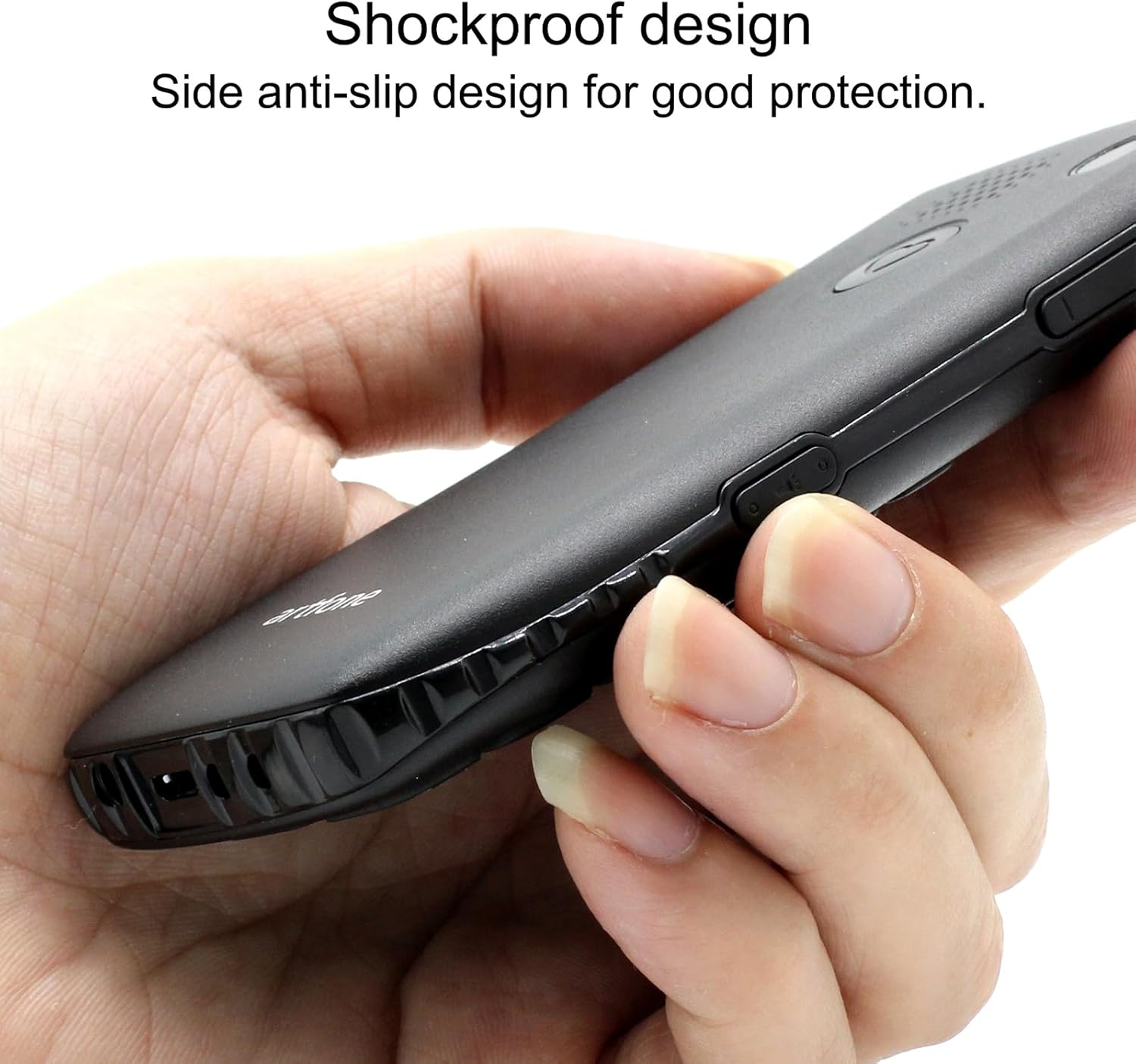
Image 6.1: The phone's shockproof design with side anti-slip features.
7. Kugadzirisa matambudziko
If you encounter issues with your phone, refer to the following common problems and solutions:
| Dambudziko | Zvinogona Kukonzera | Solution |
|---|---|---|
| Foni haibatike | Low battery; Battery not installed correctly | Charge the phone for at least 30 minutes; Reinstall the battery, ensuring contacts align. |
| Haikwanise kuita/kugamuchira mafoni | No SIM card; SIM card not active; Out of network coverage | Ensure SIM card is inserted and active; Move to an area with better network signal. |
| Poor call quality/low volume | Weak signal; Speaker/microphone obstruction | Move to an area with better signal; Ensure speaker/microphone are not covered. Adjust call volume using side buttons. |
| Bhatiri rinopera nekukurumidza | Frequent use; Background features active | Reduce usage; Turn off unnecessary features like flashlight when not in use. |
| Bhatani reSOS harisi kushanda | No emergency contacts set; Feature disabled | Verify emergency contacts are correctly configured in SOS settings; Ensure SOS feature is enabled. |
Kana dambudziko rikaramba riripo mushure mekuyedza mhinduro idzi, ndapota taura nerutsigiro rwevatengi.
8. Zvinotsanangurwa
| Feature | Tsanangudzo |
|---|---|
| Model | C1+ 4G |
| Operating System | Artfone OS |
| processor | Snapdragon |
| RAM | 48 MB |
| Flash Memory | 128 MB |
| Digital Storage Capacity | 32 GB (for media/contacts) |
| Screen Size | 1.8 inches LCD |
| Resolution | 240 x 320 |
| Refresh Rate | 60 Hz |
| Kamera Resolution | 2 MP |
| Vhidhiyo Capture Resolution | 1280 x 720 |
| Bhatiri Type | Lithium Ion |
| Battery Capacity | 1400 mAh |
| Average Battery Life (Talk) | 5.5 Maawa |
| Nhoroondo ye Cellular Technology | 4G, 3G, 2G |
| Connector Type | USB-C |
| Human Interface Input | Mabhatani |
| Fomu Factor | Bar |
| Dimensions | 13.1 x 11.8 x 6.1 cm |
| Kurema | 240 g |
9. Official Product Videos
Vhidhiyo 9.1: Yakadzama pamusoroview of the artfone C1+ 4G phone's features and design. This video demonstrates the phone's physical attributes and user interface.
Video 9.2: A demonstration of the phone's ease of use and key functionalities, highlighting its suitability for seniors.
10. Warranty uye Tsigiro
Your artfone C1+ 4G mobile phone comes with a standard manufacturer's warranty. Please refer to the warranty card included in your package for specific terms and conditions, including the warranty period and coverage details.
For technical support, troubleshooting assistance beyond this manual, or warranty claims, please contact artfone customer service through their official websaiti kana ruzivo rwekusangana rwunopihwa mune yako chigadzirwa kurongedza.


