1. Nhanganyaya
Thank you for choosing the Baseus E13 TWS Bowie Headphones. This manual provides essential information for setting up, operating, and maintaining your new wireless earbuds. Please read it carefully before use to ensure optimal performance and longevity of your device.
2. Package Zviri mukati
Ona kuti zvinhu zvese zviripo mupasuru yako:
- Baseus E13 TWS Bowie Headphones (Left and Right Earbuds)
- Kuchaja Case
- USB Kuchaja Cable
- Ear Cushions (hukuru hwakasiyana)
- Mushandisi Chinyorwa (gwaro iri)

Image: The Baseus E13 TWS Bowie Headphones, including the earbuds, charging case, and the included USB charging cable.
3. Chigadzirwa Pamusoroview
The Baseus E13 TWS Bowie Headphones feature a compact design with a charging case for portability and extended battery life.

Image: The Baseus E13 TWS Bowie Headphones, showing both earbuds resting in their open charging case.
4. Setup
4.1 Kuchaja maEarbuds uye Case
- Chekutanga Charge: Usati watanga kushandisa, chaja zvizere maearbud nekesi yekuchaja.
- Kuchaja Nyaya: Connect the provided USB charging cable to the charging port on the case and a compatible USB power source. The indicator light on the case will show charging status.
- Kuchaja maEarbuds: Place the earbuds into the charging case. Ensure they are correctly seated; the indicator lights on the earbuds will confirm charging.
A full charge provides up to 30 hours of total playback time with the charging case.
4.2 Bluetooth Pairing
- Power On: Vhura kesi yekuchaja. Maearbuds anozobatidza otomatiki uye opinda papairing mode.
- Activate Bluetooth: Pamudziyo wako (smartphone, piritsi, nezvimwewo), shandisa Bluetooth.
- Sarudza Mudziyo: Tsvaga "Baseus E13" in the list of available Bluetooth devices and select it to connect.
- Simbiso Nhare yezwi inosimbisa kubatanidza kwakabudirira.
Maearbuds anozobatana otomatiki kune yekupedzisira paired mudziyo kana aburitswa kunze kwekesi, kana Bluetooth yakagoneswa pachigadzirwa.
4.3 Kudzora kweApp
Enhance your experience by downloading the official Baseus app. The app allows for customizable controls, EQ settings, and other features.
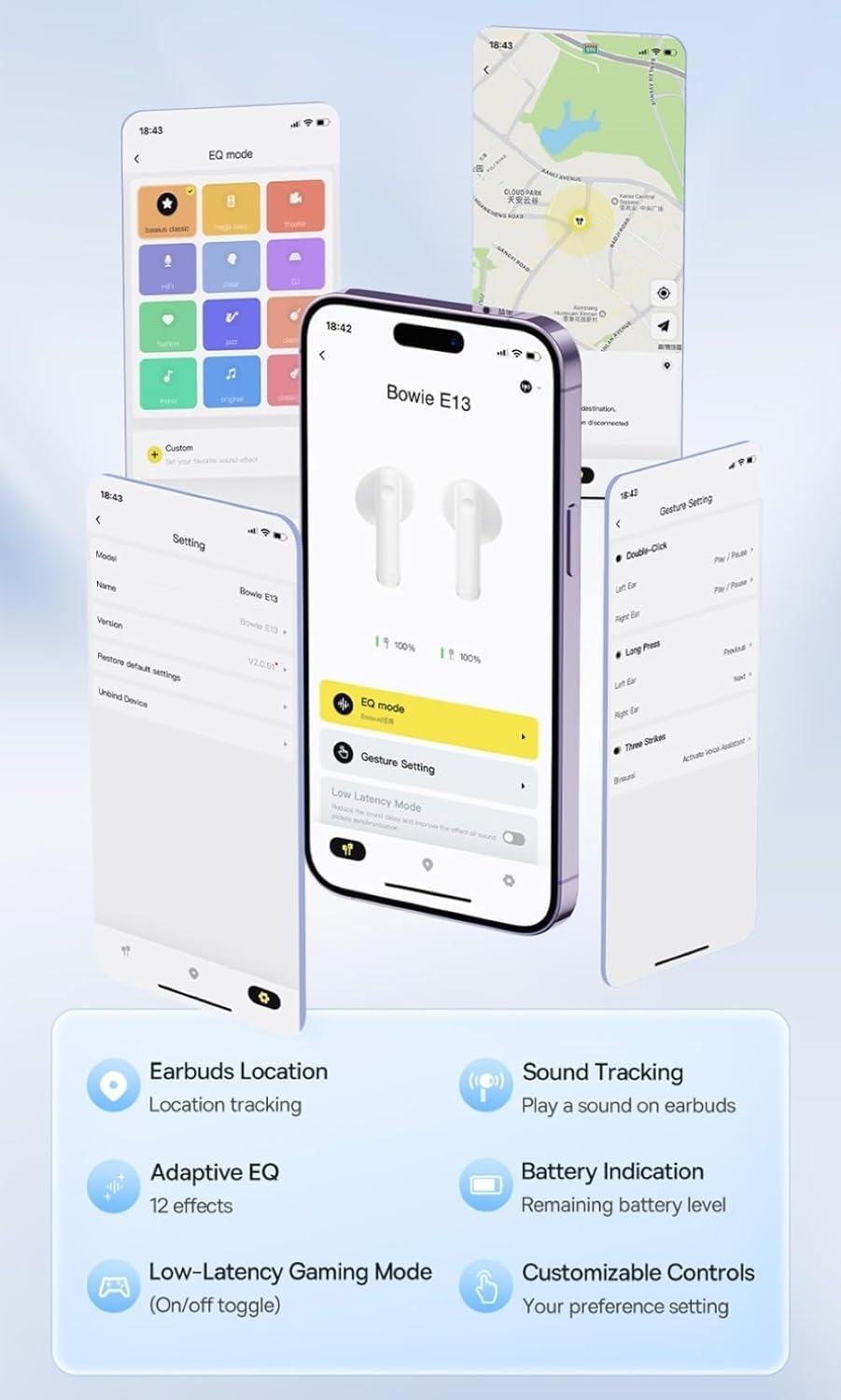
Image: Multiple smartphone screens displaying the Baseus app interface, highlighting features such as EQ mode, gesture settings, low-latency gaming mode, earbud location tracking, sound tracking, adaptive EQ with 12 effects, battery indication, and customizable controls.
5. Kushanda
5.1 Basic Controls
The Baseus E13 TWS Bowie Headphones feature touch controls for easy management of audio and calls. Specific gestures can be customized via the Baseus app.
- Tamba/Kumbomira: Top kamwechete pane imwe earbud.
- Next Track: Tokonya kaviri pane earbud yekurudyi.
- Previous Track: Tokonya kaviri kuruboshwe rwenzeve.
- Pindura/Pedzisa Kufona: Top kamwechete pane imwe earbud.
- Ramba Kufona: Dzvanya kwenguva refu pane chero earbud.
- Shandisa Izwi Mubatsiri: Tokonya katatu pane imwe earbud.
5.2 Low-Latency Gaming Mode
For an optimized gaming experience, activate the 0.06s ultra-low latency gaming mode through the Baseus app. This reduces audio delay, providing faster response times.
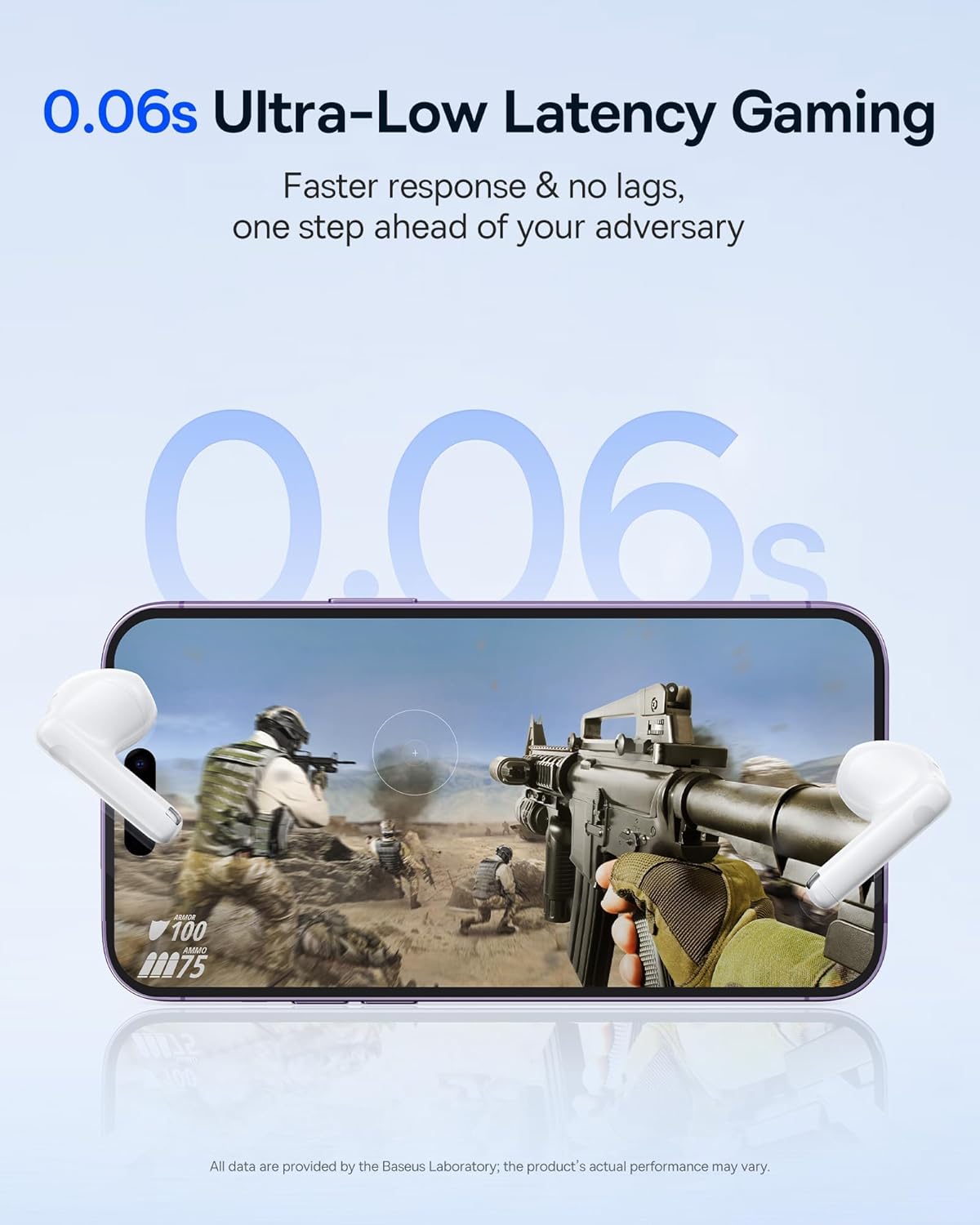
Image: The Baseus E13 TWS Bowie Headphones positioned near a smartphone screen displaying a fast-paced first-person shooter game, emphasizing the 0.06s ultra-low latency feature for gaming.
5.3 Audio Playback
Enjoy up to 30 hours of continuous audio playback with the assistance of the charging case. Each earbud provides several hours of playback on a single charge, with the case offering multiple recharges.

Image: The Baseus E13 TWS Bowie Headphones and their charging case, overlaid with a graphic prominently displaying '30H', signifying the total audio playback time achievable with the case.
5.4 Ruzha Rwemhando Yeruzha
The earbuds are equipped with a large 12mm diaphragm, designed to restore each note with remarkable depth and accuracy, providing a powerful low-frequency audio experience.

Image: A detailed cutaway diagram of a Baseus E13 TWS earbud, focusing on the internal structure of the large 12mm diaphragm and its contribution to sound quality.
5.5 Kubatana
Utilizing Bluetooth 5.3 technology, the headphones offer a faster and more stable wireless connection, ensuring smooth audio transmission and enhanced sound quality.

Mufananidzo: Iri pachena view of a Baseus E13 TWS earbud, revealing its internal circuitry and specifically highlighting the integrated Bluetooth 5.3 chip for advanced wireless connectivity.
6. Kupfeka maEarbuds
The earbuds are designed with a mini stem and a lightweight profile, featuring a 45° wearing angle for a comfortable and secure fit.

Image: A woman wearing a Baseus E13 TWS earbud, illustrating the ergonomic design with a mini stem and lightweight construction for a comfortable user experience.
7. Kuchengeta
- Kuchenesa: Garai kuchenesa maearbud nekesi yekuchaja nejira rakapfava, rakaoma, risina lint. Usashandise makemikari ane hasha kana abrasive zvinhu.
- Kuramba Mvura: The earbuds are water resistant. Avoid submerging them in water or exposing them to excessive moisture. Dry thoroughly if they come into contact with liquids.
- Kuchengeta: Kana isiri kushandiswa, chengeta maearbuds mukesi yavo yekuchaja kuti uzvidzivirire uye ugare wakachajwa. Chengetedza munzvimbo inotonhorera, yakaoma kure nekupisa kwakanyanya.
- Battery Care: Kuti uchengetedze hupenyu hwebhatiri, dzivisa kuburitsa maearbuds nemakesi nguva zhinji. Vachajise nguva nenguva, kunyangwe isiri mukushandiswa nguva dzose.
8. Kugadzirisa matambudziko
If you encounter issues with your Baseus E13 TWS Bowie Headphones, refer to the following common solutions:
- Hapana Inzwi:
- Ita shuwa kuti maearbuds akachajwa.
- Tarisa kubatana kweBluetooth nemudziyo wako.
- Gadzirisa vhoriyamu pamahedhifoni ese ari maviri uye pamudziyo wakabatana.
- Maearbuds haana Kubatanidzwa:
- Isa maearbuds kumashure mukesi, vhara, wozovhurazve kuti upinde papairing mode.
- Forget "Baseus E13" from your device's Bluetooth list and attempt to pair again.
- Iva nechokwadi chekuti mahedhifoni ari pedyo nemudziyo wako.
- Nyaya dzekuchaja:
- Iva nechokwadi chekuti tambo yekuchaja yakabatana zvakanaka nekesi uye panobva simba.
- Edza imwe chiteshi che USB chakasiyana kana adapta yemagetsi.
- Ensure charging contacts on earbuds and in case are clean and free of debris.
- Imwe Earbud Haisi Kushanda:
- Ita shuwa kuti ese maearbud akachajwa.
- Try resetting the earbuds (refer to app or Baseus support for specific instructions).
9. Zvinotsanangurwa
| Brand | Baseus |
| Model Name | E13 TWS |
| Kubatana Technology | Wireless (Bluetooth 5.3) |
| Kuiswa Nzeve | Munzeve |
| Fomu Factor | True Wireless |
| Impedance | 32 Ohm |
| Control Type | Touch controls, App |
| Material | Plastiki |
| Item Weight | 0.07 makirogiramu |
| Mvura Resistance Level | Mvura Inodzivirira |
| Maximum Operating Distance | 10 Mamita |
| Bhatiri Avhareji Hupenyu | Kusvikira maawa makumi maviri (ine kuchaja kesi) |
| Special Features | 0.06s ultra-low latency, Faster and more stable 5.3 wireless chip, Lightweight and Mini Design, Powerful low frequency controller |
10. Warranty uye Tsigiro
Baseus products are designed for reliability and performance. For warranty information, please refer to the warranty card included with your purchase or visit the official Baseus website. For technical support or further assistance, please contact Baseus customer service or visit the Baseus Chitoro paAmazon.


