1. Nhanganyaya
This manual provides essential information for the setup, operation, maintenance, and troubleshooting of your JVC IPS Display Ultra Thin Monitor, Model B0CM6W2CHB. Please read this manual thoroughly before using the product to ensure proper and safe operation.
The JVC IPS Display Ultra Thin Monitor features a 23.8-inch IPS panel with a 1920 x 1080 resolution, offering clear and vibrant images. Its ultra-thin design and wide 178-degree viewing angle enhance the visual experience. Key features include an energy-efficient LED backlight, blue light filter, and flicker-free technology designed to reduce eye strain.
2. Package Zviri mukati
Tarisa uone kuti zvinhu zvese zviripo mupakeji:
- JVC IPS Display Ultra Thin Monitor (23.8-Inch)
- Monitor Stand (Base and Neck)
- Power Adapter
- HDMI Cable
- Mushandisi Chinyorwa (gwaro iri)
3. Setup Instructions
3.1 Kuunganidza Chigadziko Chekutarisa
- Nyatsobvisa chekutarisa uye kumira zvikamu kubva pakurongedza.
- Batanidza mutsipa wechigadziko pabhodhi rekutarisa. Iva nechokwadi chekuti chakanyatsobatidzwa panzvimbo yacho kana kuti chakasungirirwa nescrews kana zviripo.
- Connect the stand base to the stand neck. Tighten any screws to secure the assembly.
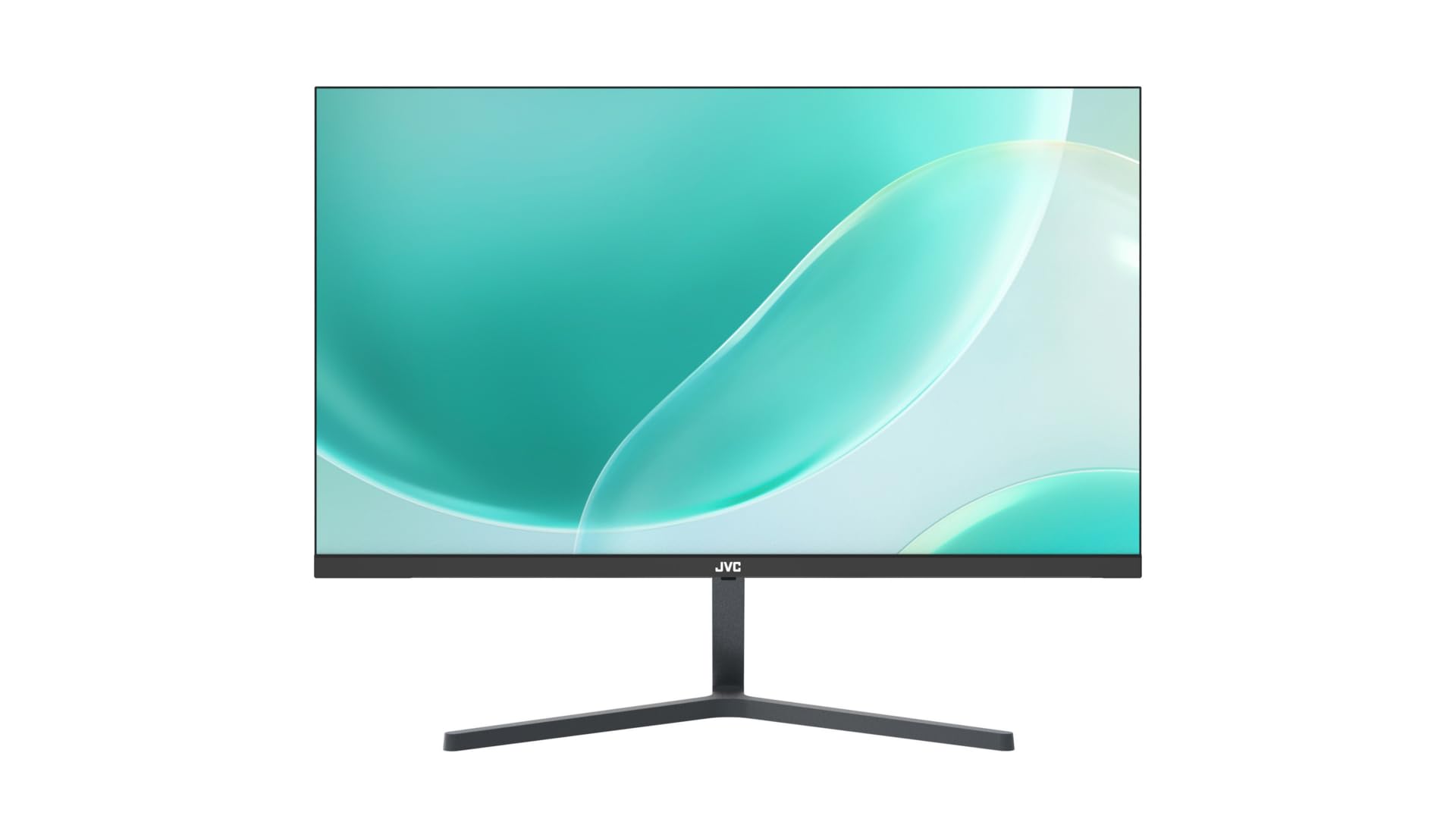
Mufananidzo 3.1: Mberi view of the JVC monitor with its stand assembled, showcasing its ultra-thin profile.
3.2 Kubatanidza Cables
Locate the input ports on the rear of the monitor.
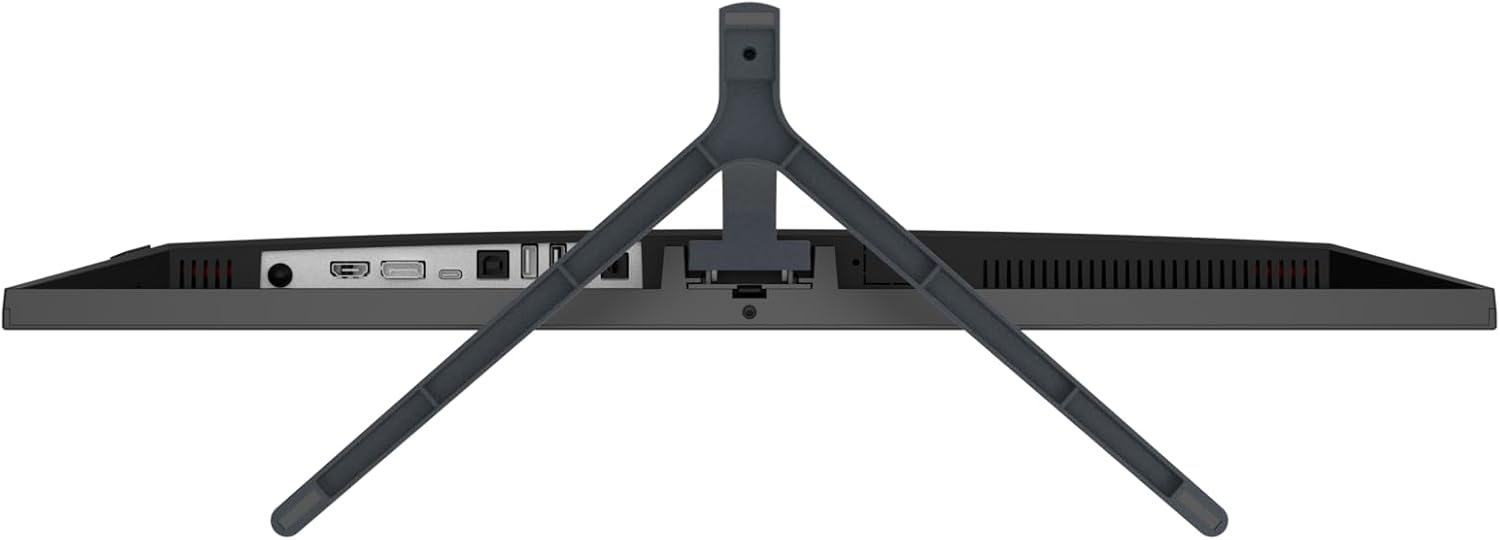
Mufananidzo 3.2: Kumashure view of the JVC monitor, highlighting the HDMI, DisplayPort, and power input ports.
- Power Connection: Batanidza adapta yemagetsi kune chiteshi chemagetsi chemonitor, wobva wabatanidza adapta yacho mugomba remagetsi.
- Vhidhiyo yekubatanidza: Connect one end of the HDMI cable to the HDMI port on your computer or video source, and the other end to the HDMI port on the monitor. The monitor also supports DisplayPort connectivity.
3.3 Simba rekutanga Rakabatidzwa
Press the power button, typically located on the rear or bottom edge of the monitor, to turn it on. The monitor will automatically detect the active input source.
4. Kushandisa Monitor
4.1 Simba On/Kudzima
Press the power button to turn the monitor on or off. A power indicator light will typically illuminate when the monitor is active.
4.2 Pa-Screen Display (OSD) Menyu
The OSD menu allows you to adjust various monitor settings. Access the OSD menu by pressing the designated OSD button (refer to the physical buttons on your monitor). Navigate through the menu using the directional buttons and confirm selections with the enter button.
4.3 Kugadzirisa Zvirongwa
Common adjustable settings include:
- Kupenya/Kusiyanisa: Rongedza kupenya kwese uye kusiyanisa mazinga.
- Rudzi Settings: Shandura tembiricha yeruvara, hue, uye saturation.
- Mabviro Manually select between HDMI or DisplayPort inputs if auto-detection fails.
- Blue Light Sefa: Activate this feature to reduce blue light emissions, which can help minimize eye strain during prolonged use.
- Flicker-Yemahara Tekinoroji: This monitor is designed with flicker-free technology to provide a more comfortable viewing experience by eliminating screen flickering.
- Aspect ratio: Gadzirisa chiyero che display aspect (semuenzaniso, 16:9).
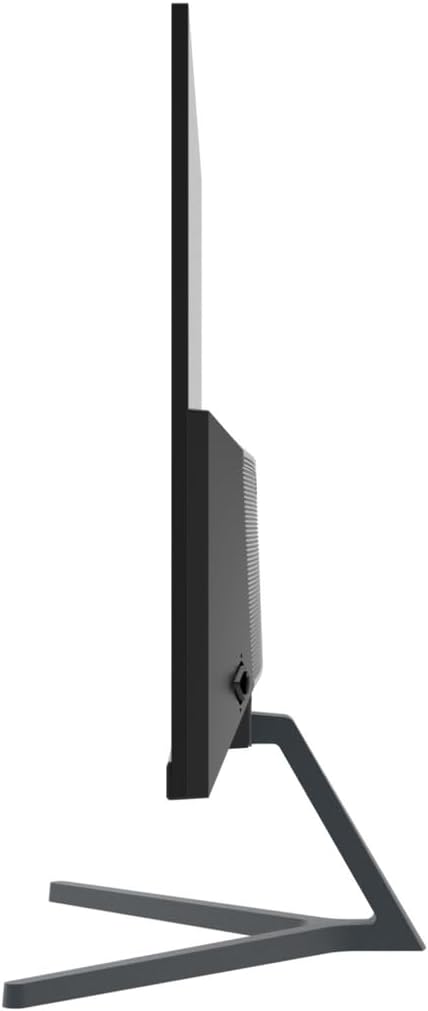
Mufananidzo 4.1: Side profile of the JVC monitor, demonstrating its ultra-thin design.
5. Kuchengeta
5.1 Kuchenesa Monitor
- Nguva dzose dzima chekutarisa uye bvisa tambo yemagetsi usati wachenesa.
- Shandisa jira rakapfava, risina jira zvinyoro dampyakaturikwa nemvura kana nespecialized screen cleaner.
- Usapfapfaidza chekuchenesa zvakananga pachiratidziri.
- Dzivisa kushandisa abrasive cleaners, wax, kana solvents.
5.2 Kutarisira Kwese
- Dzivisa kuisa monitor muzuva rakananga kana pedyo nenzvimbo dzinopisa.
- Ita shuwa kuti pave nemhepo yakakwana yakatenderedza monitor.
- Usadzivirire kuvhurika kwemhepo.
6. Kugadzirisa matambudziko
Kana ukasangana nenyaya nemonitor yako, tarisa kune anotevera akajairika matanho ekugadzirisa matambudziko:
- Hapana Simba: Ensure the power cable is securely connected to both the monitor and the power outlet. Verify the power outlet is functional.
- Hapana Chiratidzo: Check that the video cable (HDMI or DisplayPort) is firmly connected to both the monitor and your computer. Ensure the correct input source is selected in the OSD menu. Try restarting your computer.
- Flickering Screen: Verify that the video cable is properly connected. Adjust the refresh rate in your computer's display settings. The monitor features flicker-free technology, so persistent flickering may indicate an external issue.
- Image Distortion/Poor Quality: Ensure the monitor's resolution is set to its native 1920 x 1080. Adjust brightness, contrast, and color settings via the OSD menu.
- Mabhatani Asina Kupindura: Unplug the monitor's power cable, wait 30 seconds, then plug it back in and try again.
7. Zvinotsanangurwa
| Feature | Tsanangudzo |
|---|---|
| Brand | JVC |
| Model Number | B0CM6W2CHB |
| Screen Size | 23.8 inches |
| Display Type | IPS |
| Resolution | FHD 1080p (1920 x 1080) |
| Aspect ratio | 16:9 |
| Refresh Rate | 60 Hz |
| Mufananidzo Kusiyanisa Ratio | 1000:1 |
| Viewing Angle | 178 madhigirii |
| Screen Surface Tsananguro | Glossy |
| Kubatana Technology | HDMI, RatidzaPort |
| Special Features | Blue light filter, Flicker-free, Wide vieweng angle |
| Mugadziri | JVC |
| Nyika Yekwakabva | China |
8. Warranty uye Tsigiro
8.1 Ruzivo rweWaranti
This JVC monitor comes with a 1 Year Warranty from the date of purchase. This warranty covers manufacturing defects and workmanship under normal use. It does not cover damage caused by misuse, accidents, unauthorized modifications, or external factors.
8.2 Mutengi Tsigiro
For technical assistance, warranty claims, or further inquiries, please contact JVC customer support through their official website or the contact information provided with your purchase documentation. Please have your model number (B0CM6W2CHB) and proof of purchase ready when contacting support.


