1. Nhanganyaya
Ndatenda nekutengaasing the MUSE M-15 Alarm Clock Radio. This manual provides essential information for the safe and efficient operation of your device. Please read it thoroughly before use and retain it for future reference.
2. Safety Information
- Kunobva Simba: Use only the specified battery type (1 AA battery). Ensure correct polarity when inserting batteries.
- Mvura uye Unyoro: Do not expose the device to water, rain, or excessive moisture. Avoid placing it near liquids.
- Kupisa: Chengeta mudziyo kure nezvinhu zvinopisa zvakaita sema radiator, ma heat registers, mastove, kana zvimwe zvinhu (kusanganisira amplifiers) zvinoburitsa kupisa.
- Kuchenesa: Chenesa chete nemucheka wakaoma. Usashandise mvura yekuchenesa kana aerosol cleaners.
- Sevhisi: Usaedze kushandira chigadzirwa ichi iwe pachako. Tumira masevhisi ese kuvashandi vanokwanisa.
- Kurasa: Rasa mabhatiri nemudziyo zvichienderana nemitemo yemuno. Usarasa mabhatiri pamoto.
3. Chigadzirwa Pamusoroview
Familiarize yourself with the components of your MUSE M-15 Alarm Clock Radio.
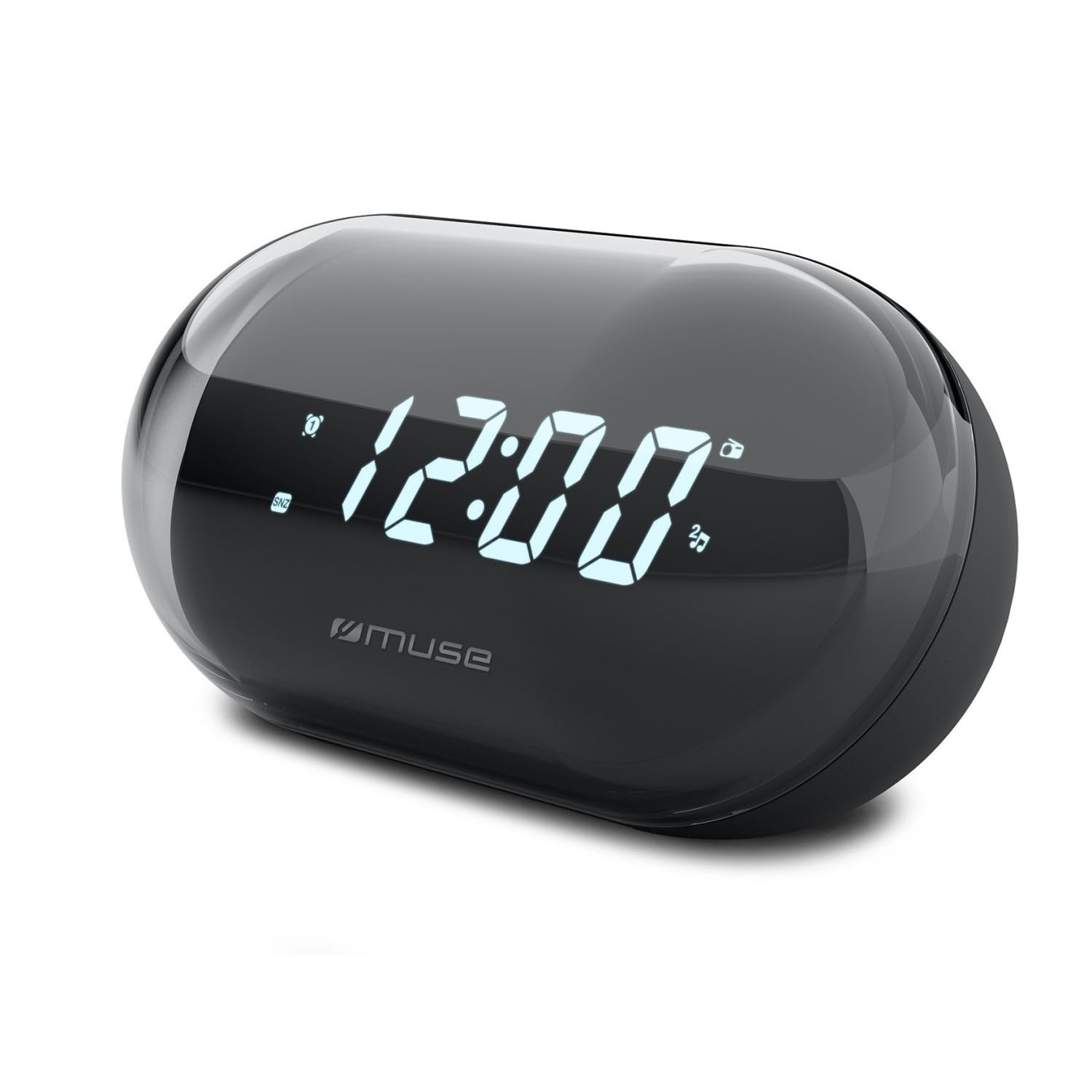
Mufananidzo: Mberi view of the MUSE M-15 Alarm Clock Radio, showing the digital display and control buttons.
Zvinodzora uye Zvimiro:
- Dhijitari Display: Inoratidza nguva, mamiriro ealarm, uye mafrequency eredhiyo.
- Bhatani reNguva: Used to adjust the current time.
- Alarm Set Button: Used to set and activate/deactivate the alarm.
- Tuning Buttons (+/-): Used to adjust radio frequency.
- Kudzora inzwi: Inogadzirisa mwero wekubuda kweodhiyo.
- Simba / Mode Bhatani: Turns the device on/off and switches between radio and clock modes.
- Bhatani reSnooze: Inonyaradza alarm kwenguva pfupi.
- Battery Compartment: Located on the back, for 1 AA battery.
4. Setup
4.1 Kuiswa kwebhatiri
- Tsvaga chivharo chebhatiri kuseri kweyuniti.
- Svetera kana kusimudza chivharo kuti uvhure mupanda.
- Insert one (1) AA battery, ensuring the correct polarity (+ and -) matches the diagram inside the compartment.
- Tsiva chivharo chebhatiri zvakachengeteka.
Note: The MUSE M-15 is battery-powered and does not require an external power adapter.
5. Operating Instructions
5.1 Kuisa Nguva
- Mune wachi modhi, tinya uye ubate iyo Nguva Yakatemwa Bhatani until the hour digits begin to flash.
- Shandisa iyo Tuning Buttons (+/-) to adjust the hour. Press the Nguva Yakatemwa Bhatani zvakare kusimbisa awa uye kuchinja kuita maminitsi.
- Shandisa iyo Tuning Buttons (+/-) to adjust the minutes. Press the Nguva Yakatemwa Bhatani one more time to save the time and exit time setting mode.
Kuisa Alarm
- Dzvanya uye ubate iyo Alarm Set Bhatani until the alarm hour digits begin to flash.
- Shandisa iyo Tuning Buttons (+/-) to adjust the alarm hour. Press the Alarm Set Bhatani zvakare kusimbisa uye kutamira kumaminitsi.
- Shandisa iyo Tuning Buttons (+/-) to adjust the alarm minutes. Press the Alarm Set Bhatani one more time to save the alarm time.
- To activate or deactivate the alarm, briefly press the Alarm Set Bhatani. An alarm icon will appear on the display when activated.
5.3 Using the Radio
- Press the Simba/Modhi Bhatani to switch to radio mode. The display will show the radio frequency.
- Shandisa iyo Tuning Buttons (+/-) to manually tune to your desired radio station.
- Chinja vhoriyamu uchishandisa iyo Volume Control.
- Kuti udzime redhiyo, dzvanya pa Simba/Modhi Bhatani again to return to clock mode or turn off the device.
5.4 Zivai Rinoshanda
Kana alarm yarira, tinya pa Ziva Bhatani to temporarily silence the alarm for a few minutes. The alarm will sound again after the snooze period ends.
6. Kuchengeta
6.1 Kuchenesa
Wipe the exterior of the device with a soft, dry cloth. Do not use abrasive cleaners, waxes, or solvents as they may damage the finish.
6.2 Kutsiviwa kwebhatiri
When the display dims or the device functions become erratic, it is time to replace the battery. Follow the battery installation steps in Section 4.1.
7. Kugadzirisa matambudziko
| Dambudziko | Zvinogona Kukonzera | Solution |
|---|---|---|
| Chigadzirwa hachishandi. | Bhatiri rakafa kana kuiswa zvisizvo. | Replace the AA battery or check its polarity. |
| Alarm hainzwi. | Alarm haina kushanda kana kuti vhoriyamu yakaderera zvakanyanya. | Ensure the alarm icon is visible on the display. Increase the volume. |
| Kugamuchirwa kweredhiyo kusina kunaka. | Chiratidzo chisina simba kana kupindira. | Reposition the device or extend the antenna (if applicable). Try tuning to a stronger station. |
| Time/Alarm settings reset. | Simba rebhatiri rakaderera. | Tsiva bhatiri reAA. |
8. Zvinotsanangurwa
- Muenzaniso: MUSE M-15
- Zviyero zveChigadzirwa (L x W x H): 15 x 3.81 x 10 masendimita (5.9 x 1.5 x 3.9 inches)
- Kurema 300 magiramu (0.66 lbs)
- Kunobva Simba: 1 x AA Bhatiri (isina kuisirwa)
- Ratidza Rudzi: Digital
- Features: Alarm, Radio, Digital Time Display
- Mounting Type: Tafura Mount
9. Warranty uye Tsigiro
This product is covered by a standard manufacturer's warranty. For detailed warranty information, please refer to the warranty card included with your purchase or visit the official MUSE website.
For technical support, troubleshooting assistance, or spare parts inquiries, please contact MUSE customer service through their official websaiti kana ruzivo rwekusangana rwunopihwa mune yako chigadzirwa kurongedza.
Please have your model number (M-15) and purchase date available when contacting support.


