Nhanganyaya
Welcome to the user manual for your Blackview Active 8 Pro Rugged Tablet. This device is engineered for durability and performance, designed to withstand challenging environments while providing a robust computing experience. Featuring a 10.36-inch display, a powerful MediaTek Helio G99 Octa-core processor, and a massive 22000mAh battery, the Active 8 Pro is built for extended use and demanding tasks. It is MIL-STD-810H certified and boasts IP68 & IP69K waterproof ratings, ensuring resilience against water, dust, and drops.
This manual provides essential information on setting up, operating, maintaining, and troubleshooting your tablet to ensure optimal performance and longevity.
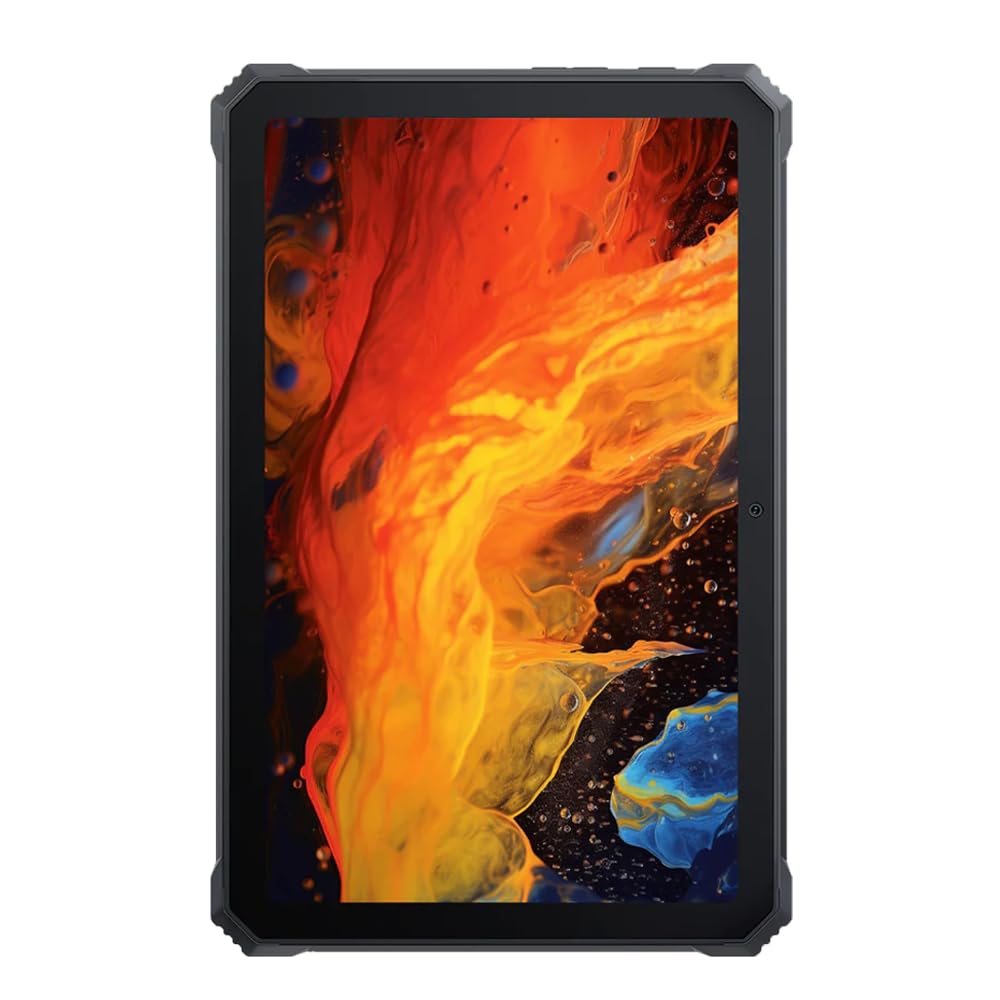
Mufananidzo: Mberi view yeMutemaview Active 8 Pro Rugged Tablet, showcasing its display and robust bezel.
Package Zviri mukati
Ndapota simbisai kuti zvinhu zvese zviripo mupakeji yenyu yechigadzirwa:
- Nhemaview Active 8 Pro Rugged Tablet
- Padded Leather Strap
- Chaja Cable
- Power Adapter
- Chishandiso Chekuburitsa SIM (kana zvichibvira)
- Quick Start Guide
Device Layout
Familiarize yourself with the physical components and ports of your Active 8 Pro tablet.

Mufananidzo: Mberi view yeMutemaview Active 8 Pro tablet, highlighting the display and front camera location.

Mufananidzo: Rear view yeMutemaview Active 8 Pro tablet, showing the camera module, speaker grilles, and the attached padded leather strap for secure handling.

Mufananidzo: Angled kumashure view yeMutemaview Active 8 Pro tablet, providing a perspective of its ruggedized corners and the ergonomic padded leather strap.
Gadzirira
1. Kuchaja Chishandiso
Before first use, fully charge your Active 8 Pro tablet. Connect the provided charging cable to the tablet's charging port and the power adapter to a wall outlet. The tablet supports 33W fast charging for quick power replenishment.
- Use only the original Blackview charger and cable to ensure optimal charging speed and safety.
- Chiratidzo chekuchaja chichaonekwa pachiratidziro.
2. Powering On / Off
- Kubatidza: Press and hold the Power button (typically located on the side) until the Blackview logo inoonekwa pachiratidziro.
- Kudzima: Dzvanya wobata bhatani rekuti Power kusvika pabuda menyu ye power. Sarudza "Kudzima" kubva pane zvasarudzo.
- Kuti utangezve: Kubva pane menyu yemagetsi, sarudza "Tangazve".
3. Kutanga Kugadzirisa
Upon first power-on, the tablet will guide you through the initial setup process. Follow the on-screen prompts to:
- Sarudza mutauro wako.
- Batanidza kune network yeWi-Fi.
- Pinda neakaundi yako yeGoogle kana gadzira itsva.
- Seta kukiya skrini (PIN, pateni, password, kana zvigunwe).
- Review uye kugamuchira mitemo nemamiriro.
Operating Instruction
1. Basic Navigation
Your Active 8 Pro runs on Android 14, offering an intuitive user interface. Use standard touchscreen gestures:
- Top: Sarudza chinhu kana kuvhura a app.
- Bata & Bata: Svika mamenu emamiriro ezvinhu kana kufambisa zvidhori.
- Rova zvakasimba: Scroll through pages, lists, or switch between home screens.
- Pina-ku-Zoom: Zoom mukati kana kunze pamifananidzo uye web mapeji.
2. Kubatana
- Wi-Fi: Go to Settings > Network & internet > Wi-Fi to connect to available networks. The tablet supports 802.11ac, 802.11ax, 802.11g, and 802.11n standards.
- Bluetooth: Go to Settings > Connected devices > Connection preferences > Bluetooth to pair with Bluetooth accessories like headphones or speakers.
- Mobile Data (if applicable): Insert a SIM card into the designated slot to access mobile data services.
3. Kushandiswa kwekamera
The tablet features a 48 MP rear camera. Open the Camera app to capture photos and videos. Tap on the screen to focus, and use the on-screen shutter button to take a picture.
4. Audio Enhancement
Experience enhanced audio quality with Sound By Harman AudioEFX. Adjust audio settings in the tablet's sound preferences to optimize your listening experience for music, movies, or calls.
5. Using the Padded Leather Strap
The included padded leather strap is designed to provide extra grip and comfort, reducing hand fatigue during extended use. Securely attach the strap to the designated points on the back of the tablet. Adjust for a snug fit that allows for comfortable one-handed or two-handed holding.
Maintenance
1. Kuchenesa Tablet Yako
- Use a soft, lint-free cloth to wipe the screen and body of the tablet.
- Patsvina yakasindimara, zvishoma dampsn jira nemvura kana chidzitiro-chakachengetedzeka chekuchenesa mhinduro.
- Avoid using harsh chemicals, abrasive materials, or excessive moisture, especially near ports.
- Ensure all port covers are securely closed before cleaning if exposing to water.
2. Kuchengeta
When not in use for extended periods, store your tablet in a cool, dry place away from direct sunlight and extreme temperatures. Ensure the battery is charged to approximately 50% before long-term storage to preserve battery health.
3. Software Updates
Gara uchitarisa uye kuisa zvigadziriso zvesoftware kuti uve nechokwadi chekuti piritsi rako rine zvichangobva kuitika, zvigamba zvekuchengetedza, uye kuvandudzwa kwemaitiro. Enda kuSettings> System> System update kuti utarise zviripo.
Kugadzirisa matambudziko
This section addresses common issues you might encounter with your Blackview Active 8 Pro tablet.
- Mudziyo Haubatiki.
Ensure the tablet is sufficiently charged. Connect it to the charger for at least 30 minutes before attempting to power it on again. If it still doesn't power on, try holding the power button for 10-15 seconds to force a restart.
- Screen Unresponsive or Display Issues:
If the screen becomes unresponsive, try restarting the device. If the display fails or shows abnormalities, ensure the tablet has not sustained severe physical damage. Contact customer support if the issue persists after a restart.
- Matambudziko ekuchaja:
Verify that the charging cable and adapter are securely connected and undamaged. Try using a different compatible charger and cable if available. Ensure the charging port is free of debris.
- Matambudziko eWi-Fi/Bluetooth:
Toggle Wi-Fi or Bluetooth off and on. Restart your tablet and the router/Bluetooth device. Ensure you are within range and have the correct password for Wi-Fi networks.
- Kuita Kunonoka:
Close unnecessary background applications. Clear cache data for apps that are frequently used. Consider performing a factory reset as a last resort (back up your data first).
Zvinotsanangurwa
| Feature | Tsanangudzo |
|---|---|
| Model Name | Active 8 Pro |
| Kukura Kwekuratidza | 10.36 inches |
| Screen Resolution | 1920 x 1080 pixels |
| processor | MediaTek Helio G99 Octa-core (2.2 GHz) |
| RAM | 8 GB (DDR4 SDRAM) |
| Kuchengeta Kwemukati | 256 GB |
| Operating System | Android 14 |
| Battery Capacity | 22000mAh |
| Fast Charging | 33W Support |
| Kuongororwa Kwekugara Kwenguva refu | MIL-STD-810H Certified, IP68 & IP69K Waterproof |
| Kudzivirira Screen | Corning Gorilla Girazi 5 |
| Rear Camera | 48 MP |
| Wireless Kubatana | 802.11ac, 802.11ax, 802.11g, 802.11n |
| Dimensions (LxWxH) | 10.09 x 6.53 x 0.66 inches |
| Item Weight | 3.34 makirogiramu |
Warranty uye Support
Mutema Wakoview Active 8 Pro tablet comes with a limited warranty. Please refer to the warranty card included in your package for specific terms and conditions, including coverage duration and limitations. Keep your proof of purchase for warranty claims.
For technical support, service, or warranty inquiries, please visit the official Blackview rutsigiro website or contact their customer service department. Contact information can typically be found on the Blackview websaiti kana mune zvinyorwa zvakapihwa nechigadzirwa chako.
Kuti uwane rumwe ruzivo, unogona kushanyira iyo Nhemaview Chitoro paAmazon.


