1. Nhanganyaya
The DEPSTECH DS300 Industrial Endoscope is a versatile inspection camera designed for detailed visual inspection in hard-to-reach areas. It features both dual-lens and single-lens probe options, providing high-definition imaging for various applications.
2. Zvigadzirwa zveChigadzirwa
The DEPSTECH DS300 Industrial Endoscope package includes the main display unit, a semi-rigid camera cable with either dual or single lens, a USB charging cable, and various accessories.
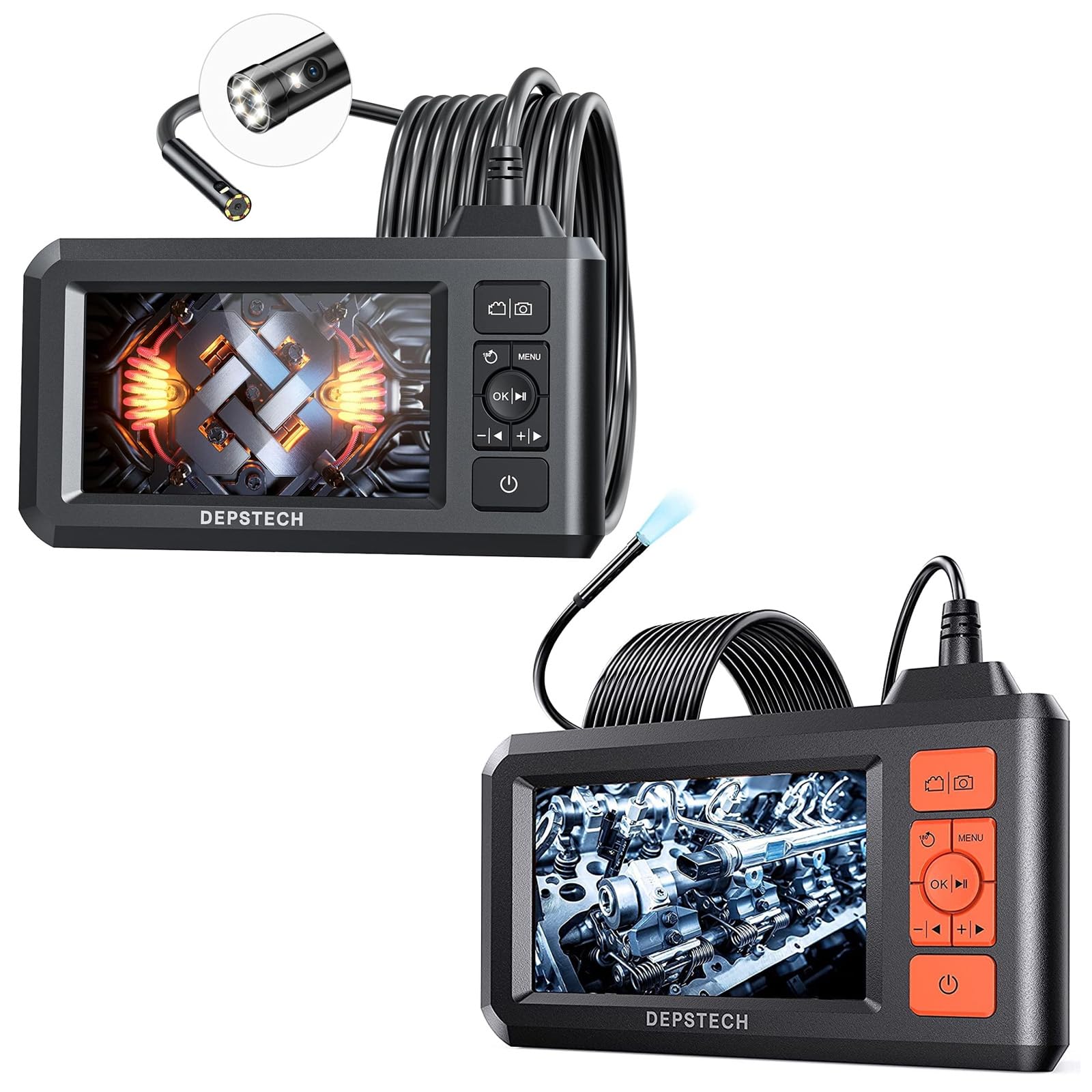
Image: The main display unit of the DEPSTECH DS300 Industrial Endoscope, featuring a 4.3-inch screen, control buttons, and a coiled semi-rigid camera cable connected to the top. Various small accessories are also visible.
Main Display Unit
- Chidzitiro cheLCD cheTFT che 4.3-inch: Provides a horizontal viewing angle of approximately 170°.
- Mabhatani ekudzora: For navigation, settings, photo/video capture, and power.
- Bhatiri Rakavakwa-mukati: Rechargeable, offering approximately 4 hours of continuous operation.
Kamera yekuongorora
- Dual-Lens Technology (DS300 Dual Lens): Allows switching between front and side viewing angles without additional mirrors. Features FOV 70° for wider views.
- Single-Lens Technology (DS300 5.5mm Single Lens): 0.21-inch diameter for accessing very confined spaces.
- 1080P HD Video & 2.0 MP Pictures: Captures clear images and fluent video.
- Inogadziriswa Mwenje ye LED: 7 LED lights with Bluart 2.0 technology for enhanced visibility.
- IP67 Isingapindi mvura: Suitable for wet environments like drains or shallow water.
- Semi-Rigid Cable: 16.5 ft (5M) in length, can be bent and hold its shape for flexible inspection.

Image: The DEPSTECH DS300 Endoscope display unit with the camera probe illustrating the three observation modes: Front Camera, Side Camera, and Dual Camera, which combines both views.

Image: A close-up of the DEPSTECH DS300 camera probe partially submerged in water, highlighting its IP67 waterproof rating. The adjustable LED lights on the probe tip are shown in various brightness settings.
3. Setup
- Chaja Chishandiso: Connect the USB charging cable to the device's charging port and a power source. The built-in battery provides approximately 4 hours of use on a full charge.
- Isa Kadhi reTF: Locate the TF card slot on the side of the display unit. Insert the provided TF card to enable photo and video recording.
- Batanidza Chinoongorora Kamera: Securely connect the semi-rigid camera cable to the designated port on the main display unit.
- Power On: Press and hold the power button on the display unit for a few seconds until the screen illuminates and the DEPSTECH logo appears.
4. Operating Instructions
Basic Controls
The display unit features intuitive buttons for easy operation:
- Bhatani reSimba: Dzvanya uye ubate kuti ubatidze/kudzima mudziyo.
- Bhatani reMenu: Magadzirirwo ekupinda uye sarudzo.
- OK/Batani rekutamba: Confirm selections or play recorded media.
- Mabhatani Ekufambisa (Kumusoro/Kudzika/Kuruboshwe/Kurudyi): Famba-famba mumamenyu uye gadzirisa marongero.
- Bhatani remufananidzo/Vhidhiyo: Short press to take a photo, long press to start/stop video recording.
- Lens Switch Button (for Dual Lens models): Quickly switch between front, side, and combined dual-lens views.
Kugadzirisa Zvirongwa
From the menu, you can adjust various parameters:
- Resolution: Select desired video/photo resolution (e.g., 1080P).
- Mutauro: Sarudza mutauro waunofarira.
- Auto-kure: Set the device to automatically power off after a period of inactivity.
- Screen Kupenya: Adjust the display's brightness for optimal viewing.
- Kupenya kweChiedza che LED: Use dedicated buttons on the display unit to cycle through 3 adjustable brightness levels for the camera's LED lights.
Using the Camera Probe
- Flexible Positioning: The semi-rigid cable can be bent and will retain its shape, allowing you to maneuver the camera into tight or angled spaces.
- Kuchinja Views (Dual Lens models): Utilize the lens switch button to toggle between the front-facing camera, side-facing camera, or a combined dual-view for comprehensive inspection.
- Kutenderera kweMufananidzo ne180°: For better observation, the image on the screen can be rotated 180° with a dedicated button.

Image: The DEPSTECH DS300 display unit highlighting its 4.3-inch TFT LCD screen and a 170-degree viewing angle, ensuring clear visibility during inspections.
5. Kuchengeta
- Kuchenesa: After each use, especially in wet or dirty environments, gently clean the camera probe with a soft, damp cloth. Ensure no debris obstructs the lens or LED lights.
- Waterproof Care: While the probe is IP67 waterproof, avoid prolonged submersion in deep water or exposure to corrosive liquids. Ensure the rubber cover for the charging port is securely closed when not in use.
- Battery Care: Recharge the device regularly. For long-term storage, ensure the battery is partially charged (around 50%) to prolong its lifespan.
- Kuchengeta: Store the endoscope and its accessories in a cool, dry place, away from direct sunlight and extreme temperatures.
6. Kugadzirisa matambudziko
- Hapana Simba: Ensure the device is fully charged. If it still doesn't power on, try resetting the device (refer to the full manual for reset instructions).
- Hapana mufananidzo paScreen: Check if the camera probe is securely connected to the display unit. Ensure the device is powered on.
- Hunhu Hwakashata Wemufananidzo: Clean the camera lens. Adjust the LED light brightness. Ensure the camera is within its optimal focal range (1.96~3.93 inches or 5-10cm).
- Mudziyo Unodzima: Perform a soft reset by pressing the reset button (if available) or powering off and on again.
7. Zvinotsanangurwa
| Feature | Tsanangudzo |
|---|---|
| Model | DS300 |
| Screen Type | 4.3-inch TFT LCD |
| Vhidhiyo Capture Resolution | 1920 x 1080 (1080P) |
| Mufananidzo Resolution | 2.0 MP |
| Waterproof Rating | IP67 (Camera Probe) |
| Cable Length | 16.5 FT (5M) Semi-Rigid |
| Lens Diameter | 7.9mm (Dual Lens), 5.5mm (Single Lens) |
| Hupenyu hwebhatiri | Approx. 4 maawa |
| Mwenje dze LED | 7 adjustable LEDs with Bluart 2.0 tech |
| Yakajeka Range | 1.96~3.93 inches (5-10cm) |
| Exposure Control Type | Automatic |
| Zoom Type | Dhijitari Zoom |
8. Warranty uye Tsigiro
For detailed warranty information, technical support, or service inquiries, please refer to the official DEPSTECH websaiti kana kubata basa ravo revatengi zvakananga. Chengetedza risiti yako yekutenga sehumbowo hwekutenga kwezvichemo zvewaranti.


