1. Nhanganyaya
Thank you for choosing the VOLTCRAFT WBS-120 Thermal Imager. This device is a compact and powerful thermal imaging camera designed for use with Android smartphones via a USB-C® connection. It provides accurate temperature measurements and thermal imaging from -20°C to 400°C, with a resolution of 120 x 90 pixels and a 25Hz refresh rate, making it ideal for various applications including electrical inspections, HVAC diagnostics, building inspections, and more. Please read this manual thoroughly before operating the device to ensure safe and efficient use.
2. Mirayiridzo Yekuchengetedza
Gara uchitevera matanho ekuchengetedza kuti udzivise kukuvara kana kukuvara kwemudziyo.
- Do not point the thermal imager directly at extremely high-intensity energy sources (e.g., the sun, lasers) as this may damage the detector.
- Usaisa mudziyo kune tembiricha yakanyanyisa, mwando, kana nharaunda dzine ngura.
- Dzivisa kudonhedza kana kuisa mudziyo kune zvinokanganisa zvakasimba.
- Do not attempt to disassemble or modify the device. Repairs should only be performed by qualified personnel.
- Ensure the USB-C port on your Android device is clean and free of debris before connecting the thermal imager.
- Use the device within its specified operating temperature range (-20°C to 400°C).
- Keep the lens clean using a soft, lint-free cloth. Do not use abrasive cleaners.
3. Package Zviri mukati
Ndapota tarisa zviri mupakeji kana muchibvisa zvinhu. Kana paine zvinhu zvisipo kana kuti zvakakuvara, taurai nemutengesi wenyu.
- VOLTCRAFT WBS-120 Thermal Imager
- Protective Case
- Mushandisi Chinyorwa (gwaro iri)
4. Chigadzirwa Pamusoroview
Familiarize yourself with the components of your VOLTCRAFT WBS-120 Thermal Imager.

Mufananidzo 4.1: Mberi view of the VOLTCRAFT WBS-120 Thermal Imager, showing the USB-C connector and the thermal lens.

Mufananidzo 4.2: Kudzoka view of the VOLTCRAFT WBS-120 Thermal Imager, highlighting the compact design and USB-C connector.
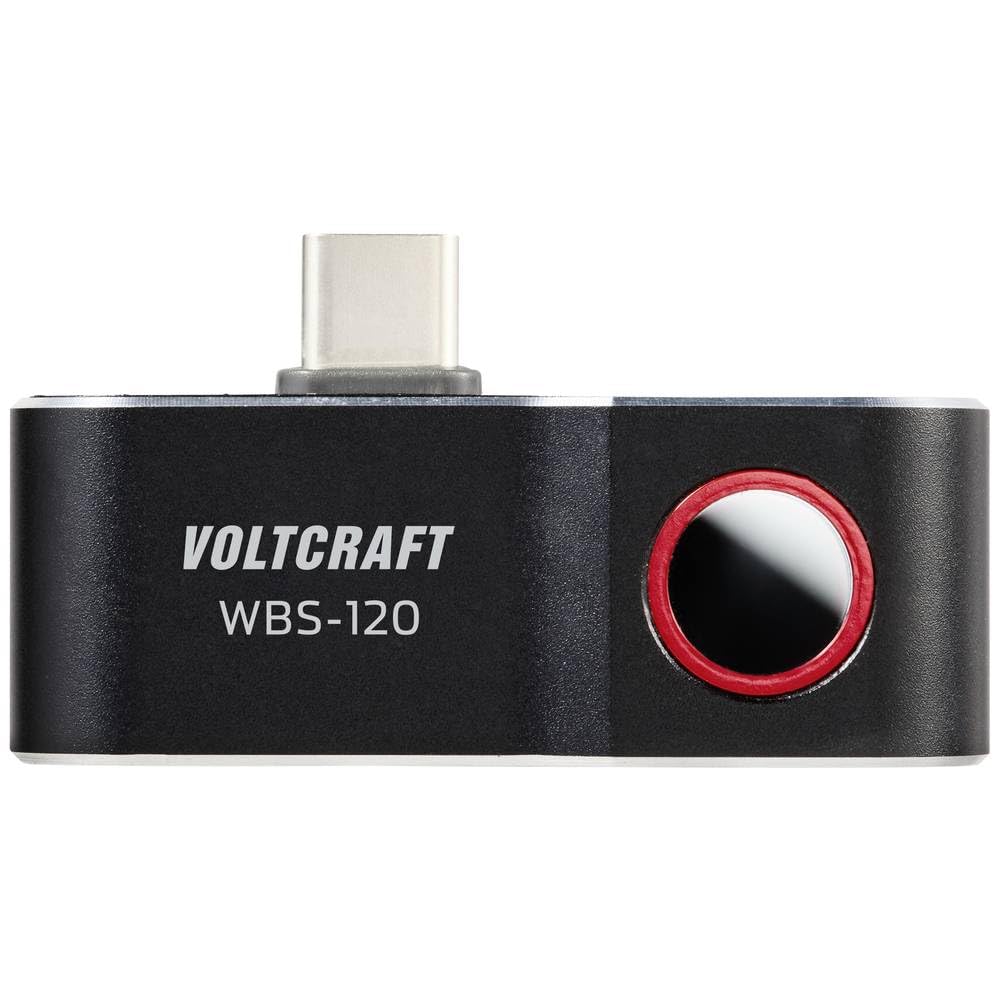
Mufananidzo 4.3: Pamusoro view of the VOLTCRAFT WBS-120, showing the thermal lens and the USB-C connector in an upright position.
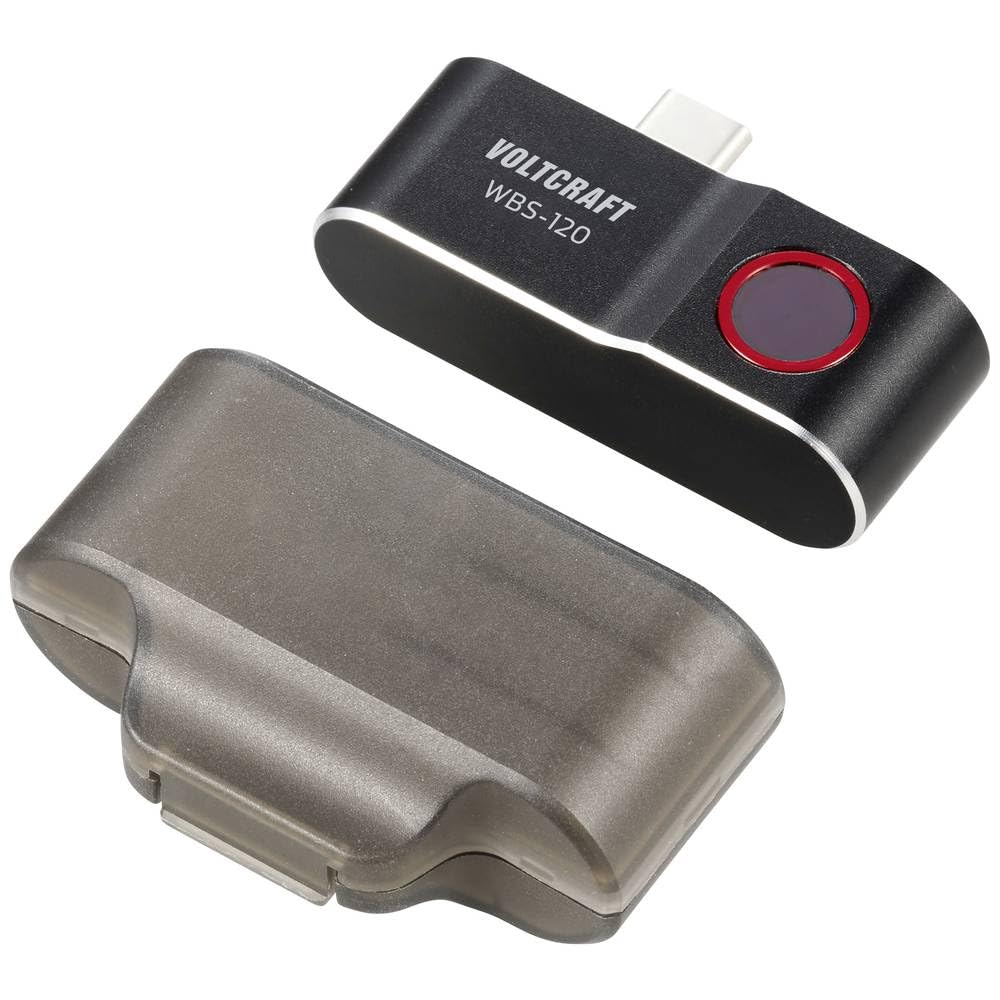
Figure 4.4: The VOLTCRAFT WBS-120 Thermal Imager alongside its transparent protective case.
5. Setup
Follow these steps to set up your VOLTCRAFT WBS-120 Thermal Imager for first use.
- Dhaunirodha App: Tsvaga the official VOLTCRAFT thermal imaging app on the Google Play Store. Install the app on your Android smartphone.
- Enable OTG Function (if necessary): Some Android devices require the "OTG" (On-The-Go) function to be enabled in their settings for external USB devices to be recognized. Check your phone's settings if the device is not detected.
- Batanidza Chishandiso: Carefully plug the USB-C connector of the VOLTCRAFT WBS-120 into the USB-C port of your Android smartphone.
- Tanga App: Open the installed VOLTCRAFT thermal imaging app. The app should automatically detect the connected thermal imager and display the thermal image.
- Chekutanga Calibration: The device may perform a brief self-calibration upon first connection or when ambient temperature changes significantly. This is normal.
6. Operating Instructions
This section provides guidance on operating the VOLTCRAFT WBS-120 Thermal Imager with its dedicated application.
6.1 Basic Operation
- Live Thermal View: Once connected and the app is open, the screen will display a live thermal image.
- Tembiricha Kuyera: The app typically displays the temperature of the central point, as well as the hottest and coldest points within the field of view.
- Sarudzo yePalette: Most thermal imaging apps allow you to change the color palette (e.g., Iron, Rainbow, Grayscale) to better visualize temperature differences. Access this option within the app settings.
- Kutora Mufananidzo: Use the app's interface to capture thermal images or record thermal videos. These will be saved to your smartphone's gallery.
6.2 Advanced Features (App Dependent)
The specific features available may vary depending on the version of the VOLTCRAFT app.
- Emissivity Adjustment: For accurate temperature readings, especially on different materials, adjust the emissivity setting in the app. Refer to the app's help section for common emissivity values.
- Ma alarm eTembiricha: Set high or low temperature alarms to be notified when temperatures exceed or fall below a specified threshold.
- Spot/Area Measurement: The app may allow you to add multiple spot meters or define areas for temperature analysis.
- Reporting: Some apps offer features to generate basic reports from captured thermal images.
For detailed instructions on specific app features, refer to the in-app help or the app's dedicated user guide.
7. Kuchengeta
Proper maintenance ensures the longevity and accuracy of your thermal imager.
- Kuchenesa Lens: Use a soft, clean, lint-free cloth to gently wipe the thermal lens. For stubborn dirt, a small amount of lens cleaning solution designed for optical lenses can be applied to the cloth (not directly to the lens). Do not use abrasive materials or solvents.
- Kuchenesa Muviri: Pukuta muviri wemudziyo nekanyoro, damp jira. Usanyike mudziyo mumvura kana kushandisa makemikari ane simba.
- Kuchengeta: When not in use, store the thermal imager in its protective case in a cool, dry place, away from direct sunlight and extreme temperatures.
- Firmware Dzokorora: Periodically check the VOLTCRAFT app for any available firmware updates for the thermal imager. Updates can improve performance and add new features.
8. Kugadzirisa matambudziko
If you encounter issues with your VOLTCRAFT WBS-120, refer to the following common problems and solutions.
| Dambudziko | Zvinogona Kukonzera | Solution |
|---|---|---|
| Device not recognized by phone. |
|
|
| Mufananidzo wekupisa hauna kujeka kana kujeka. |
|
|
| Kuverenga kwekushisa kusina kururama. |
|
|
If the problem persists, please contact VOLTCRAFT customer support.
9. Zvinotsanangurwa
| Parameter | Value |
|---|---|
| Model Number | VC-14378990 |
| Temperature Range | -20°C kusvika 400°C |
| Infrared Resolution | 120 x 90 pixels |
| Frame Rate | 25 Hz |
| Interface | USB-C® (for Android) |
| Dimensions (L x W x H) | 2.8 x 1.6 x 5.2 cm |
| Kurema | 21 magiramu |
| Mugadziri | VOLTCRAFT |
10. Warranty uye Tsigiro
VOLTCRAFT products are designed for reliability and performance.
10.1 Ruzivo rweWaranti
This product comes with a standard manufacturer's warranty. Please refer to the warranty card included in your product packaging or visit the official VOLTCRAFT webtsvaga ruzivo rwakadzama nezvemitemo yewarandi nemamiriro edunhu rako. Chengeta humbowo hwekutenga kwako kuti uwane zvikumbiro zvewarandi.
10.2 Mutengi Tsigiro
For technical assistance, troubleshooting, or service inquiries, please contact VOLTCRAFT customer support.
- Rutsigiro rwepamhepo: Visit the official VOLTCRAFT website for FAQs, software downloads, and support contact information.
- Contact Information: Specific contact details (phone, email) can usually be found on the VOLTCRAFT websaiti kana mune yako chigadzirwa zvinyorwa.
When contacting support, please have your product model number (VC-14378990) and purchase details ready.


