1. Chigadzirwa Pamusoroview
The YoYoFit Smartwatch HT15 is a versatile wearable device designed to enhance your daily life with communication, health monitoring, and fitness tracking features. It connects seamlessly with your smartphone to keep you informed and active.
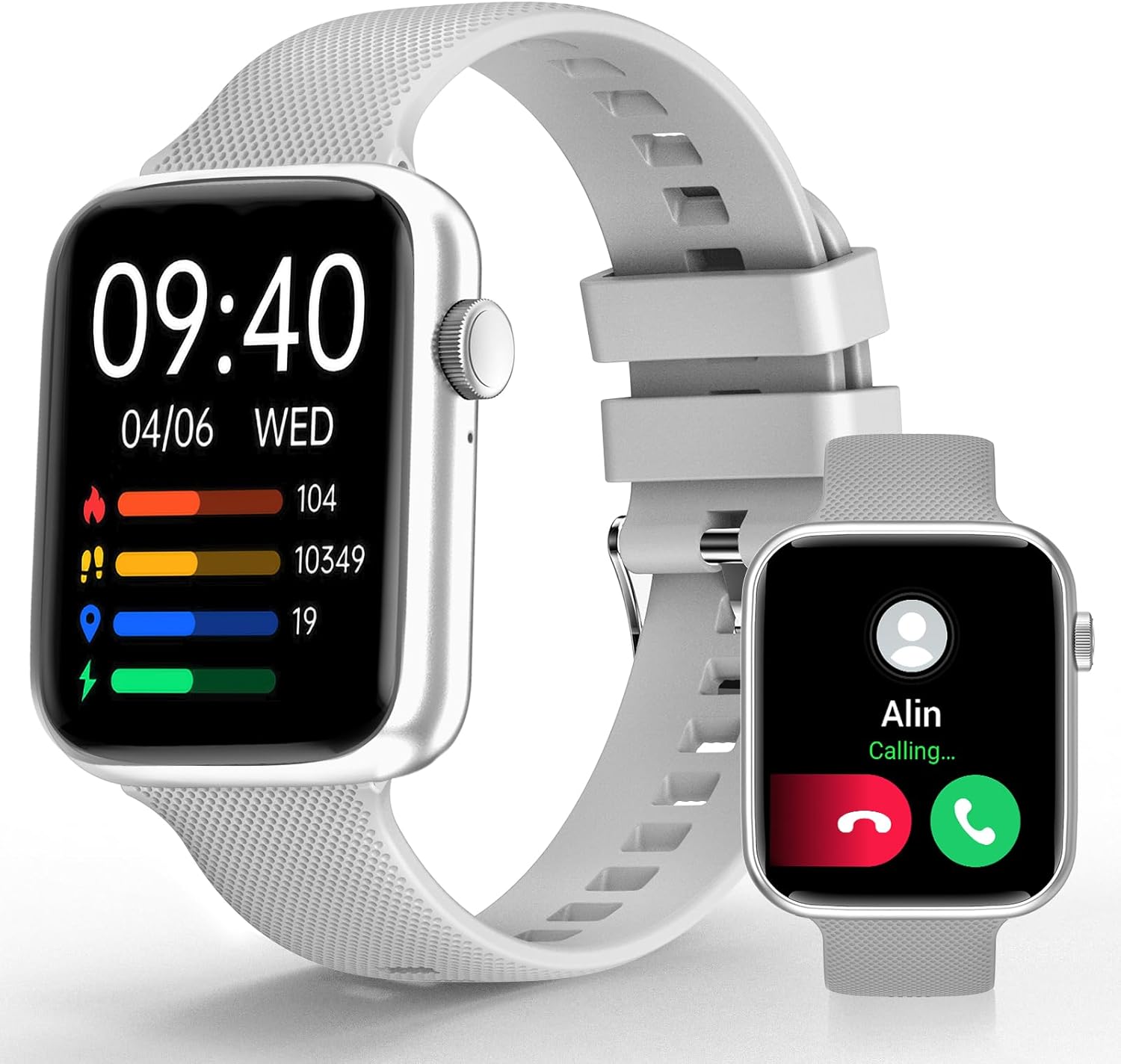
Image 1: YoYoFit Smartwatch HT15. This image displays the smartwatch in grey, showing the time, date, and various activity metrics like heart rate, steps, and calories. An inset image shows an incoming call notification.
2. Package Zviri mukati
Ita shuwa kuti zvinhu zvese zviripo mupakeji:
- YoYoFit Smartwatch HT15 (Grey)
- Vadivelu Comedy
- Magnetic kuchaja Cable
- Mushandisi Chinyorwa (gwaro iri)
3. Setup Guide
3.1 Kuchaja Smartwatch
Before initial use, fully charge your smartwatch. Connect the magnetic charging cable to the charging points on the back of the watch and plug the USB end into a power adapter (not included) or a computer's USB port.
- Kuchaja Nguva: Inenge maawa matatu.
- Battery Life: Up to 7-10 days of normal use, 15+ days on standby.

Image 2: Smartwatch charging. The image illustrates the magnetic charging cable connected to the smartwatch, with text indicating "Up to 7 days+ for normal use" and "Up to 15 days+ on low power setting."
3.2 Kurodha uye Kubatanidza App
To unlock all features, download and connect your smartwatch to the "FitCloudPro" app.
- Scan the QR code in the manual or search for "FitCloudPro" in the App Store (iOS) or Google Play Store (Android).
- Isa iyo app pane yako smartphone.
- Ita shuwa kuti Bluetooth yakabatidzwa pafoni yako.
- Open the "FitCloudPro" app and follow the on-screen instructions to add your device.
- Select "HT15" from the list of available devices.
- Simbisa chikumbiro chekubatanidza pafoni yako uye smartwatch.

Image 3: App download and pairing steps. This image shows a sequence of smartphone screens demonstrating how to download the "FitCloudPro" app, enable Bluetooth, search for the device, and confirm the pairing request.
3.3 Kuenderana
The YoYoFit Smartwatch HT15 is compatible with:
- Android 5.1 uye pamusoro
- iOS 8.5 uye pamusoro
- Requires Bluetooth 5.0 for connection.
4. Operating Instructions
4.1 Basic Navigation
The smartwatch features a 1.85-inch HD color full touch screen. Swipe across the screen to navigate through menus and functions. The side button typically serves as a power button or a return-to-home function.

Image 4: Smartwatch screen details. This image focuses on the 1.85-inch HD touch screen, emphasizing its full-color display and touch functionality.
4.2 Kufona Kuita
Once paired via Bluetooth, you can manage calls directly from your wrist:
- Pindura/Kufona: Use the built-in speaker and microphone to answer incoming calls or dial out from your watch.
- Mharidzo: Read incoming messages and social media notifications.
- Contacts: Store frequently used contacts for quick dialing.
- Nhoroondo Yekufona: View your recent call logs.

Image 5: Stay Connected On-wrist. This image shows a woman using the smartwatch to answer a call, alongside visual representations of message notifications, built-in mic & speaker, and reminder functions.
4.3 Kuongorora Utano
The smartwatch provides comprehensive health tracking:
- Chiyero chemoyo: Continuous monitoring throughout the day.
- Ropa Okisijeni (SpO2): Inoyera mwero weokisijeni yeropa.
- Blood Pressure: Inotarisa mazinga eropa.
- Kutsvaga Kurara: Automatically tracks sleep patterns (deep sleep, light sleep, awake time) and provides quality analysis.
- Kutevera Menstrual Cycle Tracking: Records and reminds you of your menstrual period.
Note: This device is not a medical device. Health data is for reference only and should not be used for medical diagnosis or treatment.

Image 6: Keep Track of Your Health. This image shows the smartwatch displaying heart rate, blood pressure, and blood oxygen measurements, with a person wearing the watch.

Image 7: Tools for Better ZZZs. This image illustrates the smartwatch's sleep tracking capabilities, showing deep sleep, light sleep, and awake times, along with smart alarm and Do Not Disturb settings.
4.4 Kurondwa Kwekuita
The HT15 tracks your daily activity and supports 18 sports modes:
- Daily Metrics: Accurately tracks steps, distance, and calories burned.
- Mitambo yemitambo: Includes walking, running, cycling, hiking, yoga, basketball, football, and more. Exercise data is recorded and displayed separately for each workout.

Image 8: Sweat the Smart Way. This image features a woman exercising, with the smartwatch displaying various sports modes (e.g., walking, running, cycling) and all-day activity tracking metrics like steps, calories, and distance.
4.5 AI Voice Assistant
Utilize the built-in AI voice assistant for hands-free control:
- Set reminders and alarms.
- Dzora kutamba kwemimhanzi.
- Get weather updates.
- Ask questions and receive translations.
4.6 Other Practical Features
- Customizable Watch Faces: Choose from 100+ cloud watch faces or upload personal photos via the FitCloudPro app.
- Mamiriro ekunze: Check current weather conditions directly on your wrist.
- Timer & Stopwatch: Useful for workouts or daily tasks.
- Kudzora Mumhanzi: Tamba, mira, svetuka nziyo pafoni yako yakabatana.
- Tsvaga Runhare: Tsvaga foni yako yakarasika nekutanga ruzha rwekunyevera.
- Maaramu: Set multiple customizable alarms.
- Sedentary & Drink Water Reminders: Prompts to stay active and hydrated.
- Remote Camera Control: Shandisa wachi yako kuridza kure kure kamera yefoni yako.

Image 9: More Practical Features. This image highlights the smartwatch's diverse functionalities, including customizable watch faces, weather display, music control, timer, stopwatch, and the "Find Phone" feature.
5. Kuchengeta
5.1 Kuchenesa Smartwatch Yako
Regularly clean your smartwatch and watch band to ensure optimal performance and hygiene.
- Pukuta sikirini wobva watarisa muviri wako nekanyoro, damp, jira risina mucheka.
- For the silicone strap, you can use mild soap and water, then rinse thoroughly and dry completely.
- Dzivisa kushandisa makemikari ane hasha kana abrasive zvinhu.
5.2 Kuramba Mvura
The smartwatch is designed to withstand daily activities like hand washing and sweating. However, it is not recommended for swimming or showering, as prolonged exposure to water or hot steam may damage the device.
6. Kugadzirisa matambudziko
6.1 Chishandiso Chisiri Kubatidzwa
- Ensure the watch is fully charged. Connect it to the magnetic charger for at least 30 minutes.
- Press and hold the side button for several seconds to power on.
6.2 Kubatanidza Nyaya
- Ita shuwa kuti Bluetooth yakagoneswa pane yako smartphone.
- Make sure the smartwatch is within range of your phone.
- Tangazve zvese foni yako uye smartwatch.
- Forget the device in your phone's Bluetooth settings and try pairing again through the "FitCloudPro" app.
- Check if the "FitCloudPro" app has necessary permissions enabled on your phone.
6.3 Kuverenga Kwehutano Kusina Kururama
- Ita shuwa kuti wachi yakapfekwa zvakanaka paruoko rwako, kwete yakanyanya kusimba kana kuregedzera.
- Chenesa masensa ari kumashure kwewachi.
- Dzivisa kufamba zvakanyanya panguva yekuyera.
- Remember that readings are for reference and not for medical use.
6.4 Zviziviso Hazvionekwi
- Verify that the smartwatch is connected to your phone via Bluetooth.
- Check notification settings within the "FitCloudPro" app to ensure desired apps are enabled.
- Confirm that your phone's notification settings allow the "FitCloudPro" app to display alerts.
7. Zvinotsanangurwa
| Feature | Detail |
|---|---|
| Model Number | HT15 |
| Screen Size | 1.85 Inches HD Color Display |
| Product Dimensions | 10 x 1.52 x 0.43 inches |
| Item Weight | 3.68 ounces |
| Bhatiri Type | Lithium Polymer (1 inodiwa, inosanganisirwa) |
| Battery Capacity | 0.18 Amp Maawa |
| Kubatana | Bluetooth 5.0 |
| Operating System | Android (compatible with Android 5.1+), iOS (compatible with iOS 8.5+) |
| Special Features | Heart Rate Monitor, Activity Tracker, Bluetooth Call Function, Blood Oxygen Monitor, Sleep Monitor, AI Voice Assistant |

Image 10: Smartwatch dimensions. This diagram provides detailed measurements of the smartwatch (1.8" x 1.52" x 0.43") and indicates the suitable wrist size range (4.9" ~ 8.3").
8. Chigadzirwa Vhidhiyo
Video 1: YoYoFit Smart Watch for Men and Women. This video provides a visual overview of the smartwatch's features and functionalities, including its design, health tracking, and connectivity options.