Nhanganyaya
Thank you for choosing the YoYoFit Smartwatch. This manual provides essential information for setting up, operating, and maintaining your device. Please read it carefully to ensure optimal performance and longevity of your smartwatch.
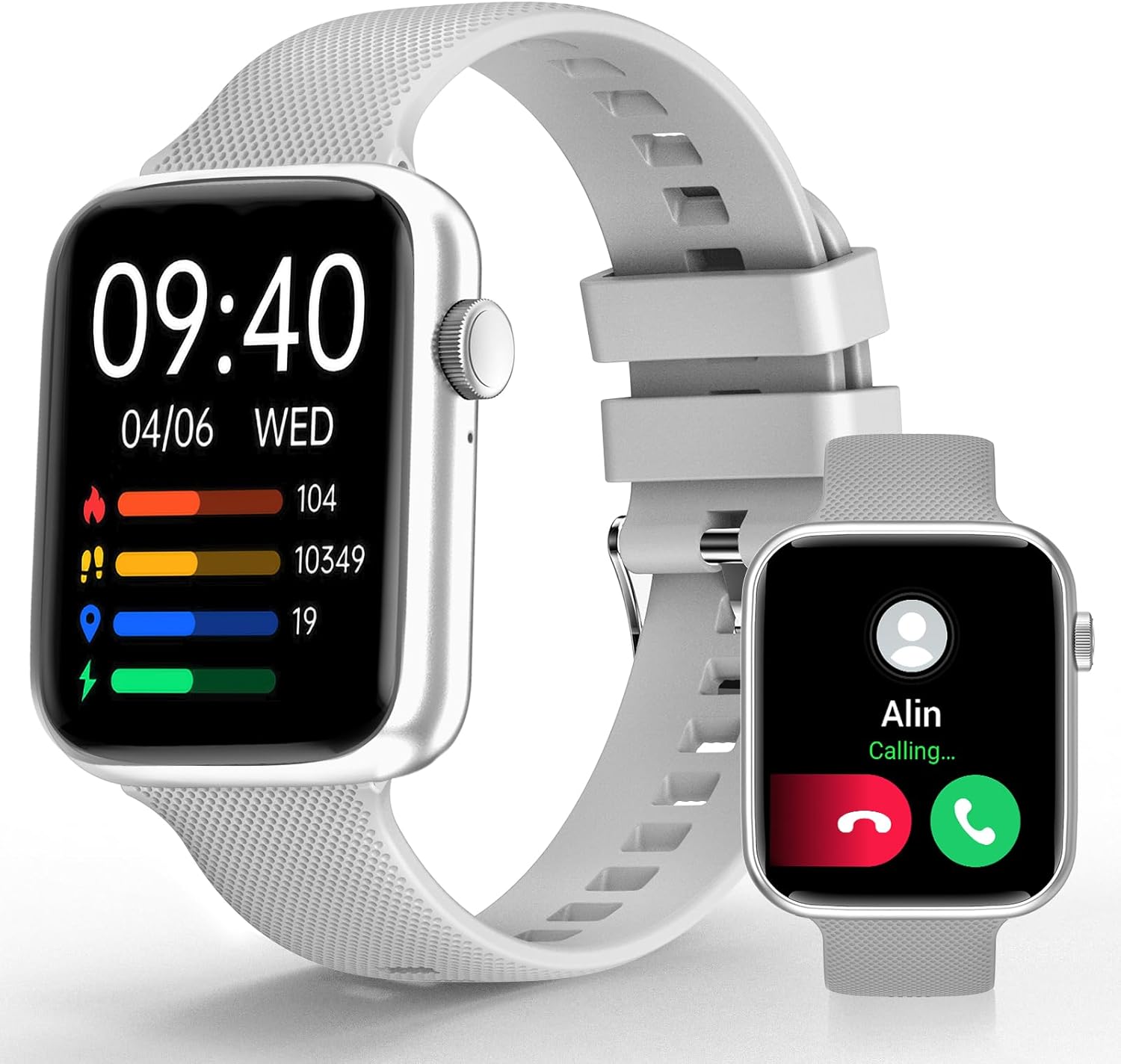
Image: YoYoFit Smartwatch, showcasing dhizaini yayo uye kuratidza kwayo.
Getting Started: Setup and Connection
To begin using your YoYoFit Smartwatch, follow these steps to pair it with your smartphone.
1. Kurodha kweApp uye Kubatanidza
- Download the "FitCloudPro" App: Tsvaga "FitCloudPro" in your smartphone's app store (compatible with Android 5.1 & iOS 8.5 and above).
- Vhura Bluetooth: Batidza Bluetooth pane yako smartphone.
- Open App and Search: Open the "FitCloudPro" app and navigate to the device pairing section to search for your smartwatch (Model HT15).
- Simbisa Kubatanidza: Follow the on-screen prompts in the app and on your smartwatch to confirm the pairing request.

Image: Visual guide for downloading the FitCloudPro app and initial Bluetooth pairing.
2. Bluetooth Connection Settings for Calls
To enable call functionality directly from your smartwatch:
- Access Audio Mode: On your smartwatch, slide the screen left to find the "Audio mode" icon.
- Phone Bluetooth Settings: Pane yako smartphone, enda kuSettings> Bluetooth.
- Pair "HT15 Call": Tsvaga and pair with "HT15 Call" in your Bluetooth device list.
- Pindura mafoni: Once connected, you can answer calls directly from your smartwatch.

Image: Steps to enable Bluetooth calling feature on your smartwatch.
Kushandisa Smartwatch Yako
Your YoYoFit Smartwatch features a 1.85" HD color display with a full touch screen interface, providing a clear and responsive user experience.

Image: Details on the smartwatch's 1.85-inch HD display and touch capabilities.
Customizing Watch Faces
Personalize your smartwatch by choosing from over 100 cloud watch faces available in the FitCloudPro app, or upload your own personal photos to create a DIY watch face.

Image: Options for customizing your smartwatch's display with various watch faces.
Health Monitoring Features
The YoYoFit Smartwatch is designed to help you monitor your health with continuous tracking capabilities.
- Kuongorora Kuwedzerwa Kweropa: Continuously monitor your blood pressure throughout the day.
- Kuongorora Kwemoyo Automatically monitors your heart rate every 5 minutes, with data charts available in the FitCloudPro app.
- Kuyera Ropa Okisijeni: Track your blood oxygen level at any time.
- Kuongorora Hunhu Hwekurara: Automatically tracks your sleep at night, providing comprehensive analysis of deep sleep, light sleep, and awake time.
- Kutevera Menstrual Cycle Tracking: Record your current menstrual period and receive daily reminders.

Mufananidzo: Pamusoroview of the smartwatch's health tracking capabilities including heart rate, blood pressure, and blood oxygen.

Image: Detailed sleep tracking analysis and smart wake alarm feature.
Note: The smartwatch is not a medical device. Health data is for reference only and cannot replace professional medical equipment.
Kutaurirana uye Zvinhu Zvakangwara
Stay connected and informed with your smartwatch's communication and smart functionalities.
- Kufona kweBluetooth: Answer or make calls directly from your wrist after pairing with your phone's Bluetooth.
- Zviziviso zveMharidzo: Receive notifications for messages and social media apps directly on your wrist, accompanied by vibration alerts.
- AI Voice Assistant: Utilize the built-in speaker and mic to interact with your voice assistant for setting reminders, playing music, getting weather updates, and more.
- Zviyeuchidzo Zvinoshanda: Set reminders for drinking water, moving, and calendar events.

Image: Features for staying connected, including call handling and message notifications.

Image: Demonstrating the intelligent voice assistant for various commands.
Fitness Tracking and Other Functions
The YoYoFit Smartwatch is your ideal companion for an active and organized lifestyle.
- 18 Mitambo Modes: Accurately track your steps, distance, calories burned, and other metrics across 18 different sports modes. Workout data is displayed separately for easy viewing and comparison.
- Mamiriro ekunze: Check real-time weather updates directly on your wrist.
- Kudzora Mumhanzi: Control your smartphone's music playback from your smartwatch.
- Remote Camera Shooting: Use your smartwatch as a remote shutter for your phone's camera.
- Chinotora Nguva uye Chinomisa Nguva: Convenient timing functions for various activities.
- Tsvaga Nharembozha: Easily locate your misplaced smartphone.
- Customizable Alarms: Set up to 5 alarms with customizable names and repeat options.
- Usavhiringidze Modhi: Turn on DND to enjoy uninterrupted time.

Image: Visual representation of the 18 sports modes and all-day activity tracking.

Image: Features like weather reports, music control, and remote camera shooting.

Image: Additional tools including stopwatch, timer, and find phone function.
Hupenyu hwebhatiri
The YoYoFit Smartwatch is equipped with a large-capacity polymer lithium battery for extended use.
- Nguva yekuchaja: Anenge maawa maviri ekuchajisa kwakazara.
- Zvakajairika Kushandisa: Up to 7-10 days of continuous use.
- Nguva Yakamira Over 15 days on low power setting.

Image: Information on the smartwatch's long-lasting battery performance.
Zvinotsanangurwa
| Feature | Detail |
|---|---|
| Product Dimensions | 10 x 1.52 x 0.43 inches |
| Item Weight | 3.68 ounces |
| Item Model Number | HT15 |
| Mabhatiri | 1 Lithium Polymer mabhatiri anodiwa (akabatanidzwa) |
| Yakamira Sikirini Ratidza Size | 1.85 inches |
| Memory Storage Capacity | 128 MB |
| Operating System | Android |
| Special Feature | Heart rate watch, activity tracker, Bluetooth call watch |
| Battery Capacity | 0.18 Amp Maawa |
| Kubatana Technology | Bluetooth |
| Wireless Kutaurirana Standard | Bluetooth |
| Battery Cell Kuumbwa | Lithium Polymer |
| GPS | GPS Via Smartphone |
| Shape | Rectangular |
| Screen Size | 1.85 inches |

Image: Detailed dimensions and wrist size compatibility of the smartwatch.
Maintenance and Care
To ensure the longevity and optimal performance of your YoYoFit Smartwatch, follow these maintenance guidelines:
- Kuchenesa: Regularly wipe the watch screen and strap with a soft, dry cloth. For stubborn stains, a slightly damp cloth can be used, but ensure the watch is completely dry before wearing or charging.
- Kuchaja: Use only the provided magnetic charging cable. Ensure the charging contacts on the watch and cable are clean and dry before charging. Avoid overcharging the battery.
- Kuramba Mvura: While the watch is designed for daily wear and may withstand splashes, avoid prolonged submersion in water, hot water, or steam. Do not wear it during swimming or showering unless explicitly stated in product specifications.
- Kuchengeta: When not in use for extended periods, store the smartwatch in a cool, dry place away from direct sunlight and extreme temperatures.
- Dzivisa Makemikari: Do not expose the watch to strong chemicals, detergents, or solvents, as these can damage the materials and finish.
Kugadzirisa matambudziko
If you encounter any issues with your YoYoFit Smartwatch, try the following troubleshooting steps:
- Watch Not Batidza: Ita shuwa kuti wachi yachajiwa zvizere. Isungirire pachaja kweinenge maminitsi makumi matatu.
- Haikwanise Kubatanidza Nefoni:
- Ita shuwa kuti Bluetooth yakabatidzwa pafoni yako uye wachi.
- Ita shuwa kuti wachi iri mukati memhando yeBluetooth yefoni yako.
- Tangazve zvese foni yako uye smartwatch.
- Forget the device in your phone's Bluetooth settings and try pairing again through the FitCloudPro app.
- Hutano Hhusina Kurongeka:
- Ita shuwa kuti wachi yakapfekwa zvine mutsindo paruoko rwako, kwete kuregedzera kana kusimba zvakanyanya.
- Chenesa sensor kuseri kwewachi.
- Remember that data is for reference and not for medical diagnosis.
- Zviziviso Zvisiri Kuoneka:
- Check app notification settings in the FitCloudPro app and your phone's system settings.
- Ita shuwa kuti wachi yakabatana neBluetooth.
- Disable "Do Not Disturb" mode on the watch if it's active.
- Hupenyu Hupfupi Hwebhatiri:
- Deredza kupenya kwescreen.
- Deredza kutarisisa kurova kwemoyo nguva dzose kana zvimwe zvinhu zvakanyanya.
- Dzima zviziviso zvisina basa.
If the issue persists, please refer to the support section or contact customer service.
Warranty uye Support
Your YoYoFit Smartwatch comes with a standard manufacturer's warranty. Please refer to the warranty card included in your product packaging for specific terms and conditions.
Mutengi Support
For technical assistance, warranty claims, or any other inquiries, please contact YoYoFit customer support through the following channels:
- Mugadziri Websaiti: Visit the official YoYoFit webwebhusaiti yemibvunzo inowanzo bvunzwa, zviwanikwa zverutsigiro, uye ruzivo rwekuonana.
- Amazon Product Peji: For common questions and community support, you can also refer to the product's detail page on Amazon.
Please have your product model (HT15) and purchase details ready when contacting support.


