1. Nhanganyaya
The ROYALAXE Y87 is a Tenkeyless (TKL) mechanical keyboard designed for versatile use across various operating systems and devices. It features tri-mode connectivity (Wired, 2.4G Wireless, Bluetooth 5.0), hot-swappable G Pro 3.0 Yellow switches, vibrant RGB lighting, and durable PBT keycaps. This manual provides instructions for setting up, operating, and maintaining your keyboard.
2. Package Zviri mukati
Ndokumbira utarise kuti zvinhu zvese zvirimo mupasuru yako:
- ROYALAXE Y87 Mechanical Keyboard
- Keycap Puller
- USB-C to USB-A Aviation Plug Cable
- 4 Spare Gateron G Pro 3.0 Yellow Switches
- Two Pairs of Magnetic Feet
3. Chigadzirwa Pamusoroview
The ROYALAXE Y87 keyboard integrates several features for an enhanced user experience:
- G Pro 3.0 Yellow Switches: Pre-lubed, silky-smooth linear switches with a frosted, light-guided surface for consistent backlighting.
- Tri-mode Kubatana: Supports wired USB-C, 2.4GHz wireless, and Bluetooth 5.0 for connection to up to 5 devices.
- Hot-Swappable Sockets: Compatible with both 3-pin and 5-pin mechanical switches (not compatible with Cherry switches).
- RGB Lighting: Features 18+4 (or 22) customizable RGB lighting effects.
- Makiyi ePBT: Double-shot PBT keycaps for durability and oil resistance.
- N-Kiyi Rollover: Full keys anti-ghosting ensures all keystrokes are registered accurately.
- Adjustable Tilt: Two pairs of magnetic feet provide three tilt angles for ergonomic comfort.
- 4000mAh Bhatiri: Inopa kushandiswa kwenguva refu kwe wireless.
- Yakatsaurirwa Software: ROYALAXE driver for macro programming and light customization.

Image: Tri-mode connectivity options for the ROYALAXE Y87 keyboard.

Mufananidzo: Yakaputika view illustrating the internal structure and components of the keyboard, including switches and sound dampening layers.
4. Setup
4.1 Installing Magnetic Feet
The keyboard comes with two pairs of magnetic feet to adjust the typing angle. Simply attach the desired pair to the magnetic points on the underside of the keyboard. The feet are designed to provide stable support at different inclinations.
4.2 Kuchaja Kiyibhodhi
Before first use, it is recommended to fully charge the keyboard. Connect the provided USB-C to USB-A cable to the keyboard's USB-C port and the other end to a powered USB port on your computer or a USB wall adapter. The charging indicator will show the charging status.
4.3 Nzira dzekubatanidza
The ROYALAXE Y87 supports three connection modes: Wired, 2.4G Wireless, and Bluetooth. Use the physical toggle switch located in the top-right corner of the keyboard to select your desired mode.
- Wired Mode: Connect the USB-C to USB-A cable directly to your computer. The keyboard will automatically switch to wired mode.
- 2.4G Wireless Mode:
- Locate the 2.4G USB dongle, which is stored in a concealed compartment near the top-right switch on the keyboard.
- Batanidza 2.4G USB dongle mu USB port iripo pakombuta yako.
- Set the toggle switch on the keyboard to the '2.4G' position. The keyboard should connect automatically.
- Makaralı Mode: Iyo keyboard inotsigira anosvika matatu maBluetooth zvishandiso.
- Set the toggle switch on the keyboard to the 'BT' position.
- Kuti uise pairing mode, tinya uye ubate Fn + Q, Fn + W, kana Fn + E for 3-5 seconds until the indicator light flashes rapidly. This corresponds to Bluetooth device 1, 2, or 3.
- On your device (computer, tablet, smartphone), search for Bluetooth devices and select 'ROYALAXE Y87' to pair.
- Once paired, the indicator light will stop flashing. You can switch between paired Bluetooth devices by pressing Fn + Q, Fn + W, kana Fn + E muchidimbu.

Image: Physical toggle switch for selecting connectivity modes and the 2.4G dongle storage.
5. Operating Instructions
5.1 Kudzora Mwenje weRGB
The ROYALAXE Y87 features multiple RGB lighting effects. Use the following key combinations to control the lighting:
- Fn + \|: Tevedzera mwenje yeRGB nenzira dzakasiyana.
- Fn + ↑ / ↓: Rongedza kupenya kwemazinga.
- Fn + ← / →: Gadzirisa kumhanya kwechiedza/kwakananga.
- Fn + Del: Switch between RGB and monochromatic lighting.

Mufananidzo: Eksamples of RGB lighting effects available on the keyboard.
5.2 Makiyi eMultimedia neMashandiro
The F-row keys (F1-F12) have secondary multimedia functions. Press Fn + F[number] to activate these functions. Specific functions may vary based on your operating system.
5.3 Kugadzirisa Software
For advanced customization, including macro programming and detailed lighting control, download the ROYALAXE driver software from the official ROYALAXE website. The software allows you to personalize key assignments and lighting profiles.
5.4 Battery Management
The keyboard is equipped with a 4000mAh rechargeable battery. Battery life varies depending on usage and RGB lighting settings. To conserve battery, turn off RGB lighting when not needed. The keyboard has a standby time of approximately 350 hours with RGB off and 14 hours with RGB on.
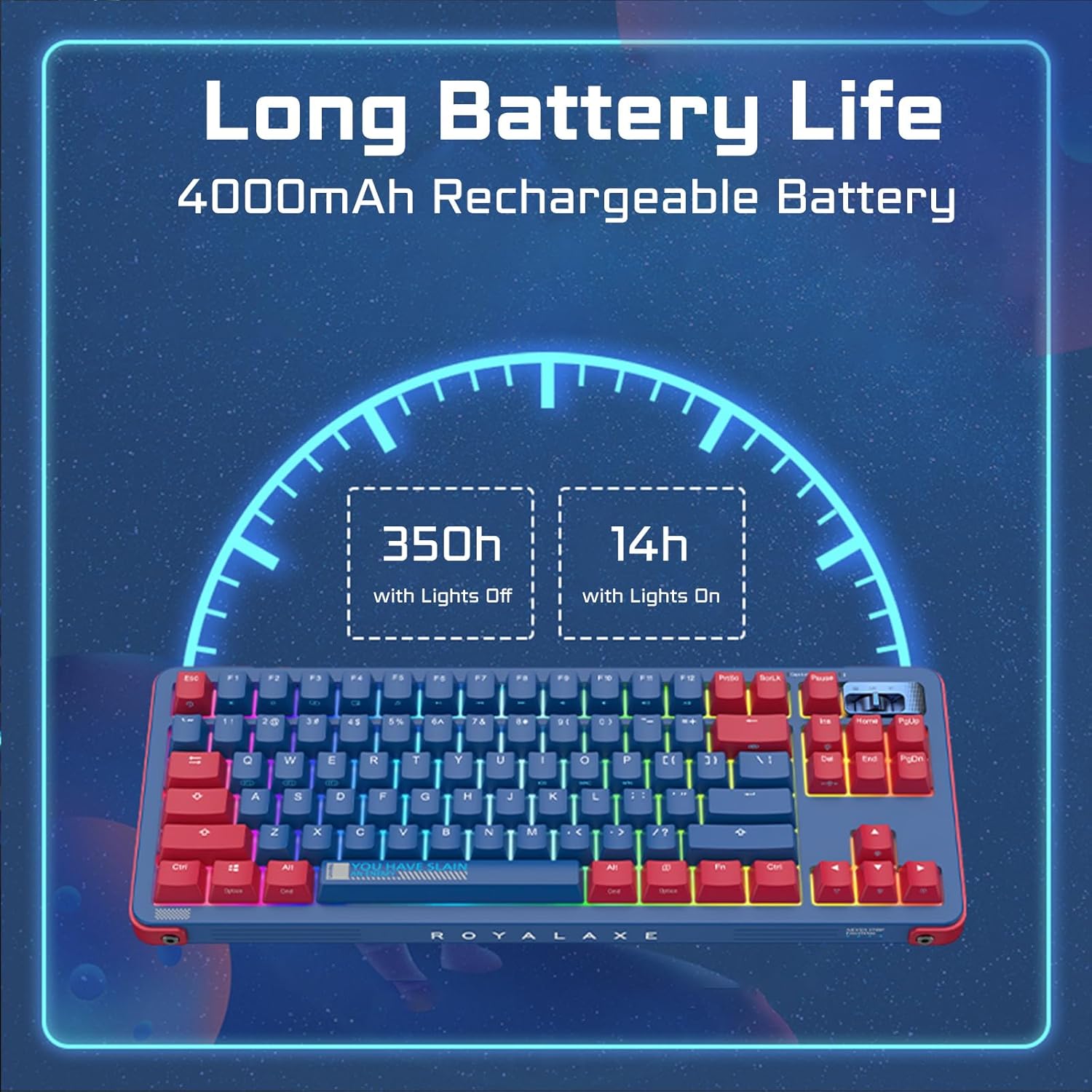
Image: Battery life estimates for the keyboard with and without RGB lighting.
6. Kuchengeta
6.1 Kuchenesa kiyibhodhi
To clean your keyboard, disconnect it from power. Use a soft, dry cloth to wipe the keycaps and chassis. For deeper cleaning, you can remove the keycaps using the provided keycap puller and clean underneath with compressed air or a brush. The PBT keycaps are oil-resistant, making them easier to maintain.
6.2 Swichi dzekuchinjana dzinopisa
The ROYALAXE Y87 features hot-swappable sockets, allowing you to change switches without soldering. Use the provided switch puller to carefully remove existing switches. Align the pins of the new switch with the sockets and press gently until it clicks into place. Ensure the switch pins are straight before insertion to avoid bending them. The sockets support both 3-pin and 5-pin switches, but are not compatible with Cherry brand switches.
7. Kugadzirisa matambudziko
- Kiyibhodhi haisi kudaira:
- Ita shuwa kuti kiibhodhi yachajwa.
- Check the connectivity mode switch (Wired, 2.4G, BT) is set correctly.
- For 2.4G, ensure the dongle is securely plugged in.
- For Bluetooth, re-pair the device if necessary.
- Edza kubatanidza ne USB-C tambo kuti ubvise nyaya dzisina waya.
- RGB mwenje isingashande kana kusaenderana:
- Adjust brightness using Fn + ↑.
- Cycle through effects using Fn + \|.
- Ensure no software settings are overriding the keyboard's onboard controls.
- Makiyi asiri kunyoresa kana kunyora kaviri:
- This could indicate a faulty switch. Use the switch puller to replace the affected switch with one of the spare switches provided.
- Iva nechokwadi chekuti switch yakagara zvakakwana musoketi yayo.
- Connectivity issues (lag, disconnections):
- Ensure the keyboard is within range of the receiver (for 2.4G) or paired device (for Bluetooth).
- Deredza kukanganiswa kubva kune mamwe mawaya zvishandiso.
- Ita shuwa kuti kiibhodhi yakachajwa zvakakwana.
8. Zvinotsanangurwa
| Product Dimensions | 14.5 x 5.7 x 1.5 inches (36.83 x 14.48 x 3.81 cm) |
| Item Weight | 3.1 makirogiramu (1.4 kg) |
| Kubatana Technology | 2.4G Wireless, Bluetooth 5.0, USB-C Wired |
| Keyboard Tsanangudzo | Mechanical |
| Inokurudzirwa Zvishandiso | Everyday Use, Gaming, Programming |
| Special Features | Hot-Swappable, Programmable Keys, Rechargeable |
| Keyboard Backlighting | RGB |
| Swichi | Gateron G Pro 3.0 Yero |
| Keycap Chinyorwa | PBT |
| Battery Capacity | 4000mAh Lithium Ion (inosanganisirwa) |
| Inowirirana Systems | Windows, Mac, Android, iOS |
9. Warranty uye Tsigiro
For warranty information and technical support, please refer to the documentation included with your purchase or visit the official ROYALAXE website. If you encounter any issues not covered in this manual, please contact ROYALAXE customer service for assistance.