1. Nhanganyaya
This manual provides detailed instructions for the installation, operation, and maintenance of your Lumary Smart RGBAI String Downlights, Model L-POD30A1. These indoor LED strip lights are designed to enhance your living space with dynamic and customizable lighting effects.
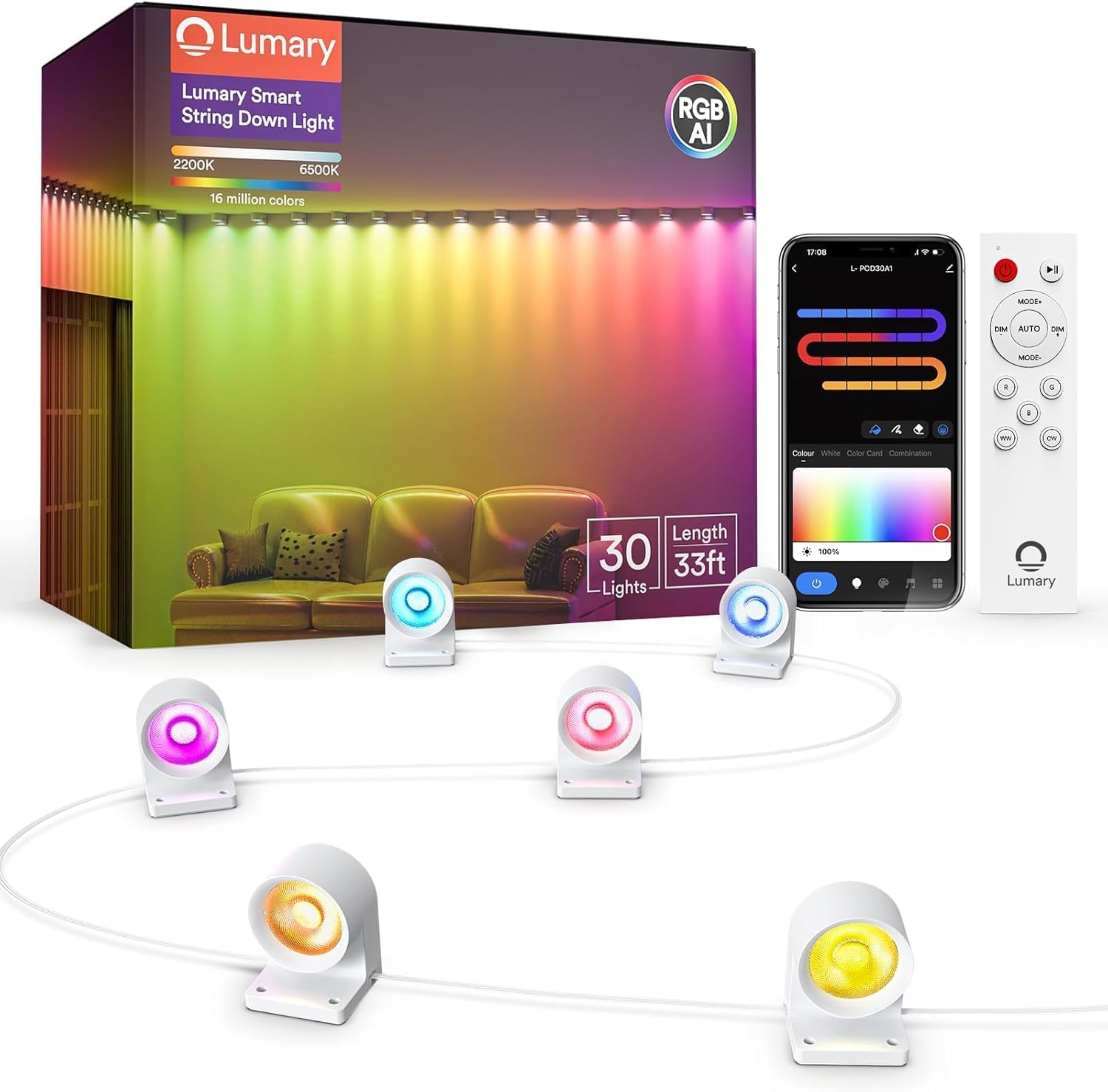
Image: The Lumary Smart RGBAI String Downlights product, showing the packaging, individual light units, remote control, and a smartphone displaying the control app.
2. Chii chiri muBhokisi
Tarisa kuti zvese zviriko zviripo usati watanga kuisa:
- String Light x1 (30 lights per strand)
- Adapter x1
- Mutongi x1
- Bhuku reMushandisi x1 (Gwaro iri)
- Remote Control x1 (Batteries not included)
- Adhesive Mapedhi x30
- Zvikururu x60
- Cable Clips x1
3. Zvinotsanangurwa
| Feature | Detail |
|---|---|
| Model Number | L-POD30A1 |
| Brand | Lumary |
| Indoor / Outdoor Kushandiswa | Indoor |
| Chiedza Chinyorwa Type | LED (RGBAI+WW+CW beads) |
| Nhamba Yechiedza Sources | 30 |
| Total Length | 33 ft (10m) |
| Illuminated Section Length | 20 ft |
| Power Cord Kureba | 13 ft |
| Ruvara Tembiricha Range | 2200K - 6500K |
| Luminous Flux (White) | 480 Lumens |
| Voltage | 24 Volts (DC) |
| Wattage | 24 watts |
| Kudzora Nzira | Lumary APP (2.4G Wi-Fi), Voice Control (Alexa, Google Assistant - requires additional purchase), Remote Control, Control Box |
| Material | ABS Plastiki |
| Special Features | Adjustable Color Temperature, Color Changing, Dimmable, Music Sync |
| Mvura Resistance Level | Kwete Kudzivirira Mvura |

Image: A comparison table highlighting key features of Lumary string downlights, such as flexible plug direction, installation methods, number of LEDs, LED bead type (RGBAI+WW+CW), color temperature range, and control options.

Image: A diagram illustrating the total length of the string lights (33ft), the illuminated section (20ft), and the dimensions of individual light fixtures.
4. Setup uye Kuiswa
Follow these steps for proper installation of your Lumary Smart RGBAI String Downlights:
- Gadzirira Surface: Ensure the installation surface is clean, dry, and smooth. Wipe down the area with a clean cloth to remove dust or debris.
- Shandisa Adhesive: Peel off the protective film from the double-sided adhesive tape located on the back of each light fixture.
- Position uye Press: Carefully position the string downlight against the desired wall or surface. Press firmly to ensure good adhesion.
- Secure with Screws (Optional but Recommended): For enhanced stability, use the provided screws to secure each light fixture. Locate the fixed screw hole positions and drill pilot holes if necessary before inserting the screws.
- Batanidza Waya: Connect the wires of the string lights properly, ensuring a secure connection between sections and to the controller.
- Ronga Wiring: Use the included cable clips to organize and secure any loose wiring, maintaining a neat appearance.

Image: A visual guide demonstrating the six steps for installing the string downlights, including cleaning the surface, applying adhesive, pressing firmly, securing with screws, connecting wires, and organizing cables.
4.1. Flexible Power Connection
The power connection can be adapted to either the left or right side of your installation, providing flexibility to integrate seamlessly into various home layouts without requiring professional electrical work.

Image: An illustration demonstrating how the power supply can be connected from either the left or right side of the string light installation.
4.2. Installation Mounting Options
You have several options for mounting the light fixtures:
- Top Mount Installation: Attach the lights to the top edge of a surface.
- Back Mount Installation: Attach the lights to the back surface, facing outwards.
- Stable with Screws: For maximum stability, always use the provided screws in conjunction with the adhesive.

Image: Three panels illustrating different installation methods: top mount using adhesive, back mount using adhesive, and a more stable installation using both adhesive and screws.
Note: Wire cutting and extension of the string lights are prohibited. The product is not designed to be extended or connected with other units.
5. Operating Instructions
5.1. Kudzora Sarudzo
The Lumary Smart RGBAI String Downlights offer multiple control methods:
- Lumary APP Control (2.4G Wi-Fi): Download the Lumary app to your smartphone. Connect the lights to your 2.4G Wi-Fi network to access full control over colors, brightness, modes, and scheduling.
- Voice Device Control: Compatible with Amazon Alexa and Google Assistant (requires additional purchase of a compatible voice assistant device). Use voice commands to control your lights.
- Remote Controller: Use the included remote control for basic functions such as power on/off, color changes, brightness adjustment, and mode selection. (Batteries not included for remote).
- Control Box Control: The physical control box on the string lights provides direct access to power on/off and cycling through basic modes.

Mufananidzo: Kupfuuraview of the available control methods: Lumary App, voice control via smart speakers, the physical remote control, and the inline control box.

Image: A smartphone screen showing the Lumary App interface, allowing users to select colors and adjust lighting settings.

Image: A hand holding the Lumary remote control, which provides buttons for various light adjustments.

Mufananidzo: Kuvhara view of the physical control box, showing its buttons for direct light control.

Image: A person in a living room using voice commands with a smart speaker to control the Lumary string lights, which are displaying colorful lighting effects.
5.2. Lighting Modes and Customization
The RGBAI+WW+CW beads allow for extensive lighting customization:
- RGBAI Technology: Offers 16 million colors and 20 independently controlled sections for precise color and brightness adjustments.
- DIY Mode: Unleash creativity by crafting unique, rainbow-like dynamic effects.
- Adjustable Color Temperature (CCT): Adjust white light from warm (2200K) to cool (6500K) to suit different moods or tasks.
- Dimmable: Gadzirisa kupenya kubva pa1% kusvika ku100%.
- Zviitiko Zvakatarwa: Choose from various preset modes for occasions like Christmas, Halloween, or general ambiance.
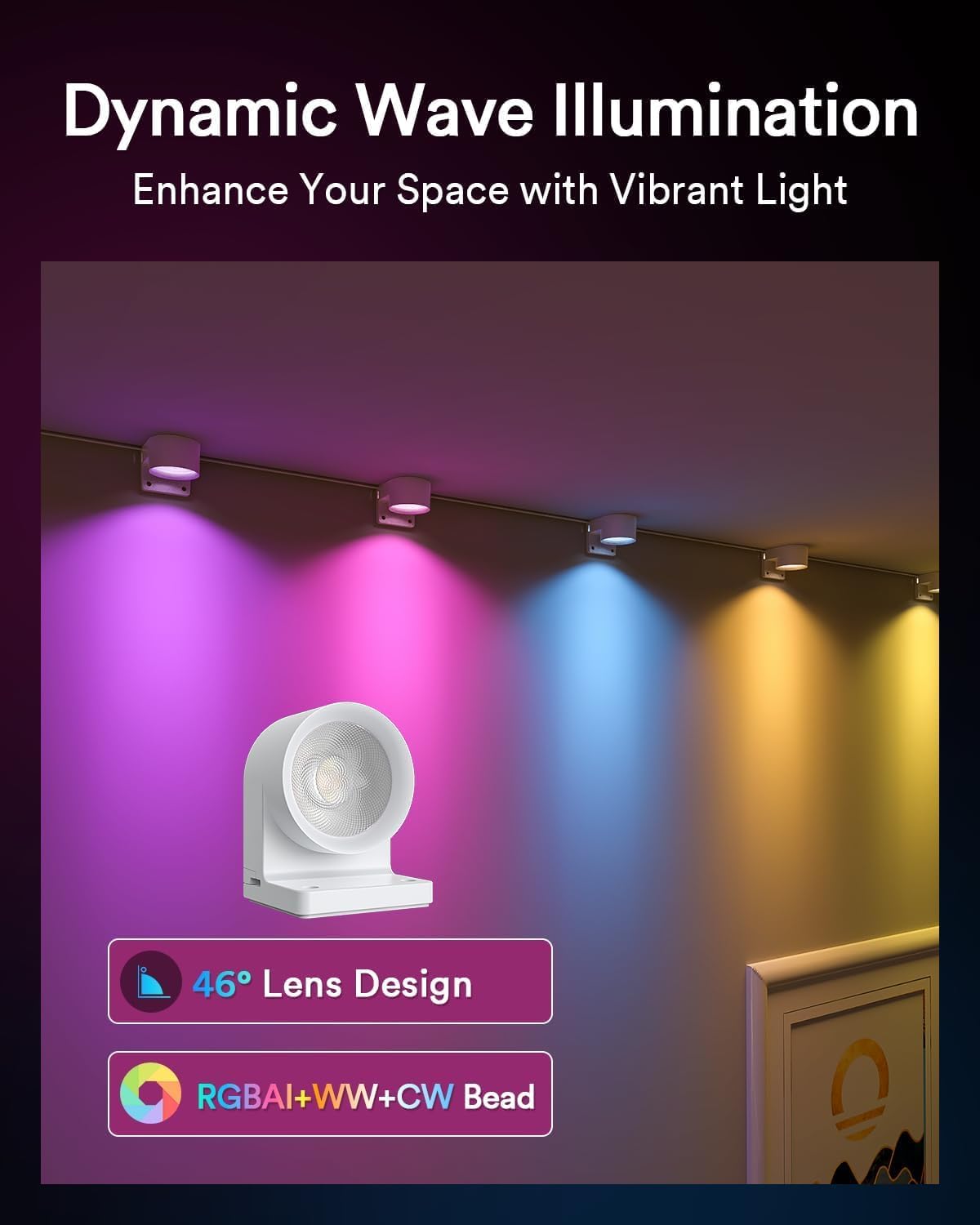
Image: An illustration of the dynamic wave illumination effect created by the 46° lens design and RGBAI+WW+CW beads, showing vibrant colors projected onto a wall.

Image: A room illuminated with colorful RGBAI lighting, with a smartphone displaying the Lumary app's DIY mode for creating custom lighting effects.

Image: A visual representation of how color temperature can be adjusted from 2200K (warm white) to 6500K (cool white), along with brightness adjustment from 1% to 100%.

Mufananidzo: Chikamu chakayambuka view of a house demonstrating various lighting modes: warm nightlight mode in a bedroom, bright downlight mode in a kitchen, and colorful RGBAI mode in a living room.
5.3. Mumhanzi Mode
The music mode allows the lights to synchronize with the beat of your favorite music, adding an immersive element to gatherings. This feature is available via Local Music Mode and App Music Mode.

Image: A living room scene where the Lumary string lights are actively changing colors and patterns in sync with music playing from a TV, controlled via a smartphone app.
6. Kuchengeta
To ensure the longevity and optimal performance of your Lumary Smart RGBAI String Downlights, follow these maintenance guidelines:
- Kuchenesa: Gently wipe the light fixtures with a soft, dry cloth. Avoid using abrasive cleaners, solvents, or excessive moisture, as these can damage the lights or their electronic components.
- Kubata: Handle the string lights with care. Avoid bending or twisting the wires excessively, which could lead to internal damage.
- Environment: These lights are designed for indoor use only. Do not expose them to water, high humidity, or extreme temperatures.
- Magetsi: Always use the provided power adapter. Using an incompatible power supply may damage the device and void the warranty.
7. Kugadzirisa matambudziko
If you encounter issues with your Lumary Smart RGBAI String Downlights, refer to the following common problems and solutions:
- Mwenje asiri Kubatidzwa:
- Tarisa kana adapta yemagetsi yakabatanidzwa zvakanaka mu soketi inoshanda.
- Ensure all wire connections between the light sections and the controller are firm.
- Verify that the control box or remote control batteries (if applicable) are functional.
- Lights Not Connecting to App/Wi-Fi:
- Ensure your Wi-Fi network is 2.4GHz. The lights are not compatible with 5GHz networks.
- Check if your smartphone is connected to the same 2.4GHz Wi-Fi network during the pairing process.
- Restart the lights by unplugging and replugging the power adapter.
- Reset the lights according to the Lumary app instructions (usually involves a specific power cycle sequence).
- Ensure your Wi-Fi signal strength is adequate where the lights are installed.
- Remote Control Haisi Kushanda:
- Dzorera mabhatiri muremote control.
- Ensure there are no obstructions between the remote and the light's receiver.
- Inconsistent Colors or Effects:
- Check for any loose connections in the string lights.
- Perform a factory reset via the app or control box if issues persist.
If these steps do not resolve the issue, please contact Lumary customer support for further assistance.
8. Warranty uye Tsigiro
Lumary provides a 1+ year service warranty for this product. For warranty claims, technical support, or any inquiries, please refer to the contact information provided on the Lumary official website or within the Lumary App.
Ndapota chengetedza humbowo hwako hwekutenga nekuda kwewaranti.


