Nhanganyaya
This manual provides detailed instructions for the use and maintenance of your Loluka Invisible Earbuds. These earbuds are designed for discreet and comfortable listening, featuring advanced audio technology and seamless connectivity.
Package Zviri mukati
- Wireless Bluetooth Invisible Earphones (1 pair)
- Nyaya yekuchaja (1)
- Bhuku rekushandisa (1)
Key Features
- Immersive Sound Quality: Crystal-clear sound with advanced audio technology.
- Seamless Kubatana: Bluetooth 5.3 for quick and hassle-free device pairing.
- Dhizaini Isingaonekwe: Small, mini, and discreet in-ear fit.
- Yakareruka uye Yakasununguka: Ultra-small and lightweight construction for extended wear.
- Hupenyu Hurefu Hwebhatiri: Kusvika maawa makumi maviri nemaviri ekutamba mutambo nekuchaja kamwe chete.
- Dhizaini Inodzivirira Mvura: Suitable for various activities, including sports and exercise.
- Yakabatanidzwa Microphone: For clear call quality.
- Universal Phone Controls: Manage audio and calls directly from the earbuds.
Product Overview
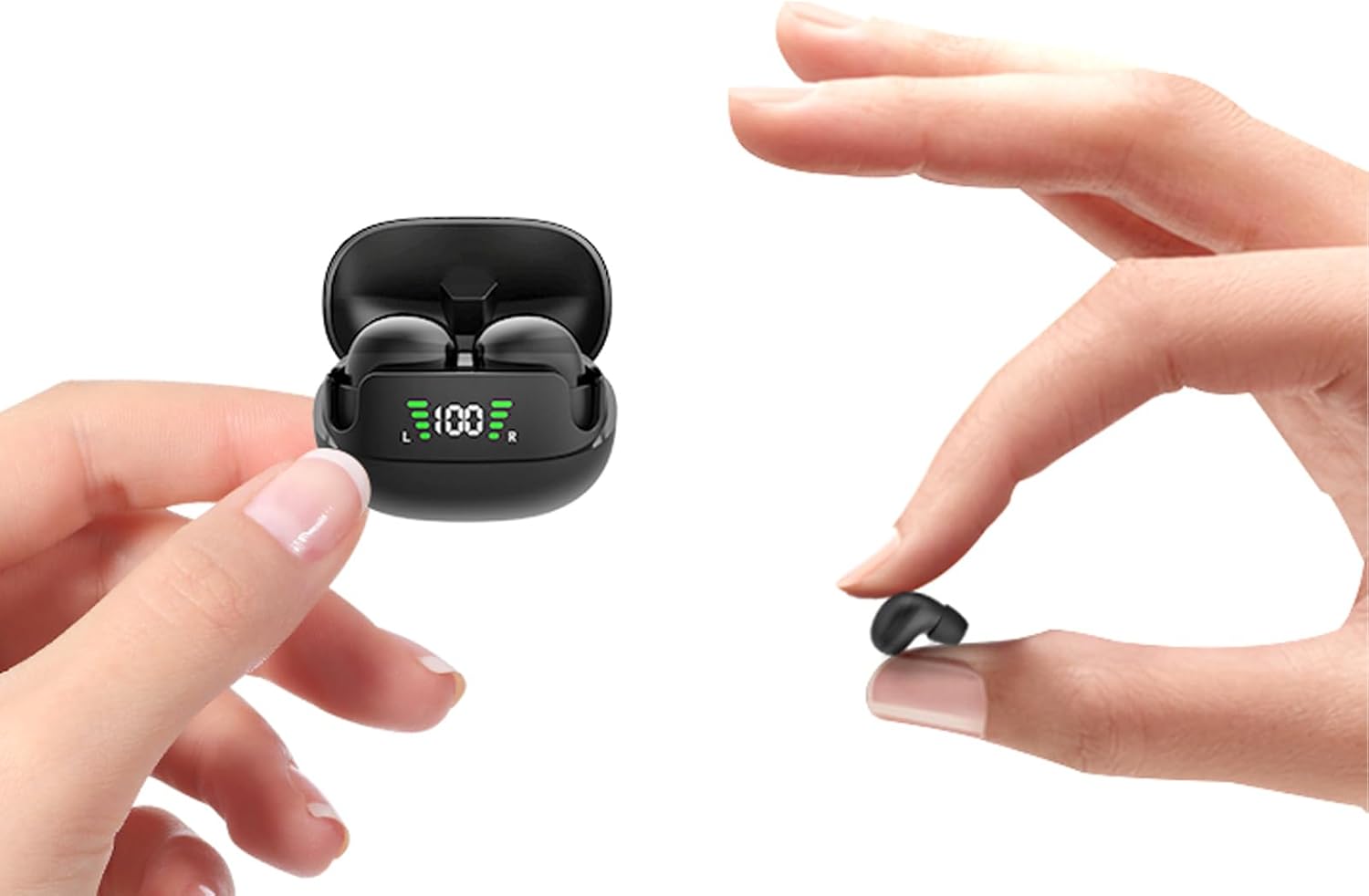
Figure 1: Loluka Invisible Earbuds and Charging Case. The image shows the compact charging case with earbuds inside, and one earbud being held between two fingers, highlighting its small size.

Figure 2: Invisible Design. This image displays two women, one wearing the earbuds, demonstrating how discreetly they fit in the ear, making them barely noticeable.

Figure 3: Small & Light Design. An illustration comparing the earbud's weight (approximately 2.3g) to a 1 Euro coin (approximately 6.1g), and its size to a peanut, emphasizing its ultra-lightweight and compact nature.

Figure 4: Designed for Small Ears. A woman is shown wearing the earbuds while working at a desk, illustrating their comfortable and perfect fit for smaller ear canals without a foreign body sensation.
Gadzirira
Kutanga Pairing
- Ita shuwa kuti maearbuds akachajwa.
- Vhura kesi yekuchaja. Maearbuds anozobatidza otomatiki uye opinda papairing mode.
- Pamudziyo wako (smartphone, piritsi, nezvimwewo), famba uchienda kumasetin'i eBluetooth.
- Tsvaga "MINI" in the list of available devices.
- Select "MINI" to connect. Once connected, a confirmation sound may be heard, and the earbuds will be ready for use.

Figure 5: One Step Fast Pairing. This diagram illustrates the simple pairing process: closing the case to auto-logout/turn off, opening and taking out earbuds for automatic power on and pairing, and the phone's Bluetooth settings showing "MINI" as a discoverable device.
Official Product Video: Loluka Mini13T Invisible Wireless Earbuds
Video 1: This official product video provides a visual guide to the features and setup of the Loluka Mini13T Invisible Wireless Earbuds, including their compact design, sound quality, and connectivity.
Operating Instruction
Touch Controls
The Loluka Invisible Earbuds feature touch controls for easy management of audio playback and calls. Specific touch gestures for various functions are detailed below:
- Tamba/Kumbomira: Top kamwechete pane imwe earbud.
- Next Track: Tokonya kaviri pane earbud yekurudyi.
- Previous Track: Tokonya kaviri kuruboshwe rwenzeve.
- Pindura/Pedzisa Kufona: Tokonya kamwe chete pane imwe earbud panguva yekufona.
- Ramba Kufona: Dzvanya uye ubate chero earbud kwemasekonzi maviri panguva yekufona.
- Shandisa Izwi Mubatsiri: Tokonya katatu pane imwe earbud.
- Kudzora inzwi: (Specific gesture not detailed in provided data, typically press and hold or multiple taps on specific earbud) - Refer to the quick start guide included in your package for precise volume control gestures.
Kuchaja maEarbuds uye Case
To charge the earbuds, place them back into their charging case. The case will automatically begin charging the earbuds. To charge the charging case:
- Connect the charging case to a power source using a compatible USB cable (not included, as per "Included Components: No" in specifications, but typically comes with charging cases).
- The LED display on the charging case will indicate the charging status.
- A full charge for the earbuds takes approximately 3-4 hours. The charging case provides up to 24 hours of additional playtime.
- The charging case supports fast charging, achieving a full charge in approximately 1 hour.
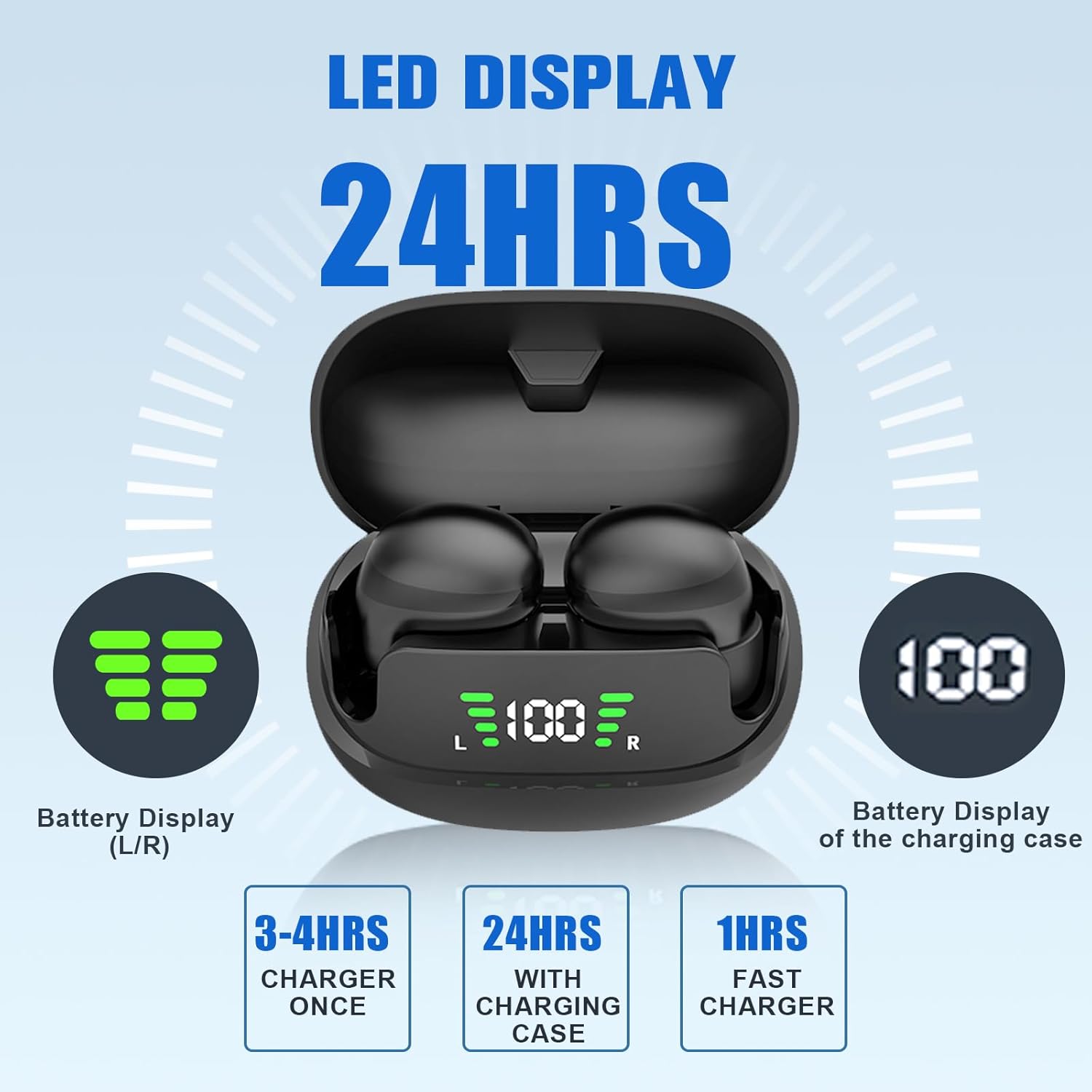
Figure 6: LED Display and Battery Information. The image shows the charging case with an LED display indicating the battery levels of both the left (L) and right (R) earbuds, as well as the charging case's battery percentage. It also highlights charging times: 3-4 hours for earbuds, 24 hours total with case, and 1 hour for fast charging the case.
Maintenance
Kuchenesa
Regular cleaning helps maintain optimal sound quality and hygiene. Use a soft, dry, lint-free cloth to wipe the earbuds and charging case. Do not use abrasive cleaners or immerse the devices in water.
Storage
Kana isiri kushandiswa, chengetedza maearbuds mukesi yavo yekuchaja kuti uzvidzivirire uye uone kuti inoramba yakachajiwa. Chengetedza munzvimbo inotonhorera, yakaoma kure nekupisa kwakanyanya uye zuva rakananga.
Kugadzirisa matambudziko
| Dambudziko | Zvinogona Kukonzera | Solution |
|---|---|---|
| Maearbuds haasi kubatanidza. | Earbuds not in pairing mode, Bluetooth off on device, out of range. | Ensure earbuds are in pairing mode (open case, take out earbuds). Turn Bluetooth on/off on your device. Move closer to your device. |
| Hapana ruzha kubva munzeve. | Volume too low, not connected, media paused. | Increase device volume. Check Bluetooth connection. Ensure media is playing. |
| Maearbuds haasi kuchaja. | Improper placement in case, dirty charging contacts, faulty cable/power source. | Ensure earbuds are correctly seated in the case. Clean charging contacts. Try a different USB cable or power source. |
| Yakashata yemhando yepamusoro. | Low battery, interference, earbud fit. | Charge earbuds. Move away from sources of interference. Adjust earbud position for a better seal. |
Zvinotsanangurwa
| Zita remuenzanisi: | XIINABK1 |
| Kubatana Technology: | Wireless (Bluetooth 5.3) |
| Bluetooth Range: | Kusvika pamamita zana (1E+1 Mamita) |
| Hupenyu hwebhatiri (Earbuds): | 4 Hours (playback time) |
| Charging Case Playtime: | Kusvikira kumaawa makumi mana nemasere (ine kesi yekuchaja) |
| Kudzora Type: | Kubata, Kudzora Vhoriyamu |
| Mvura Inodzivisa Level: | Isingapindi mvura |
| Chinhu Weight: | 0.77 Onzi |
| Zviyero zvechigadzirwa: | 3.3 x 3.3 x 2 inches |
| Material: | Plastiki |
| Ruvara: | Nhema |
| Kuiswa Nzeve: | Munzeve |
| Noise Control: | Hapana |
Warranty uye Support
For warranty information and customer support, please refer to the contact details provided in the packaging or visit the official Loluka website. Chengeta risiti yako yekutenga yezvichemo zvewaranti.


