Nhanganyaya
This manual provides comprehensive instructions for the setup, operation, and maintenance of your Ceybo RC813 FMB1 Voice Remote Control. This remote is designed to work seamlessly with a wide range of TCL QLED Smart TVs, offering convenient control and voice assistant capabilities.

Mufananidzo 1: Mberi neshure view of the Ceybo RC813 FMB1 Voice Remote Control. The front features various buttons including navigation, volume, channel, and dedicated app shortcuts. The back is smooth and ergonomic.
Gadzirira
1. Kuiswa kwebhatiri
The RC813 FMB1 remote control requires two (2) AAA batteries (not included) for operation. Follow these steps to install the batteries:
- Tsvaga chivharo chebhatiri kuseri kweremote control.
- Svetesa chifukidziro pasi kana kuti dzvanya chibatiso kuti uvhure chikamu.
- Isa mabhatiri maviri eAAA, uchiita kuti ma terminals akanaka (+) neasina (-) aenderane nemazvo nezviratidzo zviri mukati me compartment.
- Tsiva chivharo chekamuri yebhatiri nekuchitsvedza panzvimbo kusvika yanyatsodzvanya.

Mufananidzo 2: Illustration of the battery compartment and proper insertion of AAA batteries.
2. Kubatanidza Remote Control
To ensure full functionality, including voice control, the remote must be paired with your TCL Smart TV. Follow these steps:
- Ensure your TCL Smart TV is powered on.
- Nongedza remote yakananga kuTV.
- Panguva imwe chete dzvanya uye ubate iyo "Zvakanaka" bhatani (pakati pepad yekunamira) uye "Home" button (house icon) for approximately 2 seconds.
- A pairing confirmation message should appear on your TV screen, indicating successful pairing.
- If pairing fails, ensure the batteries are correctly installed and try again. Move closer to the TV if necessary.
Kushandisa Remote
Bhatani Mabasa Pamusoroview
The RC813 FMB1 remote control features a variety of buttons for intuitive navigation and control of your TCL Smart TV. Refer to the image below for button layout.
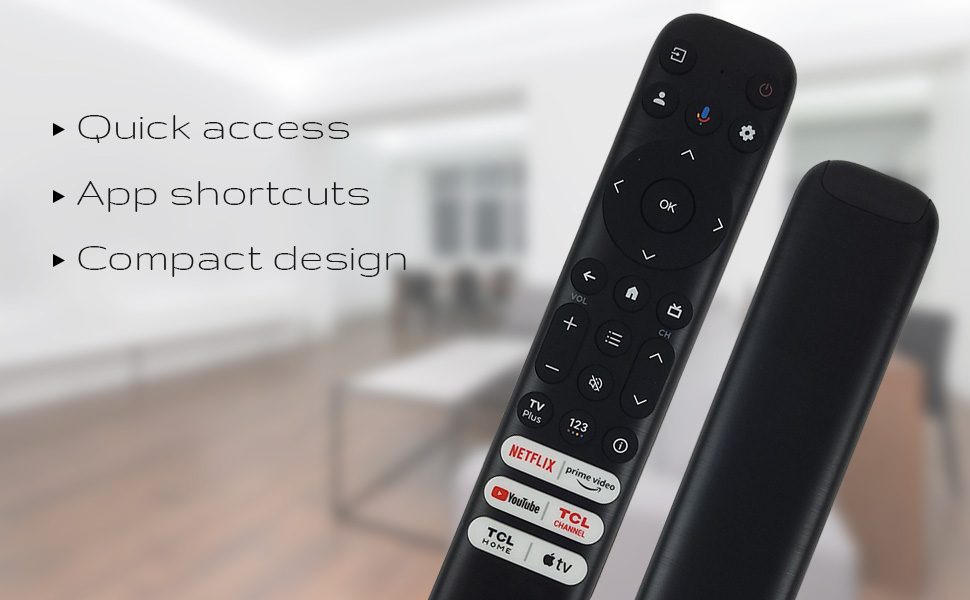
Mufananidzo 3: The remote's design emphasizes quick access, app shortcuts, and a compact form factor for ease of use.
- Bhatani reSimba (⏻): Batidza kana kudzima TV.
- Navigation Pad (Up, Down, Left, Right): Inoshandiswa pakutsvaga menyu nekusarudza sarudzo.
- Bhatani RAKANAKA: Confirms selections or opens items.
- Back Button: Inodzokera kune yakapfuura skrini kana menyu.
- Bhatani reKumba (Chiratidzo cheImba): Inodzokera kuTV.
- Vhoriyamu kumusoro/Kudzika: Adjusts the TV's volume level.
- Channel Kumusoro/Kudzika: Inochinja chiteshi cheTV.
- Settings Bhatani (Gear Icon): Inopinda mumagadzirirwo eTV.
- Bhatani rekupinda: Changes the TV's input source.
Voice Assistant Kushanda
The remote features a dedicated button for Google Assistant, allowing you to control your TV and search for content using voice commands.
- Google Assistant Button (Microphone Icon): Press and hold this button, then speak your command clearly into the remote. Release the button when you are finished speaking.
- Examples of commands include: "Open Netflix," "Tsvaga action movies," "What's the weather like?", "Turn up the volume."
Dedicated Shortcut Buttons
Quickly access your favorite streaming services and TCL features with the dedicated shortcut buttons located at the bottom of the remote.

Mufananidzo 4: Dedicated shortcut buttons for popular streaming services and TCL applications.
- Netflix: Direct access to the Netflix streaming service.
- Prime Vhidhiyo: Direct access to Amazon Prime Video.
- YouTube: Direct access to YouTube.
- TCL Channel: Kusvika zvakananga kuTCL Channel.
- TCL Home: Direct access to TCL Home features.
- Apple TV: Direct access to Apple TV.
Kugarisana
The Ceybo RC813 FMB1 Voice Remote Control is compatible with a wide range of TCL QLED Smart TV models, including those with Google TV functionality. Below is a list of some compatible models:
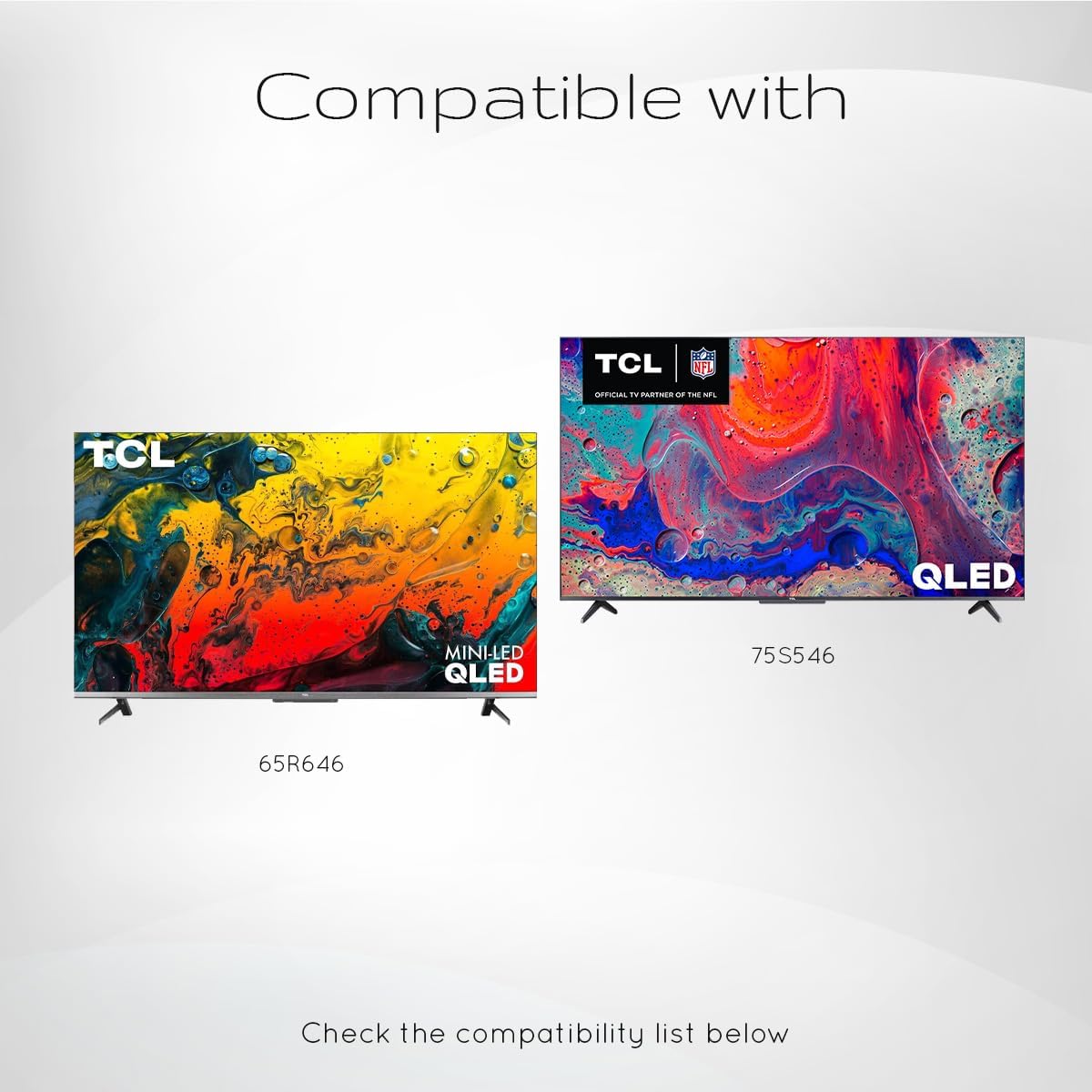
Mufananidzo 5: Examples of compatible TCL QLED TV models.
- Google TV 65Q750G
- Google TV 55Q750G
- Google TV 75Q750G
- Google TV 50Q750G
- Google TV 43Q750G
- Google TV 58Q750G
- 65QM850G
- 55QM850G
- 75QM850G
- 58QM850G
- And many more TCL QLED Smart TV models.
Note: Always verify compatibility with your specific TV model before use.
Maintenance
Kutsiviwa kwebhatiri
When the remote control's performance degrades or it stops responding, it is likely time to replace the batteries. Follow the battery installation steps outlined in the "Setup" section.
- Always replace both AAA batteries at the same time.
- Usasanganise mabhatiri ekare uye matsva, kana marudzi akasiyana emabhatiri.
- Rasa mabhatiri akashandiswa zvine ungwaru maererano nemitemo yenzvimbo.
Kuchenesa Remote
To maintain the remote control's appearance and functionality, clean it periodically.
- Shandisa jira rakapfava, rakaoma kupukuta pamusoro pe remote.
- Patsvina yakasindimara, zvishoma dampIsa jira nemvura kana muchina wekuchenesa usina kunyorova, usingasvibisi. Dzivisa hunyoro hwakawandisa.
- Do not use harsh chemicals, solvents, or abrasive cleaning materials, as these can damage the remote's finish or internal components.
Kugadzirisa matambudziko
If you encounter issues with your Ceybo RC813 FMB1 remote control, refer to the following common problems and their solutions:
| Dambudziko | Zvinogoneka Chikonzero / Mhinduro |
|---|---|
| Remote haisi kupindura. |
|
| Kudzora inzwi hakusi kushanda. |
|
| Shortcut buttons are not working. |
|
Zvinotsanangurwa
| Feature | Detail |
|---|---|
| Model Number | RC813 FMB1 |
| Brand | Ceybo |
| Kubatana Technology | Bluetooth |
| Inowirirana Devices | TCL QLED Smart Televisions |
| Special Feature | Voice Search (Google Assistant) |
| Simba Source | 2 x AAA mabhatiri (asina kuisirwa) |
| Item Weight | 3.2 ounces (inenge 90.7 gramu) |
| Package Dimensions | 8 x 2 x 0.5 inches (approx. 20.3 x 5.1 x 1.3 cm) |


