Nhanganyaya
This manual provides essential information for the safe and efficient operation of your Faber Instacook20_S 20L Standalone Microwave Oven. Please read these instructions thoroughly before using the appliance and retain them for future reference.
Yakakosha Mirayiridzo Yekuchengetedza
Kuti uderedze njodzi yemoto, kuvhunduka kwemagetsi, kukuvara kwevanhu, kana kuratidzwa simba rakawandisa remicrowave paunenge uchishandisa mudziyo wako, tevera matanho ekutanga, kusanganisira anotevera:
- Verenga mirairo yese usati washandisa mudziyo.
- Usayedze kushandisa ovheni iyi musuwo wakavhurika sezvo izvi zvichigona kuguma nekukuvadza kune microwave simba.
- Usaise chero chinhu pakati pehuso hwemberi negonhi kana kubvumira ivhu kana zvisaririra zvekuchenesa kuti zviunganidzwe panzvimbo yakavharika.
- Usashandise ovhoni kana yakanganisika. Zvinonyanya kukosha kuti musuwo weovheni uvhare zvakanaka uye kuti hapana chakaipa kune: (1) musuwo (wakakotama), (2) hinji nezvikorekedzo (zvakatyoka kana kusunungurwa), (3) zvidhindo zvemusuwo uye nzvimbo dzekuisa chisimbiso.
- Ovheni haifanire kugadziridzwa kana kugadziriswa nemunhu chero upi zvake kunze kwevashandi vanonyatso kwanisa basa.
- Always ensure the glass turntable and roller ring are correctly positioned before operation.
- Usadziise zvinwiwa kana zvimwe zvekudya mumidziyo yakavharwa nekuti zvinogona kuputika.
- Chishandiso ichi hachina kuitirwa kuti chishandiswe nevanhu (kusanganisira vana) vane masimba emuviri, pfungwa kana pfungwa dzakadzikira, kana kushaya ruzivo neruzivo, kunze kwekunge vapihwa tarisiro kana kuraira maererano nekushandiswa kwemudziyo nemunhu ane mutoro wekuchengetedza kwavo.
- Vana vanofanira kutariswa kuti vaone kuti havasi kutamba nemudziyo wacho.
Product Overview
The Faber Instacook20_S is a 20-liter standalone microwave oven designed for reheating, defrosting, and cooking various food items. It features a user-friendly knob control system for power and timer settings.

Mufananidzo 1: Mberi view of the Faber Instacook20_S 20L Standalone Microwave Oven, showing the door, control panel with two rotary knobs, and a sleek black and silver finish.
Zvikamu
- Oven Cavity: Nzvimbo yemukati yekudya.
- Girazi Turntable: Inotenderedza chikafu kuti chigobikwa zvakaenzana.
- Roller Mhete: Inotsigira girazi turntable.
- Control Panel: Features power level and timer/defrost knobs.
- Hovhoni Door: With a cool-touch handle.

Mufananidzo 2: The Faber Instacook20_S microwave oven with its compact dimensions highlighted: 440mm width, 358mm height, and 258mm depth, illustrating its 20L capacity.
Setup uye Installation
- Kuburitsa: Bvisa ovheni ye microwave nezvinhu zvese zvekurongedza nokungwarira. Tarisa kana paine kukuvara. Usashandise kana kukuvara.
- Kuiswa: Place the oven on a flat, stable surface strong enough to hold its weight. Ensure adequate ventilation by leaving at least 10 cm (4 inches) of space at the back, 20 cm (8 inches) at the top, and 5 cm (2 inches) on the sides.
- Power Connection: Plug the oven into a properly grounded electrical outlet. Ensure the voltage inoenderana nechiratidzo chekuongorora chiri paovheni.
- Turntable Gungano:
- Place the roller ring in the center of the oven cavity floor.
- Isa girazi rinotenderera pamusoro peroller ring, uchiita shuwa kuti rakagara zvakanaka pakati pekutsigira.
Mufananidzo 3: The Faber Instacook20_S microwave oven, highlighting its 700W power capability for efficient cooking.
Operating Instruction
Kudzora Panel Pamusoroview

Mufananidzo 4: A close-up of the microwave's control panel, featuring two rotary knobs for power level selection and timer/defrost settings, designed for easy and intuitive operation.
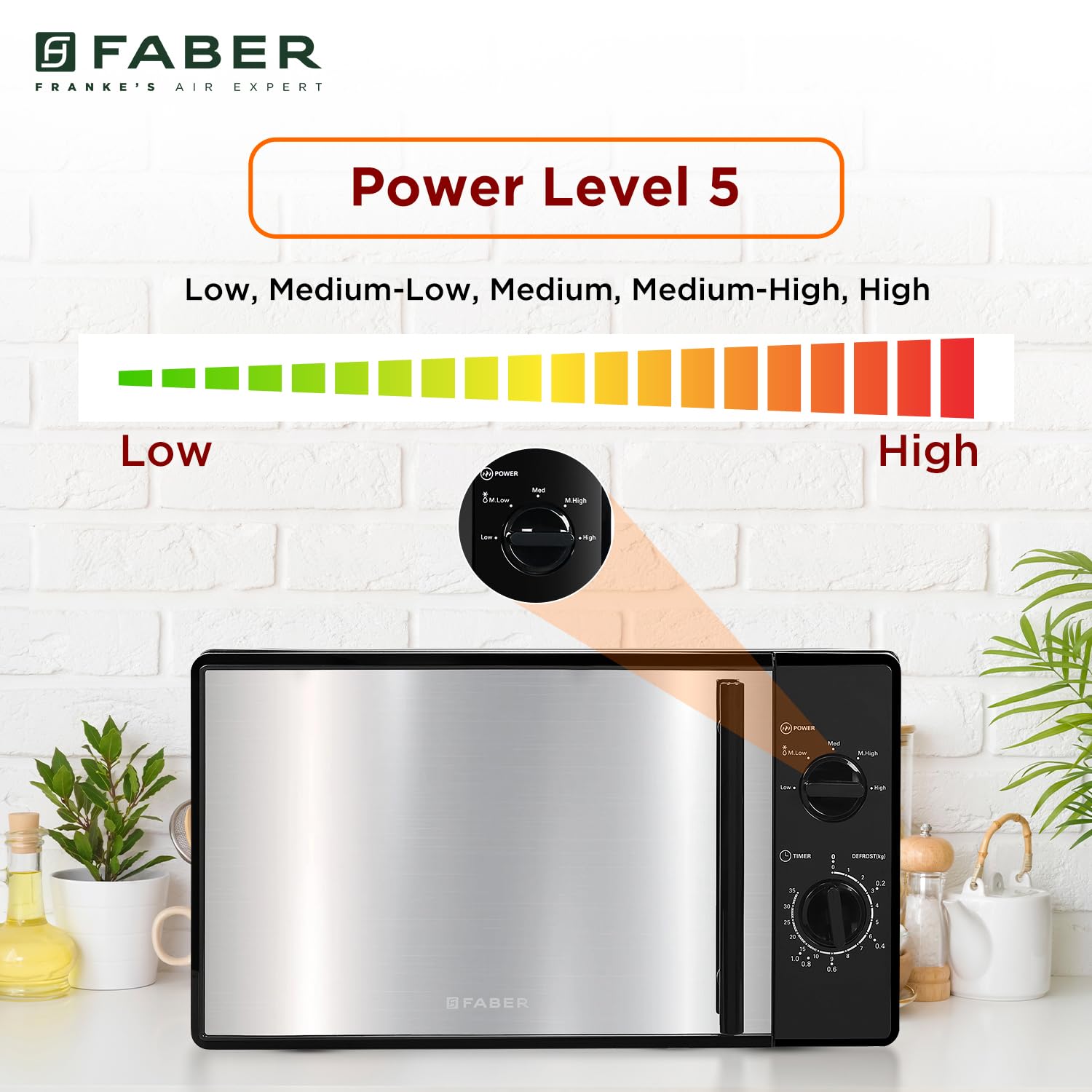
- Power Level Knob: Used to select the desired cooking power (Low, Medium-Low, Medium, Medium-High, High).
- Timer/Defrost Knob: Used to set cooking time or defrost weight/time.
Basic Microwave Kubika
- Isa chikafu mune microwave-yakachengeteka mudziyo pane girazi turntable.
- Vhara gonhi rehovhoni zvakachengeteka.
- Turn the Power Level Knob to select the desired power setting (e.g., High for fast cooking). The oven offers 5 power levels: Low, Medium-Low, Medium, Medium-High, High.
- Turn the Timer/Defrost Knob to set the desired cooking time. The oven will start automatically once the timer is set.
- When the cooking time expires, the oven will emit an audible signal and turn off.

Mufananidzo 5: An illustration demonstrating the five available power levels (Low, Medium-Low, Medium, Medium-High, High) on the Faber Instacook20_S microwave oven, controlled by the power knob.
Defrosting
The oven offers two defrosting methods: Defrost by Weight and Defrost by Time.
Dzora nehuremu
- Isa chikafu chakaomeswa nechando patafura yegirazi.
- Turn the Power Level Knob to the "Defrost" setting.
- Turn the Timer/Defrost Knob to select the desired weight (e.g., 0.1 kg to 1.4 kg). The oven will automatically calculate the defrosting time.
- The oven will start defrosting. Turn the food over periodically for even defrosting.
Dzora neNguva
- Isa chikafu chakaomeswa nechando patafura yegirazi.
- Turn the Power Level Knob to the "Defrost" setting.
- Turn the Timer/Defrost Knob to select the desired defrosting time (e.g., 10 to 95 minutes).
- The oven will start defrosting. Turn the food over periodically for even defrosting.

Mufananidzo 6: The Faber Instacook20_S microwave oven illustrating its defrosting capabilities, supporting weights from 100g to 1400g and defrosting times from 10 to 95 minutes.
Auto Cook Menu
The Faber Instacook20_S features 6 auto cook menus for common food items. While the specific settings are typically indicated on the control panel or in a quick guide, the general procedure is:
- Isa chikafu muchoto.
- Select the appropriate auto cook function using the timer knob, which often has markings for specific food types (e.g., Popcorn, Reheat).
- The oven will automatically set the power level and cooking time.

Mufananidzo 7: The Faber Instacook20_S microwave oven demonstrating its versatility for heating various dishes such as pasta, baked potatoes, popcorn, veggies, fish, and general reheating, indicating its auto-cook capabilities.
Child Safety Lock
This model includes a child safety lock feature. Consult the markings on the control panel or a quick reference guide for specific instructions on activating and deactivating this feature, as it typically involves a combination of knob turns or a specific position on the timer knob.
Kuchengeta uye Kuchengeta
- Kuchenesa Mukati meOvheni: Pukuta mukati nekushambadziraamp cloth after each use. For stubborn stains, use a mild detergent. Do not use abrasive cleaners or scouring pads.
- Cleaning the Oven Exterior: Pukuta kunze nekanyoro, damp jira. Dzivisa kuisa mvura munzvimbo dzinopinda mhepo.
- Kuchenesa Turntable neRoller Ring: Izvi zvinogona kugezwa mumvura inodziya ine sipo kana mudhishi. Ita shuwa kuti dzaoma zvachose usati wadzosa muchoto.
- Kubvisa hwema: To remove odors, combine a cup of water with the juice of one lemon in a microwave-safe bowl. Microwave on high for 5-7 minutes, then let it sit in the oven for a few minutes before wiping clean.
- Gara uchibvisa ovheni usati wachenesa.
Kugadzirisa matambudziko
| Dambudziko | Zvinogona Kukonzera | Solution |
|---|---|---|
| Ovheni haina kutanga |
|
|
| Chikafu kwete kudziyisa |
|
|
| Turntable isiri kutenderera |
|
|
| Kusvira mukati meovheni |
|
|
Kana dambudziko rikaramba riripo mushure mekuyedza mhinduro idzi, ndapota taura nerutsigiro rwevatengi.
Zvinotsanangurwa
| Brand | Faber |
| Model | 131.0685.004 (Instacook20_S) |
| Capacity | 20 marita |
| Wattage | 700 Watts |
| Kushandiswa Kwemagetsi | 750 Watts |
| Installation Type | Kusununguka |
| Special Features | Auto Cook, Timer, Turntable |
| Nzira Yokubika muOvheni | Microwave Radiation |
| Color | Nhema |
| Defrost Sisitimu | Defrost |
| Door Orientation | Ruboshwe |
| Inner Material Type | Girazi |
| Inosanganisirwa Zvikamu | Roller Mhete |
| Item Weight | 10 kg 700g |
| Zviyero zveChigadzirwa (LxWxH) | 35.8 x 44 x 25.8 Masendimita |
| Nyika Yekwakabva | China |
Warranty uye Support
Warranty Information
Your Faber Instacook20_S Microwave Oven comes with a 2-year warranty. Please refer to the warranty card included with your product for detailed terms and conditions. Keep your purchase receipt as proof of purchase for warranty claims.
Extended protection plans may be available. For example, a 2 Years Total Protection by Acko is offered.
Mutengi Support
For any queries, service requests, or technical assistance, please contact Faber customer support:
- Mugadziri: Franke Faber India Pvt. Ltd.
- Contact Number: 1800-209-3485
- Kero: 1086/1/2, SANASWADI, TAL - SHIRUR, PUNE - 412208, MAHARASHTRA, INDIA
You can also visit the official Faber websaiti kuti uwane rumwe ruzivo uye zviwanikwa zvekutsigira.


