Nhanganyaya
Welcome to the user manual for your new Reflex Active Amoled Series 30 Smart Watch. This guide provides essential information on setting up, operating, maintaining, and troubleshooting your device to ensure you get the most out of its advanced features. The Series 30 Smart Watch combines cutting-edge technology with a sleek design, offering an exceptional user experience with its vibrant AMOLED display and comprehensive health and connectivity features.

Figure 1: Reflex Active Amoled Series 30 Smart Watch
This image displays the front of the Reflex Active Amoled Series 30 Smart Watch, highlighting its always-on display and the "CALLING BUILT IN" feature, set against a vibrant, colorful background.
Chii chiri muBhokisi
Upon unboxing your Reflex Active Amoled Series 30 Smart Watch, please verify that all the following items are included:
- Reflex Active Amoled Series 30 Smart Watch
- Bhuku reMirayiridzo
- USB Kuchaja Cable
- Gift Bhokisi

Mufananidzo 2: Bhokisi Zviri mukati
This image shows the Reflex Active Smart Watch packaging, including the watch box, the instruction manual, and the USB charging cable, laid out next to the watch itself.
Gadzirira
1. Charging Your Smart Watch
Before initial use, fully charge your Reflex Active Series 30 Smart Watch. Connect the provided USB charging cable to the charging port on the back of the watch and plug the other end into a USB power adapter (not included) or a computer's USB port. A full charge typically takes approximately 2 hours.

Figure 3: Watch Back and Sensors
Ichi chifananidzo chinopa pedyo-up view of the back of the Reflex Active Smart Watch, clearly showing the charging contacts and the optical heart rate sensor.
2. Downloading the Reflex Active Red App
To unlock the full functionality of your smart watch, download the free Reflex Active Red App from your smartphone's app store. The app is compatible with Android 9.0+ and iOS 12.0+ devices.
- Tsvaga "Reflex Active Red" in the Google Play Store (for Android) or Apple App Store (for iOS).
- Dhawunirodha uye isa iyo app.
- Tevedza mirairo iri pa-screen kugadzira account kana kupinda.
3. Kubatanidza Wachi Yako Yakangwara
Once the app is installed and your watch is charged, proceed with pairing:
- Ita shuwa kuti Bluetooth yakagoneswa pane yako smartphone.
- Open the Reflex Active Red App.
- Navigate to the device pairing section within the app.
- Select your "Reflex Active Series 30" from the list of available devices.
- Simbisa chikumbiro chekubatanidza pawachi yako uye smartphone.
Operating Instruction
Display uye Navigation
The Reflex Active Series 30 features a 1.78'' AMOLED display, offering exceptional clarity and vibrant colors. You can interact with the watch using its full touch screen or the rotating crown for smooth navigation.
- Bata Sikirini: Svetera kuruboshwe, kurudyi, kumusoro, kana pasi kuti ufambe mumamenyu nezviziviso. Dzvanya kuti usarudze zvinhu.
- Kutenderera Korona: Rotate the crown to scroll through lists and options. Press the crown to return to the home screen or confirm selections.
- Nguva dzose-Parikuratidzwa: This feature allows the time and essential information to remain visible on the screen without needing to activate the display by touch or wrist lift.

Mufananidzo 4: Zvinhu Zvinokosha Pamusoroview
This infographic highlights the main functionalities of the Reflex Active Smart Watch, including communication, display interaction, time management, durability, display modes, navigation, and battery life.
Mamiriro Ekukurukurirana
- Make & Receive Calls: Connect your watch to your smartphone to make and receive calls directly from your wrist.
- Messages & Social Notifications: Receive alerts for incoming messages, emails, and social media notifications directly on your watch display.
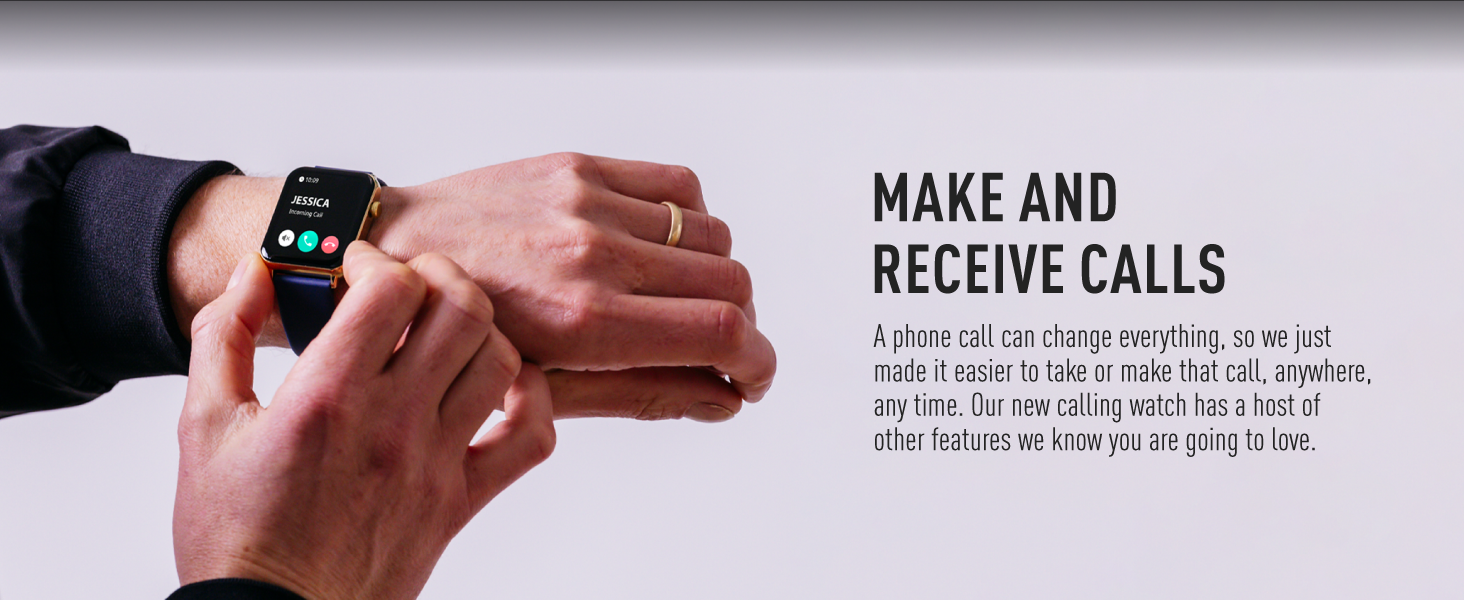
Figure 5: Make and Receive Calls
This image shows the Reflex Active Smart Watch on a person's wrist, displaying an incoming call, illustrating the watch's capability to handle phone calls directly.
Health & Wellness Tracking
The Series 30 Smart Watch offers comprehensive tracking for your health and fitness goals:
- Step Counter: Tracks your daily steps and distance covered.
- YeMoyo Rate Kuongorora: Nguva dzose tarisa kurova kwemoyo wako mukati mezuva.
- Ropa Okisijeni (SpO2): Inoyera mazinga ako ekuzara kweokisijeni muropa.
- Kuongorora Kurara: Monitors your sleep patterns, including deep, light, and REM sleep.
- Calorie Tracking: Estimates calories burned based on your activity levels.
- Mitambo yemitambo: Multiple activity modes (e.g., walking, running, swimming) to track specific workouts.
- Maekisesaizi ekufema: Guided breathing sessions to help you relax and de-stress.
- Zviyeuchidzo zveKunyorovesa Mvura: Set reminders to drink water throughout the day.
- Sedentary Zviyeuchidzo: Inokuzivisa kana wanga usingaite kwenguva yakareba.
- Utano hwevakadzi: Provides tracking and insights for menstrual cycles.
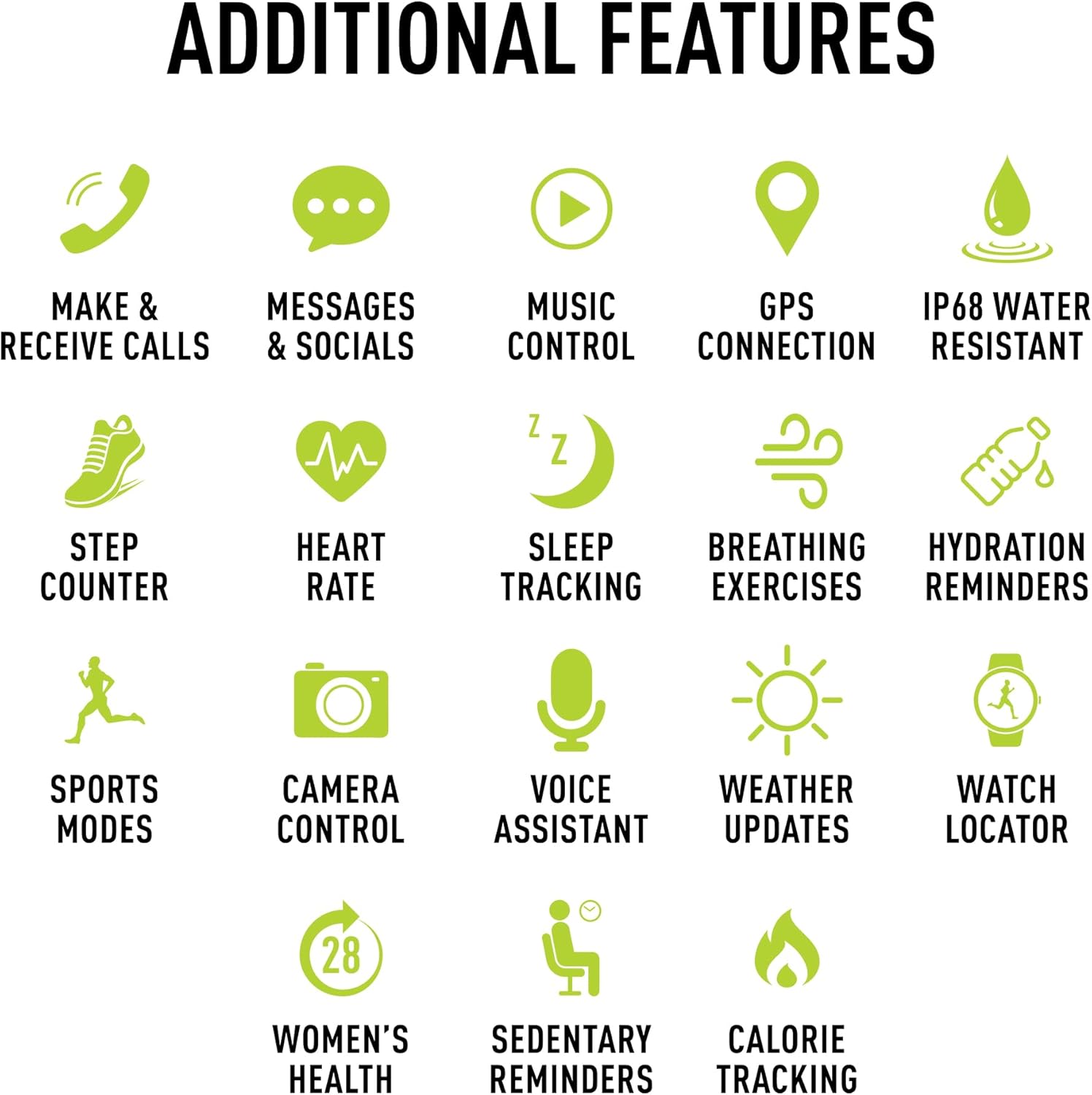
Mufananidzo 6: Zvimwe Zvimwe
This image presents a comprehensive list of additional features available on the Reflex Active Smart Watch, categorized by function with corresponding icons for easy understanding.
Zvimwe Zvimiro
- Kudzora Mumhanzi: Dzora kurira kwemimhanzi panharembozha yako zvakananga kubva pawachi yako.
- GPS Connection: Connects to your phone's GPS for accurate activity tracking and route mapping.
- Kudzora Kamera: Shandisa wachi yako sechivharo chekare chekamera yefoni yako.
- Izwi Mubatsiri: Access your smartphone's voice assistant through the watch.
- Mamiriro Ekunze: Get real-time weather information on your wrist.
- Watch Locator: Helps you find your watch if it's misplaced nearby.
- Dual-Time Feature: Displays time for two different time zones, useful for travel.
Customization
Personalize your watch to match your style and preferences:
- Exclusive Dials: Choose from an incredible selection of exclusive Reflex Active dials, including animated displays.
- Personalized Photo Dials: Use a photo from your phone gallery to create a unique watch face.

Figure 7: Watch Face Customization
This image showcases the wide array of high-definition AMOLED watch faces available for the Reflex Active Smart Watch, with the watch itself displaying a colorful dial and a smartphone screen showing numerous other design options.
Maintenance
Kuchenesa Wachi Yako
To maintain the appearance and functionality of your smart watch, clean it regularly:
- Pukuta sikirini wobva wasunga nejira rakapfava, risina jira.
- Pazvibodzwa zvakasindimara, zvishoma dampen jira nemvura. Dzivisa kushandisa makemikari ane hasha kana abrasive zvinhu.
- Ita shuwa kuti macontacts ekuchajisa kuseri kwewachi akachena uye akaoma usati wachaja.
Kuramba Mvura (IP68)
Your Reflex Active Series 30 Smart Watch has an IP68 water resistance rating, making it suitable for surface swimming and various activities. However, it is not recommended for diving or high-pressure water activities. Always dry the watch thoroughly after exposure to water.
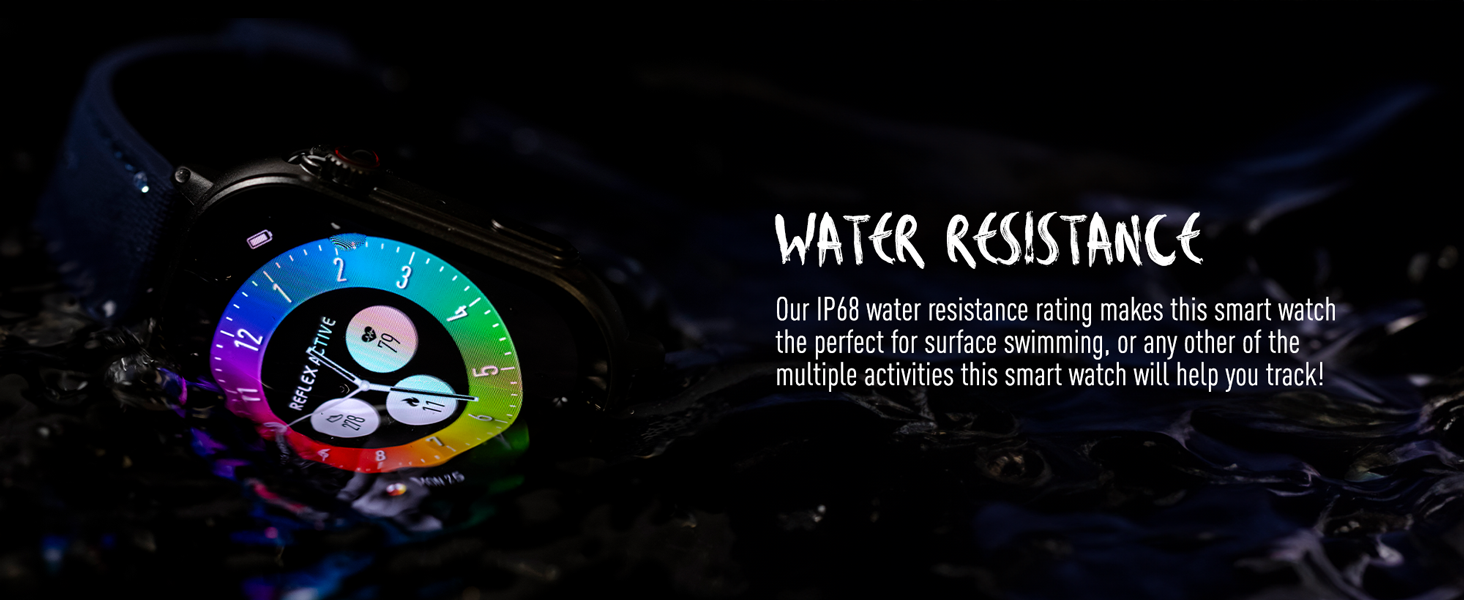
Mufananidzo 8: Kusapindirana kwemvura
This image depicts the Reflex Active Smart Watch partially submerged in water, visually representing its IP68 water resistance capability.
Hupenyu hwebhatiri
The watch offers up to 14 days of battery life, depending on usage. Features like Always-On Display, frequent notifications, and continuous health monitoring will consume more power. Charge your watch regularly to ensure uninterrupted use.
Kugadzirisa matambudziko
If you encounter issues with your Reflex Active Series 30 Smart Watch, try the following solutions:
| Dambudziko | Solution |
|---|---|
| Watch not kubatidza | Ita shuwa kuti wachi yachajiwa zvizere. Isungirire pachaja kweinenge maminitsi makumi matatu. |
| Haikwanise kubatana ne smartphone |
|
| Zviziviso hazvisi kuoneka |
|
| Mashoko ehutano asina kururama |
|
| Hupenyu hupfupi hwebhatiri |
|
Zvinotsanangurwa
| Feature | Detail |
|---|---|
| Model Number | Series 30 |
| Display Type | AMOLED |
| Screen Size | 1.78 inches |
| Water Resistance Rating | IP68 |
| Kubatana | Bluetooth, USB (yekuchaja) |
| Bhatiri Type | Lithium Metal (1 included) |
| Hupenyu hwebhatiri | Up to 14 days (usage dependent) |
| Operating System Kuenderana | Android 9.0+, iOS 12.0+ |
| Product Dimensions | 16.1 x 8.5 x 19.5cm; 60g |
| Mugadziri | Peers Hardy |
| Nyika Yekwakabva | China |
Warranty uye Support
Your Reflex Active Amoled Series 30 Smart Watch comes with a 2-gore garandi, ensuring peace of mind regarding its quality and performance. For any support inquiries, technical assistance, or warranty claims, please refer to the official Reflex Active support channels.
For additional support, FAQs, and detailed guides, please visit the official Reflex Active websaiti:


