1. Nhanganyaya
Ndatenda nekutengaasing the MUSE M307BT Portable Bluetooth Speaker. This compact and versatile speaker is designed to provide high-quality audio from your laptop, tablet, or smartphone. It features Bluetooth connectivity, a 5W output, a built-in rechargeable battery, and support for USB and Micro SD card playback. This manual provides essential information for setting up, operating, and maintaining your device.
2. Safety Information
- Usaisa mudziyo kune tembiricha yakanyanyisa, zuva rakananga, kana hunyoro hwepamusoro.
- Dzivisa kudonhedza kana kuita kuti mukurukuri apedzisire akasimba.
- Usabvisa kana kuedza kugadzirisa mudziyo wega. Tumira mabasa ese ekugadzirisa kune vashandi vane hunyanzvi.
- Keep the speaker away from water and other liquids. This device is not waterproof.
- Shandisa chete tambo yekuchaja yeUSB yakapihwa kana imwe yakasimbiswa.
- Dispose of the battery and device responsibly according to local regulations.
3. Package Zviri mukati
Ita shuwa kuti zvinhu zvese zviripo mupakeji:
- MUSE M307BT Portable Bluetooth Speaker
- USB Kuchaja Cable
4. Chigadzirwa Pamusoroview
Zvijaidze nezvimiro zvemukurukuri nezvidzoreso.


Zvinodzora uye Zviteshi:
- Bhatani reSimba: Inobatidza/kudzima mutauri.
- Bhatani reModhi (M): Switches between Bluetooth, USB, and Micro SD modes.
- Kudzikiswa kweVhoriyamu / Rwiyo Rwakapfuura (-): Dzvanya kwenguva pfupi kuti vhoriyamu ideredzwe, tinya kwenguva refu kuti uone rwiyo rwekare.
- Play/Pause / Call Button (>): Anoridza/kumisa mimhanzi, anopindura/anogumisa mafoni.
- Vhoriyamu Inowedzera / Inotevera (+): Kudzvanya kupfupi kukwidza vhoriyamu, dzvanya kwenguva refu kune inotevera track.
- Micro-USB Port: Zvekuchaja mutauri.
- USB Port: Yekuridza mimhanzi kubva pa USB flash drive.
- Micro SD (TF) Slot: Yekuridza mimhanzi kubva pakadhi reMicro SD.
- Chiratidzo che LED: Shows charging status and Bluetooth pairing status.
5. Setup
5.1 Kuchaja Mutauriri
- Connect the Micro-USB end of the charging cable to the speaker's Micro-USB port.
- Batanidza mugumo we USB-A wetambo yekuchaja kune adapta yemagetsi ye USB (haisipo) kana pachiteshi che USB chekombuta.
- Chiratidzo che LED chichavheneka kuratidza mamiriro ekuchaja. Chinowanzo dzima kana kuchinja ruvara kana chachaja zvizere.
- Kuchaja kwakazara kunotora anenge maawa 2-3.
5.2 Kubatidza/Kudzima
- Kubatidza: Press and hold the Power button for a few seconds until you hear an audible prompt and the LED indicator flashes.
- Kudzima: Press and hold the Power button for a few seconds until you hear an audible prompt and the LED indicator turns off.
6. Operating Instructions
6.1 Bluetooth Pairing
Pair your speaker with a Bluetooth-enabled device (smartphone, tablet, laptop).

- Ensure the speaker is powered on and in Bluetooth mode. The LED indicator will flash rapidly, indicating it's ready for pairing.
- Pamudziyo wako, shandisa Bluetooth uye tsvaga zvishandiso zviripo.
- Select "MUSE M307BT" from the list of devices.
- Kana yabatanidzwa, chiratidzo che LED chinomira kupenya uye chinoramba chakasimba, uye uchanzwa ruzha rwekusimbisa.
- Iwe unogona ikozvino kuridza odhiyo kubva pane chako kifaa kuburikidza nemutauri.
6.2 USB Playback
- Isa USB flash drive ine MP3 audio files kupinda mu USB port.
- Press the Modhi (M) button to switch to USB mode. The speaker will automatically begin playing music from the USB drive.
- Shandisa iyo + uye - buttons for track navigation and volume control.
6.3 Micro SD (TF) Card Playback
- Insert a Micro SD (TF) card containing MP3 audio files into the Micro SD slot.
- Press the Modhi (M) button to switch to Micro SD mode. The speaker will automatically begin playing music from the Micro SD card.
- Shandisa iyo + uye - buttons for track navigation and volume control.
6.4 Stereo Pairing (TWS Function)
To achieve a more immersive stereo sound experience, you can pair two MUSE M307BT speakers together.
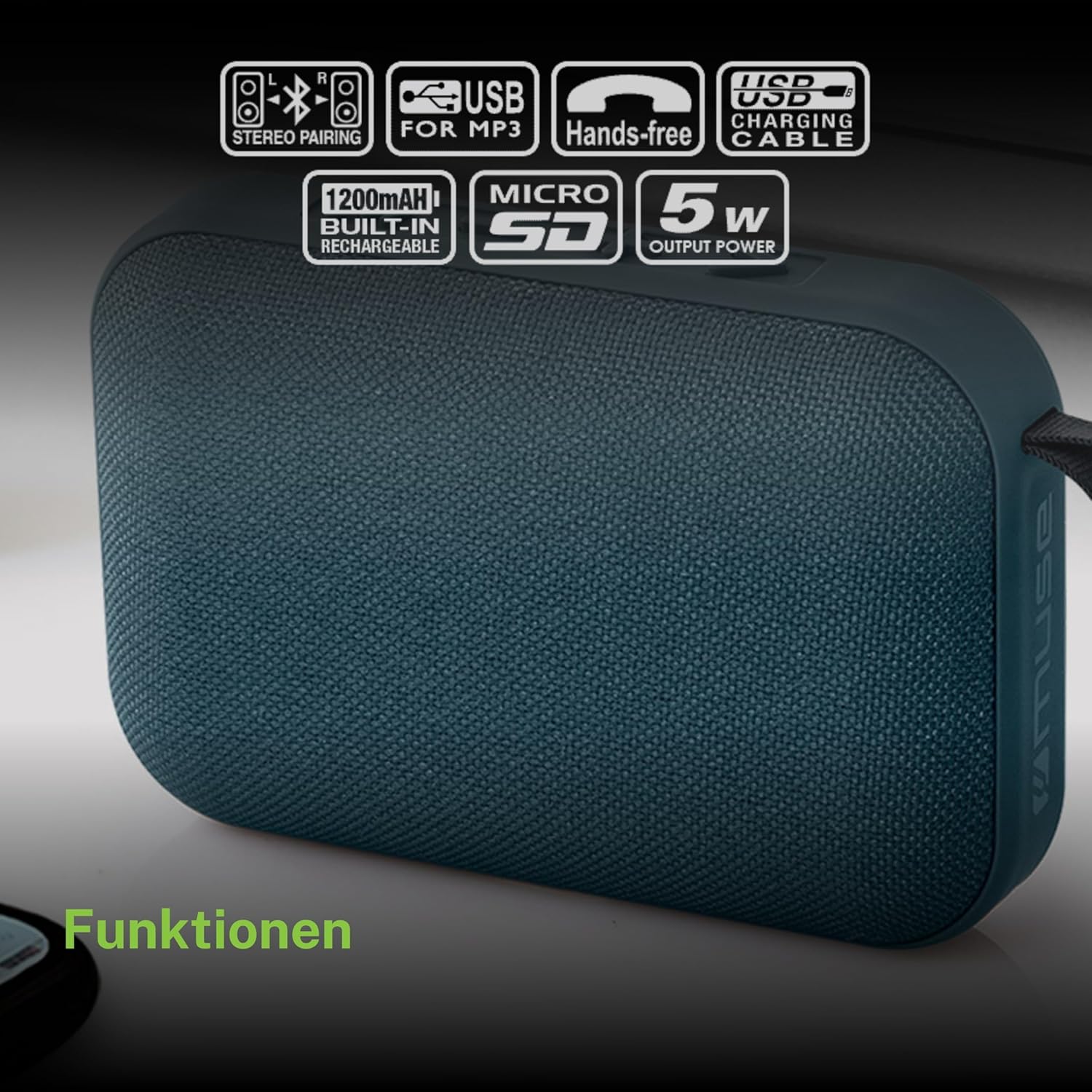
- Ensure both MUSE M307BT speakers are powered on and in Bluetooth pairing mode (LED flashing).
- On one of the speakers (this will be your primary speaker), press and hold the Modhi (M) button for a few seconds. You will hear a sound indicating that the speakers are attempting to pair with each other.
- Once successfully paired, you will hear a confirmation sound, and the LED indicator on the primary speaker will flash slowly, while the secondary speaker's LED will remain solid.
- Zvino, batanidza mudziyo wako weBluetooth kune spika huru sezvakatsanangurwa muchikamu 6.1. Ruzha rucharira mu stereo kuburikidza nemaspika ese ari maviri.
6.5 Kufona Kusina Maoko
When connected via Bluetooth to your smartphone, the speaker can be used for hands-free calls.
- Pindura Call: Press the Play/Pause (>) bhatani kamwe.
- Pedzisa Kufona: Press the Play/Pause (>) bhatani kamwe chete panguva yekufona.
- Ramba Kufona: Dzvanya uye ubate iyo Play/Pause (>) bhatani kwemasekonzi gumi.
7. Kuchengeta
- Geza mutauri nejira rakapfava, rakaoma. Usashandise abrasive cleaners kana solvents.
- Chengeta mukurukuri munzvimbo inotonhorera, yakaoma asi isingashandiswi kwenguva yakareba.
- Avoid blocking the speaker grille to ensure optimal sound quality.
8. Kugadzirisa matambudziko
| Dambudziko | Zvinogona Kukonzera | Solution |
|---|---|---|
| Mutauri haabati simba. | Bhatiri rakaderera. | Chaja mukurukuri zvizere. |
| Haikwanise kubatanidza kuburikidza neBluetooth. | Chipika hachisi muchimiro chekupairisa; Bluetooth yakadzimwa pamudziyo; mudziyo wakanyanya kure. | Ensure speaker LED is flashing; enable Bluetooth on your device; move device closer to speaker (within 10 meters). |
| Hapana ruzha. | Volume too low; incorrect mode; device not playing. | Increase speaker and device volume; press Mode button to select correct input; ensure audio is playing on your device. |
| USB/Micro SD playback not working. | Hazvina kururama file fomati; kadhi/dhiraivha haina kuiswa nemazvo; yakaora files. | Iva nechokwadi files are MP3 format; reinsert card/drive; try different files or storage device. |
| Kubatana kwe stereo kwakundikana. | Speakers too far apart; one speaker already paired to a device. | Ensure speakers are close; disconnect any existing Bluetooth connections before attempting stereo pairing. |
9. Zvinotsanangurwa

| Feature | Tsanangudzo |
|---|---|
| Model Name | M307BT |
| Brand | MUSE |
| Output Power | 5 Watts |
| Bhatiri | 1200 mAh / 3.7V Lithium-ion (Rechargeable) |
| Kubatana | Bluetooth, USB, Micro SD (TF) |
| Audio Output Mode | Stereo (ine TWS pairing) |
| Dimensions (L x W x H) | 118 x 30 x 76 mm |
| Kurema | 200 magiramu |
| Color | Bhuruu |
| Inosanganisirwa Zvikamu | USB Kuchaja Cable |
| Isingapindi mvura | Aihwa |
| Inokurudzirwa Zvishandiso | For computer, smartphone, or tablet |
| Inowirirana Devices | Laptop, Tablet, Smartphone |
10. Warranty uye Tsigiro
10.1 Warranty yemugadziri
This MUSE M307BT Portable Bluetooth Speaker comes with a 2-year mugadziri waranti kubva pazuva rawakatenga. Waranti iyi inovhara zvikanganiso zvekugadzira uye hunyanzvi hwekugadzira pasi pekushandiswa kwakajairika. Haivhari kukuvara kunokonzerwa nekushandiswa zvisizvo, tsaona, shanduko dzisina mvumo, kana kusakara kwakajairika.
10.2 Mutengi Tsigiro
For technical assistance, warranty claims, or further inquiries, please contact your retailer or the official MUSE customer support channel. Please have your proof of purchase and product model number (M307BT) ready when contacting support.


