1. Nhanganyaya
This manual provides detailed instructions for the installation, operation, and maintenance of your Mars Gaming MC-LCD Compact Micro-ATX PC Case. The MC-LCD case features a robust steel construction, a modular design for component flexibility, and an integrated 8-inch IPS LCD display. It is designed to support advanced cooling solutions and modern hardware, ensuring optimal performance for gaming and productivity.
2. Kugadzirisa uye Kuisa Zvikamu
2.1 Kusunungura uye Kwekutanga Kuongorora
Carefully remove the PC case from its packaging. Inspect for any signs of damage during transit. Ensure all accessories are present, including screws, cables, and any included mounting hardware.
2.2 Kubvisa mapaneru
The MC-LCD case features a tempered glass side panel and mesh panels for optimal access. To begin installation, carefully remove the tempered glass side panel by unscrewing its fasteners and sliding it off. The mesh panels are designed for easy removal to facilitate component installation and airflow management.

Mufananidzo 2.2.1: View of the Mars Gaming MC-LCD PC case with the tempered glass side panel removed, revealing the interior for component installation.
2.3 Kuisirwa mamaboardboard
Install your Micro-ATX motherboard onto the pre-installed standoffs. Secure it with the provided screws. Ensure proper alignment with the I/O shield.
2.4 Kuisa Simba reMagetsi
The MC-LCD case features a front-mounted power supply bay. Install your power supply into this bay. The height of the power supply can be adjusted to accommodate various configurations and cable management needs. Secure the power supply using the appropriate screws.
2.5 Kuisa Dhiraivha Yekuchengetera Zvinhu
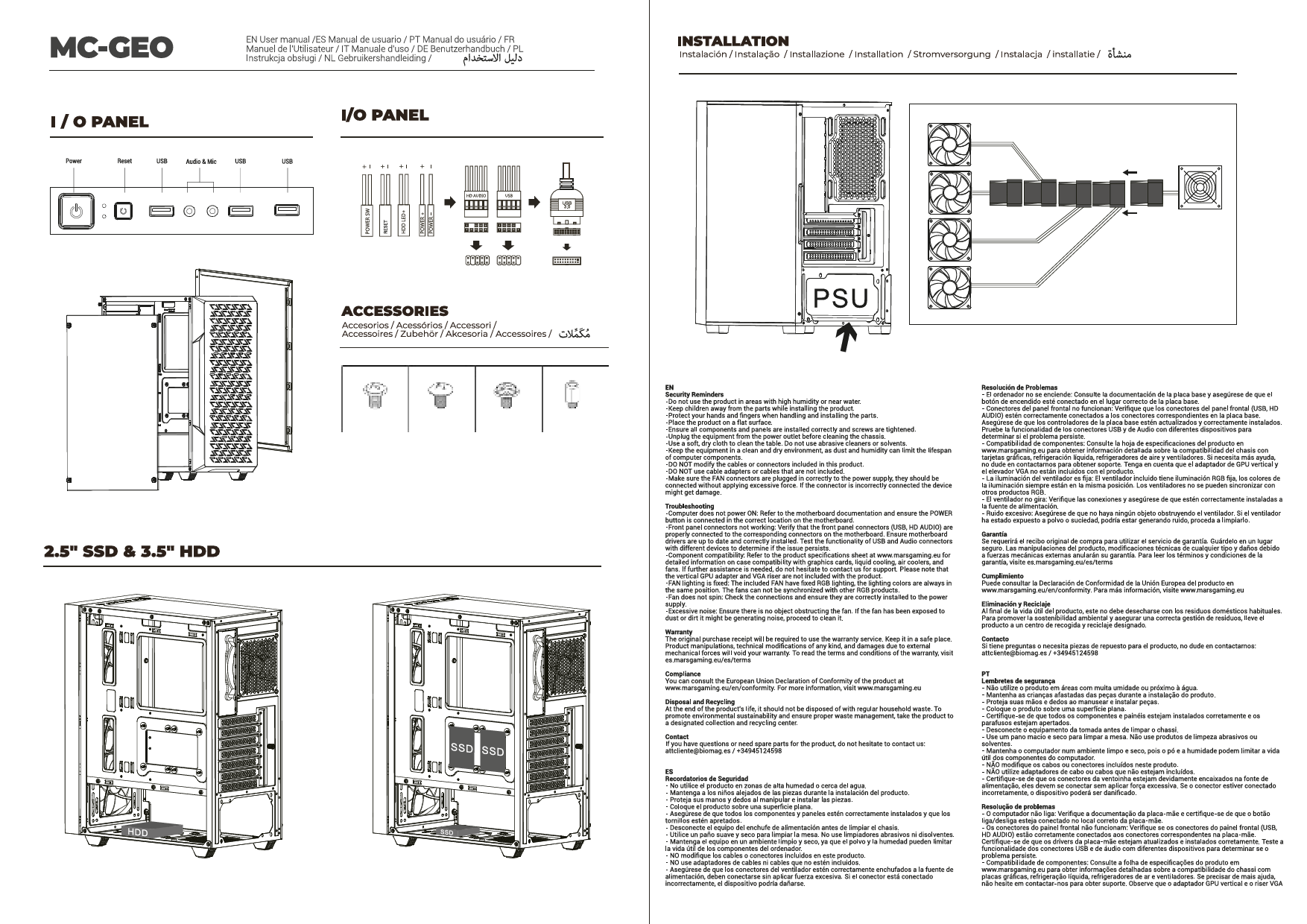
The case supports up to two hard drives. Locate the designated mounting points for 2.5-inch or 3.5-inch drives and secure them using the provided hardware.
2.6 Graphics Card and Expansion Card Installation
Install your graphics card and any other expansion cards into the available PCIe slots on your motherboard. The case supports graphics cards up to 417mm in length and includes four expansion slots. Vertical adapter support is available for graphics cards (adapter sold separately).
2.7 Cooling System Installation (Fans and Liquid Cooling)
The MC-LCD case offers extensive cooling options:
- Fans: Install up to seven 120mm fans in various locations (side, top, front, rear) to maximize airflow.
- CPU Coolers: Inotsigira maCPU coolers anosvika 170mm pakukwirira.
- Liquid Cooling: Full support for liquid cooling systems up to 360mm radiators. Install radiators in designated areas such as the top or side panels.

Mufananidzo 2.7.1: Internal view of the Mars Gaming MC-LCD PC case demonstrating installation of a liquid cooling system.
2.8 Front Panel Connectivity
Connect the front panel cables (USB 3.0, HD Audio, USB-C, power, reset, LED indicators) to the corresponding headers on your motherboard. Refer to your motherboard manual for specific header locations.
2.9 8-inch IPS LCD Display Setup
The integrated 8-inch IPS LCD display can be mounted in portrait or landscape orientation and supports front and side mounting. Connect the display to your graphics card using an HDMI cable. The display operates at 1280x800 resolution with a 60Hz refresh rate. Power for the display is typically supplied via a USB connection to your motherboard or power supply.

Mufananidzo 2.9.1: The Mars Gaming MC-LCD PC case featuring its 8-inch IPS LCD display, capable of showing system information or other content.

Mufananidzo 2.9.2: Another perspective of the Mars Gaming MC-LCD PC case, highlighting the versatility of the 8-inch IPS LCD display for desktop widgets and multitasking.
Cherechedza: The display does not include its own customization software. For customizing the content shown on the display, it is recommended to use third-party widget applications and desktop gadgets compatible with your operating system.
2.10 Cable Management
Utilize the cable routing channels and tie-down points behind the motherboard tray to manage cables effectively. Proper cable management improves airflow and aesthetics.
2.11 Reattaching Panels
Once all components are installed and cables managed, carefully reattach the tempered glass side panel and any mesh panels. Ensure all fasteners are securely tightened.
3. Operating Instructions
3.1 Powering On Your System
After connecting all external peripherals and the power cable, press the power button located on the front panel of the case to start your computer.
3.2 Utilizing the 8-inch IPS LCD Display
The integrated LCD display functions as a secondary monitor. You can extend your desktop to it, allowing for multitasking, monitoring system statistics, or displaying custom content using compatible software. Ensure the display is correctly connected via HDMI and USB for power.
3.3 Kuyerera Kwemhepo uye Kutonhodza
The MC-LCD case is designed with side, top, and front mesh panels to promote excellent airflow. Ensure that fans are installed in appropriate orientations (intake/exhaust) to maintain optimal internal temperatures. Avoid obstructing the mesh panels to prevent airflow restriction.

Mufananidzo 3.3.1: The Mars Gaming MC-LCD PC case showcasing its mesh grilles on the side, top, and front for superior ventilation.
4. Kuchengeta
4.1 Cleaning the Case
Gara uchichenesa kunze kwebhokisi uchishandisa soft, damp cloth. Avoid abrasive cleaners or solvents that could damage the finish or the tempered glass. For the mesh panels, use a soft brush or compressed air to remove dust buildup, which helps maintain optimal airflow.
4.2 Tempered Glass Care
Clean the tempered glass panel with a glass cleaner and a microfiber cloth. Avoid applying excessive force or using sharp objects near the glass to prevent scratches or breakage.
4.3 Internal Dust Management
Periodically open the case and use compressed air to remove dust from internal components, especially fans, radiators, and heatsinks. This prevents overheating and prolongs component lifespan.
5. Kugadzirisa matambudziko
5.1 Sistimu Haisi Kubatidzwa
- Ensure the power supply is properly connected to the wall outlet and the power switch on the PSU is in the 'ON' position.
- Verify that the front panel power button cable is correctly connected to the motherboard's power header.
- Check all internal power connections to the motherboard, CPU, and graphics card.
5.2 8-inch IPS LCD Display Not Working
- Confirm the HDMI cable is securely connected from the display to your graphics card.
- Ensure the USB cable providing power to the display is connected to a functional USB port.
- Check your operating system's display settings to ensure the secondary display is detected and enabled.
- Remember that the display does not have dedicated software; customization relies on OS features or third-party widgets.
5.3 Nyaya dzekupisa zvakanyanya
- Verify that all case fans and CPU/GPU coolers are spinning correctly.
- Ensure proper fan orientation for optimal intake and exhaust airflow.
- Clean any dust buildup from mesh panels, fans, and radiators.
- Confirm that no internal cables are obstructing airflow.
5.4 USB Ports Haisi Kushanda
- Check that the front panel USB 3.0 and USB-C cables are correctly connected to the corresponding headers on your motherboard.
- Ensure your motherboard drivers are up to date.
6. Zvinotsanangurwa
| Model Name | MCLCDW |
| Brand | Mars Gaming |
| Nyaya Type | Micro-ATX Tower |
| Motherboard Kuenderana | Micro ATX |
| Material | Alloy Steel, Tempered Glass |
| Color | Chena |
| Zviyero zveChigadzirwa (LxWxH) | 8 x 8 x 8 inches (approximate, based on item dimensions) |
| Item Weight | 13.2 makirogiramu |
| Kumberi I / O Zviteshi | 1x USB 3.0, 2x USB 2.0, 1x USB-C, HD Audio |
| Kuwedzera Slots | 4 |
| Kureba kweMax GPU | 417mm |
| Max CPU Inotonhorera Kureba | 170mm |
| Fan Support | Up to 7x 120mm fans |
| Liquid Cooling Support | Up to 360mm radiators |
| Power Supply Mounting | Front Mount (adjustable height) |
| 8" IPS LCD Display | 1280x800 resolution, 60Hz refresh rate, HDMI connection, portrait/landscape orientation, front/side mounting. |
7. Warranty uye Tsigiro
For detailed warranty information and technical support, please refer to the official Mars Gaming websaiti kana kubata basa ravo revatengi zvakananga. Chengetedza humbowo hwako hwekutenga kune warranty claim.
Official Mars Gaming Websaiti: www.marsgaming.eu