1. Nhanganyaya
Thank you for choosing the Hoco HC17 Mini Portable Speaker. This manual provides essential information for the safe and efficient operation of your device. Please read it carefully before use and retain it for future reference.
2. Safety Information
- Usaisa mukurukuri pakupisa kwakanyanya, zuva rakananga, kana kuti mwando wakanyanya.
- Dzivisa kudonhedza kana kuita kuti mukurukuri apedzisire akasimba.
- Do not disassemble, repair, or modify the device yourself. Contact qualified service personnel for assistance.
- Chengetedza mutauri kure nemvura nezvimwe zvinwiwa.
- Shandisa chete tambo yekuchaja yakapihwa kana certified yakaenzana.
3. Package Zviri mukati
Ita shuwa kuti zvinhu zvese zviripo mupakeji:
- Hoco HC17 Mini Portable Speaker
- USB Kuchaja Cable
- Mushandisi Chinyorwa (gwaro iri)

Image: The Hoco HC17 Mini Portable Speaker shown in its retail packaging, highlighting its compact size and clip design.
4. Chigadzirwa Pamusoroview
The Hoco HC17 is a compact and versatile portable speaker designed for on-the-go audio. It features Bluetooth 5.3 connectivity, a built-in microphone for hands-free calls, and multiple playback options including FM radio, TF card, and USB flash drive support. Its clip design enhances portability.

Mufananidzo: Yakadzama view of the grey Hoco HC17 speaker, showcasing its textured grille, control buttons, and integrated carabiner clip.

Image: A display of the Hoco HC17 speaker available in multiple vibrant color options, each with a metallic carabiner clip.
5. Setup
5.1 Kuchaja Mutauriri
- Batanidza tambo yekuchaja yeUSB yakapihwa kune chinongedzo chekuchaja chespika.
- Batanidza rimwe divi retambo yeUSB kune adapta yemagetsi yeUSB (haisipo) kana pachiteshi cheUSB chekombuta.
- Chiedza chechiratidzo chekuchaja chichavhenekera. Kana chazara chaji, mwenje unogona kuchinja ruvara kana kudzima.
- Kuchaja kwakazara kunopa kusvika maawa masere ekutamba.
5.2 Kubatidza/Kudzima
- To power on: Press and hold the Power button for a few seconds until you hear an audible prompt or see an indicator light.
- To power off: Press and hold the Power button again for a few seconds until the speaker powers down.
5.3 Bluetooth Pairing
- Ensure the speaker is powered on and in Bluetooth pairing mode (usually indicated by a flashing LED).
- Pamudziyo wako (smartphone, piritsi, nezvimwewo), shandisa Bluetooth uye tsvaga zvishandiso zviripo.
- Select "HC17" from the list of found devices.
- Once paired, the speaker will confirm with an audible prompt, and the LED indicator will stop flashing.
- Chinotaurisa chinozobatanidzazve otomatiki kumudziyo wekupedzisira wakabatana kana chabatidzwa, kana chiri pedyo nekwachinosvika.
5.4 TF Card / USB Flash Drive Playback
- Insert a TF card or USB flash drive (with supported audio files) into the corresponding slot on the speaker.
- The speaker will automatically detect the storage device and begin playing music.
- Use the speaker's control buttons to navigate tracks and adjust volume.
5.5 FM Radio Kushanda
- Switch the speaker to FM radio mode (this might be a dedicated button or a mode cycle button).
- Press the Play/Pause button to initiate an automatic station scan. The speaker will save available stations.
- Use the Next/Previous track buttons to switch between saved FM stations.
6. Kushandisa Mutauriri
6.1 Mimhanzi Playback Controls
- Tamba/Kumbomira: Dzvanya bhatani rePlay/Pause kamwe chete.
- Next Track: Dzvanya bhatani "+".
- Previous Track: Dzvanya bhatani "-".
- Vhoriyamu Kumusoro: Dzvanya wobata bhatani rekuti "+".
- Vhoriyamu Pasi: Dzvanya wobata bhatani rekuti "-".
6.2 Kufona Kwemaoko Kwemahara
Kana wakabatana neBluetooth kufoni yako:
- Pindura Call: Dzvanya bhatani reKutamba/Kumbomira kamwe kana runhare rwuchipinda rwarira.
- Pedzisa Kufona: Dzvanya bhatani rePlay/Pause kamwe panguva yekufona.
- Ramba Kufona: Dzvanya uye bata bhatani reKutamba/Kumbomira kwemasekonzi maviri kana runhare rwunopinda rwarira.
- Maikorofoni yakavakirwa mukati inobvumira kutaurirana kwakajeka.
7. Kuchengeta
- Kuchenesa: Shandisa jira rakapfava, rakaoma kuchenesa pamusoro pemukurukuri. Usashandise abrasive cleaners kana solvents.
- Kuchengeta: Chengetedza mukurukuri munzvimbo inotonhorera, yakaoma kure nechiedza chezuva uye tembiricha yakanyanyisa paunenge usingashandiswi kwenguva yakareba.
- Battery Care: Kuti bhatiri rirambe richirarama kwenguva refu, dzivisa kuburitsa bhatiri rakazara nguva nenguva. Chaja sipika nguva dzose, kunyangwe isiri kushandiswa.
8. Kugadzirisa matambudziko
| Dambudziko | Zvinogona Kukonzera | Solution |
|---|---|---|
| Mutauri haabati simba. | Bhatiri rakaderera. | Chaja mukurukuri zvizere. |
| Haikwanise kubatanidza kuburikidza neBluetooth. | Speaker not in pairing mode; device Bluetooth off; too far apart. | Ensure speaker is in pairing mode. Turn on Bluetooth on your device. Move speaker closer to device (within 10 meters). |
| Hapana ruzha panguva yekutamba. | Vhoriyamu yakadzikira zvakanyanya; sipika haina kubatana; kwakabva zvisiri izvo. | Increase volume on both speaker and connected device. Re-pair Bluetooth. Ensure correct input source (Bluetooth, TF, USB, FM) is selected. |
| Kusagamuchirwa zvakanaka kweredhiyo yeFM. | Weak signal; environmental interference. | Move to an open area. Try rescanning for stations. |
9. Zvinotsanangurwa
- Muenzaniso: HC17
- Bluetooth Version: 5.3
- Mutauriri wechikamu: 45mm
- Battery Capacity: 500mAh
- Nguva yekutamba: Kusvikira kumaawa makumi maviri nemashanu
- Kubatana: Bluetooth, FM, TF Card, USB Flash Drive
- Yakavakirwa-mukati Maikorofoni: Yes (for hands-free calling)
- Dimensions: Approximately 13.3D x 8.5W x 4.9H centimetres
- Zvinosanganisirwa Zvikamu: USB Charger (cable)
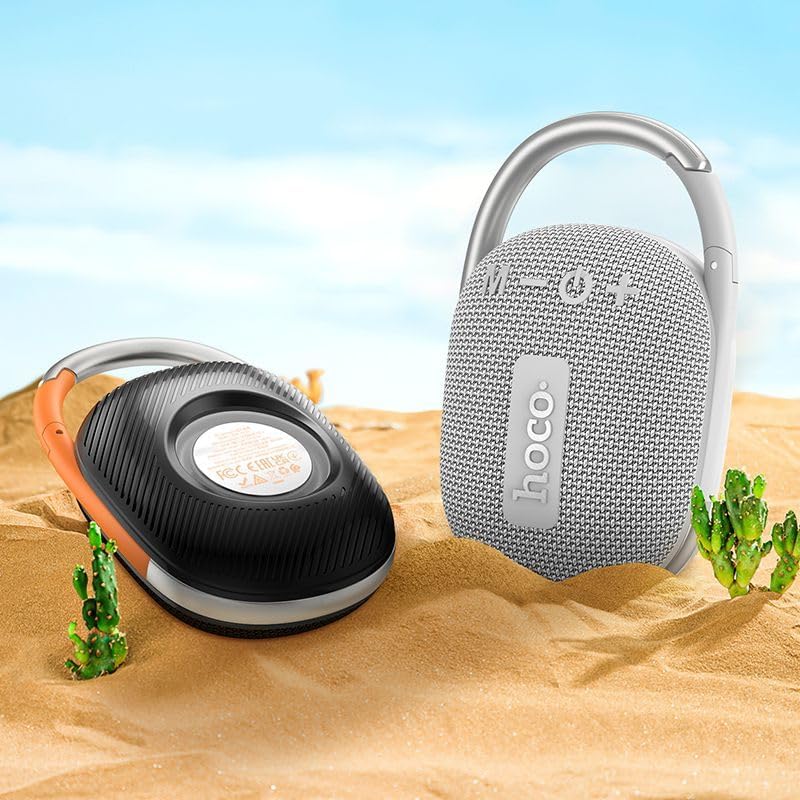
Image: The Hoco HC17 speaker positioned on sand with small cacti, illustrating its portability and suitability for outdoor use.
10. Warranty uye Tsigiro
This product comes with a standard manufacturer's warranty. For detailed warranty terms and conditions, please refer to the warranty card included with your purchase or contact your retailer. For technical support or service inquiries, please contact the point of purchase or the official Hoco support channels.


