Nhanganyaya
Thank you for choosing the HyperGear Halo Waterproof LED Wireless Speaker. This manual provides essential information for setting up, operating, and maintaining your speaker to ensure optimal performance and longevity. The Halo speaker combines powerful HD sound with a vibrant 360° multicolor LED light show, designed for both indoor and outdoor use. Its IPX6 waterproof rating makes it suitable for various environments, from poolside parties to everyday listening.
Chii chiri muBhokisi
- HyperGear Halo Waterproof LED Wireless Speaker
- USB-C Kuchaja Cable
- 3.5mm Aux Cord
Setup Guide
1. Kubhadharisa Mutauri
Before first use, fully charge your Halo speaker. Connect the included USB-C charging cable to the speaker's charging port and the other end to a USB power adapter (not included). The LED indicator will show charging status and turn off when fully charged.
2. Powering On / Off
Press and hold the Power button on the speaker's top panel to turn it on or off. A sound prompt will indicate the power status.
3. Bluetooth Kubatanidza
- Iva nechokwadi chekuti spika yakabatidzwa uye iri muBluetooth pairing mode (inoratidzwa ne LED inopenya).
- Pamudziyo wako (smartphone, piritsi, komputa), gonesa Bluetooth uye tsvaga zvishandiso zviripo.
- Select "HyperGear Halo" from the list.
- Once paired, the speaker will emit a confirmation sound, and the LED will stop flashing.
Chinotaurisa chinozobatanidzazve otomatiki kumudziyo wekupedzisira wakabatana kana chabatidzwa, kana chiri pedyo nekwachinosvika.

The top panel of the HyperGear Halo speaker, showing controls and its connection to a smartphone via Bluetooth.
Operating Instruction
Basic Controls
| Bhatani/Basa | Chiito |
|---|---|
| Bhatani reSimba | Press and hold to Power On/Off |
| Tamba/Misa | Press once to Play/Pause music |
| Kukwidza inzwi (+) | Dzvanya kamwe chete kuti uwedzere inzwi |
| Vhoriyamu Pasi (-) | Dzvanya kamwe kuti uderedze inzwi |
| Next Track | Press and hold Volume Up (+) |
| Previous Track | Press and hold Volume Down (-) |
| Pindura/Pedzisa Kufona | Press Play/Pause button once |
| Ramba Kufona | Press and hold Play/Pause button |
| Chiedza Modhi Bhatani | Dzvanya kutenderera kuburikidza ne6 LED mwenje modhi |
Party Mode (Stereo Pairing)
To achieve immersive stereo sound, you can pair two HyperGear Halo speakers together:
- Ensure both Halo speakers are powered on and not connected to any other Bluetooth device.
- On one speaker (this will be the primary speaker), double-press the Power button. It will enter pairing mode for Party Mode.
- Maspika maviri aya achabatana otomatiki. Ruzha rwekusimbisa runoratidza kubatana kwakabudirira.
- Now, connect your device to the primary speaker via Bluetooth as described in the 'Bluetooth Pairing' section. Both speakers will play synchronized audio and light shows.

Two HyperGear Halo speakers paired together for Party Mode, offering synchronized audio and light effects.
Alternative Playback Modes

The side panel of the HyperGear Halo speaker, revealing the AUX, microSD, and USB-C ports for versatile connectivity.
- Aux-In: Connect your device using the included 3.5mm Aux cord to the speaker's AUX port for a wired audio connection.
- MicroSD Kadhi: Insert a microSD card loaded with audio files into the designated slot. The speaker will automatically play music from the card.
Features Overview
- IPX6 Isingapindi Mvura Chiyero: Designed to withstand splashes, rain, and spills, making it ideal for outdoor adventures and poolside use.
- Powerful 5W Front-Firing Sound: Equipped with a 52mm full-range driver for rich, dynamic audio with pulse-pounding bass. The front-firing design ensures clearer sound projection.
- 360° Multicolor LED Lights: Features a vibrant light ring that synchronizes with your music, offering 6 different lighting modes to enhance your listening experience.
- Yakavakirwa-mukati Maikorofoni: Allows for convenient hands-free calling.
- Bluetooth 5.3 Tekinoroji: Provides a stable, stutter-free wireless connection with a range of up to 33 feet.
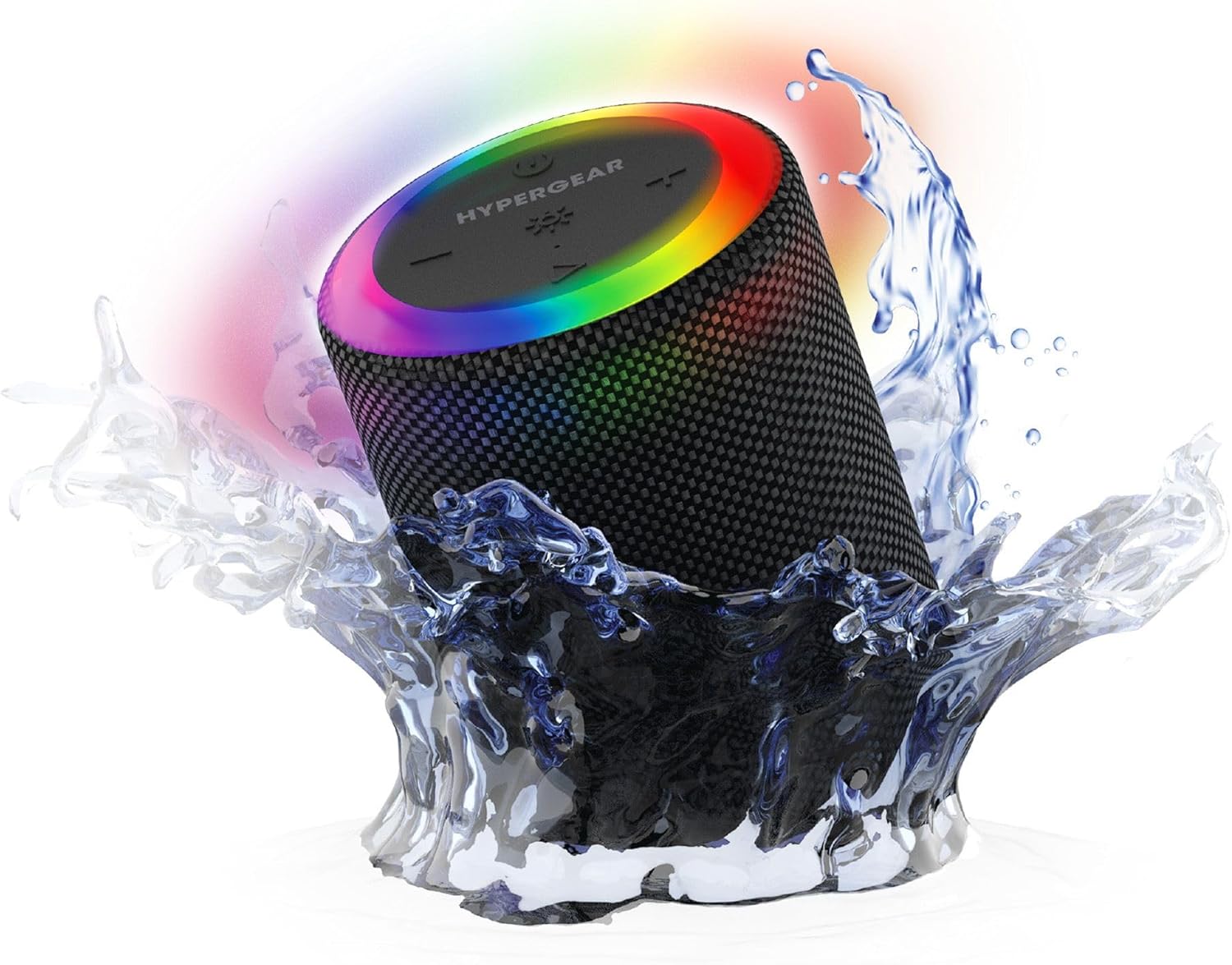
The HyperGear Halo speaker immersed in water, highlighting its robust waterproof design.

Visual representation of the HyperGear Halo speaker's powerful audio features, including its 5W output and 52mm driver.

The HyperGear Halo speaker showcasing its beat-synced 360° multicolor LED light ring with various lighting modes.
Zvinotsanangurwa
| Feature | Detail |
|---|---|
| Model Name | Halo Waterproof LED Wireless Speaker |
| Mutauri Rudzi | Multimedia |
| Kubatana Technology | Bluetooth 5.3 |
| Audio Output Mode | Mono (Stereo with Party Mode) |
| Mutauri Mukuru Wekubuda Simba | 5 Watts |
| Audio Driver Size | 52 mamirimita |
| Mvura Resistance Level | IPX6 Isingapindi mvura |
| Product Dimensions | 3.27"D x 3.27"W x 4.13"H |
| Item Weight | 1.05 makirogiramu |
| Simba Source | Battery Powered |
| Inosanganisirwa Zvikamu | USB-C Charging Cable, 3.5mm Aux Cord |
| Kudzora Nzira | Bhatani |
| UPC | 633755158858 |
Maintenance
- Kuchenesa: Pukuta mutauri nekanyoro, damp jira. Usashandise makemikari ane hasha kana abrasive cleaners.
- Kuchengeta: Chengetedza mukurukuri munzvimbo inotonhorera, yakaoma kure nechiedza chezuva uye tembiricha yakanyanyisa.
- Battery Care: To preserve battery life, avoid fully discharging the speaker frequently. Charge it regularly, even if not in use for extended periods.
- Waterproof Seal: Ensure the silicone cover for the charging and AUX ports is securely closed when near water to maintain its IPX6 rating.
Kugadzirisa matambudziko
| Dambudziko | Possible Solution |
|---|---|
| Mutauri haabati simba. | Iva nechokwadi chekuti sipika yachajwa. Ibatanidze kune simba remagetsi woedza zvakare. |
| Haikwanise kubatanidzwa neBluetooth mudziyo. | Make sure the speaker is in pairing mode (flashing LED). Turn off and on Bluetooth on your device. Ensure no other devices are connected to the speaker. Move speaker closer to your device. |
| Hapana ruzha kubva kumutauri. | Check volume levels on both the speaker and your device. Ensure the correct input mode (Bluetooth, Aux, MicroSD) is selected. If using Aux, ensure the cable is fully inserted. |
| Party Mode not working. | Ensure both speakers are fully charged and not connected to any other Bluetooth devices. Try resetting both speakers by powering them off and on, then re-attempt Party Mode pairing. |
| Mwenje ye LED haisi kushanda. | Press the Light Mode button to cycle through modes. Ensure the speaker is powered on. |
Warranty uye Support
The HyperGear Halo Waterproof LED Wireless Speaker comes with a Yakakwana Warranty. For specific details regarding warranty coverage, duration, and claims, please refer to the warranty card included with your product or visit the official HyperGear website. For technical support or further assistance, please contact HyperGear customer service through their official channels.


